Skip to content
⏳ Offer Ends Soon: Get 17 Linux courses, 4 certification courses, 7 eBooks and all future releases for life, just $99 → [Join Now]
Tecmint: Linux Howtos, Tutorials & Guides
  • Latest Tutorials
  • Commands
    • A – Z Linux Commands
    • 100+ Linux Commands
  • Tools
  • Distros
    • Linux Distros for Beginners
    • Linux Distros for Experts
    • New Linux Distros
    • Linux Server Distros
    • Secure Linux Distros
    • CentOS Alternatives
    • RedHat Distributions
    • Debian Distributions
    • Ubuntu Distributions
    • Arch Linux Distros
    • Rolling Linux Distros
    • KDE Linux Distros
    • Linux Distros for Old PC
    • Linux Distros for Kids
    • Linux Distributions for Students
    • Linux Distros for Windows
  • Courses
    • Bash Scripting
    • Learn Linux
    • AI for Linux
    • RHCSA Certification
    • RHCE Certification
    • LFCS Certification
  • eBooks
    • RHCSA Exam
    • RHCE Exam
    • LFCS Exam
    • LFCE Exam
    • LFCA Exam
    • Ansible Exam
  • About
  • Advertise
Tecmint: Linux Howtos, Tutorials & Guides
  • Latest Tutorials
  • Commands
    • A – Z Linux Commands
    • 100+ Linux Commands
  • Tools
  • Distros
    • Linux Distros for Beginners
    • Linux Distros for Experts
    • New Linux Distros
    • Linux Server Distros
    • Secure Linux Distros
    • CentOS Alternatives
    • RedHat Distributions
    • Debian Distributions
    • Ubuntu Distributions
    • Arch Linux Distros
    • Rolling Linux Distros
    • KDE Linux Distros
    • Linux Distros for Old PC
    • Linux Distros for Kids
    • Linux Distributions for Students
    • Linux Distros for Windows
  • Courses
    • Bash Scripting
    • Learn Linux
    • AI for Linux
    • RHCSA Certification
    • RHCE Certification
    • LFCS Certification
  • eBooks
    • RHCSA Exam
    • RHCE Exam
    • LFCS Exam
    • LFCE Exam
    • LFCA Exam
    • Ansible Exam
  • About
  • Advertise

Docker

Install Docker and Learn Basic Container Manipulation

Install Docker and Learn Basic Container Manipulation in CentOS and RHEL 8/7 – Part 1

In this 4-article series, we will discuss Docker, which is an open-source lightweight virtualization tool that runs at top of

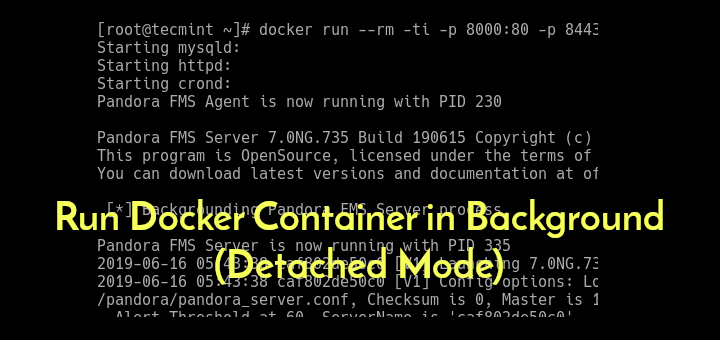
Run Docker Container in Background

Run Docker Container in Background (Detached Mode)

Under Docker, an image developer can define image defaults related to detached or foreground running, and other useful settings. But,
Install Docker and Run Docker Containers in Ubuntu

How to Install Docker and Run Docker Containers in Ubuntu

Docker is an open source and popular operating system-level virtualization (commonly known as “containerization”) technology that primarily runs on Linux
Name or Rename Docker Containers

How to Name or Rename Docker Containers

When Docker containers are created, the system automatically assign a universally unique identifier (UUID) number to each container to avoid
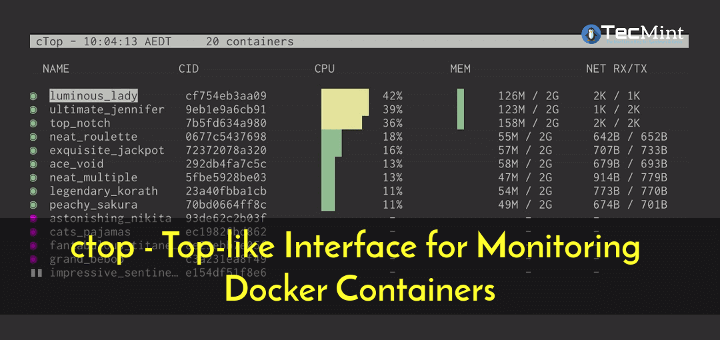
ctop - Monitor Docker Containers in Linux

ctop – Top-like Interface for Monitoring Docker Containers

ctop is a free open source, simple and cross-platform top-like command-line tool for monitoring container metrics in real-time. It allows
Remove Docker Images, Containers and Volumes

How to Remove Docker Images, Containers and Volumes

Docker is an open-source, powerful, secure, reliable and efficient container platform that enables realistic independence between applications and infrastructure. It

Newer posts
← Previous Page1 Page2

Get Two Free Linux Courses

Join 34,000+ readers learning Linux with practical TecMint tutorials every week.

Free newsletter + free member access.
Prefer TecMint on Google
See more TecMint results in Google Search.
Preferred source Add TecMint →
Popular Pro Courses Structured Linux learning from TecMint.
01 SSH Complete Course → 02 Linux for DevOps Engineers → 03 100+ Essential Linux Commands → 04 RHCSA Certification Course → 05 Claude Code for Sysadmins → 06 Learn Linux in 7 Days → See all 18 courses→
Tecmint: Linux Howtos, Tutorials & Guides © 2026. All Rights Reserved.

The material in this site cannot be republished either online or offline, without our permission.

Hosting Sponsored by : Linode Cloud Hosting