

Google has been pushing the boundaries of Artificial Intelligence (AI) with its various tools and services. One of its latest innovations is NotebookLM, a powerful tool designed to make learning and note-taking easier.
Recently, Google introduced a new feature for NotebookLM that allows it to transform YouTube videos into study guides. This update has the potential to revolutionize the way students and learners interact with online video content.
In this article, we’ll explore what NotebookLM is, how this new YouTube video-to-study-guide feature works, and why it can be a game-changer for learners around the world.
What Is NotebookLM?
NotebookLM, short for “Notebook Language Model“, is an AI-powered note-taking assistant developed by Google. It’s built on the same technology as Google’s Large Language Models (LLMs), which are designed to process vast amounts of information and generate human-like responses.
NotebookLM goes beyond basic note-taking by understanding the content of text, extracting key ideas, and helping users organize information in a more efficient way.
Initially, NotebookLM was released with the ability to process documents, websites, and other textual content. Now, with the latest update, NotebookLM can analyze YouTube videos, making it easier for users to capture key concepts and turn them into effective study material.
How to Use NotebookLM with YouTube Videos
To start using NotebookLM, you need to visit the NotebookLM website. You will need a Google account to sign in. Once logged in, you can create a new notebook or open an existing one.
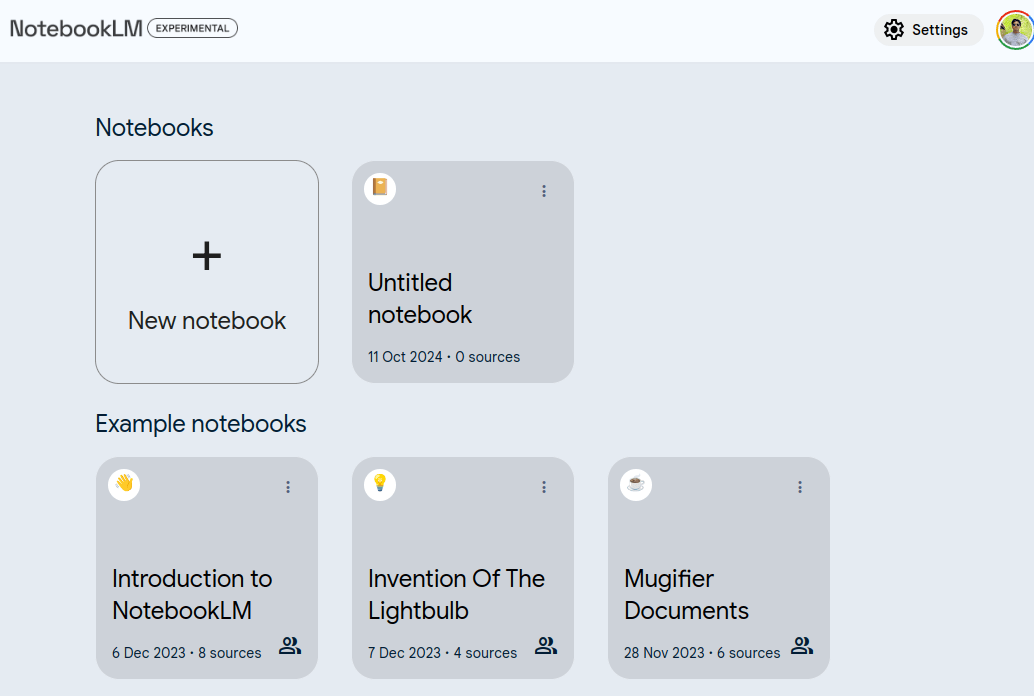
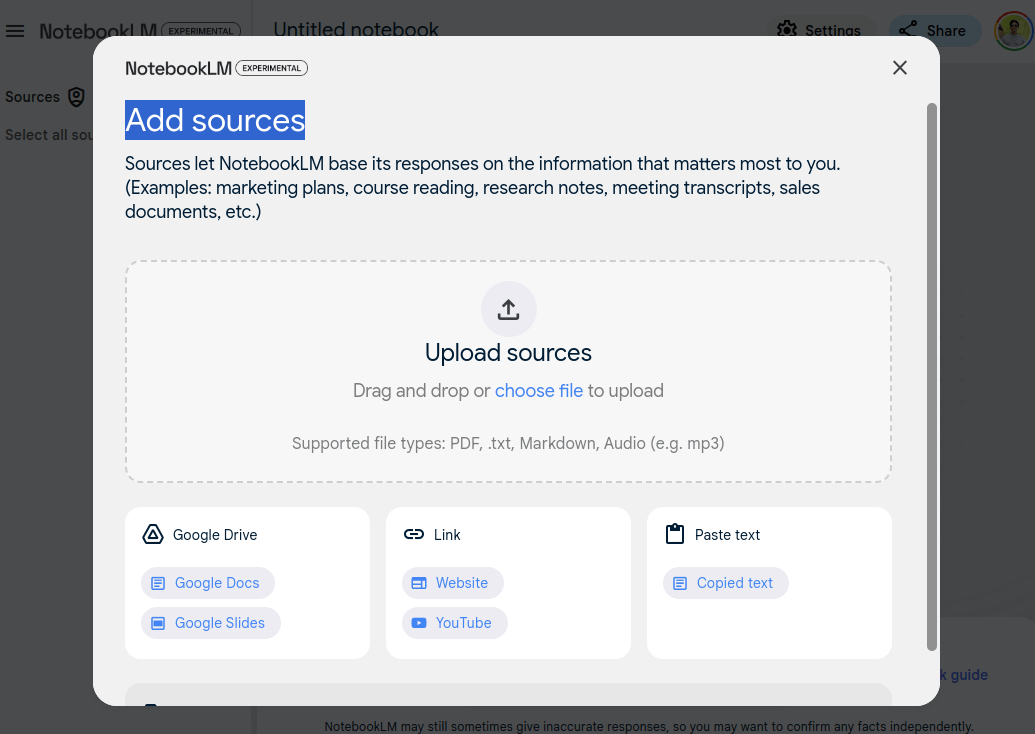
In your notebook, look for an option “YouTube” to add sources.
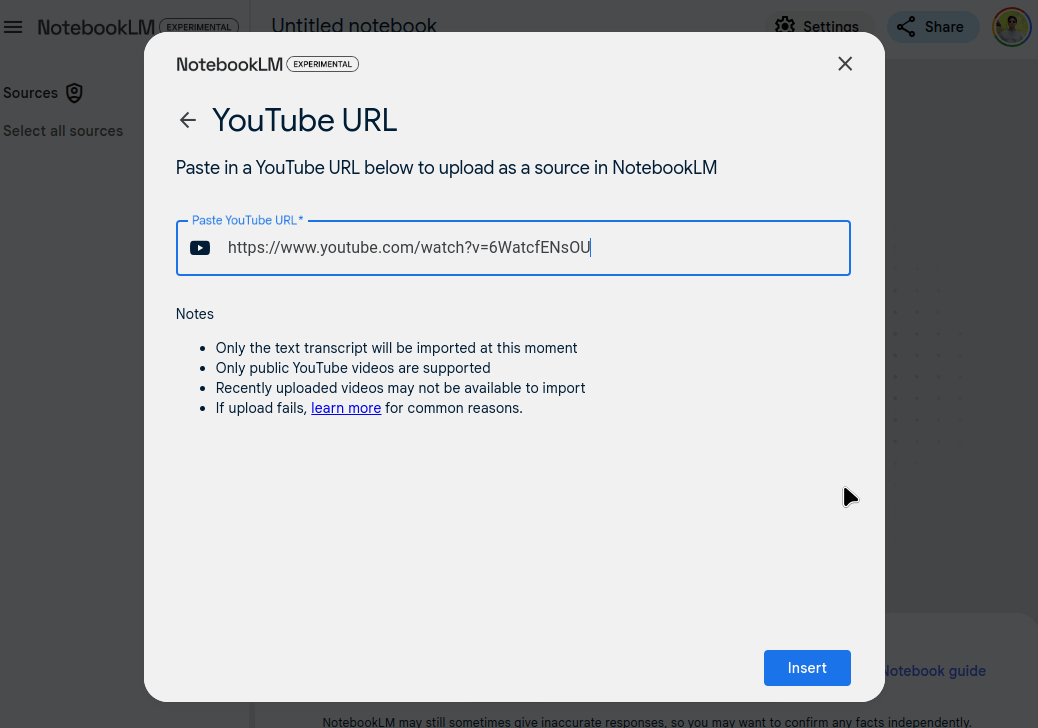
Next, go to YouTube and find the video you want to analyze, then copy the Video URL from the address bar and paste the copied YouTube URL into the designated area.
Once you have added the video, it will analyze the video’s captions (not the video itself) and generate a summary of key points. This helps in quickly understanding the main ideas without watching the entire video.
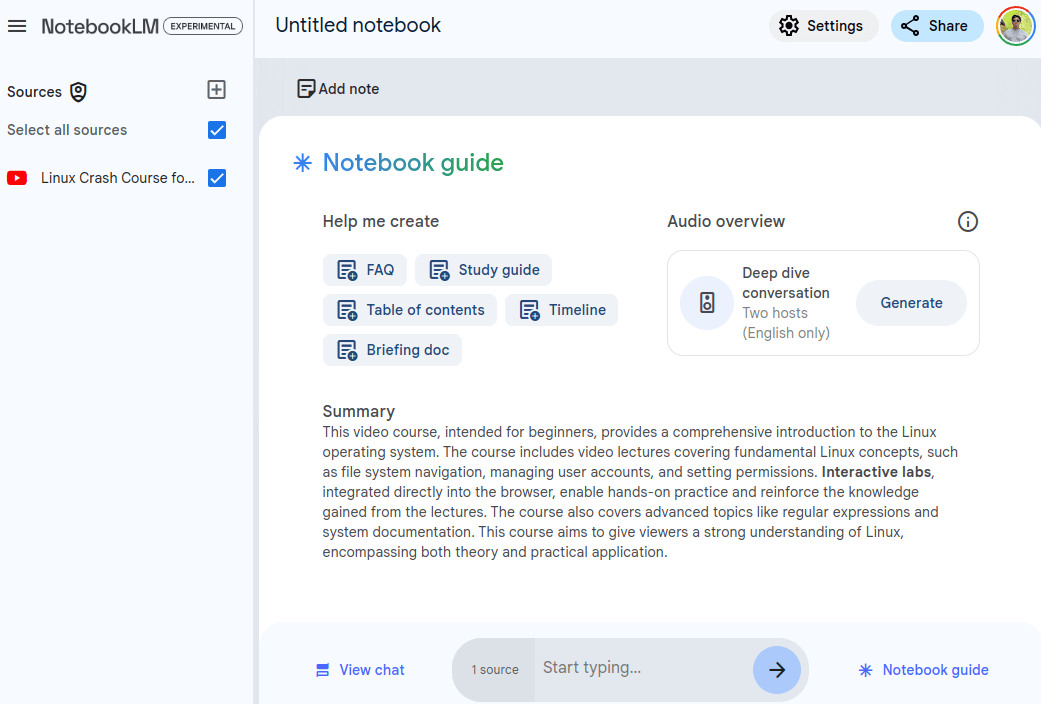
Once the study guide is generated, you can make adjustments, ask questions, or highlight specific sections. After finalizing the study guide, you can save it for later use or export it to other formats for easy access.
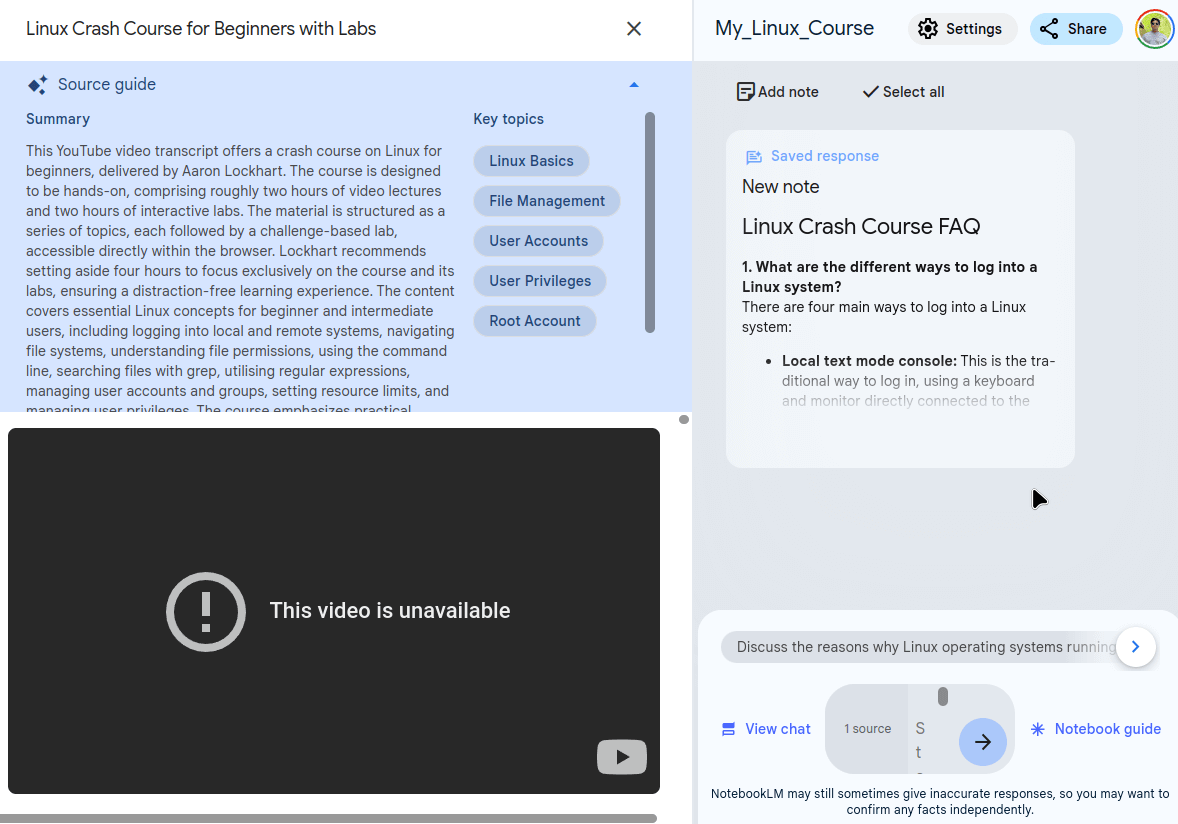
After summarizing your notes or insights from the video, you can create an audio overview, which is a useful feature that allows you to listen to your notes like a podcast and share it with others via a public link.
Conclusion
Google’s NotebookLM has taken a big step forward by integrating YouTube video analysis into its already impressive AI-powered note-taking platform.
This new feature offers a faster, more efficient way to turn long-form video content into easy-to-follow study guides, helping students save time, enhance their understanding, and personalize their learning experience.
