Skip to content
Learn Linux in 7 structured days, the free course inside Pro TecMint Sudo tier    Enroll Free
Tecmint: Linux Howtos, Tutorials & Guides
  • Latest Tutorials
  • Commands
    • A – Z Linux Commands
    • 100+ Linux Commands
  • Tools
  • Distros
    • Linux Distros for Beginners
    • Linux Distros for Experts
    • New Linux Distros
    • Linux Server Distros
    • Secure Linux Distros
    • CentOS Alternatives
    • RedHat Distributions
    • Debian Distributions
    • Ubuntu Distributions
    • Arch Linux Distros
    • Rolling Linux Distros
    • KDE Linux Distros
    • Linux Distros for Old PC
    • Linux Distros for Kids
    • Linux Distributions for Students
    • Linux Distros for Windows
  • Courses
    • Bash Scripting
    • Learn Linux
    • AI for Linux
    • RHCSA Certification
    • RHCE Certification
    • LFCS Certification
  • eBooks
    • RHCSA Exam
    • RHCE Exam
    • LFCS Exam
    • LFCE Exam
    • LFCA Exam
    • Ansible Exam
  • About
  • Advertise
Tecmint: Linux Howtos, Tutorials & Guides
  • Latest Tutorials
  • Commands
    • A – Z Linux Commands
    • 100+ Linux Commands
  • Tools
  • Distros
    • Linux Distros for Beginners
    • Linux Distros for Experts
    • New Linux Distros
    • Linux Server Distros
    • Secure Linux Distros
    • CentOS Alternatives
    • RedHat Distributions
    • Debian Distributions
    • Ubuntu Distributions
    • Arch Linux Distros
    • Rolling Linux Distros
    • KDE Linux Distros
    • Linux Distros for Old PC
    • Linux Distros for Kids
    • Linux Distributions for Students
    • Linux Distros for Windows
  • Courses
    • Bash Scripting
    • Learn Linux
    • AI for Linux
    • RHCSA Certification
    • RHCE Certification
    • LFCS Certification
  • eBooks
    • RHCSA Exam
    • RHCE Exam
    • LFCS Exam
    • LFCE Exam
    • LFCA Exam
    • Ansible Exam
  • About
  • Advertise

Mate Desktop

How to Install Latest Mate Desktop in Ubuntu and Fedora

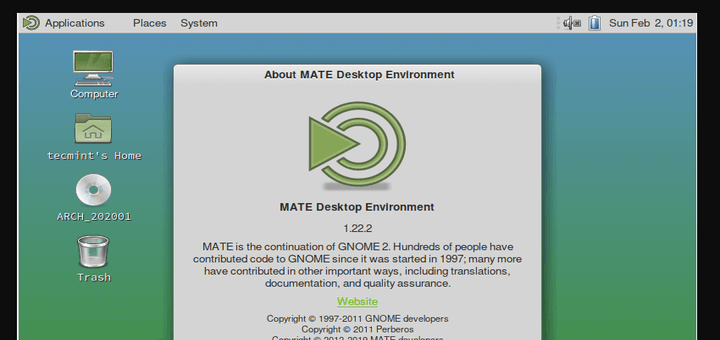
MATE desktop is a simple, intuitive, and attractive continuation of GNOME 2. It is under active development to bring about

Install Mate Desktop in Arch Linux

How to Install Mate Desktop in Arch Linux

MATE, pronounced as ‘matey’ is a lightweight, simple and intuitive desktop environment that can be installed on most Linux distributions

TecMint Weekly
Get the Learn Linux 7 Days Crash Course free when you join 34,000+ Linux professionals reading every Thursday.
Check your email for a magic link to get started.
Something went wrong. Please try again.
Free forever. Unsubscribe anytime.
Learn Linux Right Way
15 structured courses, ad-free articles, and the weekly newsletter in one place.
  • ✓SSH, Bash, Ubuntu, Golang, RHCSA, RHCE, LFCS, LFCA and more
  • ✓Ad-free access to all premium articles
  • ✓Priority help and Telegram community
  • ✓Weekly newsletter every Thursday
Join Root from $8/mo
$8/mo or $59/yr. Cancel anytime.

Linux Server Monitoring Tools

SARG – Squid Analysis Report Generator and Internet Bandwidth Monitoring Tool

How to Monitor Nginx Performance Using Netdata on CentOS 7

Install OpenNMS Network Monitoring Tool in CentOS/RHEL 7

Monitorix – A Linux System and Network Monitoring Tool

Cpustat – Monitors CPU Utilization by Running Processes in Linux

Glances – An Advanced Real Time System Monitoring Tool for Linux

Learn Linux Tricks & Tips

How to Use IP Command in Linux [24 Useful Examples]

9 Practical Examples of Tail Command in Linux

How to Fix USB Sticks Mounted as Read-Only in Linux

How to Delete Root Mails (Mailbox) File in Linux

SSH Dropped and Killed Your Job? Here’s the Fix

How to Find Files With SUID and SGID Permissions in Linux

Best Linux Tools

10 Best Clipboard Managers for Linux

60 Must-Have Free and Open-Source Linux Tools for 2026

16 Best Microsoft Teams Alternatives For Linux in 2024

16 Best Tools to Access Remote Linux Desktop

5 Best Microsoft Word Alternatives for Linux in 2024

10 Best Flowchart and Diagramming Software for Linux

Tecmint: Linux Howtos, Tutorials & Guides © 2026. All Rights Reserved.

The material in this site cannot be republished either online or offline, without our permission.

Hosting Sponsored by : Linode Cloud Hosting