Skip to content
⏳ Offer Ends Soon: Get 17 Linux courses, 4 certification courses, 7 eBooks and all future releases for life, just $99 → [Join Now]
Tecmint: Linux Howtos, Tutorials & Guides
  • Latest Tutorials
  • Commands
    • A – Z Linux Commands
    • 100+ Linux Commands
  • Tools
  • Distros
    • Linux Distros for Beginners
    • Linux Distros for Experts
    • New Linux Distros
    • Linux Server Distros
    • Secure Linux Distros
    • CentOS Alternatives
    • RedHat Distributions
    • Debian Distributions
    • Ubuntu Distributions
    • Arch Linux Distros
    • Rolling Linux Distros
    • KDE Linux Distros
    • Linux Distros for Old PC
    • Linux Distros for Kids
    • Linux Distributions for Students
    • Linux Distros for Windows
  • Courses
    • Bash Scripting
    • Learn Linux
    • AI for Linux
    • RHCSA Certification
    • RHCE Certification
    • LFCS Certification
  • eBooks
    • RHCSA Exam
    • RHCE Exam
    • LFCS Exam
    • LFCE Exam
    • LFCA Exam
    • Ansible Exam
  • About
  • Advertise
Tecmint: Linux Howtos, Tutorials & Guides
  • Latest Tutorials
  • Commands
    • A – Z Linux Commands
    • 100+ Linux Commands
  • Tools
  • Distros
    • Linux Distros for Beginners
    • Linux Distros for Experts
    • New Linux Distros
    • Linux Server Distros
    • Secure Linux Distros
    • CentOS Alternatives
    • RedHat Distributions
    • Debian Distributions
    • Ubuntu Distributions
    • Arch Linux Distros
    • Rolling Linux Distros
    • KDE Linux Distros
    • Linux Distros for Old PC
    • Linux Distros for Kids
    • Linux Distributions for Students
    • Linux Distros for Windows
  • Courses
    • Bash Scripting
    • Learn Linux
    • AI for Linux
    • RHCSA Certification
    • RHCE Certification
    • LFCS Certification
  • eBooks
    • RHCSA Exam
    • RHCE Exam
    • LFCS Exam
    • LFCE Exam
    • LFCA Exam
    • Ansible Exam
  • About
  • Advertise

netplan command

Configure Network Static IP in Ubuntu

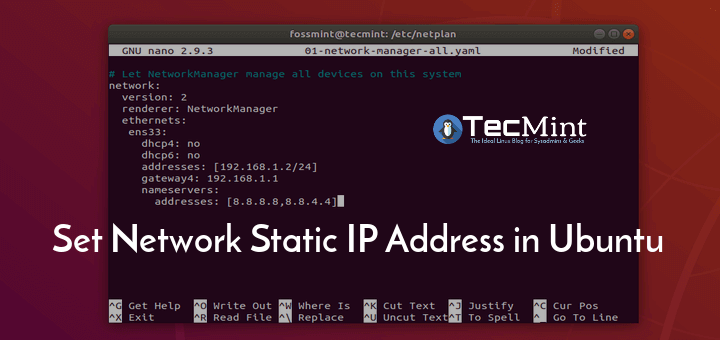
How to Configure Network Static IP Address in Ubuntu 18.04

Netplan is a new command-line network configuration utility introduced in Ubuntu 17.10 to manage and configure network settings easily in

TecMint Weekly
Get the Learn Linux 7 Days Crash Course free when you join 34,000+ Linux professionals reading every Thursday.
Check your email for a magic link to get started.
Something went wrong. Please try again.
Free forever. Unsubscribe anytime.
Learn Linux Right Way
17 structured courses, ad-free articles, and the weekly newsletter in one place.
  • ✓SSH, Bash, Ubuntu, Golang, n8n, AI for Linux, Claude for Linux, RHCSA, RHCE, LFCS, LFCA and more
  • ✓Ad-free access to all premium articles
  • ✓Priority help and Telegram community
  • ✓Weekly newsletter every Thursday
Join Root for $59/yr →

Linux Server Monitoring Tools

How to Add Windows Host to Nagios Monitoring Server

Monitor Server Resources with Collectd-web and Apache CGI in Linux

bmon – A Powerful Network Bandwidth Monitoring and Debugging Tool for Linux

Cpustat – Monitors CPU Utilization by Running Processes in Linux

Install Glances, InfluxDB and Grafana to Monitor CentOS 7

TCPflow – Analyze and Debug Network Traffic in Linux

Learn Linux Tricks & Tips

15 Useful ‘dpkg’ Commands for Debian and Ubuntu Users [With Examples]

6 Interesting Funny Commands of Linux (Fun in Terminal)

How to Execute MySQL Queries via Linux Terminal

Set Date and Time for Each Command You Execute in Bash History

Woof – Easily Exchange Files Over a Local Network in Linux

How to Find a Specific String or Word in Files and Directories

Best Linux Tools

Top 6 Linux Apps You Should Install This Week (Sept 15-21)

6 Most Notable Open Source Centralized Log Management Tools

5 CLI Tools for Downloading Files and Browsing Internet in Terminal

10 Best PDF Document Viewers for Linux Systems

10 Tools to Monitor Linux Disk Partitions and Usage in Linux

8 Best PowerPoint Alternatives for Linux

Tecmint: Linux Howtos, Tutorials & Guides © 2026. All Rights Reserved.

The material in this site cannot be republished either online or offline, without our permission.

Hosting Sponsored by : Linode Cloud Hosting