Skip to content
Learn Linux in 7 structured days, the free course inside Pro TecMint Sudo tier    Enroll Free
Tecmint: Linux Howtos, Tutorials & Guides
  • Latest Tutorials
  • Commands
    • A – Z Linux Commands
    • 100+ Linux Commands
  • Tools
  • Distros
    • Linux Distros for Beginners
    • Linux Distros for Experts
    • New Linux Distros
    • Linux Server Distros
    • Secure Linux Distros
    • CentOS Alternatives
    • RedHat Distributions
    • Debian Distributions
    • Ubuntu Distributions
    • Arch Linux Distros
    • Rolling Linux Distros
    • KDE Linux Distros
    • Linux Distros for Old PC
    • Linux Distros for Kids
    • Linux Distributions for Students
    • Linux Distros for Windows
  • Courses
    • Bash Scripting
    • Learn Linux
    • AI for Linux
    • RHCSA Certification
    • RHCE Certification
    • LFCS Certification
  • eBooks
    • RHCSA Exam
    • RHCE Exam
    • LFCS Exam
    • LFCE Exam
    • LFCA Exam
    • Ansible Exam
  • About
  • Advertise
Tecmint: Linux Howtos, Tutorials & Guides
  • Latest Tutorials
  • Commands
    • A – Z Linux Commands
    • 100+ Linux Commands
  • Tools
  • Distros
    • Linux Distros for Beginners
    • Linux Distros for Experts
    • New Linux Distros
    • Linux Server Distros
    • Secure Linux Distros
    • CentOS Alternatives
    • RedHat Distributions
    • Debian Distributions
    • Ubuntu Distributions
    • Arch Linux Distros
    • Rolling Linux Distros
    • KDE Linux Distros
    • Linux Distros for Old PC
    • Linux Distros for Kids
    • Linux Distributions for Students
    • Linux Distros for Windows
  • Courses
    • Bash Scripting
    • Learn Linux
    • AI for Linux
    • RHCSA Certification
    • RHCE Certification
    • LFCS Certification
  • eBooks
    • RHCSA Exam
    • RHCE Exam
    • LFCS Exam
    • LFCE Exam
    • LFCA Exam
    • Ansible Exam
  • About
  • Advertise

Zsh Tips

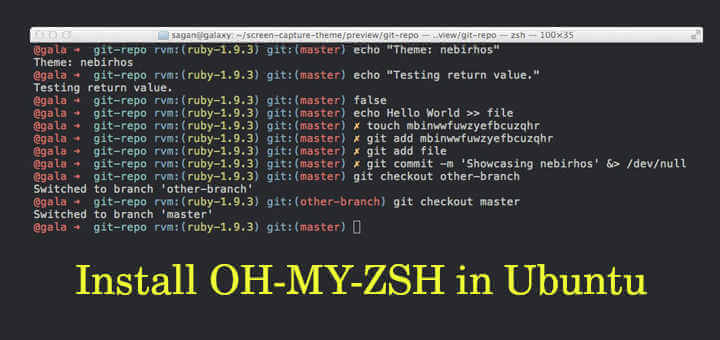
Install OH-MY-ZSH in Ubuntu

How to Install OH-MY-ZSH in Ubuntu 20.04

When working with Unix-based environments our majority of time will be spent on working in a terminal. A good looking

Install Zsh in Ubuntu Linux

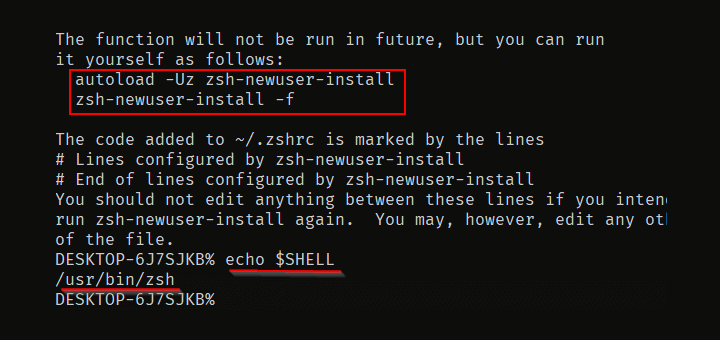
How to Install and Setup Zsh in Ubuntu 20.04

This article is about installing and configuring ZSH on Ubuntu 20.04. This step applies to all Ubuntu-based distributions. ZSH stands

TecMint Weekly
Get the Learn Linux 7 Days Crash Course free when you join 34,000+ Linux professionals reading every Thursday.
Check your email for a magic link to get started.
Something went wrong. Please try again.
Free forever. Unsubscribe anytime.
Learn Linux Right Way
15 structured courses, ad-free articles, and the weekly newsletter in one place.
  • ✓SSH, Bash, Ubuntu, Golang, RHCSA, RHCE, LFCS, LFCA and more
  • ✓Ad-free access to all premium articles
  • ✓Priority help and Telegram community
  • ✓Weekly newsletter every Thursday
Join Root from $8/mo
$8/mo or $59/yr. Cancel anytime.

Linux Server Monitoring Tools

How to Monitor Ubuntu Performance Using Netdata

6 Open Source Tools to Monitor MySQL Performance in Linux

How to Install Cacti (Network Monitoring) Tool on RHEL Systems

How to Monitor Remote Linux Systems with Glances

bmon – A Powerful Network Bandwidth Monitoring and Debugging Tool for Linux

How to Setup Rsyslog Client to Send Logs to Rsyslog Server in CentOS 7

Learn Linux Tricks & Tips

hyperfine: Find Linux Command Execution Time Accurately

How to Create and Manage Cron Jobs on Linux

How to Create a Password Protected ZIP File in Linux

How to Increase Number of Open Files Limit in Linux

30 Useful Linux Commands for System Administrators

11 Lesser Known Useful Linux Commands

Best Linux Tools

10 Best Clipboard Managers for Linux

4 Best QR Code Generator Tools for Linux

20 Useful Security Features and Tools for Linux Admins

17 Best RSS Feed Readers for Linux in 2024

8 Best Command-Line/Terminal Email Clients for Linux

5 Open Source Log Monitoring and Management Tools for Linux

Tecmint: Linux Howtos, Tutorials & Guides © 2026. All Rights Reserved.

The material in this site cannot be republished either online or offline, without our permission.

Hosting Sponsored by : Linode Cloud Hosting