Skip to content
Learn Linux in 7 structured days, the free course inside Pro TecMint Sudo tier    Enroll Free
Tecmint: Linux Howtos, Tutorials & Guides
  • Latest Tutorials
  • Commands
    • A – Z Linux Commands
    • 100+ Linux Commands
  • Tools
  • Distros
    • Linux Distros for Beginners
    • Linux Distros for Experts
    • New Linux Distros
    • Linux Server Distros
    • Secure Linux Distros
    • CentOS Alternatives
    • RedHat Distributions
    • Debian Distributions
    • Ubuntu Distributions
    • Arch Linux Distros
    • Rolling Linux Distros
    • KDE Linux Distros
    • Linux Distros for Old PC
    • Linux Distros for Kids
    • Linux Distributions for Students
    • Linux Distros for Windows
  • Courses
    • Bash Scripting
    • Learn Linux
    • AI for Linux
    • RHCSA Certification
    • RHCE Certification
    • LFCS Certification
  • eBooks
    • RHCSA Exam
    • RHCE Exam
    • LFCS Exam
    • LFCE Exam
    • LFCA Exam
    • Ansible Exam
  • About
  • Advertise
Tecmint: Linux Howtos, Tutorials & Guides
  • Latest Tutorials
  • Commands
    • A – Z Linux Commands
    • 100+ Linux Commands
  • Tools
  • Distros
    • Linux Distros for Beginners
    • Linux Distros for Experts
    • New Linux Distros
    • Linux Server Distros
    • Secure Linux Distros
    • CentOS Alternatives
    • RedHat Distributions
    • Debian Distributions
    • Ubuntu Distributions
    • Arch Linux Distros
    • Rolling Linux Distros
    • KDE Linux Distros
    • Linux Distros for Old PC
    • Linux Distros for Kids
    • Linux Distributions for Students
    • Linux Distros for Windows
  • Courses
    • Bash Scripting
    • Learn Linux
    • AI for Linux
    • RHCSA Certification
    • RHCE Certification
    • LFCS Certification
  • eBooks
    • RHCSA Exam
    • RHCE Exam
    • LFCS Exam
    • LFCE Exam
    • LFCA Exam
    • Ansible Exam
  • About
  • Advertise

Pop!_OS

Things To Do After Installing Pop!_OS

10 Things To Do After Installing Pop!_OS Linux

Pop!_OS is a rather new player in the world of Linux operating systems but it has quickly risen up the

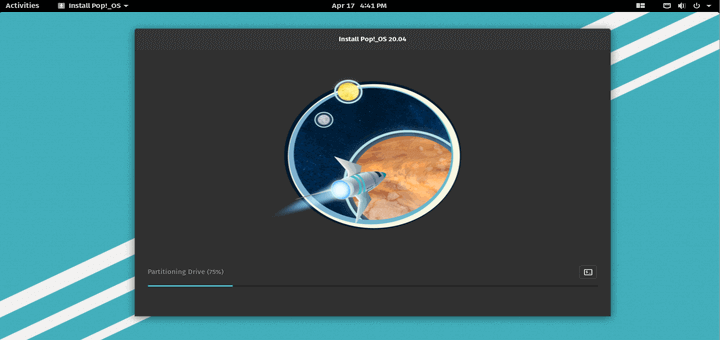
Install Pop!_OS

How to Install Pop!_OS on Your Computer

Pop_OS is a Linux distribution based on Ubuntu and built by System76. It is specifically built for software developers, makers,

TecMint Weekly
Get the Learn Linux 7 Days Crash Course free when you join 34,000+ Linux professionals reading every Thursday.
Check your email for a magic link to get started.
Something went wrong. Please try again.
Free forever. Unsubscribe anytime.
Learn Linux Right Way
15 structured courses, ad-free articles, and the weekly newsletter in one place.
  • ✓SSH, Bash, Ubuntu, Golang, RHCSA, RHCE, LFCS, LFCA and more
  • ✓Ad-free access to all premium articles
  • ✓Priority help and Telegram community
  • ✓Weekly newsletter every Thursday
Join Root from $8/mo
$8/mo or $59/yr. Cancel anytime.

Linux Server Monitoring Tools

6 Useful Tools to Monitor MongoDB Performance

Glances – An Advanced Real Time System Monitoring Tool for Linux

Tuned – Automatic Performance Tuning of CentOS/RHEL Servers

linux-dash: Monitors “Linux Server Performance” Remotely Using Web Browser

How to Monitor Linux Server Security with Osquery

MTR – A Network Diagnostic Tool for Linux

Learn Linux Tricks & Tips

How to Run Linux Commands in Background and Detach in Terminal

Exa – A Modern Replacement for “ls Command” Written in Rust

How to Use “sleep” Command in Linux [6 Useful Examples]

4 Useful Commands to Clear Linux Terminal Screen

Diskonaut – A Terminal Disk Space Navigator for Linux

10 Lesser Known Linux Commands – Part 2

Best Linux Tools

5 Open Source Log Monitoring and Management Tools for Linux

Universal Package Managers for Linux: Snap, Flatpak, and AppImage

4 Best Twitter Clients for Linux in 2024 (Updated)

5 Best Open-Source School Management Software for Linux

My Favorite Command Line Editors for Linux – What’s Your Editor?

10 Top Open Source Caching Tools for Linux in 2024

Tecmint: Linux Howtos, Tutorials & Guides © 2026. All Rights Reserved.

The material in this site cannot be republished either online or offline, without our permission.

Hosting Sponsored by : Linode Cloud Hosting