

Now, in a mixed fleet, machines don’t all get updated the same way. Every Linux distribution comes with its own package manager, the tool that installs and updates software, so you run apt on the Ubuntu and Debian machines; dnf on the Rocky, AlmaLinux, and Oracle machines; and maybe zypper on an old SUSE server nobody wants to touch.
But a scheduled job can keep them all current automatically, so running updates is rarely the problem. The challenge isn’t in applying the updates themselves; it’s being able to see, at any moment, which machines are actually current and which have quietly slipped behind.
Each distribution has its own schedule for updates, its own version numbers, and its own rules about when a reboot is needed, so “up to date” on an Ubuntu machine does not look the same as it does on a Rocky one.
What you need is a single, trustworthy view of your fleet as a whole, because once you’re past a handful of machines, you cannot hold the whole picture in your head, and a tracking spreadsheet is only accurate until the day someone forgets to update it.
Where the Usual Setup Starts to Slip
Most teams keep their servers patched with a mix of tools: unattended-upgrades on the Debian and Ubuntu machines, dnf-automatic on the Red Hat side, and maybe an Ansible Playbook to push updates across the lot. And, for a while, it works.
Each part is fine on its own. The gap is visibility: None of these tools give a clear view of what is patched and what is not. A tool can run an update across every machine, but running a command is not the same as being able to confirm the machine is up to date. If an update fails on three machines overnight, you will not know unless you dig through the logs.
Over time, the machines drift out of sync. One misses its update window, another breaks because a software source changed upstream, and a third never gets rebooted after an update that needed it. Nobody is watching the whole set, because each tool only sees its own slice of it.
The Machines you Forgot Were Running
There is a second, quieter problem: the machine that has stopped receiving updates altogether. When a distribution version reaches end of life (EOL), the people who maintain it stop building and publishing updates for it.
Canonical does this for Ubuntu, the Debian Project for Debian, Red Hat for its enterprise distributions, and so on; there is no central “Linux” that keeps every version patched. The real problem is that the update command does not warn you when a distribution reaches EOL.
Run apt or dnf on a machine running an EOL version, and it simply reports nothing to install, which looks exactly like a machine that is fully patched. You cannot tell the two apart from that output alone.
This is easy to let happen because a fleet usually spans several versions at once. Ubuntu 26.04 LTS arrived in April 2026, so many fleets now run 22.04, 24.04, and 26.04 side by side, each with its own support window, alongside whatever Red Hat-based machines are in the mix.
Unless you are tracking which machine runs which version and how long each version is supported, the ones past EOL sit quietly, evolving into holes in your security. A version that no longer receives updates won’t receive patches for any newly discovered vulnerabilities, which turns that machine into the easiest way into your fleet and a likely audit failure.
Seeing the Whole Fleet in One Place
With three or four machines, you can check them by hand. You log in, you look, and you know where things stand, so the built-in tools and a sensible reboot schedule are enough.
But as your business grows, so does the size of your fleet; and verifying machine versions manually stops being possible. Once you can no longer keep the real state of every machine in your head, you need one place where you can see and manage it all, across every distribution.
Instead of logging into each machine, you need a platform that can scan your whole fleet from one console to see what is missing, test updates on a small group first, and roll them out to the rest once you are satisfied.
If you’re on limited bandwidth, you’ll want a platform that can download each update once and share it across the local network rather than having every machine fetch its own copy. And if it can pull reports showing which machines were patched and which ones failed, even better. That saves you the headache of reconstructing the results by crawling through the logs.
It does not make the differences between distributions disappear (non-security updates, for example, are covered for the Red Hat, CentOS, and Ubuntu families, while security updates cover the wider list), but you are now looking at all of it from one screen instead of jumping between machines.
The Question Worth Answering
Which machines in your fleet are out of date right now? That’s what you need to answer first before you can streamline the way you apply updates. If it takes you longer than a couple of minutes to get that answer today, you have a visibility gap. This gap only widens as you add more machines and more distributions to the mix.
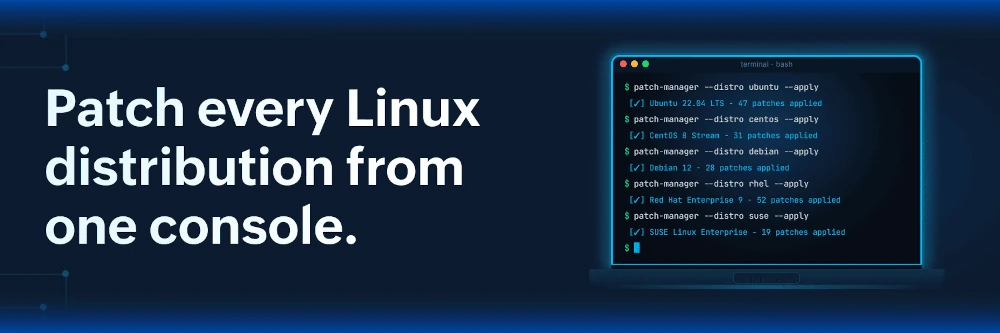
If you are running a varied environment and patching has started to feel like guesswork, it is worth seeing how centralized Linux patch management can help you handle your whole fleet at once. Try it free for 30 days.

This is my first time reading an article completely and I just don’t understand what this article is solution the article has presented for the problem ?
> If you are running a varied environment and patching has started to feel like guesswork, it is worth seeing how centralized Linux patch management can help you handle your whole fleet at once. Try it free for 30 days.
What to try ? What is the solution ?