

Editor’s Note: None of the Linux distributions on this list have implemented age verification as of this writing, despite ongoing legislative pressure in the US and Brazil.
As we move through 2026, the Linux distribution landscape has shifted more noticeably than it has in years, with new names breaking into the top 10, old favorites holding their ground, and a few distros that dominated the conversation for over a decade quietly slipping down the chart.
DistroWatch has been tracking Linux distributions since 2001 and remains the most widely referenced source of information about open-source operating systems.
With a particular focus on Linux distributions and flavors of BSD. It collects and presents a wealth of information consistently, from release announcements and package comparisons to user reviews and version histories.
Before we get into the list, one thing is worth saying plainly: DistroWatch’s Page Hit Ranking (PHR) measures how many times a distribution’s page on the site was visited each day, with a maximum of one hit per IP address per day to reduce inflation. It does not measure installed user base, download counts, or real-world usage.
DistroWatch itself says the rankings “correlate neither to usage nor to quality, and should not be used to measure the market share of distributions“.
So think of this list as a map of what the Linux community has been paying attention to in 2026, covering which distros people are researching, discussing, and exploring, and you’ll have exactly the right mental model for what follows.
With that said, community interest is still a useful signal, especially if you’re a new user trying to figure out which distros have active communities, regular releases, and good documentation behind them.
To find out which distributions have generated the most interest so far in 2026, head to the DistroWatch homepage and use the Page Hit Ranking dropdown to select your preferred time window: last 7 days, 1 month, 3 months, 6 months, or 12 months.
In this post, we’ll review the 10 most talked-about Linux distributions of 2026 based on DistroWatch PHR, in descending order, as of May 2026.
10. Ubuntu
Perhaps no distribution needs less of an introduction. Ubuntu, maintained by Canonical, has spent years as the first name people reach for when someone asks “what Linux should I install?” and it remains on this list despite slipping a few positions from where it sat just 2 years ago.
Ubuntu is based on Debian and ships in a 6-month regular release cycle alongside Long-Term Support (LTS) versions that receive 5 years of free security updates, extendable to 10 years with Ubuntu Pro.
The latest release, Ubuntu 26.04 LTS “Resolute Raccoon“, landed on April 23, 2026, and it’s a significant jump from 24.04, shipping with Linux kernel 7.0, GNOME 50, a fully Wayland-only desktop session with X11 support removed from GDM, and TPM-based full disk encryption enabled by default during installation.
The LTS track explains why Ubuntu’s actual installed base almost certainly dwarfs its DistroWatch rank, since enterprise and server users rarely browse DistroWatch out of curiosity.
What keeps Ubuntu relevant for new users is the sheer size of the ecosystem around it, since documentation, community forums, compatible packages, and cloud platform support are all deeper for Ubuntu than almost any other distro on this list.

9. Manjaro
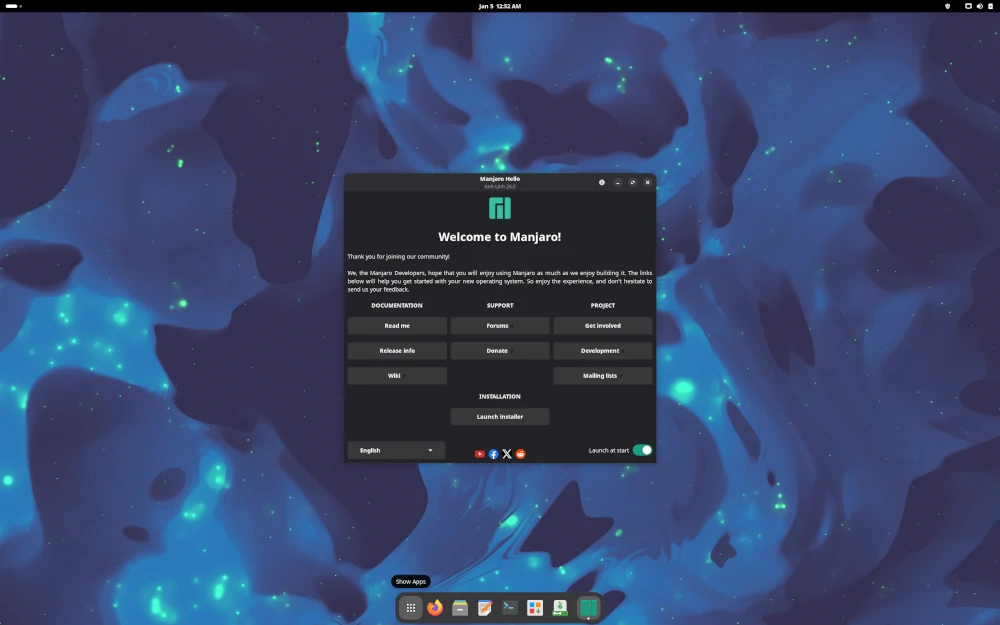
Based on Arch Linux, Manjaro continues to serve users who want the power and flexibility of Arch without the manual installation process. It ships with preinstalled desktop environments, graphical applications including a software center, and multimedia codecs to handle audio and video out of the box.
Manjaro holds packages back for roughly 2 weeks of additional testing before releasing them to users, which gives it a slightly more stable rolling-release experience than pure Arch while still keeping software reasonably current.
Manjaro 26.0, released in January 2026, is the current version, shipping 3 official editions, KDE Plasma, GNOME, and Xfce, all well-configured and ready to use.
The pamac package manager is one of Manjaro’s strongest features, giving both a GUI and CLI interface to Arch’s AUR while making dependency resolution significantly more approachable for users coming from Debian-based systems.
8. Fedora
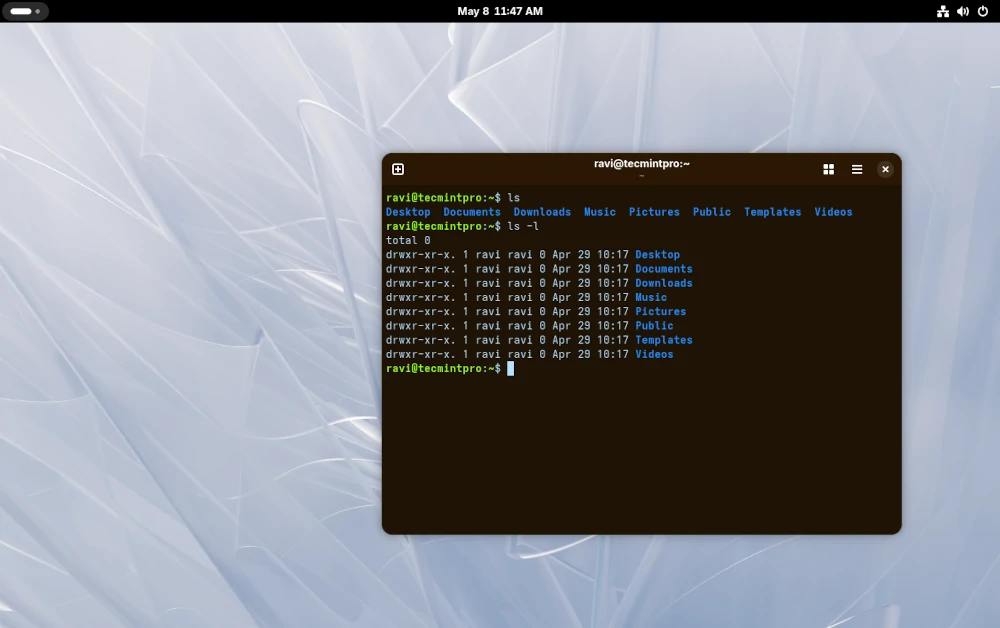
Fedora, built and maintained by the Fedora Project and sponsored by Red Hat, has consistently held its ground as one of the most technically current distributions available. It comes in 3 main variants, Workstation for desktops, Server edition, and Cloud image, along with ARM builds for headless servers.
Fedora’s defining characteristic is that it’s always at the front of integrating new package versions and technologies into the distribution, which makes it the closest thing to a “preview channel” for what eventually lands in Red Hat Enterprise Linux.
Fedora 44, released on May 1, 2026, is the latest version, shipping with GNOME 48, the Linux 6.14 kernel, GCC 15, and an updated Anaconda installer with improved disk management.
For sysadmins who work in RHEL environments and want a desktop that mirrors what they’re administering on the server side, Fedora is a natural fit and one I’d genuinely recommend over Ubuntu in those scenarios.
7. EndeavourOS
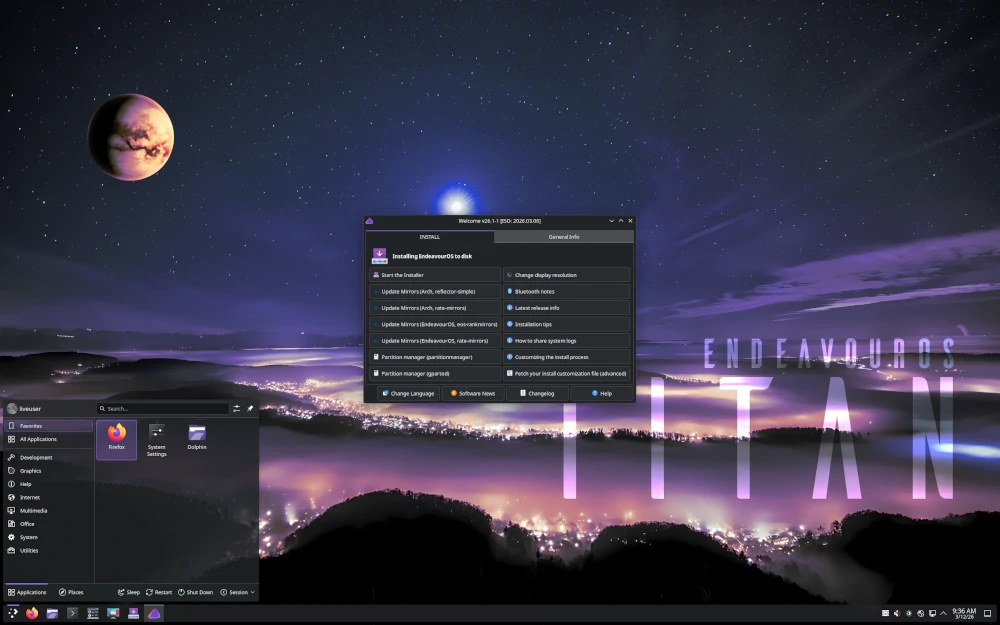
EndeavourOS has quickly become a favorite among users who want the genuine Arch Linux experience without the hours-long manual installation, and it’s been climbing the DistroWatch chart steadily since 2022.
Unlike Manjaro, it doesn’t maintain its own repositories or hold packages back, so you get the same vanilla Arch repos, the same AUR, and the same rolling-release cycle, just with a Calamares-based graphical installer and a welcoming community.
The latest release, “Titan-Neo” (April 27, 2026), ships with KDE Plasma 6.5, the Linux 6.18 LTS kernel, Mesa 25.3.3, and a clean minimal installation that offers a full menu of desktop environment choices during setup, including KDE Plasma, GNOME, Xfce, MATE, Cinnamon, Budgie, LXQt, Sway, Hyprland, and more.
What sets EndeavourOS apart beyond the installer is its community culture, which actively encourages learning rather than just copy-pasting commands from a forum, and that philosophy shows in the quality of its support threads.
6. Zorin OS
Zorin OS is based on Ubuntu and is designed from the ground up to make the transition from Windows as smooth as possible. It’s climbed into the top 10 over the past 2 years largely because Windows 10 reached end of life in October 2025, which drove a wave of users looking for a replacement and landing on Zorin as one of the most Windows-like options available.
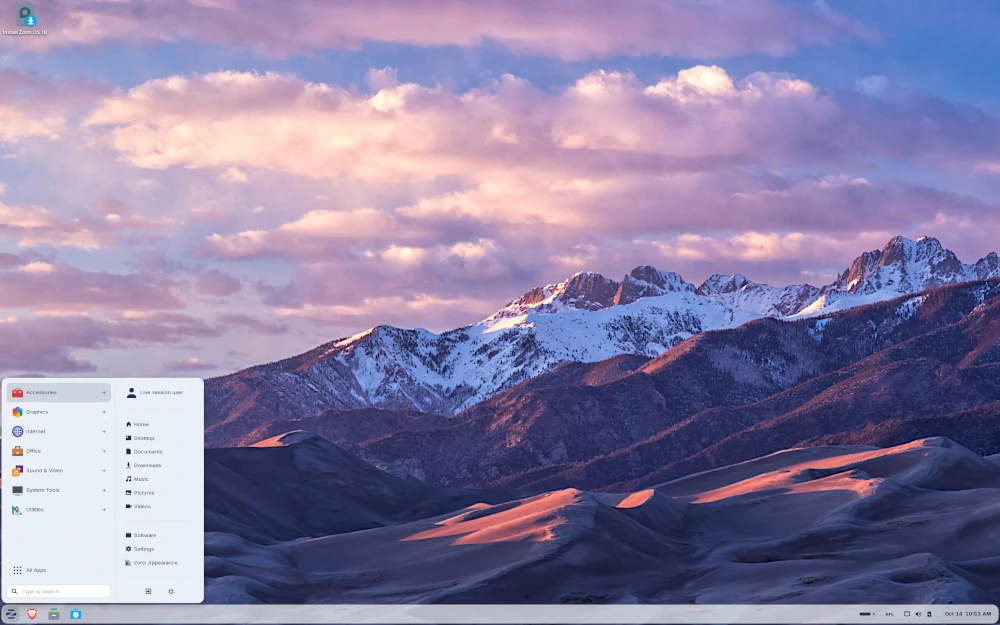
Zorin ships with a polished GNOME-based desktop that can be configured to look and behave like Windows 11, Windows 10, or macOS through its built-in “Zorin Appearance” tool, which is a genuinely useful feature for users whose muscle memory is deeply tied to a Windows workflow.
The latest release, Zorin OS 18.1 (April 15, 2026), added smarter window tiling, an expanded app database that now recognizes over 240 Windows application installers and suggests native Linux alternatives, and runs on kernel 6.17 for better driver support including gaming handhelds. Existing Zorin 17 users can upgrade in place without erasing files, and the distro is supported with security updates through June 2029.
For anyone recommending Linux to a friend or family member who’s replacing an aging Windows machine, Zorin is one of the most defensible choices on this list.
5. Debian
As a rock-solid Linux distribution, Debian is so committed to free software that it will always remain 100% free, though it also allows users to install and use non-free software on their machines when needed. It runs both desktop and server computers and forms the infrastructure layer behind a significant portion of the cloud.
Debian is one of the 2 oldest and most famous Linux distributions, and it’s the direct base for Ubuntu, Linux Mint, MX Linux, Zorin OS, and dozens of others on this list.
The current stable release, Debian 13.4 “Trixie,” first released on August 9, 2025 and updated to 13.4 on March 14, 2026, ships with the Linux 6.12 LTS kernel, GNOME 48, KDE Plasma 6.3, GCC 14, OpenSSH 10.0p1, Python 3.13, and over 70,000 packages in total.
Debian 13 will receive full support through August 2028 and long-term security support through 2030. Debian’s strength is still most visible in server environments, but the desktop edition has seen real improvements in both usability and visual polish with the Trixie release.
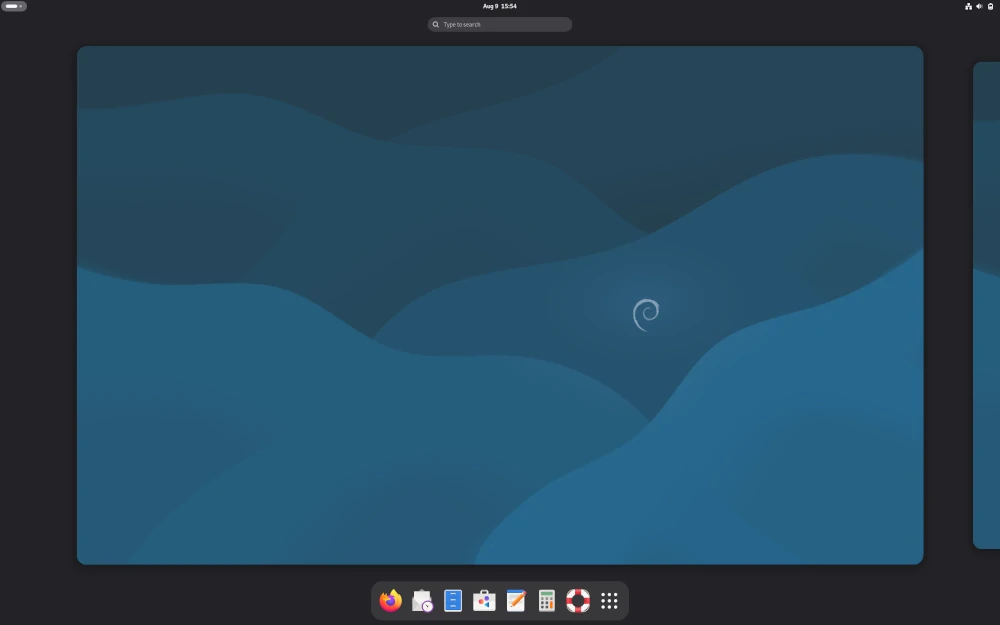
4. Pop!_OS
Developed by System76, Pop!_OS has gained serious traction among developers, gamers, and professionals who need a streamlined and efficient environment.
Pop!_OS 24.04 LTS with the stable COSMIC desktop environment launched in December 2025, a fully custom Rust-based DE built from scratch using the Iced toolkit, replacing GNOME entirely and delivering a noticeably faster, more fluid, and Wayland-native experience.
Pop!_OS comes with excellent hardware support, particularly for System76 machines, but it also works well across a wide range of third-party hardware.
Its NVIDIA out-of-the-box support has historically been one of the best of any Linux distribution, which explains a large part of its appeal to gamers and ML engineers who need reliable GPU access without post-install driver wrestling.
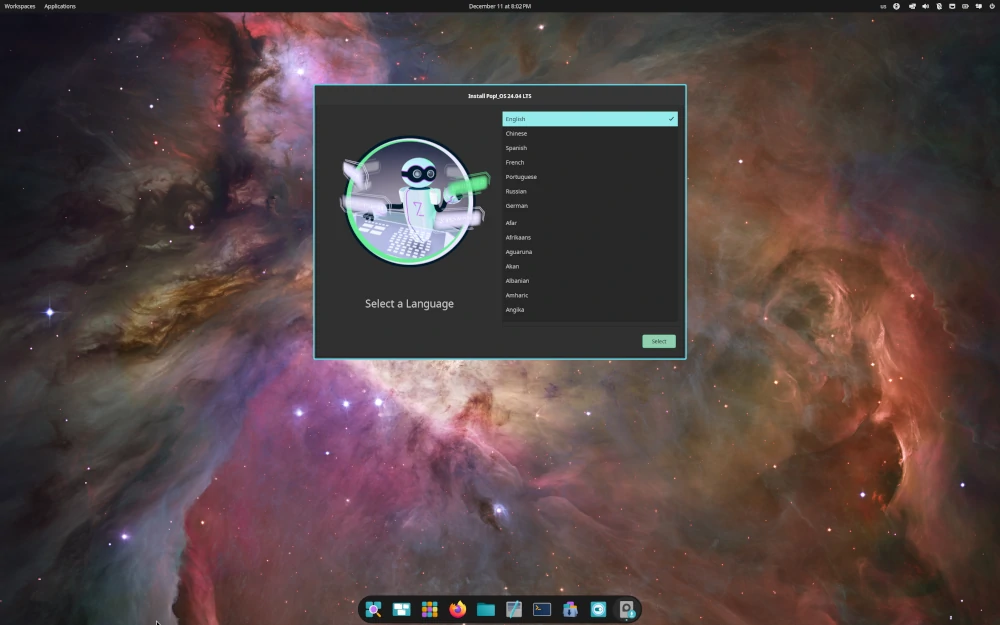
3. MX Linux
MX Linux continues to be a top contender in the Linux world due to its high stability, elegant and efficient desktop, and low barrier to entry. It’s a midweight, desktop-oriented Linux distribution based on Debian Stable, built for all types of users and applications with solid performance and a medium-sized footprint.
One of MX Linux‘s most distinctive characteristics is that it ships with systemd included but disabled by default, using antiX-live-system and sysVinit with elogind to handle what systemd would normally manage.
The MX Tools suite, a collection of graphical utilities for system management, backups, live USB creation, and more, is genuinely among the best tooling any desktop Linux distro ships out of the box.
MX Linux 25.1 “Infinity“, released January 19, 2026, is the current version, now running on Debian 13 “Trixie” as its base and introducing dual-init support, meaning both systemd and sysVinit ship on the same ISO and the user can choose their init system from the live boot menu before installation.
The consistent DistroWatch presence reflects a community that’s been engaged with the distribution for years rather than a flash of curiosity driven by a new release.
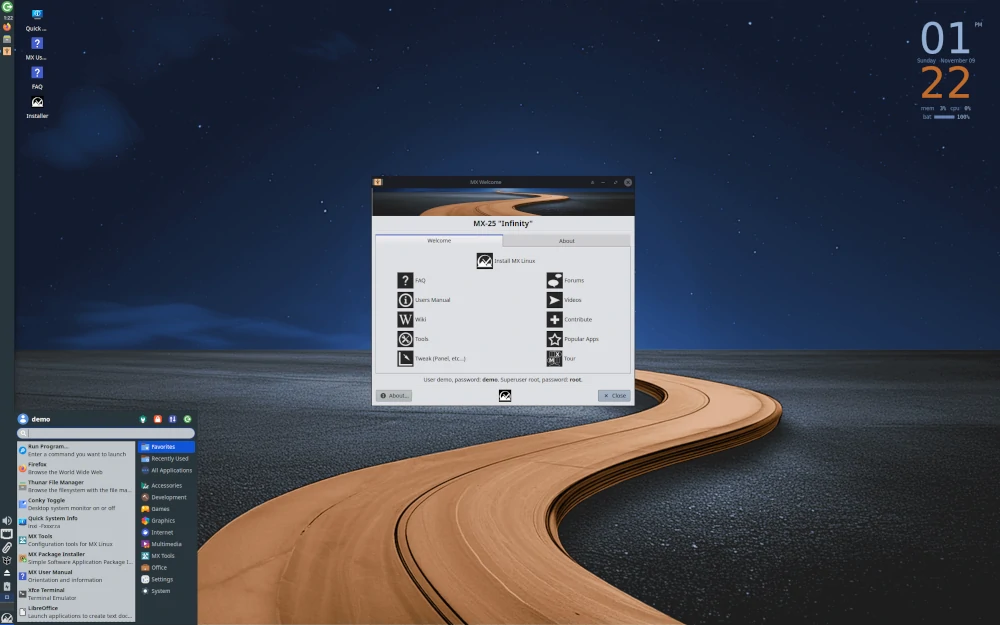
2. Linux Mint
Linux Mint‘s well-known motto, “From freedom came elegance“, has earned its place near the top of this chart year after year, and 2026 is no different. Based on Ubuntu LTS, it’s a stable, complete, and genuinely pleasant desktop Linux distribution that has onboarded more Windows converts than probably any other distro on this list.
Among Mint’s most distinguishing features is the choice of desktop environment at installation, Cinnamon, MATE, or Xfce, and the guarantee that once installed, your music and video files will play without any extra configuration steps since multimedia codecs come included in the standard installation.
The Cinnamon desktop, developed by the Mint team themselves, is one of the most polished and configurable Linux desktop environments available, and it’s why Mint often comes up first when someone asks for a Linux desktop that feels finished rather than assembled.
Linux Mint 22.3 “Zena“, released January 2026, is the current version, based on Ubuntu 24.04 LTS and shipping with Cinnamon 6.4, improved Wayland support, a new Bluetooth management tool, and tighter integration with the Timeshift backup system that Mint now officially maintains.
The next major release, Mint 23 “Alfa“, won’t arrive until Christmas 2026, since the team announced a longer development cycle to give Cinnamon’s full Wayland support more time to mature, so 22.3 will be the stable version for most of 2026.
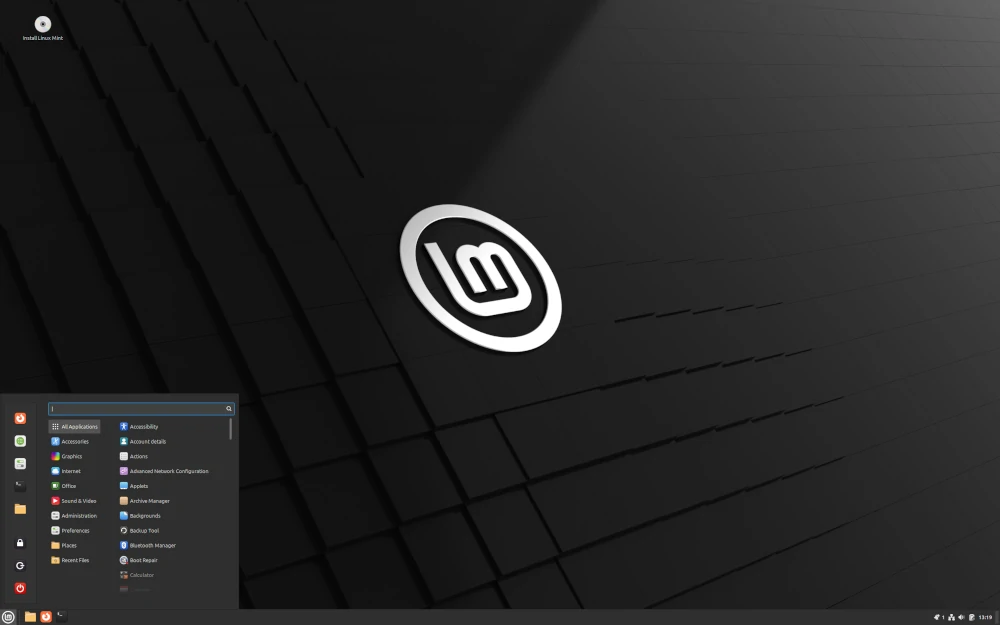
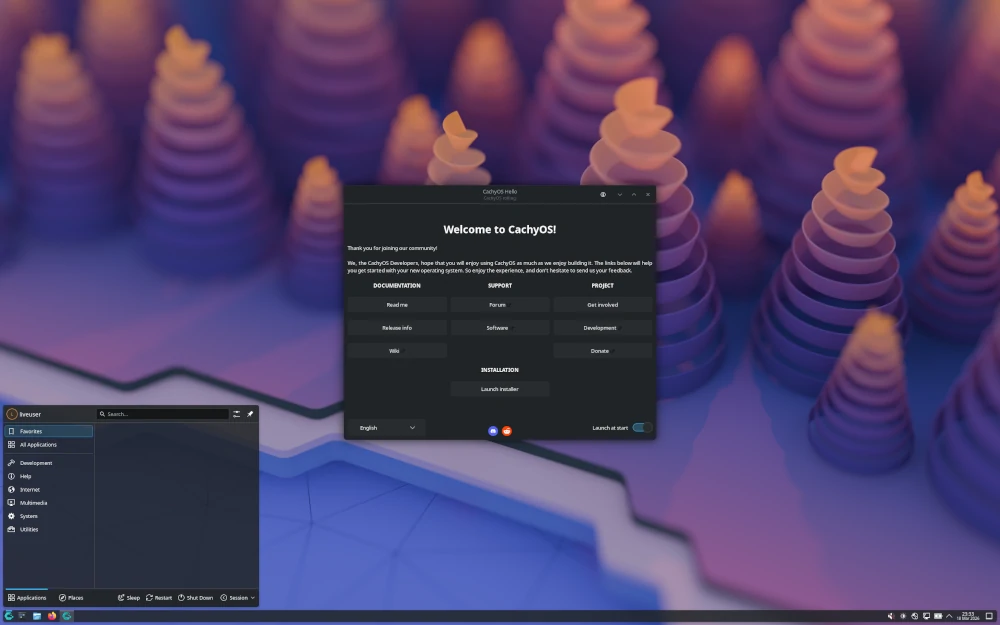
1. CachyOS
CachyOS is the most interesting story in Linux distributions of the last 2 years. It’s an Arch-based rolling-release distribution that took the #1 spot on DistroWatch in mid-2025 and has held it through April 2026, which is unusual because most newcomers to the top spot get displaced within months once the novelty fades.
What’s driving the sustained attention is real: CachyOS ships a performance-optimized kernel built with architecture-specific compiler flags, targeting x86-64-v3 and x86-64-v4 for modern hardware, along with LTO (Link Time Optimization), PGO (Profile-Guided Optimization), and BOLT post-link optimization applied to select packages.
The result is measurably faster performance on compatible hardware, and users have reported FPS improvements in gaming workloads alongside lower desktop latency compared to standard Arch setups.
CachyOS ships with KDE Plasma as the primary desktop, a graphical Calamares installer that handles partitioning and bootloader setup cleanly, a dedicated Handheld Edition optimized for devices like the ROG Ally and Legion Go, and first-class gaming support through a custom Proton fork (Proton-CachyOS) with FSR 4 support.
The April 2026 release, the third ISO of the year, added Shelly as the default GUI package manager replacing Octopi, DNS-over-HTTPS support via blocky for encrypted DNS queries, fingerprint-based sudo authentication, and a clean post-install snapshot created automatically as a baseline restore point.
The one honest caveat: CachyOS is Arch-based, which means it’s a rolling release, and if you’re not comfortable occasionally troubleshooting a package update that breaks something minor, Linux Mint or Zorin OS will serve you better.
But for experienced users who want Arch’s flexibility with real hardware performance gains and a sane installer, CachyOS is the most compelling option in the top 10 right now.
Conclusion
We’ve covered the 10 Linux distributions generating the most community interest in 2026, from the performance-tuned CachyOS holding the top spot to Ubuntu staying relevant despite slipping in the PHR rankings.
The list looks meaningfully different from where it stood in 2024, with Zorin OS entering the top 10 on the back of the Windows 10 EOL wave, CachyOS climbing from #8 to #1, and EndeavourOS cementing itself as the Arch gateway of choice for users who want the real thing without the 3-hour installation process.
The most useful thing you can do with this list is pick 2 or 3 distributions that sound interesting and spin them up in a live USB session before committing to an install.
Every distro on this list ships a bootable live image that lets you try the full desktop environment before touching your disk, and the experience of actually using a desktop for 20 minutes tells you more than any article will.
If your daily driver is on this list, let us know what keeps you there, and if it isn’t, drop it in the comments and tell us which distro you think should have made the cut.

In my opinion very, very popular are only Linux Mint, Ubuntu and its family (Kub. Lub. Xub.), Debian and Fedora
I reiterate my comments from 2023 – On what do you base your statement that these are the “10 Most Popular distros”? Your personal likes?
According to today’s (1/6/2025) DW PHR list. Mint, EndevourOS, CachyOS, Pop!-OS and openSUSE should be on the list but aren’t.
Yours is the same, hackneyed list that tech writers and pundits have been serving up for many years, with minimal changes, as the “best” or “most popular”. It seems like everybody is reading from the same script.
@Dragonmouth,
Thank you for your comment! I appreciate your feedback and understand your concern. You’re absolutely right that the list has evolved, and based on the most recent DistroWatch Page Hit Ranking (PHR) as of January 6, 2025.
I have updated the rankings accordingly. The new list now includes Mint, EndeavourOS, CachyOS, Pop!_OS, and openSUSE, as they are among the top contenders. I strive to keep the content as relevant and up-to-date as possible, and your input helps improve the accuracy of the information shared.
Thank you for pointing that out!
Here they are off the Distrowatch list for thae past 6 months:
1 MX Linux 2760<
2 EndeavourOS 2313<
3 Mint 2078
5 Pop!_OS 1196=
6 Fedora 1186<
7 Ubuntu 1135
9 Lite 740<
10 openSUSE 724
Kinda different from article list..
From DistroWatch themselves @ https://distrowatch.com/dwres.php?resource=popularity
The DistroWatch Page Hit Ranking statistics are a light-hearted way of measuring interest in Linux distributions and other free operating systems among the visitors of this website. They correlate neither to usage nor to quality and should not be used to measure the market share of distributions. They simply show the number of times a distribution page on DistroWatch was accessed each day, nothing more.
What about OpenSuse? Or even Tumbleweed?
“Although it is not a good indicator of a distribution’s popularity or usage, DistroWatch remains the most accepted measure of popularity within the Linux community. ”
Well, that explains it.
I highly suspect that some of those listed are not as popular as openSUSE or some of the other well-known distros.
Yes, I was surprised that SuSE and RedHat were not on the list. But, who knows how they come up with their lists?.
On what do you base your statement that these are the “10 Most Popular distros”? your personal likes?
Based on the last 12 months DistroWatch count of downloads:
Deepin is #50
Solus is not even in the Top 100
LinuxLite, Pop!_OS, and open SUSE should be in your Top 10.
I found the article on the top 10 Linux situations very interesting. I’ve been a Linux user for a little over 20 years, and currently have 4 partitions on my hard drive, listed in the order with which I use them the most:. 1) MX Linux (my daily driver), 2) Manjaro, 3) LMDE (the straight Debian form of Linux Mint), 4) Debian.
It was interesting that it matched 2020 listed exactly and only #4 was different in the 2021 list. So I would say the list was spot-on with what I’ve experienced.
Sorry, I misspelled Linux in the first sentence — I use voice-to-text almost 100% and I didn’t check it before sending it…
I use Linux Mint because it has the best hardware compatibility ‘out of the box’. It’s the only distro that comes with all the drivers I need for my laptop.
Ubuntu and Debian aren’t compatible with the Wifi adapter in my laptop for example. Not a problem with Linux Mint. I’ve been using Linux for over 10 years and tried lots of other distros.
I always come back to Linux Mint, because everything just works right the first time with no hassles.
I’ve used Debian for a long time, and prior to that Ubuntu, and wifi drivers are just too proprietary to be included by default in Debian. The install media you’d want is the non-free installer provided by Debian themselves. Took me at least 5 years to realize this existed, and by then, I haven’t needed to do a fresh install on a mobile device (surface pro 3 tablet).
https://cdimage.debian.org/cdimage/unofficial/non-free/cd-including-firmware/
I haven’t personally used it, but it should include a lot more firmware and may simplify the wifi drivers issues.
Debian is compatible with any modern laptop – I have done thorough benchmarking using the latest versions from Dell, Lenovo, ASUS, HP, Samsung, and SONY, and on all these versions of intel processor i7 and i9 based machines; it works perfectly fine.
The problem lies in his learning, which was insufficient to know how to deal with specific configurations in Debian, although in most cases for WI-FI Network configuration, this is not even necessary.
Hi, If you weren’t able to make a device like your wifi work on your laptop it is mostly because you had to use lshw on the command line to find the exact name of the device and then install the appropriate firmware that could be found or in the firmware package called linux-firmware or on the website of the device manufacturer.
I installed Debian on many computers and never found a device that was left.
Wow surprised that KALI didn’t make the list, but then again pen testing is not as popular as one would think.
If someone doesn´t like this POST because of POPULARITY, choose to go to another and enjoy. Why do I need to think about quality from a third party’s opinion? This post is about popularity and that’s it. I don’t use stuff because of popularity but, if I was gonna using things because of popularity that’s my stuff.
Thanks for taking the time to publish this post. Not what I was looking for but, a nice point of view.
You forgot iLinux OS!
I have to agree something’s not right about the MX Linux listing in here. I have been using Ubuntu and Fedora since the 20-oughts, and have never heard anyone mention MX Linux anywhere. This includes BLU at MIT and the Natick MA FOSS user group. Maybe the makers of MX Linux paid for a placement?
You must lead a very sheltered life. Even if you only very occasionally visit DistroWatch and/or any other Linux sites, you would find it hard to avoid discussions of MXLinux.
As for paying for placement, somehow I don’t think that anticapitalist and his crew of merry developers have the wherewithal to influence all the reviewers on all the sites, unlike Mark Shuttleworth and Canonical. Then there are the users. Are they also being paid?
Well, I think you may be right, sort of. What throws me off the track is that MX Linux is a merger of Mepis with AntiX. That part did escape my notice in my recent reading about Linux.
As for the ratings here and at DistroWatch, there is ample reason to doubt that MX Linux is actually in use by all those who have clicked on the MX Linux home page or their downloads page, whichever metric DistroWatch was using. That much of the comment I made still stands and is reflected in several other comments in this thread.
Though I don’t have a test machine to use for this, I think taking a closer look into how it feels to use MX Linux should be on my to-do list. And I would suggest the same for other Linux users.
“MX Linux is a merger of Mepis with AntiX”
AFAIK, antiX and MXLinux are a continuation/outgrowth of Mepis, not a merger. After Woody Woodward stopped developing Mepis, anticapitalists developed antiX using the Mepis code as his basis. He, and others, later developed MXLinux based on antiX. Yes, I know, it is only a small distinction.
“As for the ratings here and at DistroWatch”
Tecmint does not rate distros. As far as they are concerned, there only two – Red Hat/Fedora and Ubuntu. As far as DistroWatch goes, they do not rate distros in any way. They just count the number of page hits for each distro. They leave the determination of distro quality up to individual readers. After all, what is great in my opinion, maybe totally unusable in your opinion.
“Though I don’t have a test machine to use for this”
You could install distros to a USB stick and test distros by booting off the stick. :-) Tecmint has a write-up on how to do this.
“AFAIK, antiX and MXLinux are a continuation/outgrowth of Mepis, not a merger.”
I think I was trying to express something similar to this. Thank you for the clarification.
Yes, the ratings are not from here.
I am aware of being able to try MX Linux on a USB stick. My aim is to do more than see if it will work with my hardware. I am soon going to upgrade my SSD, so I’ll be able to work on adding an installed version to my collection of installed Linux distros. That would be a real-world test, and it looks like it would be worth the effort.
To try another OS, you can download and use it for free VMWarePlayer and load the new OS in the virtual machine. All you need is extra space on your drives for the virtual disk. The performance is amazing and a lot better than VirtualBox.
To The Editors — How do you flag a comment for violating the terms of service on this site?
@Bob,
Currently, we don’t have such a feature, but we will add it soon… I have removed the comment which violated the terms…
Thank you Ravi for looking into this. I find it sad that we (all the members of this commenting community) have to resort to removing posts that are so outrageous. People should have more civilized ways to refute wrong information or ideas we oppose in a post.
I noticed that in the end of tbe article there is the mistake. You wrote the year in a wrong way. Please, fix it. Thanks!
Vladyslav,
Thanks, corrected the date in the article…
Finding popularity relevant is a clear indication of emotional immaturity and of an unhealthy dependence on other people’s opinions (that are usually completely irrelevant and based on irrational assumptions).
I disagree, popularity can be a meaningful gauge of the overall enjoyability of a distro (or anything for that matter). Why start searching through the 100’s of distros at random (or even by any specific criteria) if popularity filters out the most enjoyable ones through natural selection?
“popularity can be a meaningful gauge of the overall enjoyability of a distro (or anything for that matter)”
That statement reminds me of Gen. George Patton’s quote “If everybody is thinking the same, then nobody is thinking.”
If that is your attitude then just use Windows because Linux is definitely not popular. Do you use everything based on popularity? All popularity guarantees are that many people use that thing. Popularity does not guarantee quality.
A good way for personal improvement and growth is to stop yourself from time to time. Stop, analyze and think, like you’re someone else looking at yourself. Stop yourself from following impulses. “Popularity doesn’t say anything.” – wrong. Think about it.
Popularity says A LOT. Windows is popular because Microsoft is a company that followed very aggressive business strategies at the right moment in time to fill a market gap that wasn’t even there yet and offered common people an easy way to use a PC.
Linux is popular because there are people who are very engaged with technology. People who have the capacity to process an above-average amount of information at once and enjoy the freedom it gives them.
This post isn’t about Windows, it’s about Linux.
I’ve been working in IT on a professional level for 17 years now and you’re right when you say Linux isn’t popular in general.
That’s not what this is about. This is about popular Linux distributions, i.e. what do people who are very engaged with technology and have the capacity to process an above average amount of information, who like freedom and research, enjoy about specific distributions.
I’m interested in such a topic because of that. You might think you posted to tell people about how popularity doesn’t matter but instead, you showed them how part of your personality works. So my advice: Stop yourself from time to time and reflect. Good for personal growth.
When you said: “Popularity says A LOT. Windows is popular because Microsoft is a company that followed very aggressive business strategies at the right moment in time to fill a market gap that wasn’t even there yet and offered common people an easy way to use a PC.”
I think you are right about the money. I was in IT before and I have to add:
I think Bill Gates was a marketing genius and a poor programmer, and he transmitted his poor programming skills philosophy down the line to the rest of the company. I will never forget all the times I had to reload Win 95 on my personal desktop and all the memory leaks of Win98 and the sudden deaths of Windows ME.
From a corporate point of view, there was WindowsNT, then the very heavy Windows2000, XP, and Windows 8. What impressed me is the amount of money that the corporations spent on such misery, the misery of the spyware sponge that is Internet Explorer that added to the extra support needed to make it work.
I, in part, lost my last IT job because I wanted to implement a couple of Linux servers and my manager didn’t want that because he invested so much time in Windows certifications, and learning something like Linux was too much for his little closed mind.
He broadcasted to the administration that Linux was poorly supported. I replied to that: I only had to call Microsoft support once and that call cost me 5 hours of extra work because I was given the wrong information over the phone.
The internet would not be what it is today without Linux, majority of the DNS servers and the most stable and biggest websites, and most serious ones use Apache servers on Linux.
I am using Debian since 2001 at home and tried a few other distros like Centos, and Ubuntu. I came back to Debian because I like the granite stability. I would be inclined to say Debian is the best but I know we always preach for our parish.
A lot of people think Linux is too good to be true because it is free money-wise, and code-wise and one of the best things that happened to humanity.
Linux is true.
Void Linux surely must be the most popular distro ever, right?
DistroWatch is the most unreliable source of information. They count page hits and not operating system users. Even so, the internal workings of DistroWatch are not transparent and not unbiased. They are strongly opinionated and “filter” comments on their site according to their liking. MX Linux is not a popular Linux distribution as it is falsely presented by DistroWatch. I do not recommend DistroWatch to people looking for factual information.
“Being one of the two oldest and famous Linux distributions (the other being RedHat Enterprise Linux)”
As has been pointed out before, SLACKWARE is the oldest distro continuously in use. Red Hat is a relative newcomer. Both Slackware and Debian pre-date it by 2 years.
“Try Ubuntu feature, which lets you try Ubuntu before actually installing it on your hard drive. Not many major distributions provide such features nowadays.”
Not by a long shot. Most of today’s distributions, major or minor, come as LiveCDs, meaning they can be run without actually installing them.
“which is maybe the reason for its (Ubuntu) sustained growth over time”
For the first few years after its introduction, Ubuntu was, by far, the most downloaded (popular?) distro. Then it started slipping down the charts, even falling out of the Top 10. Only lately has it been making a comeback. A series of questionable corporate decisions (Unity desktop, a blatant tie-in with Amazon, etc.) have lessened its popularity. Also, arguably, the quality of Ubuntu has slipped over the last couple of versions.
Ubuntu is the best distro in the Linux world better than mint.
I’ve tried probably 2 or 3 dozen distros over the years. Some are no longer with us. My top 3 are MX Linux, Ubuntu MATE, and Linux Mint. They are solid, flexible, and not resource-intensive on any machine made in the last 10 years. I’ve helped save dozens of PCs and Macs friends m the trash heap by installing Linux in them.
Kudos to the hardworking developers in the Linux communities worldwide that support this great operating system, including Linus Torvald, it’s the original developer.
I encourage everyone to donate to the Linux distro community of their choice to continue to keep Linux available to the world at large.
Fedora with the Cinnamon desktop has been working great for me. I have been using Fedora for over 15 years.
I use fedora too. But cinnamon consumes a lot of RAM, I switched to gnome. It’s good but I should give it a try to others’ distros, they look amazing.
You stated under Debian:
“Being one of the two oldest and famous Linux distributions (the other being RedHat Enterprise Linux), it is the basis of numerous popular Linux distributions notably Ubuntu and Kali Linux.”
You didn’t do your homework. The oldest active Linux distro is Slackware, created in July 1993. Debian was created in Sept. 1993. Red Hat Linux Ver. 1 was released in May 1995. Please get your facts straight!
LOL. ‘Oldest’ and ‘famous’. It still stands
You list #5 Debian under the picture as Deepin
@Shawn,
Corrected the Name in the picture…
Thanks
For new users having a rolling release schedule might be really helpful. Not everyone has an external hard drive to backup documents and pictures every 2-5 years so having a rolling release schedule can be very helpful.
If you want to see the popularity of a distribution, check social media, not distrowatch. Distrowatch is so fringe. Even a search for YouTube video viewings will provide more accurate information on distribution popularity.
ROTFLMAO!!!
I suppose you believe that “if it’s on the Internet then it must be true.” Getting your information about Linux from social media is like getting your news from social media. I wouldn’t trust social media to provide me with the right time of day.
And it took you three years to come up with this Reply?
Slackware is the oldest, still active, Linux distribution, not Red Hat or Debian (though both of those came soon after).
Just curious, where does Pop!_OS fall on the list? Top 20? It’s a fantastic Debian-based experience from System 76. I love the built-in tiling and performance. So fast.
It fully supports my Lenovo flex two-in-one. Even the pressure-sensitive Lenovo stylus works “out of the box”. Like Ubuntu, Pop allows for a try-before-you-buy (and by that I mean try-before-you-format because Pop is free). That’s what sold me. I tried it and then confidently said, “eat my Windows boot and recovery partitions please”.
@Jesse,
Pop!_OS is actually Ubuntu-based.
So is Mint (#3 above)
Used Lubuntu for 2 years and tried 10s of distros. Using MX Linux since last year. Why did I move to MX? They run NVIDIA drivers the best.
Deepin is a good looking distro and Manjaro is for power users.
Distrowatch are a bunch of chαrlαtans. All their numbers are cooked.
Great Blog
However,
Distrowatch itself affirms that its page rankings are “a light-hearted way of measuring the popularity of Linux distributions and other free operating systems among the visitors of this website.
They correlate neither to usage nor to quality, and should not be used to measure the market share of distributions. They simply show the number of times a distribution page on DistroWatch.com was accessed each day, nothing more.”
PCWorld has written that “the page-hit counts on DistroWatch give some indication of which distributions are drawing the most interest at the moment, of course, but such measures can’t be assumed to gauge who’s actually using what or which are preferred overall”.
If you know a better way, feel free to share it with us.
I used by Pavilion g6, please dose Ubuntu work on it.
not sure if mint is still made from Ubuntu… I have heard rumors, that it uses Debian as base.
@Ruslanas,
Yes, you heard correct, both Ubuntu and Mint uses Debian base..
I’m not sure if that is what Ruslanas Gžibovskis is wondering. I think Ruslanas is wondering whether Linux Mint still uses the Ubuntu as a base or has Mint has switched to Debian as a base. The answer is both. The main editions of Mint still use an Ubuntu base (the latest LTS release) while Mint also develops LMDE (Linux Mint Debian Edition) which uses the latest stable Debian release as a base, no Ubuntu.
Yes, Ubuntu uses a snapshot of Debian as a building block for their next release but by the time the Ubuntu developers get through it, Ubuntu is nearly incompatible with Debian
The Linux Mint regular edition base is Ubuntu which is based on Debian. They also have LMDE which is based strictly on Debian.
Good work, the quality of the texts is impressive.
I will try to make a good article to publish on the site!
Nice job. Thank’s
you are awed on text not on the article… nice one
He meant texts as in paragraphs, or extracts – he was talking about the article.
Mint is good OS (very good work with bluetooth A2DP headphone). But I testing Antergos (Arch) and seems be stable and more quickly.
Mr. Canepa, where is the screenshot of your no. 1 pick, Linux Mint??
No screenshot for Linux Mint?
@BackD00r,
Thanks for notifying us, just added the Linux Mint screenshot..
“Among Mint’s most distinguishing features we can mentioned that during installation, you are allowed to choose from a list of desktop environments,”
Huh? I’ve never seen that.
If there is one constant, it’s the fact that almost *everyone* overlooks that Fedora maintains probably one of the most *extensive* set of desktop options that are *peer* to GNOME Shell, in the *stock* repos, without having to have GNOME Shell installed at all.
– https://spins.fedoraproject.org/
Thanks for pointing that out Bryan!
That was a mistake on the author’s part. Mint has never offered this kind of feature during installation and I’ve used Linux Mint almost since it’s beginning. You have a pick of ISOs that come with either the Cinnamon, MATE, KDE or XFce DE but it’s only one DE per ISO.
As I always said: “Linux Mint is what Ubuntu should have always been”
Simple, stable, simple, powerful, simple, nice, simple, with Debian as bodyguard…
I said simple?
Debian and its derivatives will always come top. Could this be because of the ease and convenience they provide to users?
I’d like to know the ranking of the use of desktops.
@Wayne,
That would be very difficult to find out globally as it is almost impossible to track whether a person downloading an ISO image will use a desktop version or a minimal (command-line only) version. Of course you could make a poll, but that would only be representative of the people using that specific poll.
It is a good article. But I would like to disagree with one point.
You’re saying
“On top of all that, the installation image includes the Try Ubuntu feature, which lets you try Ubuntu before actually installing it on your hard drive. Not many major distributions provide such feature nowadays.”
Can you name some major distributions which does not provide this feature? In your list of 10 distributions, 8 of them provide this features. (I’m not sure about Debian and CentOS)
CentOS and OpenSUSE do not include this feature.
@Gabriel,
Yes I agree that CentOS and OpenSUSE doesn’t provide Try before you install feature…
Ummm … CentOS Live?
@Bryan,
I can’t seem to be able to find a link to download a Live CentOS image from the official website. Didn’t give it much time, though. The thing is that the default installation image does not include the live feature, such as Ubuntu does.
@kevin,
I have to disagree with your comment. What do you exactly mean by “primitive”?
I think what is he saying is that Debian doesn’t look as modern as how Ubuntu looks now.
Debian is still more primitive then Ubuntu was 10 years ago.
In most cases “primitive” is a subjective term. Can you give examples to demonstrate what you are speaking of?