Skip to content
Learn Linux in 7 structured days, the free course inside Pro TecMint Sudo tier    Enroll Free
Tecmint: Linux Howtos, Tutorials & Guides
  • Latest Tutorials
  • Commands
    • A – Z Linux Commands
    • 100+ Linux Commands
  • Tools
  • Distros
    • Linux Distros for Beginners
    • Linux Distros for Experts
    • New Linux Distros
    • Linux Server Distros
    • Secure Linux Distros
    • CentOS Alternatives
    • RedHat Distributions
    • Debian Distributions
    • Ubuntu Distributions
    • Arch Linux Distros
    • Rolling Linux Distros
    • KDE Linux Distros
    • Linux Distros for Old PC
    • Linux Distros for Kids
    • Linux Distributions for Students
    • Linux Distros for Windows
  • Courses
    • Bash Scripting
    • Learn Linux
    • AI for Linux
    • RHCSA Certification
    • RHCE Certification
    • LFCS Certification
  • eBooks
    • RHCSA Exam
    • RHCE Exam
    • LFCS Exam
    • LFCE Exam
    • LFCA Exam
    • Ansible Exam
  • About
  • Advertise
Tecmint: Linux Howtos, Tutorials & Guides
  • Latest Tutorials
  • Commands
    • A – Z Linux Commands
    • 100+ Linux Commands
  • Tools
  • Distros
    • Linux Distros for Beginners
    • Linux Distros for Experts
    • New Linux Distros
    • Linux Server Distros
    • Secure Linux Distros
    • CentOS Alternatives
    • RedHat Distributions
    • Debian Distributions
    • Ubuntu Distributions
    • Arch Linux Distros
    • Rolling Linux Distros
    • KDE Linux Distros
    • Linux Distros for Old PC
    • Linux Distros for Kids
    • Linux Distributions for Students
    • Linux Distros for Windows
  • Courses
    • Bash Scripting
    • Learn Linux
    • AI for Linux
    • RHCSA Certification
    • RHCE Certification
    • LFCS Certification
  • eBooks
    • RHCSA Exam
    • RHCE Exam
    • LFCS Exam
    • LFCE Exam
    • LFCA Exam
    • Ansible Exam
  • About
  • Advertise

findmnt command examples

Check Linux Mounted Filesystem

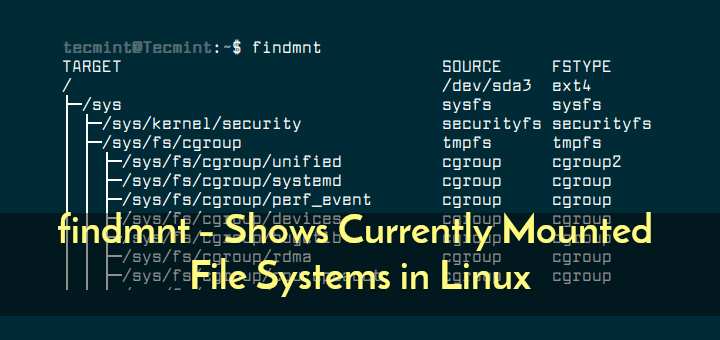
findmnt – Shows Currently Mounted File Systems in Linux

The findmnt command is a simple command-line utility used to display a list of currently mounted file systems or search

TecMint Weekly
Get the Learn Linux 7 Days Crash Course free when you join 34,000+ Linux professionals reading every Thursday.
Check your email for a magic link to get started.
Something went wrong. Please try again.
Free forever. Unsubscribe anytime.
Learn Linux Right Way
17 structured courses, ad-free articles, and the weekly newsletter in one place.
  • ✓SSH, Bash, Ubuntu, Golang, n8n, AI for Linux, Claude for Linux, RHCSA, RHCE, LFCS, LFCA and more
  • ✓Ad-free access to all premium articles
  • ✓Priority help and Telegram community
  • ✓Weekly newsletter every Thursday
Join Root for $59/yr →

Linux Server Monitoring Tools

Arpwatch – Monitor Ethernet Activity {IP and Mac Address} in Linux

How to Install and Configure ‘Collectd’ and ‘Collectd-Web’ to Monitor Server Resources in Linux

Pyinotify – Monitor Filesystem Changes in Real-Time in Linux

How to Install dbWatch to Monitor MySQL Performance in Linux

Install Nagios Core on openSUSE 15.3 Linux

How To Install Elasticsearch, Logstash, and Kibana (ELK Stack) on RHEL

Learn Linux Tricks & Tips

How to Install Particular Package Version in CentOS and Ubuntu

Newsroom – A Modern CLI to Get Your Favorite News in Linux

Dtrx – An Intelligent Archive Extraction (tar, zip, cpio, rpm, deb, rar) Tool for Linux

4 Useful Tips on mkdir, tar and kill Commands in Linux

How to Generate and Verify MD5 Checksums in Linux [5 Methods]

How to Pipe Command Output to Other Commands in Linux

Best Linux Tools

5 Best Open-Source Project Management Tools for Linux in 2024

5 Best Open-Source School Management Software for Linux

13 Best Photo Editing Software for Linux in 2024

Top 5 Open Source Collaboration Platforms for Linux in 2024

16 Best Notepad++ Alternatives for Linux in 2025

16 Free and Open Source Video Players for Linux in 2024

Tecmint: Linux Howtos, Tutorials & Guides © 2026. All Rights Reserved.

The material in this site cannot be republished either online or offline, without our permission.

Hosting Sponsored by : Linode Cloud Hosting