
Mozilla has officially released Firefox 135, the latest version of the popular open-source web browser that introduces significant improvements in performance, security, and user experience, along with developer-focused enhancements.
In this article, we’ll explore the key new features of Firefox 135 and provide a step-by-step guide on how to install it on Linux systems.
What’s New in Firefox 135?
- Improved Linux Packaging – Uses XZ compression for faster unpacking and smaller file sizes.
- Better Tab Management – Quit shortcut on Linux/macOS now closes only the current tab instead of exiting Firefox.
- Enhanced Privacy & Security – Blocks history manipulation, enforces certificate transparency, and enables CRLite revocation checking.
- User Experience Tweaks – Renamed “Copy Without Site Tracking” to “Copy Clean Link”; New Tab layout rolled out globally.
- Built-in Translation Updates – Adds Simplified Chinese, Japanese, and Korean with better word accuracy.
- Autofill & Privacy Updates – Payment autofill is now global; removed “Do Not Track” option.
- Developer Enhancements – WebAuthn
getClientCapabilities(), post-quantum key exchange for HTTP/3, and improved pointer event accuracy. - AI Features – Firefox Labs AI chatbot is enabled by default.
Install Firefox 135 on Linux Systems
Many Linux distributions already have Firefox installed by default through their package manager. If you need to install Firefox using a different method, this guide will show you several alternative ways to download and install Firefox on Linux.
Install Firefox Using Your Package Manager (Recommended)
This method is recommended because it ensures Firefox and all necessary libraries are properly installed and configured for your system.
However, there might be a slight delay between the official release of a new Firefox version and when your distribution updates its package.
Additionally, your distribution might provide a version without Firefox branding or only offer the ESR (Extended Support Release) version.
sudo apt install firefox         [On Debian, Ubuntu and Mint]
sudo yum install firefox         [On RHEL/CentOS/Fedora and Rocky/AlmaLinux]
sudo emerge -a sys-apps/firefox  [On Gentoo Linux]
sudo apk add firefox             [On Alpine Linux]
sudo pacman -S firefox           [On Arch Linux]
sudo zypper install firefox      [On OpenSUSE]
sudo pkg install firefox         [On FreeBSD]
Ubuntu users will always get the latest version of Firefox via the default Ubuntu update channel. But the upgrade isn’t yet available and if you are curious to try it, there is an official Mozilla PPA to test the new version of Firefox on Ubuntu and its derivatives.
sudo add-apt-repository ppa:mozillateam/ppa
sudo apt update
sudo apt install firefox
Install Firefox Using Flatpak
To install Firefox from Flatpak, you need to install and configure Flatpak on your Linux system. Once Flatpak is installed, go to the Firefox Flathub’s page and click the Install button.
Alternatively, you can type the following command in a terminal.
flatpak install flathub org.mozilla.firefox
Install Firefox Using Snap
To install Firefox from Snap, you need to install Snap on your Linux system. Once Snap is installed, go to the Firefox Snapcraft’s Store page, click the Install button and follow the instructions.
Alternatively, you can type the following command in a terminal.
sudo snap install firefox
Install Firefox Manually Using Binary Package
To install the most recent version of Firefox, go to the official Mozilla Firefox download page and click the button to download the latest version for your system architecture.
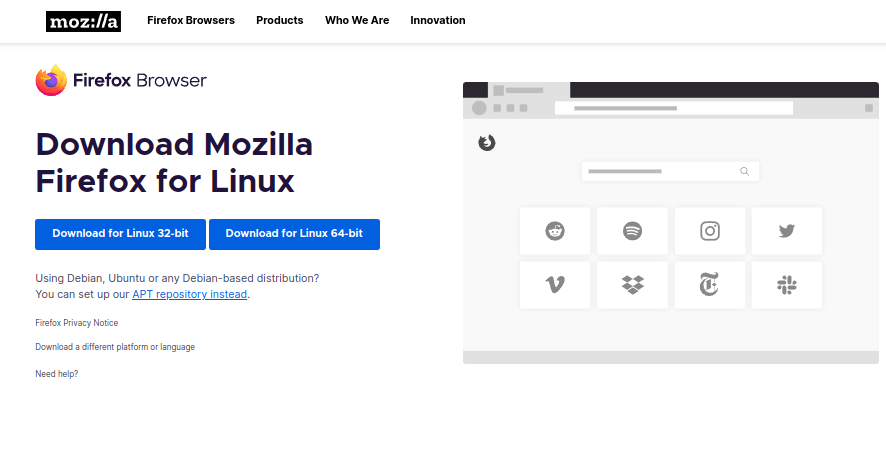
Next, navigate to the directory where you saved the downloaded file, extract the archive’s contents, and move the extracted firefox directory to the /opt directory as shown.
tar xjf firefox-*.tar.bz2
sudo mv firefox /opt
Now create a symbolic link to the Firefox executable in /usr/local/bin using the command.
sudo ln -s /opt/firefox/firefox /usr/local/bin/firefox
To make Firefox appear in your application menu, create a desktop entry.
sudo nano /usr/share/applications/firefox.desktop
Add the following content to the file.
[Desktop Entry]
Name=Firefox
Comment=Web Browser
GenericName=Web Browser
Exec=/opt/firefox/firefox %u
Icon=/opt/firefox/browser/chrome/icons/default/default128.png
Terminal=false
Type=Application
Categories=Network;WebBrowser;
MimeType=text/html;text/xml;application/xhtml+xml;application/xml;application/vnd.mozilla.xul+xml;application/rss+xml;application/rdf+xml;
Save and close the file (Ctrl+O, Enter, Ctrl+X in nano).
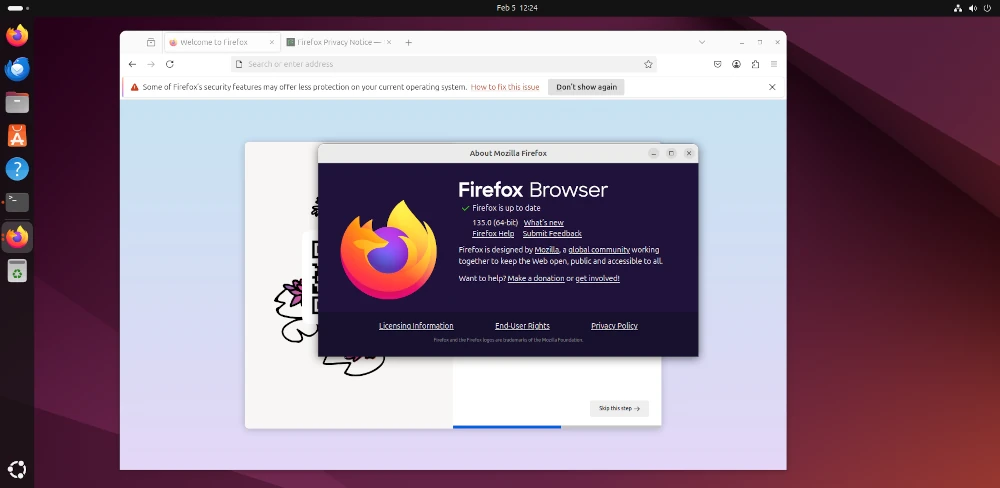
Finally, you can now launch Firefox using the command.
firefox
Conclusion
Firefox 135 brings better security, improved tab management, enhanced privacy, and exciting new features for developers and general users alike.
For Linux users, updating Firefox is simple – whether via your package manager, Flatpak, Snap, or manual installation.





Mozilla 68.0 would not run on my Linux Mint 13 (yes, I know it is out of support but I run all apps in firejails and behind iptables). I believe it is from an older gtk release. Firefox goes into a constant loop of crash reporter, this even when disabling crash reporter by editing the application.ini file.
How can I determine what libraries Firefox needs? Can I obtain the correct libraries, copy them to the same folder as Firefox, and still run it in a firejail?
After I type the terminal command /opt/firefox/firefox, I get Syntax error: “(” unexpected
XPCOMGlueLoad error for file /var/tmp/firefox/libxul.so:
libXcomposite.so.1: cannot open shared object file: No such file or directory
Couldn’t load XPCOM.
testing machine in VirtualBox/Vagrant, CentOs, ssh/xwindows forwarding :((
@Mirek,
The latest Firefox 60 requires GTK 3.4 to run. The only way to install latest version of Firefox is to upgrade your Linux system.
yum provides “*/libgtk-3.so.0” # -> gtk3
yum install gtk3
So I have installed gtk3, xorg-x11-xauth, dejavu-lgc-sans-fonts.
vagrant ssh (Vagrantfile: forwardconfig.ssh.forward_agent = true ; config.ssh.forward_x11 = true)
or: ssh [email protected] -X -p 2222
….works
@Mirek,
That’s really great and thanks for sharing, let me give a try on my CentOS 6 box, last day me too facing same problem, but I didn’t tried it installing from YUM package manager thought latest Firefox needs upgraded GTK…:)
ssh -X # or:
vagrant ssh where in Vagrantfile: config.ssh.forward_agent=true config.ssh.forward_x11=true;We need firefox v58+ (at this time v52 from repo is not enough)
v58+ means requirement for selenium testing (geckodriver on the PATH)
If coming from Firefox ESR (Extended Support Release) then I think you might want to adjust your edits suggested above as follows:
1) Do a global search and replace:
>> 46 substitutions
2) Include just one Exec line edited as follows:
3) Leave Icon=firefox-esr (otherwise it disappears from my cinnamon menu.) Perhaps someone else can tell me how to do this better.
4) Simplify StartupWMClass:
So far this seems to work for me. (Debian Stretch 9.2 / Cinnamon 3.2.7)
THANKS A BUNCH RAVI. YOUR PAGE REALLY HELPED ME!
I just copied the icon from the quantum firefox directory to the “icon directory??”. (No idea if that’s what pixmaps actually is…)
Thanks Howard for all the other info!
Oops should be mozicon128.png
cp /opt/firefox/browser/icons/mozicon128.png /usr/share/pixmaps/
Works. Thanks Andres.
thanks for the Firefox Quantum installation steps for Linux.
Awesome. Even got to select an icon myself by editing the line
Icon=/home/calvin/Pictures/vacation.jpg
Thanks a lot.
thank you very much, i install it without any problem. it’s ok
Installation from tarball sources in Ubuntu and CentOS based Linux distributions such as RHEL, Fedora, Debian, etc.
I’ve gotten Firefox working but when I went to create a quick launch icon in my desktop applications menu I ran into “No such file or directory.” I used the commands “cd /usr/share/applications/” and then “sudo cp firefox.desktop firefox-quantum.desktop” like it stated but no luck. Can anyone help me because I have to run it through the terminal?
I was happy to find an article like this judging only by the title, but I lost all faith in following the procedure described here when I read that you call Debian a “Ubuntu based Linux distribution”………
@Reinaldo,
Sorry that was a mistake, but corrected as soon as we came to know….
Hi everyone,
And thanks dear Ravi for producing this valuable resource.
I have some difficulty going through the process of upgrading my firefox to 49.
I followed the procedure above for my Fedora 21 (32-bit) but mistakenly extracted that from the Dolphin windows into my Desktop under firefox. And that is why I ended up messing my files. Now I cannot open my firefox by clicking on its icon with the error message:
“KDEInit could not launch ‘firefox’:
Could not find ‘firefox’ executable.”
The only way I can access it is through command line:
/bin/firefox-old
The only difference that I had compared to your case was that the old version was installed in /bin/firefox instead of /usr/bin/firefox.
Now is there anyway to undo that or to correct the mess? Your help is greatly appreciated.
@Benjamin,
Just delete the extracted Firefox directory from the Desktop, and follow the same instructions again to install Firefox as stated in this article.
My current Firefox version is Mozilla Firefox 48.0. If i am watching some video stream then randomly Firefox crash. How can i fixed this issue? If I update to Firefox 49 then will this issue fixed or not?
can i update without lost history, cookie and bookmark, etc..?
@Sayanthan,
Upgrading to Firefox 49 will fix crash issues while watching videos, and also upgrade won’t erase your history, cookies or bookmarks..so happy upgrade..:)
thanks for replay.. i love tecmint.com.
After completing these steps and typing /usr/bin/firefox as root, “no such file or directory is returned” I retyped
ln -s /full-path/firefox/firefox /usr/bin/firefox
and the terminal confirmed that it already exists. /usr/bin/firefox-old still works though. Any idea what I did wrong? Was I not supposed to use full-path? Sorry, newbie here.
@Jess,
You should be normal user to download and extract the latest version of Firefox and then become root to symlink it and then become normal user to start it..
Jess, when you typed it did you type /full-path/firefox/firefox? Or did you replace /full-path with the REAL path information for the directory.
The command ‘pwd‘ (prints out your present working directory) will tell you where ever you are in the file system directories. So it the path was /home/thor/packages/firefox/firefox.
You would type ln -s /home/thor/packages/firefox/firefox /usr/bin/firefox
I believe the author expects you to understand that /full-path isn’t what you would literally type in. It is a placeholder for wherever you had unpacked the package on your system. So to get that you would type ‘pwd‘ in the same folder where your new firefox binary is located.
Why not just provide a
.debor.rpmfile?@Joe,
Actually, the latest version of Firefox doesn’t provide any binary packages, they are available in source packages only..
I love Firefox and it’s the only browser I use (on all OS: Linux, Windows, Mac, and even Android). However, after updating to 46, it stops working on my Linux computer at work due to the libgtk-3.so.0 issue. My admin said he can’t install libgtk-3.so.0 because my Ubuntu is too old. I don’t want to re-install my Linux. Everything was perfect with Firefox (well, except for some crashes) before the update. Can anyone find some solution so I can continue to use Firefox?
@Luke,
Unfortunately, it isn’t possible to update the libgtk-3.so.0 on older Ubuntu version, if you really want to use most recent version of Firefox, you should consider upgrading your OS
This doesn’t work for the same reason on CentOS 6.7 either. That’s poor.
No problem installing Chrome though. There’s even a CentOS 6 repo for it.
Not anymore. The binaries for CentOS6 are using GLIBCXX_3.4.18 and CentOS6 stops at 3.4.12
It means can i install 46 or above version in centos 6.7
Try appimage
https://bintray.com/probono/AppImages/Firefox
I have the same issue as OP. I just tried Firefox AppImage and it will throw an error:
XPCOMGlueLoad error for file /tmp/.mount_FirefoThhphp/usr/bin/libmozgtk.so:
libgtk-3.so.0: cannot open shared object file: No such file or directory
Couldn’t load XPCOM.
So no, it doesn’t work.
Couldn’t found any way to get in touch with “probono” to ask about this either… So we’re stuck.
@Blablabla,
Try installing from Firefox PPA, if you are using Debian or Ubuntu, else download and extract Firefox tar file, and run it directly.
You clearly didn’t read OP. I’m facing the same issue, can’t install GTK+3 nor Firefox Quantum, hence to use it we *need* a “portable” version. Obviously that won’t run because we can’t have GTK+.
Plus, on an email exchange with “Probono” (AppImage master mind) he basically stated that “98% of Linux computers have GTK+installed, and since we support AppImage packagers but not end users, screw you because I won’t help”.
@Blablabla,
I read it your comment, thats why I suggested you to install from PPA, as it install all required dependencies automatically. Yes, most of the todays Linux computers have GTK+ installed default.
XPCOMGlueLoad error for file /home/kmvora/apps/firefox/libmozgtk.so:
libgtk-3.so.0: cannot open shared object file: No such file or directory
Couldn’t load XPCOM.
@Krunal,
Please check your Linux architecture and download the correct version of Firefox for your system architecture. To find out how to check your system 32-bit or 64-bit, check this article https://www.tecmint.com/find-out-linux-system-is-32-bit-or-64-bit/
same issue observed on centos 6.9 64 bit os during install of firefox54. able to install successfully 52 version but failing for 54 v.
This description is very easy and runs well!
Now I have a problem with pipelight and silverlight, I try to integrated in FireFox but it doesn’t works.
I try the follow commands:
last but not least
If I call /usr/bin/firefox-old, it works on FF 35
Someone has an idea to solve the problems of
Thanks for help
Hi, I’m getting below error while installing this 45.0.1 version.
I’ve installed RHEL 7 on my machine and want to update firefox.
[
firefox/webapprt-stub
[root@localhost Downloads]# cd firefox
[root@localhost firefox]# firefox -V
(process:3725): GLib-CRITICAL **: g_slice_set_config: assertion `sys_page_size == 0′ failed
Mozilla Firefox 24.5.0
[root@localhost firefox]# ^C
]
@Shrinivas,
Which version of glibc you have? if it’s 2.6, then it’s a bug that appears to have reemerged when Firefox runs under version glib 2.36. Try to update you Linux distributions and try installing again..
Thanks …it worked perfectly!
followed the steps, when I run /usr/bin/firefox, nothing happened. I want to install ff29 on centOS6.4. Could you have a look?
Thx
@Constance,
Could please share any error if you see on the screen? this article is for FF 41, not FF 29, but the same instructions works for FF 29 too..
On RedHat and others .rpm you need to update xulrunner also…
I am getting below error how to resolve it.
bash: /home/bazith/Downloads/firefox-40.0.3.tar.bz2: Permission denied
Thanks.
@Bazith,
Your question is incomplete, may I know which command you ran and displayed such error?
Hi,
I have installed firefox 39.0 according to above mentioned steps but, it is still giving the following error.
unable to obtain stable firefox connection in 60 seconds (127.0.0.1:7055)
I have selenium-webdriver (2.46.2). I am trying this on centOS.
After these commands:
# mv /usr/bin/firefox /usr/bin/firefox-old
# ln -s /full-path/firefox/firefox /usr/bin/firefox
When I type /usr/bin/firefox
Its saying error:bash: /usr/bin/firefox: No such file or directory
@Akshay,
That means, you’ve not linked properly your firefox binary under /usr/bin/. Try to follow instructions carefully and give a try again..
Hi,
I followed the steps as mentioned.
Im getting following error
[root@localhost firefox]# firefox -v
XPCOMGlueLoad error for file /var/tmp/firefox/libxul.so:
libXcomposite.so.1: cannot open shared object file: No such file or directory
Couldn’t load XPCOM.
Can you please help me with this..
Thanks!!
@Surya,
On which Linux distribution are you trying to setup Firefox?
I am having this same problem and I am using RedHat Linux
Hi i need help please i’m trying to install firefox 39. Everything was good expect getting to this part right here.
# mv /usr/bin/firefox /usr/bin/firefox-old
# ln -s /full-path/firefox/firefox /usr/bin/firefox
OR
$ sudo mv /usr/bin/firefox /usr/bin/firefox-old
$ sudo ln -s /full-path/firefox/firefox /usr/bin/firefox
I did that but i don’t think firefox 39 installed. I download the firefox-39.0.tar.bz2 file extracted it like said. The folder is in Downloads called firefox with a bunch of files in it. What do i do Thank u
@TJ,
Please check the version of Firefox with firefox -v option and update me
After installig FF 38 on my RHEL 7 x84 I got the following error:
[root@me ~]# firefox -V
(process:8974): GLib-CRITICAL **: g_slice_set_config: assertion ‘sys_page_size == 0’ failed
Mozilla Firefox 38.0
i get this error when i try to run my python programe with firefox on linux:
File “plugins/search_numbers.py”, line 232, in search_number
driver = webdriver.Firefox()
File “/usr/local/lib/python2.7/site-packages/selenium-2.45.0-py2.7.egg/selenium/webdriver/firefox/webdriver.py”, line 59, in __init__
self.binary, timeout),
File “/usr/local/lib/python2.7/site-packages/selenium-2.45.0-py2.7.egg/selenium/webdriver/firefox/extension_connection.py”, line 47, in __init__
self.binary.launch_browser(self.profile)
File “/usr/local/lib/python2.7/site-packages/selenium-2.45.0-py2.7.egg/selenium/webdriver/firefox/firefox_binary.py”, line 66, in launch_browser
self._wait_until_connectable()
File “/usr/local/lib/python2.7/site-packages/selenium-2.45.0-py2.7.egg/selenium/webdriver/firefox/firefox_binary.py”, line 100, in _wait_until_connectable
raise WebDriverException(“The browser appears to have exited ”
WebDriverException: Message: The browser appears to have exited before we could connect. If you specified a log_file in the FirefoxBinary constructor, check it for details.
Hi Ravi
thank you for your post. you have an error with the 64bits link .
https://download-installer.cdn.mozilla.net/pub/firefox/releases/37.0/linux-i686/en-US/firefox-37.0.tar.bz2
the correct one is the one bellow
https://download-installer.cdn.mozilla.net/pub/firefox/releases/37.0/linux-x86_64/en-US/firefox-37.0.tar.bz2
@Cherif,
Thanks so much, yes it was my mistake..corrected in the writeup…:)
Clean instructions, installed without any trouble..thanks
Dear Ravi Saive,
From 2 years i am watching your site
You are making just a low value resource articles like VLC, Wine , Firefox , Chrome, Etc, must contain the installation of software installation part that is appreciated by normal Linux user..
Your articles does not have any high resource like Mail Server, DDNS Server, ETC, make a focus on that articles that is appreciated by system admin not a regular Linux user.
Keep Focus on High Value Resources articles.
@Rahul,
As you mentioned those tools are most famous and used by millions of people in day-to-day life, so they are crucial for us to cover…and apart complex articles, if you see our long listing articles you will know..we almost covered everything from basic to advance and we are more focusing on complex articles..like LFCS, LFCE, Raid, RHCE, RHCSA, etc…thanks for your suggestion we will note of it…
I tried this and it does not work for me.
@Jen,
Can you please tell us where you facing problem…so that we can help you out..also if needed we will update the article as per your suggestions..
Hi….
i am facing same issue ( Too many levels of symbolic links)
Steps involved
1. Downloaded by 32-Bit OS by using w get
2. Extracted it to a desired directory ( /root/Desktop/Firefox/firefox)
3. older version of firefox folder name has been changed by using
mv /usr/bin/firefox /usr/bin/firefox-old
4.ln -s .//root/Desktop/Firefox/firefox /usr/bin/firefox ( i dont know the path what i have mentioned in this command is correct or not, my intention is to link the new version files from where i have down loaded/extracted)
Please suggest/correct me…..how to proceed in this case.
Please make a symbolic link of your new firefox binary to existing firefox location.
Like in your case, “/root/Desktop/Firefox/firefox” is your directory where you have extracted the package. Now, you will find the binary in same directory. Try launching this before creating soft link.
If, binary is there, then your final command will be :
ln -s /root/Desktop/Firefox/firefox/firefox /usr/bin/firefox
Hope this will help you!!
Thanks!!
Please share the steps with errors. Seems issue with your links or permissions.
Thanks!!
Too many levels of symbolic links after done the same steps