How to Install COSMIC Desktop in Fedora 40

Take Your Linux Skills to the Next Level All courses, certifications, ad-free articles & community — from $8/mo
Join Root →
Ad-free access to all premium articles
Access to all courses: Learn Linux, AI for Linux, Bash Scripting, Ubuntu Handbook, Golang and more.
Access to Linux certifications (RHCSA, RHCE, LFCS and LFCA)
Access new courses on release
Get access to weekly newsletter
Priority help in comments
Private Telegram community
Connect with the Linux community
From $8/mo · or $59/yr billed annually · Cancel anytime

COSMIC Desktop, which stands for Computer Operating System Main Interface Components, is a modern and customizable desktop environment developed by System76, primarily for their Pop!_OS Linux distribution.

COSMIC is designed to enhance user experience with features like improved workspace management, a customizable dock, and extensive keyboard navigation options that enhance productivity.

In this guide, we’ll walk you through the steps to install COSMIC Desktop on Fedora Linux Workstation using the COPR repository.
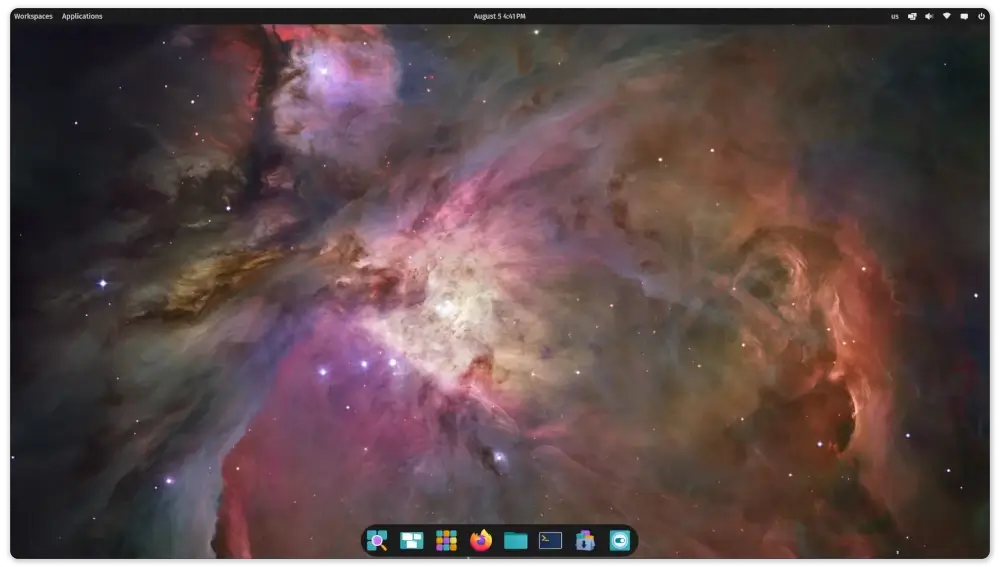
COSMIC Desktop
COSMIC Desktop

Installing COSMIC Desktop in Fedora

First, update your system to ensure all existing packages are up to date.

sudo dnf update -y

Next, you’ll need to add the COSMIC COPR repository that contains packages related to the Cosmic desktop environment.

sudo dnf copr enable ryanabx/cosmic-epoch

Once the repository is enabled, you can install the COSMIC desktop environment by executing the following command, which will install all the core components of the COSMIC desktop.

sudo dnf install cosmic-desktop

After the installation completes, log out of your current session. On the GDM (GNOME Display Manager) login screen, click on your username.
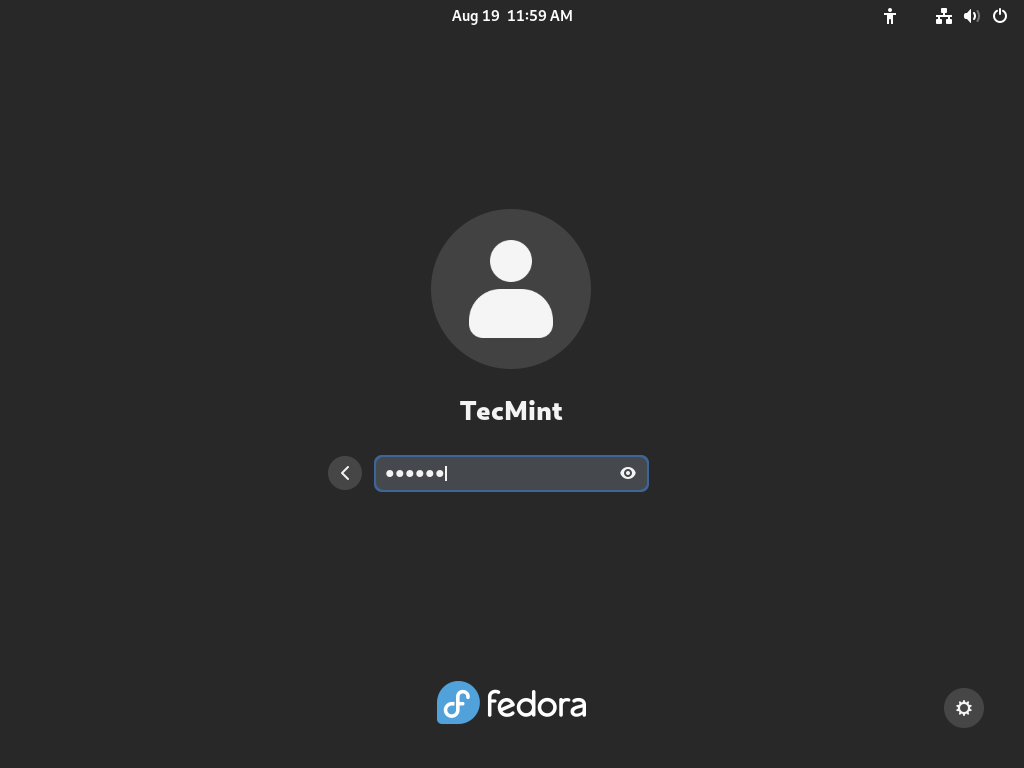
Fedora User Login
Fedora User Login

Before entering your password, look for the gear icon located at the bottom right corner of the screen. Click on it to see a list of available desktop environments. Select “COSMIC” from the list, then enter your password and log in.
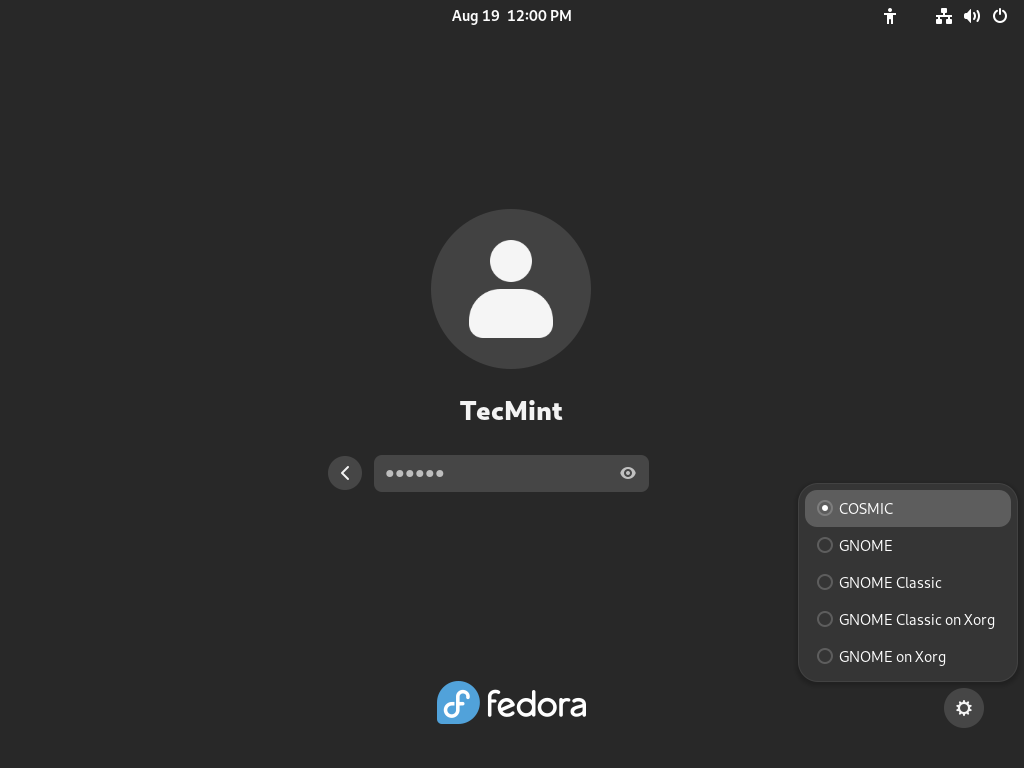
Choose COSMIC Desktop

You should now be greeted by the COSMIC Desktop Environment.
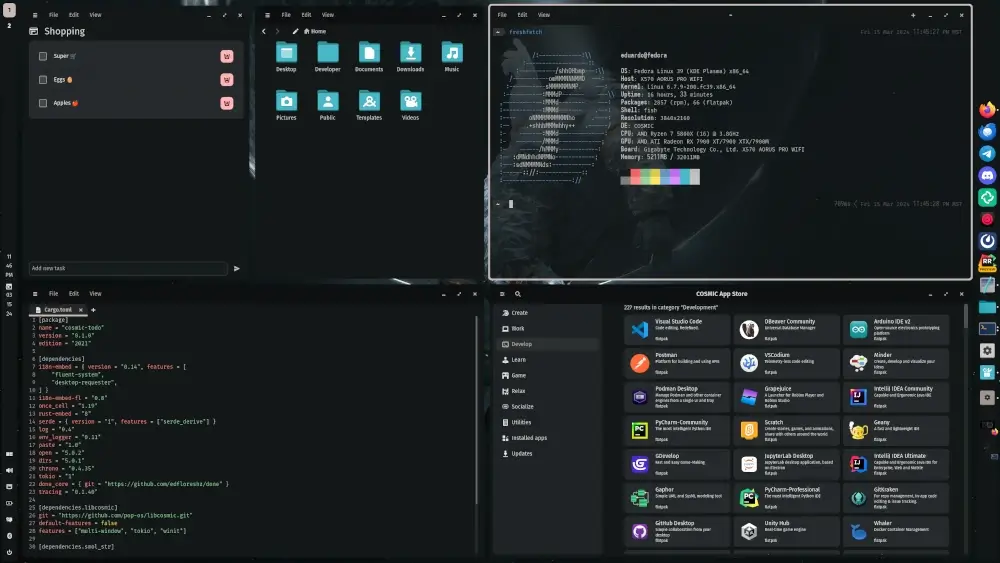
Running COSMIC Desktop in Fedora

To make the most out of COSMIC, explore its settings and customize it to fit your preferences. You can adjust the appearance to change the look of your desktop, including themes and icon sets; manage workspaces to configure how they are used; and set up shortcuts for common tasks to enhance productivity.

Conclusion

Installing the COSMIC Desktop on Fedora Linux Workstation provides a fresh and modern interface that can enhance your productivity and user experience. With its sleek design and powerful features, COSMIC makes working on Linux both enjoyable and efficient.

Feel free to explore and customize COSMIC to suit your needs. If you encounter any issues or have questions, the Fedora and Pop!_OS communities are great resources for support.

Root Plan
Premium Linux Education for Serious Learners

Take Your Linux Skills to the Next Level

Root members get full access to every course, certification prep track, and a growing library of hands-on Linux content — with new courses added every month.

What You Get
Ad-free access to all premium articles
Access to all courses: Learn Linux, AI for Linux, Bash Scripting, Ubuntu Handbook, Golang and more.
Access to Linux certifications (RHCSA, RHCE, LFCS and LFCA)
Access new courses on release
Get access to weekly newsletter
Priority help in comments
Private Telegram community
Connect with the Linux community
Ravi Saive
I'm Ravi Saive, an award-winning entrepreneur and founder of several successful 5-figure online businesses, including TecMint.com, GeeksMint.com, UbuntuMint.com, and the premium learning hub Pro.Tecmint.com.

Each tutorial at TecMint is created by a team of experienced Linux system administrators so that it meets our high-quality standards.

Join the TecMint Weekly Newsletter (More Than 156,129 Linux Enthusiasts Have Subscribed)
Was this article helpful? Please add a comment or buy me a coffee to show your appreciation.

Got Something to Say? Join the Discussion...

Thank you for taking the time to share your thoughts with us. We appreciate your decision to leave a comment and value your contribution to the discussion. It's important to note that we moderate all comments in accordance with our comment policy to ensure a respectful and constructive conversation.

Rest assured that your email address will remain private and will not be published or shared with anyone. We prioritize the privacy and security of our users.

Root Plan Premium Linux Education for Serious Learners

Before You Go - Upgrade Your Linux Skills

Root members get everything in one place, with new courses added every month.

What You Get
Ad-free access to all premium articles
Access to all courses: Learn Linux, AI for Linux, Bash Scripting, Ubuntu Handbook, Golang and more.
Linux certifications: RHCSA, RHCE, LFCS and LFCA
Access new courses on release
Weekly newsletter, priority support & Telegram community
Join Root Today and Start Learning Linux the Right Way
Structured courses, certification prep, and a community of Linux professionals - all in one membership.
Join Root Plan →
$8/mo · or $59/yr billed annually