

In recent years, AI-driven chatbots like ChatGPT have become popular for tasks such as generating text, answering questions, and assisting with coding. However, many people are concerned about the privacy and data security issues that arise when using cloud-based services like ChatGPT.
While these services offer powerful features, they require an internet connection and often store your data on third-party servers, which leads to questions about how secure or private your data is when using these platforms.
One exciting alternative to this model is Jan, an open-source, offline-capable chatbot that can serve as a complete replacement for ChatGPT.
In this article, I’ll take you through the details of Jan, explain its features, and show you why it could be a great choice for those who prioritize privacy and prefer working with open-source software.
What is Jan?
Jan is a self-hosted, open-source, offline alternative to popular AI models like ChatGPT. Unlike ChatGPT, which relies on cloud infrastructure and a constant internet connection.
Jan runs entirely on your local machine, allowing you to control your data and interact with the model in a secure and private environment. The ability to operate offline makes it stand out as a unique solution for people who want to use an AI chatbot without worrying about data privacy.
Jan is based on the GPT-2 and GPT-3 architectures, which are designed for natural language processing tasks like text generation and answering questions.
GPT-2 and GPT-3 are well-known models in the AI community and can perform a wide range of tasks like generating creative writing, summarizing text, and even answering coding queries.
Jan brings this capability to your desktop, while still keeping everything private and secure.
System Requirements
While Jan is lightweight compared to many other AI models, there are still certain system requirements to ensure smooth performance.
Below are the minimum specifications to run Jan effectively:
- OS: Linux (Ubuntu, Debian, Fedora, or any other popular distribution).
- Processor: 2.0 GHz dual-core CPU (Intel Core i3 or equivalent).
- RAM: 4 GB of RAM.
- Storage: 10 GB of available storage space (SSD preferred for faster performance).
- Graphics: Integrated graphics (GPU support is optional but can improve performance for large models).
- Python: Version 3.7 or higher.
Installing Jan ChatGPT in Linux
Jan provides two types of downloadable packages to make the installation process easier: deb and AppImage. Both options have their unique advantages depending on your needs.
You can download a stable release Jan app via the following:
- Official Website: https://jan.ai
- Jan GitHub Repository: https://github.com/janhq/jan
Deb Package Insallation
The deb package is perfect for users who are on Debian-based systems such as Ubuntu, Linux Mint, or Pop!_OS.
Installing Jan using the deb package will integrate it directly into your system’s package manager, allowing you to manage updates and dependencies more easily.
# Install Jan using dpkg
sudo dpkg -i jan-linux-amd64-{version}.deb
AppImage Package Insallation
The AppImage is a universal Linux package format that works on almost all Linux distributions without the need for installation or root access.
AppImage packages are portable, so you can run Jan directly from the downloaded file without needing to worry about system dependencies.
chmod +x jan-linux-x86_64-{version}.AppImage
./jan-linux-x86_64-{version}.AppImage
How to Use Jan in Linux
Once installed, you’ll see the Jan app and get started without needing a local model installed.
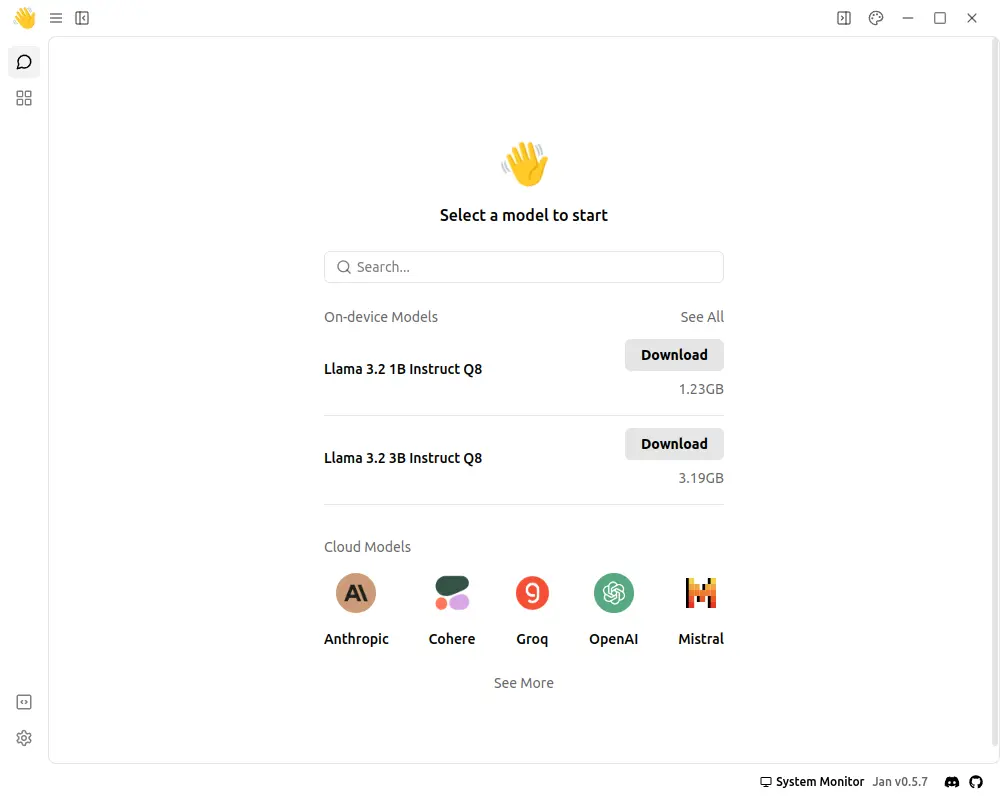
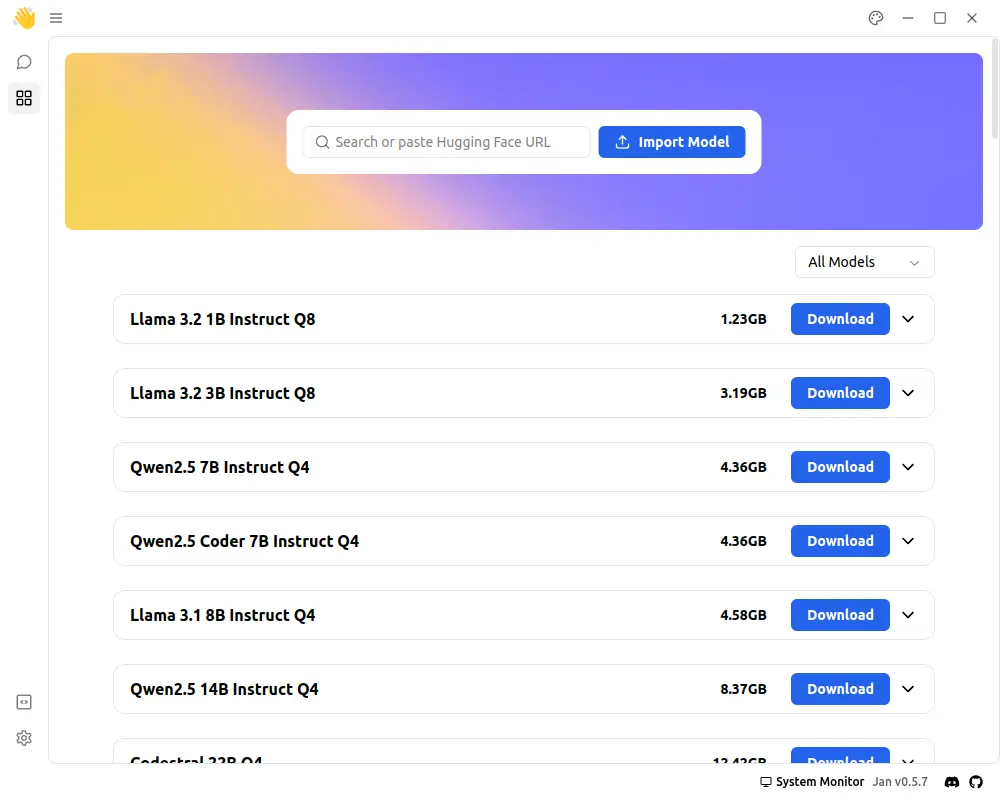
Jan offers many local AI models, designed for different needs, that you can download and use right away.
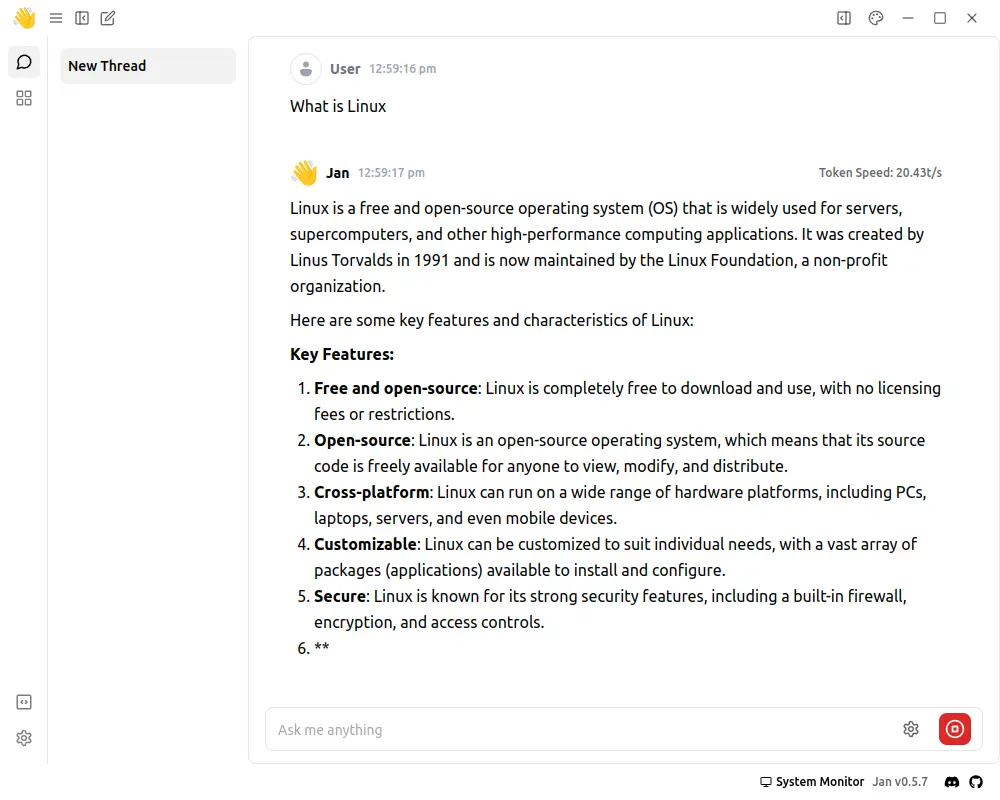
Once you’ve downloaded and set up your AI assistant, start chatting with it!
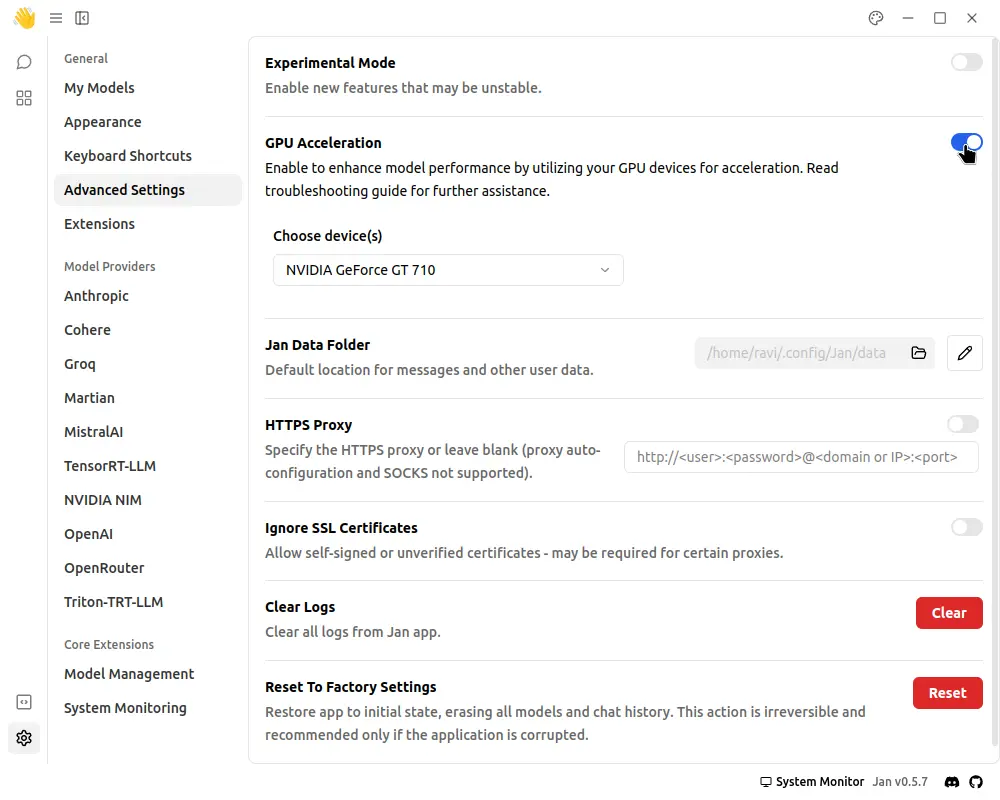
If you have a graphics card, boost model performance by enabling GPU acceleration from the Settings -> Advanced Settings -> GPU Acceleration.
Conclusion
Jan is an exciting open-source alternative to ChatGPT that allows users to run a powerful AI model entirely offline, making it a great option for anyone who values privacy and wants to keep their data secure.
Its lightweight design and open-source nature give users full control over how the model operates, making it an attractive choice for tech enthusiasts, Linux users, and privacy-conscious individuals.
