

Clifm is a unique and lightning-fast command-line file manager that is built on the principles of a shell-like environment, meaning users can interact with their file system using commands they are already familiar with.
The design choice sets Clifm apart from other terminal file managers like Midnight Commander and Ranger, which often require navigation through menus and interfaces.
Instead, Clifm allows users to type commands directly, making it a more streamlined experience for those accustomed to the command line.
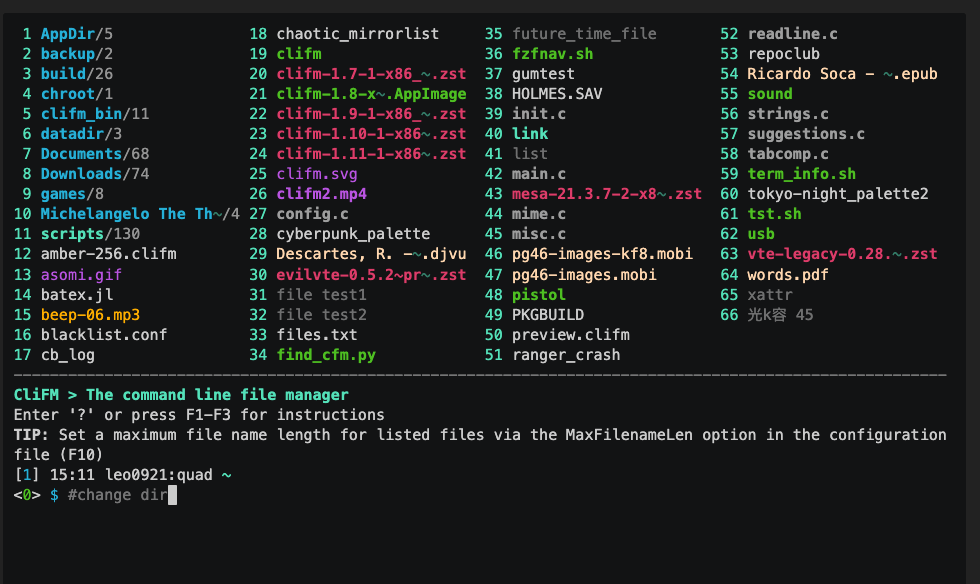
Key Features of Clifm
Clifm offers a variety of features that enhance file management:
- CLI-Based: Clifm operates entirely in the command line without any graphical or text-based user interface, making it lightweight and fast.
- Performance: It is extremely lightweight and fast, even on very old hardware, using less than 5 MiB of memory and only 0.5 MiB of disk space.
- Entry List Numbers (ELNs): Clifm uses ELNs to identify files and directories, allowing users to perform operations using numbers instead of filenames.
- File Filters and Attributes: It supports file attributes, and extended attributes, and allows filtering of files, including hidden ones.
- Bookmarks and Tags: Users can bookmark frequently accessed directories and tag files for better organization.
- Autosuggestions and TAB Completion: Clifm provides autosuggestions and TAB completion for commands, file names, paths, bookmarks, and more.
- Plugins and Customization: Users can customize keyboard shortcuts, themes, and prompts, and create custom commands and plugins to extend Clifm’s functionality.
- Stealth Mode: Clifm offers a stealth mode that leaves no trace on the host system, ensuring privacy and security.
- Resource Opener and File Previewer: It has a built-in resource opener that can discern between GUI and non-GUI environments, and a file previewer that supports various file types.
- Compatibility: Clifm is highly compatible with old VT102-only terminal emulators and can run on the kernel built-in console, SSH, or any other remote session.
Installing Clifm in Linux
Clifm can be installed from its GitHub repository or through package managers available on various Linux distributions via the OpenSUSE Build System.
If you want to build and install Clifm from the source, you’ll need to install the necessary build dependencies using your package manager.
--------------- On Debian-based Systems ---------------
sudo apt install libcap-dev libacl1-dev libreadline-dev libmagic-dev git

--------------- On REdHat-based Systems ---------------
sudo dnf install libcap-devel libacl-devel readline-devel file-devel git
Next, clone the Clifm git repository as shown.
git clone https://github.com/leo-arch/clifm.git
cd clifm
sudo make install
Getting Started with Clifm
To begin using Clifm, users do not need to learn any new commands; typical shell commands will work as expected.
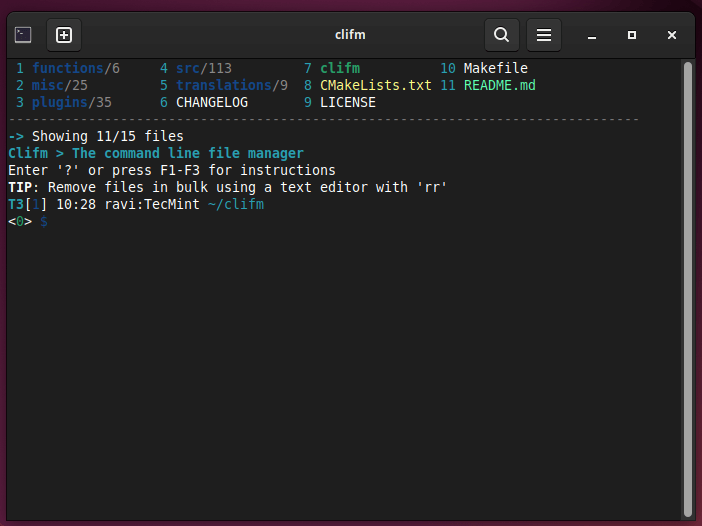
clifm
Here are some basic steps to get started:
- The
helpcommand gives you a quick introduction to clifm: once in the clifm prompt, enterhelpor?. - Type
cmd<TAB>to get the list of available commands and a brief description. - Type help
<TAB>to get the list of available help topics. - To jump into the
COMMANDSsection in the manpage, simply entercmdor pressF2. - Press
F1to access the full manpage andF3to access the keybindings help page. - To get help with some specific command just type
CMD -h. For instance,s -h.
To uninstall the Clifm package run:
sudo make uninstall
Conclusion
Clifm is an excellent choice for Linux users who prefer working in the terminal, offering speed, simplicity, and a rich feature set that makes it a powerful tool for anyone who needs to manage files efficiently on a Linux system.
