Compiling software from source code might sound frightening, especially if you have never done it before. If you are a Linux user and want to try compiling something on your own, you have come to the right place.
In this guide, you will learn how to compile and run ONLYOFFICE Desktop Editors from source code on Ubuntu using special build tools.
About ONLYOFFICE Desktop Editors
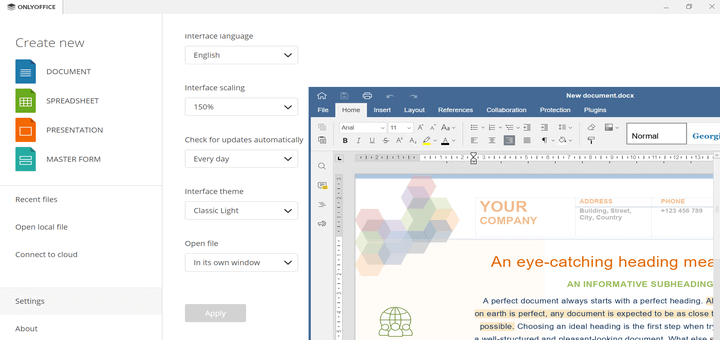
ONLYOFFICE Desktop Editors is an open-source office software package that runs on Windows, macOS, and various Linux distributions. The solution is distributed under the AGPLv3 license, so it’s free and open for modification.
It comes with a word processor, a spreadsheet editor, and a presentation tool that are natively compatible with the Microsoft Office formats (DOCX, XLSX, PPTX) allowing you to open and edit any Word, Excel, and PowerPoint files.
[ You might also like: How to Create eLearning Platform with Moodle and ONLYOFFICE ]
The ONLYOFFICE desktop app offers packages for multiple distros (deb, rpm, snap, flatpak, AppImage), which makes it easy to install in any Linux environment.
However, if you want to compile ONLYOFFICE Desktop Editors on your own, you can use the build tools that will help you automatically install all the required dependencies, components, and the newest version of the source code of the application.
System Requirements
First of all, make sure that your hardware complies with the following requirements:
- CPU: dual-core, 2 GHz or higher.
- RAM: 2 GB or more.
- HDD: 40 GB or more.
- Swap space: at least 4 GB.
- OS: 64-bit Ubuntu 14.04.
The compilation method described below has been successfully tested on Ubuntu 14.04 and might also work on more recent versions of the distro.
Compilation of ONLYOFFICE Desktop Editors in Ubuntu
If Python and Git are not installed on your computer, you can do it with the following command:
$ sudo apt-get install -y python git
After installation, you can move on to the compilation process by cloning the build tools repository.
$ git clone https://github.com/ONLYOFFICE/build_tools.git
After that, go to the build_tools/tools/linux directory:
$ cd build_tools/tools/linux
Run a Python script with the following parameter:
$ ./automate.py desktop
If you run the script without the desktop parameter, you will also compile ONLYOFFICE Document Server and ONLYOFFICE Document Builder, which is not necessary.
The script will automatically compile all the components and dependencies required for the correct work of ONLYOFFICE Desktop Editors. Be patient. The compilation process may take a great deal of time. When it is over, you can find the new build in the ../../out/linux_64/onlyoffice/desktopeditors/ directory.
Launch of ONLYOFFICE Desktop Editors
Now that the build is ready, go to the ../../out/linux_64/onlyoffice/desktopeditors/ directory using the following command:
cd ../../out/linux_64/onlyoffice/desktopeditors
To launch the application, run this:
LD_LIBRARY_PATH=./ ./DesktopEditors
ONLYOFFICE Desktop Editors will run.
Now you can:
- open and edit DOC, DOCX, XLS, XLSX, ODT, PPTX, RTF, TXT, PDF, HTML, EPUB, XPS, DjVu, ODS, CSV, PPT, and ODP files.
- make use of various editing and formatting tools – footers, headers, footnotes, etc.
- insert complex objects, such as charts, shapes, images, drop caps, and Text Art.
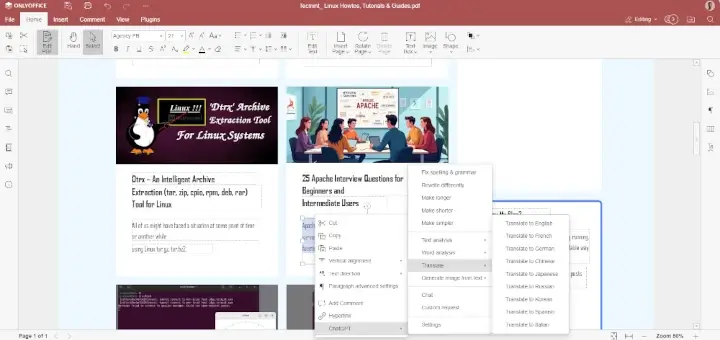
- access third-party plugins – YouTube, Macros, Photo Editor, Translator, Thesaurus, etc.
- sign documents with a digital signature.
- protect documents with a password.
- co-edit files in real-time by connecting the desktop application to a cloud platform of your choice – ONLYOFFICE, ownCloud, Nextcloud, or Seafile.
If something goes wrong and you can’t correctly compile ONLYOFFICE Desktop Editors from source code, you can always ask for help by creating an issue in this GitHub repo or you can install ONLYOFFICE Desktop Editors using repository in Linux.