How to Install CloudPanel on Debian 10 Buster

Take Your Linux Skills to the Next Level All courses, certifications, ad-free articles & community — from $8/mo
Join Root →
Ad-free access to all premium articles
Access to all courses: Learn Linux, AI for Linux, Bash Scripting, Ubuntu Handbook, Golang and more.
Access to Linux certifications (RHCSA, RHCE, LFCS and LFCA)
Access new courses on release
Get access to weekly newsletter
Priority help in comments
Private Telegram community
Connect with the Linux community
From $8/mo · or $59/yr billed annually · Cancel anytime

CloudPanel is an open-source control panel that allows you to efficiently manage your servers. It’s a high-performance PHP-based control panel that is specially designed for managing hosted services.

It is built on PHP and uses Nginx and MySQL. It is easy to install using an installation script that takes care of all the hard work of installing and configuring the packages required for everything to work as expected.

CloudPanel provides a user-friendly and easy-to-use interface that enables you to manage services that include:

  • Database management
  • Domain management
  • User management
  • Cron Job management
  • Security

CloudPanel supports major cloud services such as Google Cloud, Amazon Web Services, and Digital Ocean. In this guide, we will show you how to install CloudPanel on Debian 10.

Requirements

The following are the requirements needed to install CloudPanel:

  • Debian 10 Buster
  • Minimum of 1 CPU core
  • Minimum 2 GB RAM
  • Minimum 15GB of hard disk space

Let’s get started…

Installing CloudPanel on Debian 10 Buster

To start off, log in to your Debian 10 server and update the package lists on your system:

$ sudo apt update

Additionally, you can upgrade all the packages to their latest versions.

$ sudo apt upgrade -y

A few packages will be required during the installation of the CloudPanel Control Panel. So, install them as follows:

$ sudo apt install wget curl apt-transport-https

Once the requirements are in place, fetch and run the CloudPanel installation script as follows using the curl command.

$ curl -sSL https://installer.cloudpanel.io/ce/v1/install.sh | sudo bash

The script automatically installs and sets up all the components required by the control panel including Nginx, PHP, MySQL, Percona, and tons of other additional packages and dependencies.

This takes anywhere between 3-5 minutes. Therefore be patient as the installation and setup of the packages progresses.

Once the installation is complete, you will get the notification below with details of how you can access the CloudPanel control panel.
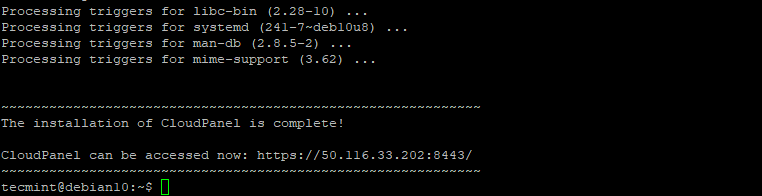
Install CloudPanel in Debian

To access the CloudPanel control panel, launch your browser and browse your server-IP address:

https://server-ip:8443

You will get a warning as indicated below informing you that the website you are trying to access is potentially dangerous and may expose you to cyber attacks. The reason for this warning is that CloudPanel is not yet encrypted using an SSL certificate.

Ignore the warning and click on the ‘Advanced’ button and select to continue browsing your server.
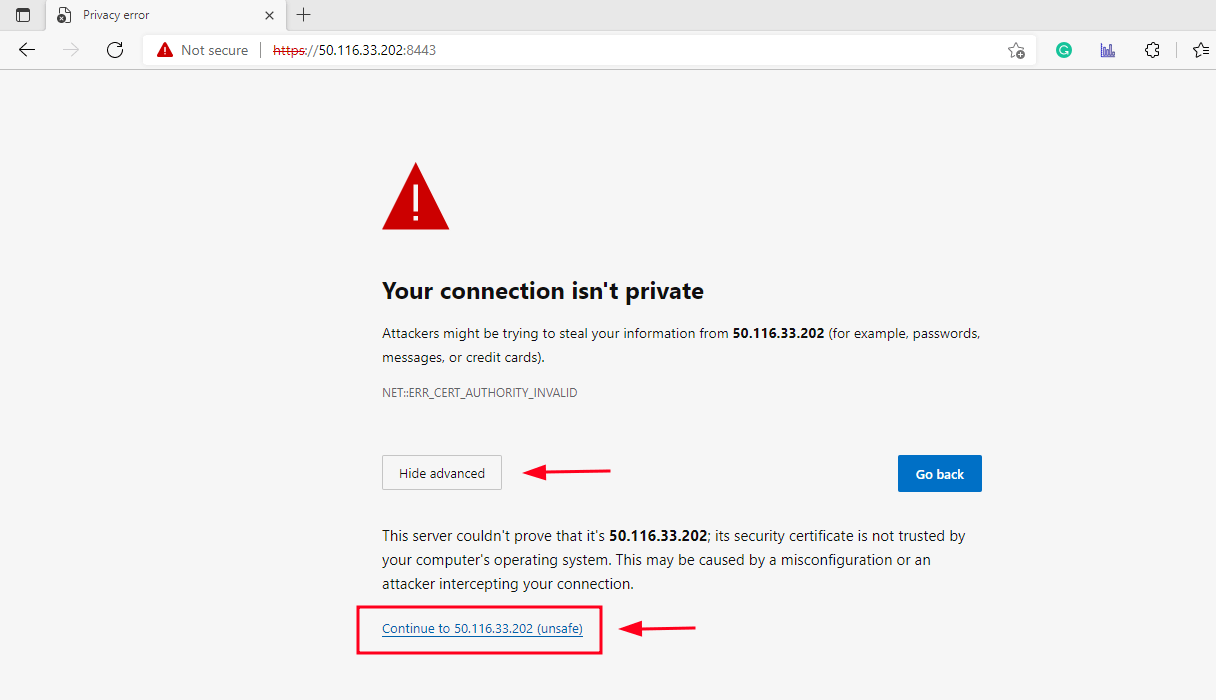
CloudPanel SSL Warning

In the next step, you will be required to create an Admin user. Therefore, provide your personal details and click on ‘Create User’.
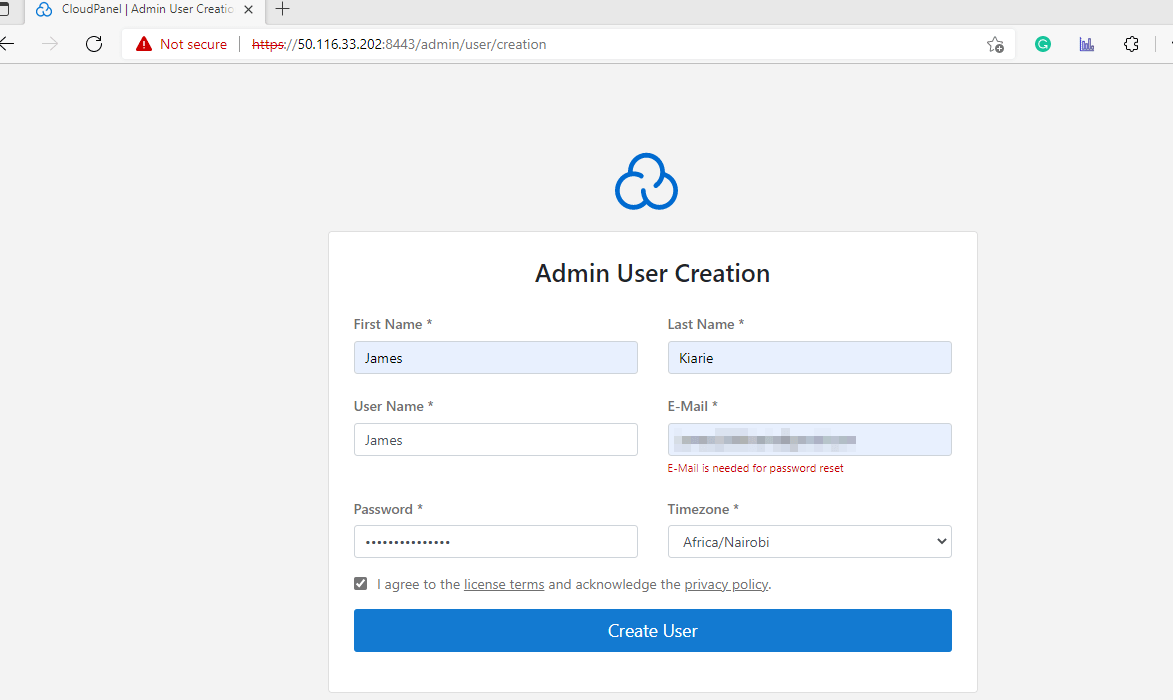
CloudPanel Admin User

Next, log in with your username and password login credentials.
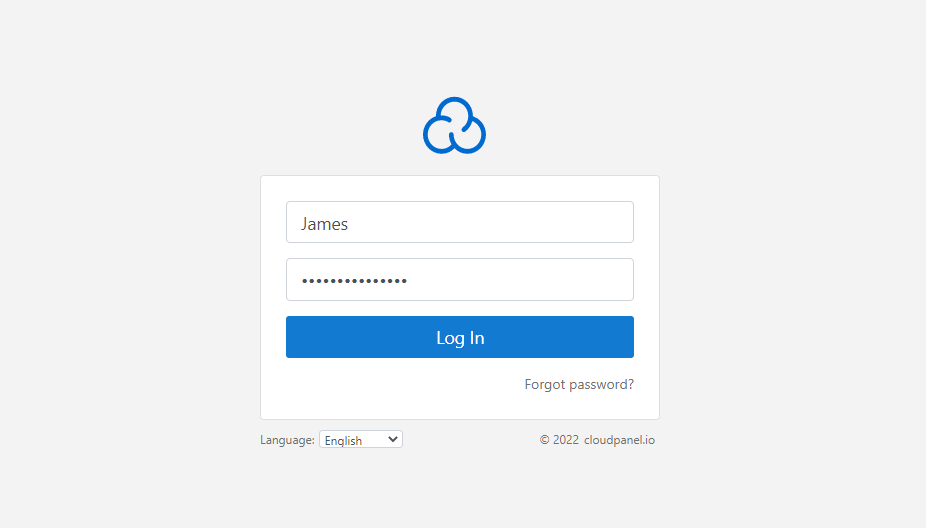
CloudPanel Admin Login

This ushers you to the CloudPanel dashboard as shown.
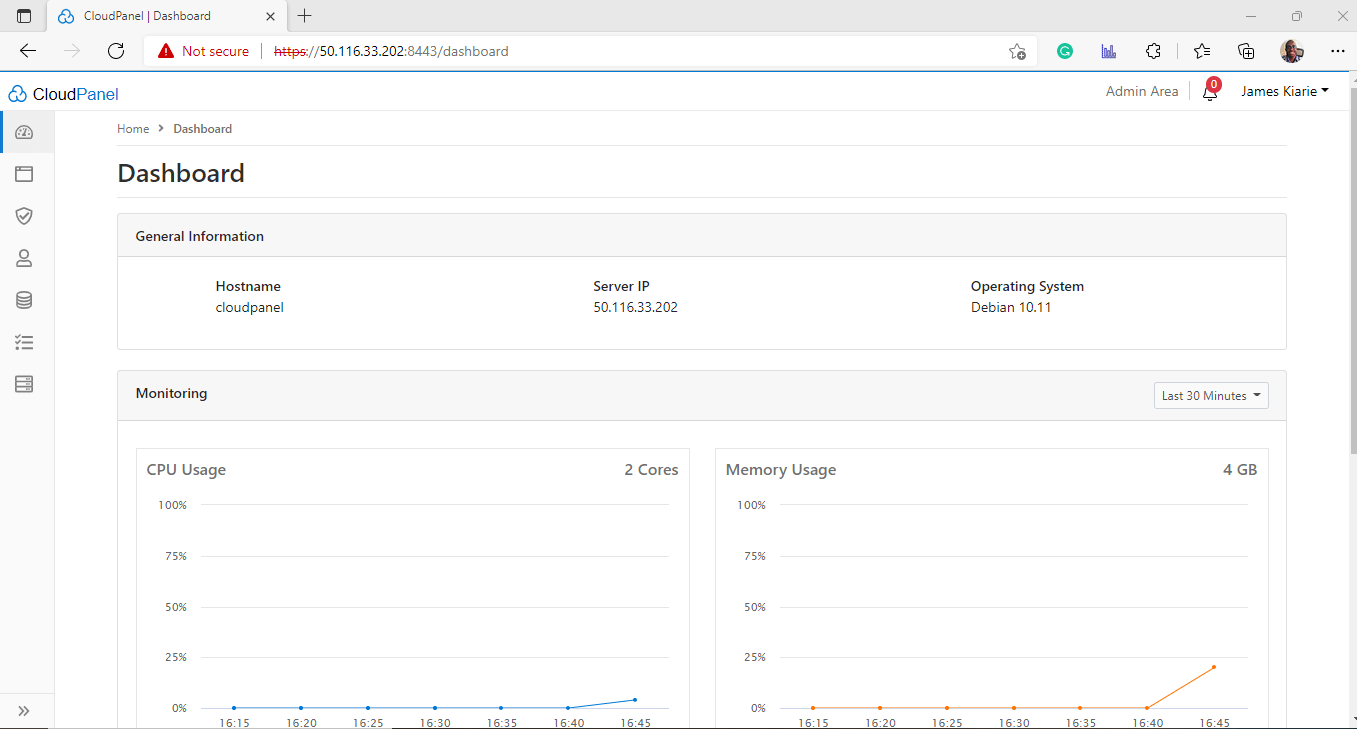
CloudPanel Dashboard

The dashboard home page displays general information of the server such as the hostname, host IP, and Operating system. You also get system metrics such as CPU and memory usage, disk utilization, and load average displayed on separate dashboards.

And this wraps up our guide today. In this tutorial, we have walked you through the installation of the CloudPanel Control panel on Debian 10 Buster.

Root Plan
Premium Linux Education for Serious Learners

Take Your Linux Skills to the Next Level

Root members get full access to every course, certification prep track, and a growing library of hands-on Linux content — with new courses added every month.

What You Get
Ad-free access to all premium articles
Access to all courses: Learn Linux, AI for Linux, Bash Scripting, Ubuntu Handbook, Golang and more.
Access to Linux certifications (RHCSA, RHCE, LFCS and LFCA)
Access new courses on release
Get access to weekly newsletter
Priority help in comments
Private Telegram community
Connect with the Linux community
James Kiarie
This is James, a certified Linux administrator and a tech enthusiast who loves keeping in touch with emerging trends in the tech world. When I'm not running commands on the terminal, I'm taking listening to some cool music. taking a casual stroll or watching a nice movie.

Each tutorial at TecMint is created by a team of experienced Linux system administrators so that it meets our high-quality standards.

Join the TecMint Weekly Newsletter (More Than 156,129 Linux Enthusiasts Have Subscribed)
Was this article helpful? Please add a comment or buy me a coffee to show your appreciation.

Got Something to Say? Join the Discussion...

Thank you for taking the time to share your thoughts with us. We appreciate your decision to leave a comment and value your contribution to the discussion. It's important to note that we moderate all comments in accordance with our comment policy to ensure a respectful and constructive conversation.

Rest assured that your email address will remain private and will not be published or shared with anyone. We prioritize the privacy and security of our users.

Root Plan Premium Linux Education for Serious Learners

Before You Go - Upgrade Your Linux Skills

Root members get everything in one place, with new courses added every month.

What You Get
Ad-free access to all premium articles
Access to all courses: Learn Linux, AI for Linux, Bash Scripting, Ubuntu Handbook, Golang and more.
Linux certifications: RHCSA, RHCE, LFCS and LFCA
Access new courses on release
Weekly newsletter, priority support & Telegram community
Join Root Today and Start Learning Linux the Right Way
Structured courses, certification prep, and a community of Linux professionals - all in one membership.
Join Root Plan →
$8/mo · or $59/yr billed annually