

Have you ever wondered where the various files contained inside a package are installed (located) in the Linux file system? In this article, we’ll show how to list all files installed from or present in a certain package or group of packages in Linux.
This can help you to easily locate important package files like configurations files, documentation and more. Let’s look at the different methods of listing files in or installed from a package:
How to List All Files of Installed Package in Linux
You can use the repoquery command which is part of the yum-utils to list files installed on a CentOS/RHEL system from a given package.
To install and use yum-utils, run the commands below:
# yum update
# yum install yum-utils
Now you can list files of an installed RPM package, for example httpd web server (note that the package name is case-sensitive). The --installed flag means installed packages and -l flags enables listing of files:
# repoquery --installed -l httpd
# dnf repoquery --installed -l httpd  [On Fedora 22+ versions]
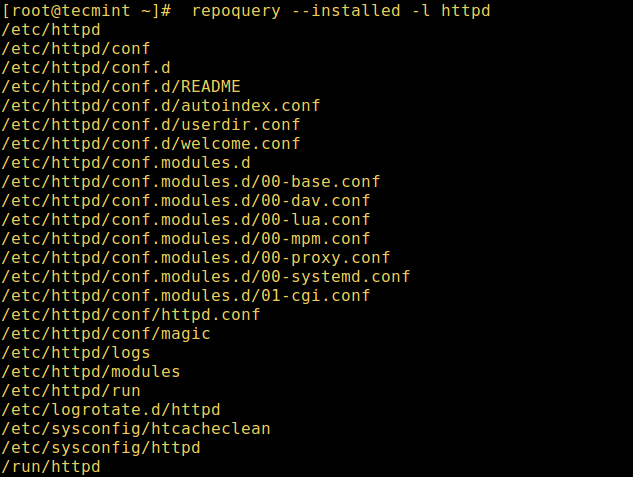
Important: In Fedora 22+ version, the repoquery command is integrated with dnf package manager for RPM based distribution to list files installed from a package as shown above.
Alternatively, you can as well use the rpm command below to list the files inside or installed on the system from a .rpm package as follows, where the -g and -l means to list files in package receptively:
# rpm -ql httpd
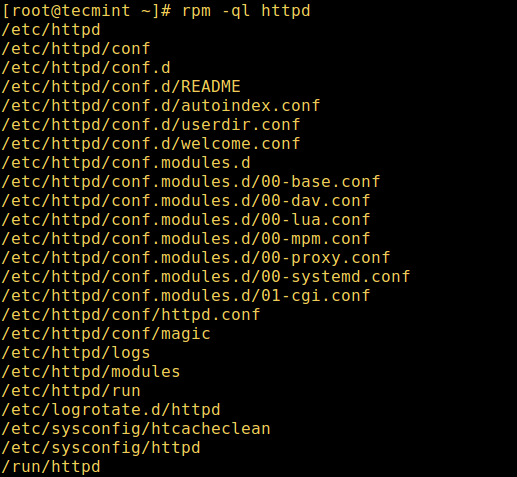
Another useful option is used to use -p to list .rpm package files before installing it.
# rpm -qlp telnet-server-1.2-137.1.i586.rpm
On Debian/Ubuntu distributions, you can use the dpkg command with the -L flag to list files installed to your Debian system or its derivatives, from a given .deb package.
In this example, we will list files installed from apache2 web server:
$ dpkg -L apache2

Don’t forget to check out following useful articles for package management in Linux.
- 20 Useful ‘Yum’ Commands for Package Management
- 20 Useful RPM Commands for Package Management
- 15 Useful APT Commands for Package Management in Ubuntu
- 15 Useful Dpkg Commands for Ubuntu Linux
- 5 Best Linux Package Managers for Linux Newbies
That’s all! In this article, we showed you how to list/locate all files installed from a given package or group of packages in Linux. Share your thoughts with us using the feedback form below.

That lists the filenames, what lists the permissions of the files (like ‘ls -l’)?
@Nigel
Trues, thanks for the useful addition.
Can somebody help me in finding files opened by yum on debian Linux…. The files are supposed to be having commands to do my assignment but they are been hidden.
@Sana
YUM works on RHEL/CentOS Linux distributions and APT works on Debian/Ubuntu. You can find APT files under /etc/apt/ directory.
The easiest way to view installed package files is to use the Synaptic Package Manager.
See http://askubuntu.com/a/898519/478220
@julian
Yeah, there are many ways to do it, thanks for mentioning this.