Linux Fun – Play Old Classic Snake Game in Linux Terminal

Take Your Linux Skills to the Next Level All courses, certifications, ad-free articles & community — from $8/mo
Join Root →
Ad-free access to all premium articles
Access to all courses: Learn Linux, AI for Linux, Bash Scripting, Ubuntu Handbook, Golang and more.
Access to Linux certifications (RHCSA, RHCE, LFCS and LFCA)
Access new courses on release
Get access to weekly newsletter
Priority help in comments
Private Telegram community
Connect with the Linux community
From $8/mo · or $59/yr billed annually · Cancel anytime

msnake is the Linux command line version of the most popular old classic snake game was written in C using ncurses library by Mogria and Timo Furrer. The game can be played at terminal with textual interface in almost all GNU/Linux distributions.

The game is highly customizable and includes free/classic gameplay modes, keybindings, and even the GUI-like appearance of the application.

To run msnake game on all modern Linux distributions such as Ubuntu, Debian, Linux Mint, Fedora and Arch Linux, simply install it from the snapd package management software as shown.

------------ On Debian/Ubuntu/Mint ------------ 
$ sudo apt install snapd
$ sudo snap install msnake 

------------ On Fedora ------------
$ sudo dnf install snapd
$ sudo snap install msnake 

------------ On Arch Linux ------------
$ sudo yaourt -S snapd
$ sudo snap install msnake 

Once installed, you can simply type ‘msnake‘ on the terminal to start the game. The gameplay is the same of any snake game. You control a hungry snake and the mission is to collect points by eating as many fruits (means $) as you can to set highest score. Each eaten fruit increase it’s size by two units. When snake clashes with itself or walls the game ends.

$ msnake

See the msnake gameplay in action.
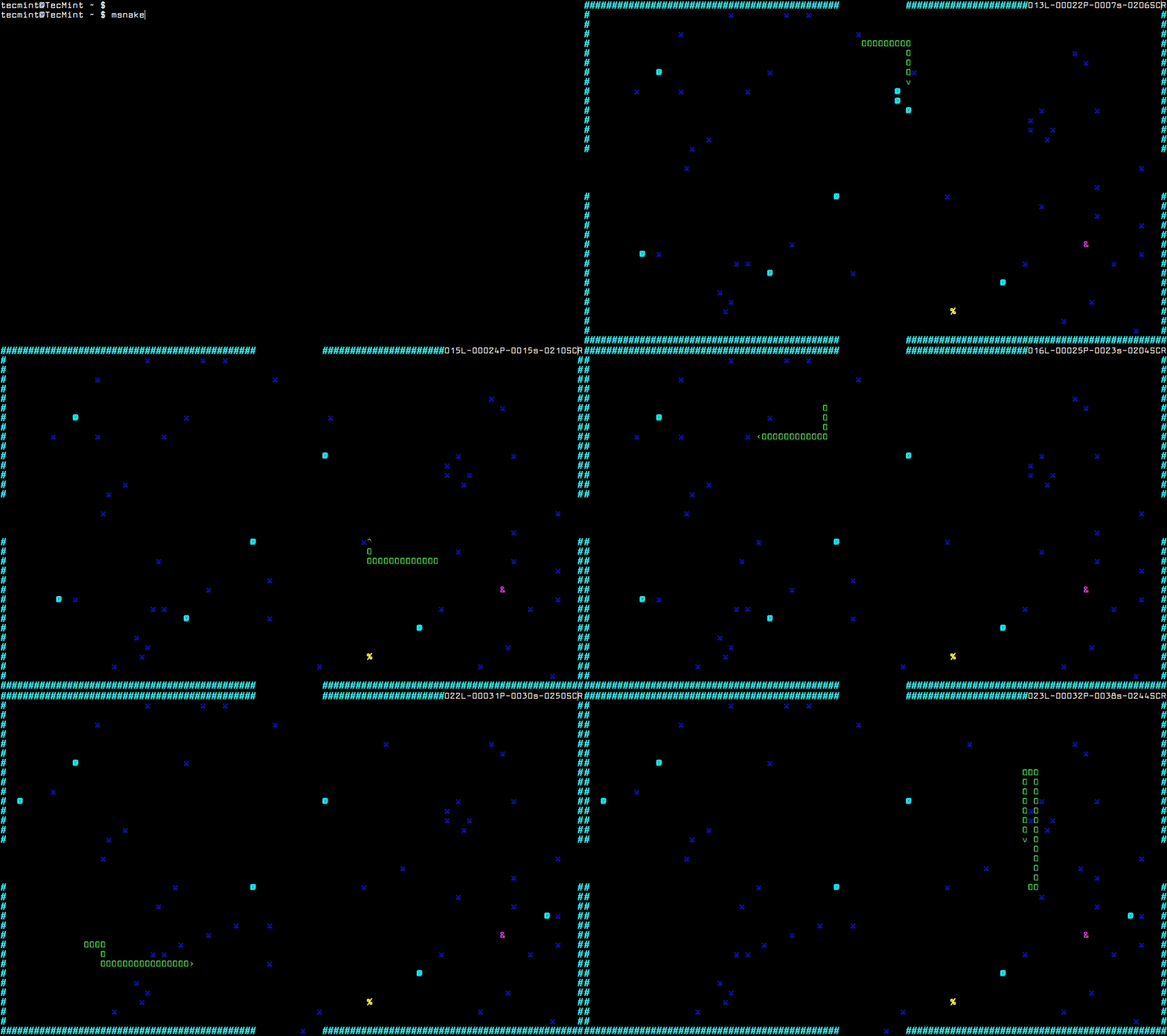
Snake Gameplay in Linux Terminal

Game Controls

The msnake game can be controlled and customizable using the following keybindings.

  • w – move up
  • a – move left
  • s – move down
  • d – move right
  • 8 – slower
  • 9 – faster
  • 0 – reset speed
  • p – pause the game
  • enter – shows menu

Uninstall Snake Game

To uninstall msnake game, simply use the snap command to remove it completely from the system using following command.

$ sudo snap remove msnake

What’s your opinion about msnake? Have you ever played it before? What other similar terminal games you play? Do share your views via our comment section.

Root Plan
Premium Linux Education for Serious Learners

Take Your Linux Skills to the Next Level

Root members get full access to every course, certification prep track, and a growing library of hands-on Linux content — with new courses added every month.

What You Get
Ad-free access to all premium articles
Access to all courses: Learn Linux, AI for Linux, Bash Scripting, Ubuntu Handbook, Golang and more.
Access to Linux certifications (RHCSA, RHCE, LFCS and LFCA)
Access new courses on release
Get access to weekly newsletter
Priority help in comments
Private Telegram community
Connect with the Linux community
Ravi Saive
I'm Ravi Saive, an award-winning entrepreneur and founder of several successful 5-figure online businesses, including TecMint.com, GeeksMint.com, UbuntuMint.com, and the premium learning hub Pro.Tecmint.com.

Each tutorial at TecMint is created by a team of experienced Linux system administrators so that it meets our high-quality standards.

Join the TecMint Weekly Newsletter (More Than 156,129 Linux Enthusiasts Have Subscribed)
Was this article helpful? Please add a comment or buy me a coffee to show your appreciation.

Got Something to Say? Join the Discussion...

Thank you for taking the time to share your thoughts with us. We appreciate your decision to leave a comment and value your contribution to the discussion. It's important to note that we moderate all comments in accordance with our comment policy to ensure a respectful and constructive conversation.

Rest assured that your email address will remain private and will not be published or shared with anyone. We prioritize the privacy and security of our users.