
Play Space Invaders – An Old School Arcade Game on Linux Terminal

There is a numerous number of terminal-based games to play on Linux. Yes, sometimes you need to move away from the configuration files, monitoring tools and so on – get your mind refreshed for a few minutes with games on the terminal even when your working.

In this article, we will show you how to play Space Invaders in a Linux terminal, a free and open source terminal version of the well known GUI Space Invaders game.

The main duty is to defend the earth from Space Invaders; a huge block of aliens by controlling warships on earth (at the bottom of the screen). Before you can play space invaders, you need to install it via the terminal by simply typing the following command (Note that you must have the universe repository enabled for Ubuntu systems):

$ sudo yum install ninvaders      #On CentOS/RHEL
$ sudo dnf install ninvaders      #On Fedora 22+
$ sudo apt-get install ninvaders  # On Debian/Ubuntu

After installing it, you can play it by running the ninvaders program like this:

$ ninvaders

You’ll see the interface below once you have launched it, press the Space bar to start playing the game.
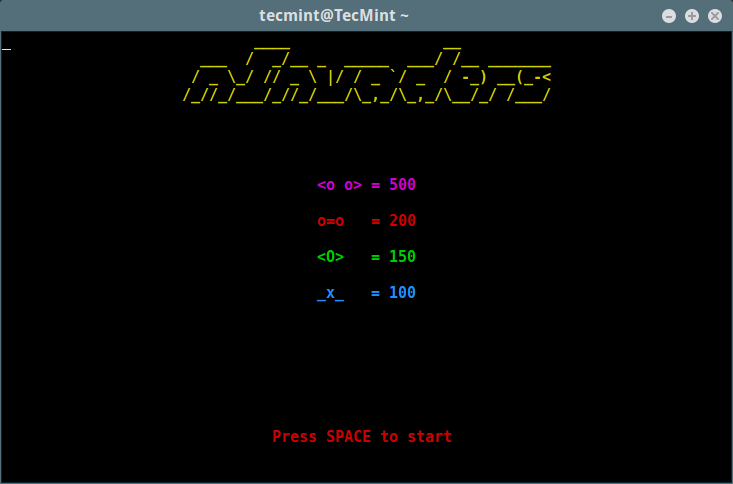
Space Invaders Game
Space Invaders Game

Use the Left and Right arrow to move the warship left and right, then shoot with the Space bar. You can escape the descending bullets from the aliens by moving sideways or simply hide under the large stationary blocks (light green) for cover. Your purpose is to kill all the aliens.
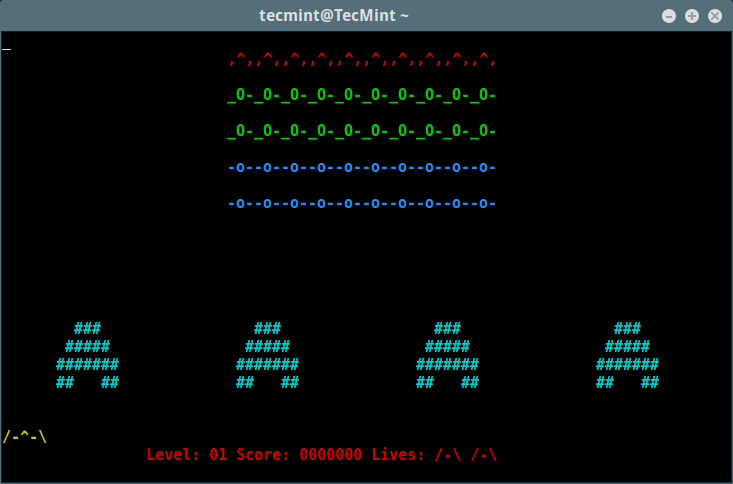
Space Invaders Game Play

Also, check out:

  1. 12 Awesome Terminal Games for Linux Enthusiasts
  2. 5 Best Linux Gaming Distributions That You Should Give a Try
  3. DOSBox – Runs Old MS-DOS Games/Programs in Linux

That’s all! In this article, we showed you how to play Space Invaders game in Linux command line. Do know any other interesting games for relaxing on the terminal while working, share them via the feedback form below.

If this article helped, with someone on your team.

TecMint Weekly Newsletter
Get the Learn Linux 7 Days Crash Course free when you join 34,000+ Linux professionals reading every Thursday.
Check your email for a magic link to get started.
Something went wrong. Please try again.
TecMint has been free for 14 years. Help keep it that way.
Google AI Overviews and tools like ChatGPT have cut into search traffic for independent tech sites like TecMint. Running this site costs over $2,000 every month for hosting, infrastructure, and paying authors to keep the content accurate and tested.

If this article helped you solve a problem, consider buying a coffee. It helps keep TecMint free, supports the authors, and keeps the project going.
☕ Buy Me a Coffee
Aaron Kili
Aaron Kili is a Linux and F.O.S.S enthusiast, an upcoming Linux SysAdmin, web developer, and currently a content creator for TecMint who loves working with computers and strongly believes in sharing knowledge.

Each tutorial at TecMint is created by a team of experienced Linux system administrators so that it meets our high-quality standards.

2 Comments

Leave a Reply
    • @Bill

      Many thanks for sharing this, we had not really tested on RHEL 6. But now users can follow this to start the game.

      Reply

Got Something to Say? Join the Discussion...

Thank you for taking the time to share your thoughts with us. We appreciate your decision to leave a comment and value your contribution to the discussion. It's important to note that we moderate all comments in accordance with our comment policy to ensure a respectful and constructive conversation.

Rest assured that your email address will remain private and will not be published or shared with anyone. We prioritize the privacy and security of our users.

Free Course
Get a free Linux course before you go.
Subscribe to TecMint Weekly and get the Learn Linux 7 Days Crash Course free. Read by 34,000+ Linux professionals every Thursday.
Something went wrong. Please try again.
Check your email for a magic link to get started.