
Linux Fun – Play Old Classic Snake Game in Linux Terminal

msnake is the Linux command line version of the most popular old classic snake game was written in C using ncurses library by Mogria and Timo Furrer. The game can be played at terminal with textual interface in almost all GNU/Linux distributions.

The game is highly customizable and includes free/classic gameplay modes, keybindings, and even the GUI-like appearance of the application.

To run msnake game on all modern Linux distributions such as Ubuntu, Debian, Linux Mint, Fedora and Arch Linux, simply install it from the snapd package management software as shown.

------------ On Debian/Ubuntu/Mint ------------ 
$ sudo apt install snapd
$ sudo snap install msnake 

------------ On Fedora ------------
$ sudo dnf install snapd
$ sudo snap install msnake 

------------ On Arch Linux ------------
$ sudo yaourt -S snapd
$ sudo snap install msnake 

Once installed, you can simply type ‘msnake‘ on the terminal to start the game. The gameplay is the same of any snake game. You control a hungry snake and the mission is to collect points by eating as many fruits (means $) as you can to set highest score. Each eaten fruit increase it’s size by two units. When snake clashes with itself or walls the game ends.

$ msnake

See the msnake gameplay in action.
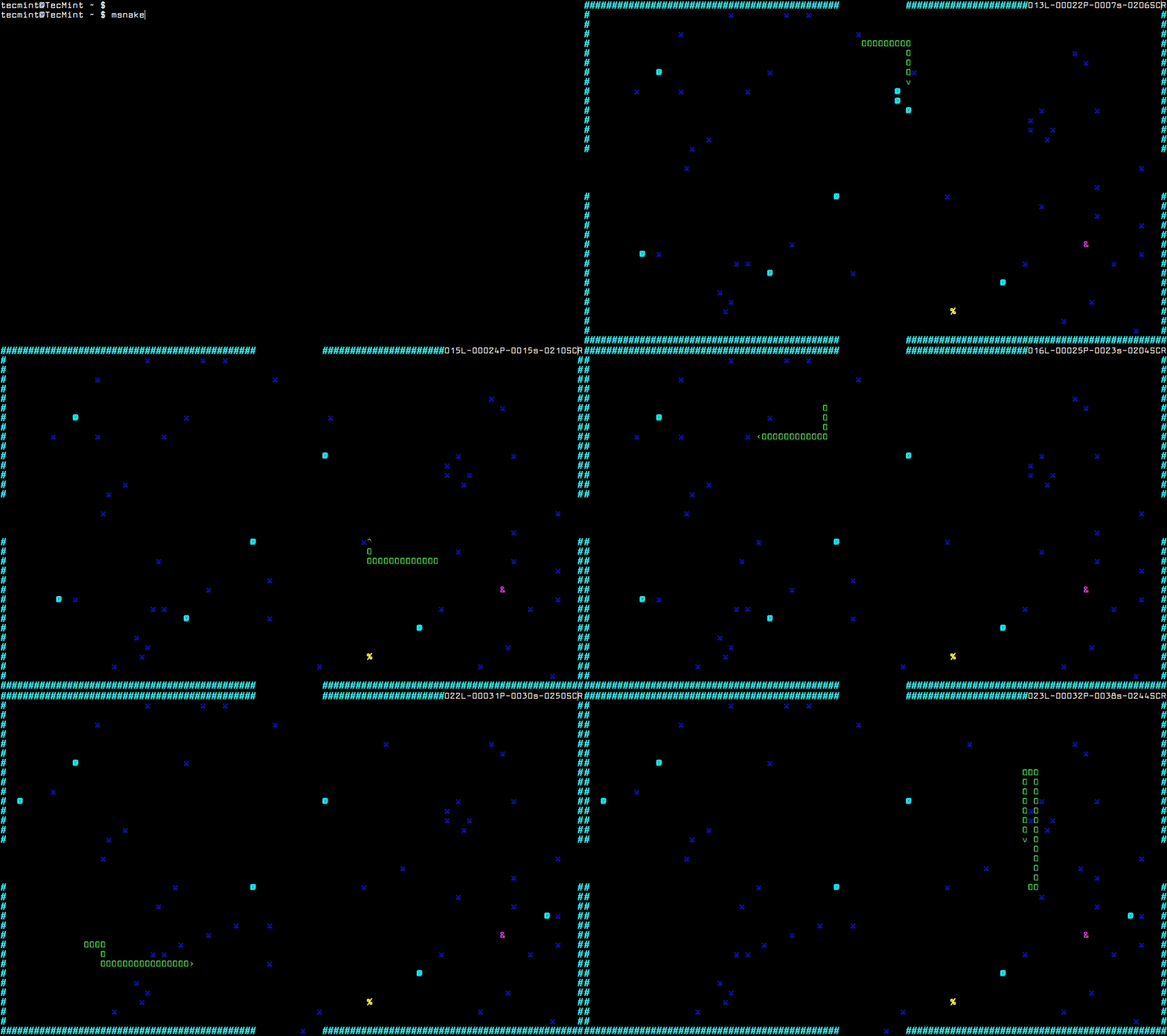
Snake Gameplay in Linux Terminal

Game Controls

The msnake game can be controlled and customizable using the following keybindings.

  • w – move up
  • a – move left
  • s – move down
  • d – move right
  • 8 – slower
  • 9 – faster
  • 0 – reset speed
  • p – pause the game
  • enter – shows menu

Uninstall Snake Game

To uninstall msnake game, simply use the snap command to remove it completely from the system using following command.

$ sudo snap remove msnake

What’s your opinion about msnake? Have you ever played it before? What other similar terminal games you play? Do share your views via our comment section.

If this article helped, with someone on your team.

TecMint Weekly Newsletter
Get the Learn Linux 7 Days Crash Course free when you join 34,000+ Linux professionals reading every Thursday.
Check your email for a magic link to get started.
Something went wrong. Please try again.
TecMint has been free for 14 years. Help keep it that way.
Google AI Overviews and tools like ChatGPT have cut into search traffic for independent tech sites like TecMint. Running this site costs over $2,000 every month for hosting, infrastructure, and paying authors to keep the content accurate and tested.

If this article helped you solve a problem, consider buying a coffee. It helps keep TecMint free, supports the authors, and keeps the project going.
☕ Buy Me a Coffee
Ravi Saive
I'm Ravi Saive, an award-winning entrepreneur and founder of several successful 5-figure online businesses, including TecMint.com, GeeksMint.com, UbuntuMint.com, and the premium learning hub Pro.Tecmint.com.

Each tutorial at TecMint is created by a team of experienced Linux system administrators so that it meets our high-quality standards.

Got Something to Say? Join the Discussion...

Thank you for taking the time to share your thoughts with us. We appreciate your decision to leave a comment and value your contribution to the discussion. It's important to note that we moderate all comments in accordance with our comment policy to ensure a respectful and constructive conversation.

Rest assured that your email address will remain private and will not be published or shared with anyone. We prioritize the privacy and security of our users.

Free Course
Get a free Linux course before you go.
Subscribe to TecMint Weekly and get the Learn Linux 7 Days Crash Course free. Read by 34,000+ Linux professionals every Thursday.
Something went wrong. Please try again.
Check your email for a magic link to get started.