

CBM (Color Bandwidth Meter) is a simple tool that shows the current network traffic on all connected devices in colors in Ubuntu Linux. It is used to monitor network bandwidth. It shows the network interface, bytes received, bytes transmitted and total bytes.
Read Also: iftop – A Real Time Linux Network Bandwidth Monitoring Tool
In this article, we will show you how to install and use cbm network bandwidth monitoring tool in Ubuntu and its derivative such as Linux Mint.
How to Install CBM Network Monitoring Tool in Ubuntu
This cbm network bandwidth monitoring tool is available to install from the default Ubuntu repositories using the APT package manager as shown.
$ sudo apt install cbm
Once you have installed cbm, you can start the program using the following command.
$ cbm
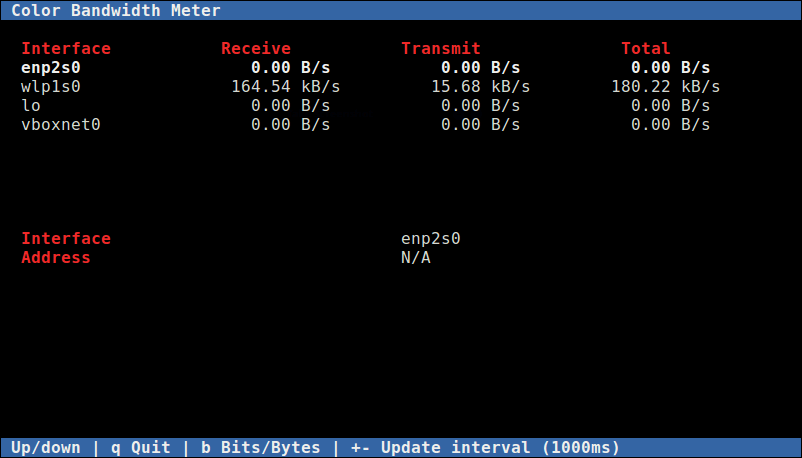
While cbm is running, you can control its behavior with the following keys:
Up/Down– arrows keys to select an interface to show details about.b– Switch between bits per second and bytes per second.+– increase the update delay by 100ms.--– decrease the update delay by 100ms.q– exit from the program.
If you are having any network connection issues, check out MTR – a network diagnostic tool for Linux. It combines the functionality of commonly used traceroute and ping programs into a single diagnostics tool.
However, to monitor multiple hosts on a network, you need robust network monitoring tools such as the ones listed below:
-
- How to Install Nagios 4 in Ubuntu
- LibreNMS – A Fully Featured Network Monitoring Tool for Linux
- Monitorix – A Lightweight System and Network Monitoring Tool for Linux
- Install Cacti (Network Monitoring) on RHEL/CentOS 7.x/6.x/5.x and Fedora 24-12
- Install Munin (Network Monitoring) in RHEL, CentOS and Fedora
That’s it. In this article, we have explained how to install and use cbm network bandwidth monitoring tool in Ubuntu and its derivative such as Linux Mint. Share your thoughts about cbm via the command form below.

Hi,
I have just installed CBM as per your instructions and it seems to work ok. I was expecting it however to show a TOTAL amount acquired over time, but it does not seem to do it. As soon as a download or surfing session is complete, everything zeros again. Am I missing something or is this all it does?
Respectfully… Mike