

Teamviewer is a cross-platform, powerful, and secure remote access and control software that can connect to multiple devices simultaneously. It is an all-in-one solution for remote support which can be used for desktop sharing, online meetings, and file transfer between devices connected over the Internet.
It works on notable operating systems such as Linux, Windows, Mac OS, Chrome OS, and mobile operating systems such as iOS, Android, Windows Universal Platform, and BlackBerry.
Recently, the latest stable version of TeamViewer 15 was released with new features and many improvements.
Features of TeamViewer
Following are some of the new features are added in TeamViewer 15 which are highlighted below:
- It is cross-platform, it can connect from PC to PC, mobile to PC, PC to mobile, and even mobile to mobile connections on the major operating systems mentioned above.
- Highly compatible with multiple platforms, from modern to relatively old operating systems.
- Requires no configurations.
- Easy to install and understand.
- Available in over 30 international languages.
- Offers high performance with smart connection setup and routing, efficient bandwidth usage, fast data transmissions plus many more for a reliable user experience.
- Provides high security with the latest technology.
- It is free for testing purposes and personal use.
- Needs no installation, users can now use TeamViewer without necessarily installing it.
- Supports custom QuickSupport, QuickJoin, and Host modules named with a user’s corporate identity with custom configurations.
- Permits permanent access to unattended devices with support of the TeamViewer Host module.
- Supports integration with a user’s applications through APIs.
- Also supports integration into mobile applications in iOS/Android.
How do I Install Teamviewer 15 on RedHat, CentOS, Fedora
You may download the package for rpm-based Linux distributions at the Teamviewer download page or you can use the following wget command to download and install it as shown.

------------- On 64-bit Systems -------------
# wget https://download.teamviewer.com/download/linux/teamviewer.x86_64.rpm
# yum install teamviewer.x86_64.rpm

------------- On 32-bit Systems -------------
# wget https://download.teamviewer.com/download/linux/teamviewer.i686.rpm
# yum install teamviewer.i686.rpm
If you get a missing public key error, you can download the public key and import it using the following command.
# wget https://download.teamviewer.com/download/linux/signature/TeamViewer2017.asc
# rpm --import TeamViewer2017.asc
After importing the public key, please run the “yum install” command again to install the Teamviewer rpm.
# yum install teamviewer.x86_64.rpm
To start the Teamviewer application, run the following command from the terminal.
# teamviewer
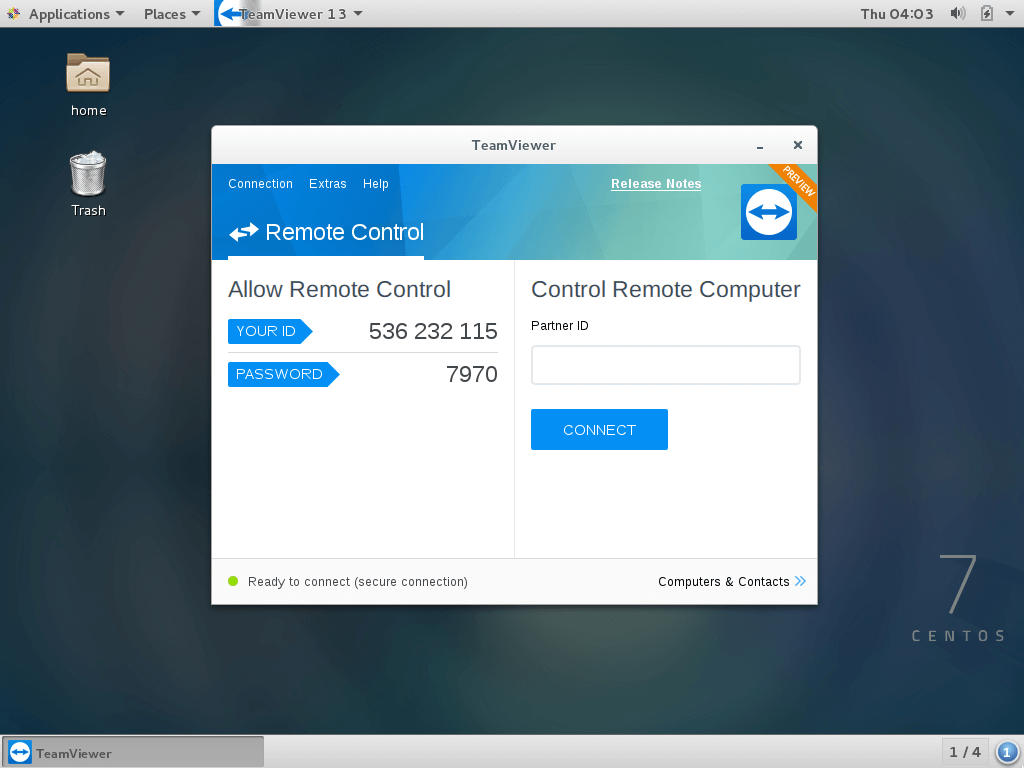
Teamviewer application running on my CentOS 7 system.
How do I Install Teamviewer 15 on Debian, Ubuntu, and Linux Mint
You may download the package for .deb-based Linux distributions at the Teamviewer download page or you can use the following wget command to download and install it as shown.
------------- On 64-bit Systems -------------
$ wget https://download.teamviewer.com/download/linux/teamviewer_amd64.deb
$ sudo dpkg -i teamviewer_amd64.deb

------------- On 32-bit Systems -------------
$ wget https://download.teamviewer.com/download/linux/teamviewer_i386.deb
$ sudo dpkg -i teamviewer_i386.deb
If you get a missing dependencies error, please use the following command to install those dependencies.
$ sudo apt-get install -f
Once installation is done, you can start Teamviewer from the terminal or go to Ubuntu Dash Home and type teamviewer and click on the icon to run the application.
$ teamviewer
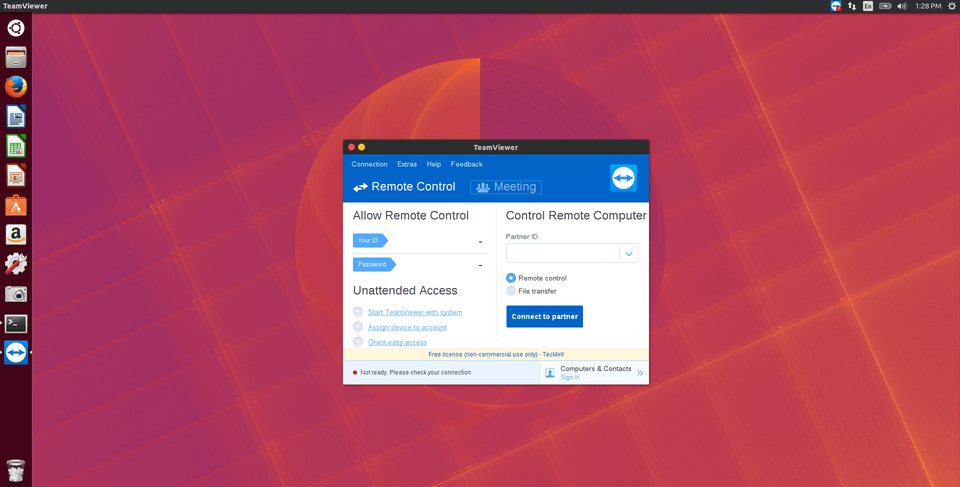
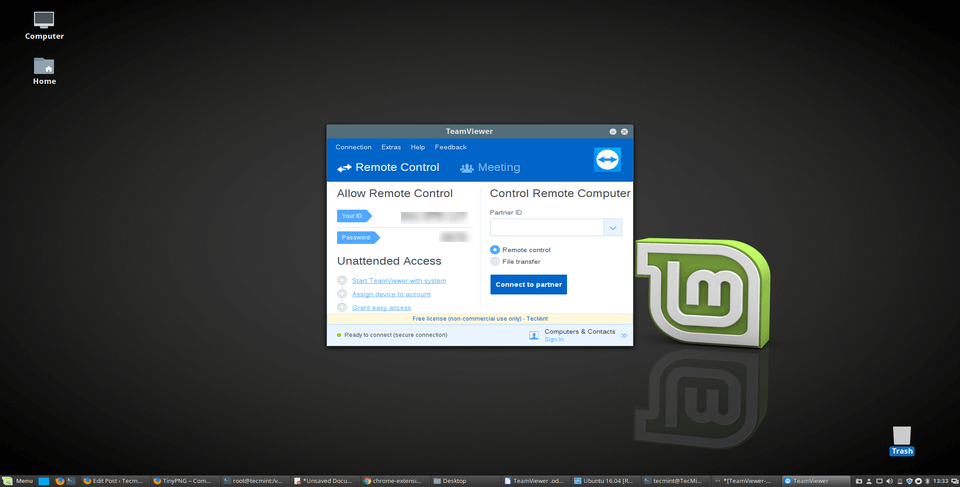
To start on Linux Mint, Go to Menu >> Internet >> Teamviewer and click on Accept License Agreement to run the application.






I think I have oracle Linux server 8.
I tried using
but it always said CONFLICTING REQUESTS.
I tried adding
--skip-brokenor--nobestand still error. All software including chrome or anything I download have these errors.Hi,
Thanks a lot…
Getting error:
ERROR: cannot verify download.teamviewer.com’s certificate, issued by ‘/C=GB/ST=Greater Manchester/L=Salford/O=COMODO CA Limited/CN=COMODO RSA Domain Validation Secure Server CA’:
Unable to locally verify the issuer’s authority.
To connect to download.teamviewer.com insecurely, use `–no-check-certificate‘.
Can you please help with it
@Suheb,
Just add the
-–no-check-certificateat the end of the wget command as shown.Thank you it worked.
How do you get TeavViewer to run automatically after a reboot so you can log in to it remotely. At the moment no matter what I do I need to locally log into KDE before TeavViewer starts
THANKS !!! You are the best !
perfect
TeamViewer does not work with Wayland – you need to run in Xsession. Fedora 25 will default to Wayland, cause it works better, so keep that in mind.
@Dan,
Thanks for the tip, yes I agree Fedora 25 comes with Wayland, but I tried TeamViewer 12 on my CentOS 7 and Fedora 23 worked perfectly..
I installed it over 11 version properly. thank you
@Ariel,
That’s really great, in my case I removed earlier 11 version and installed fresh TeamViewer 12 to avoid any conflicts….
Hi,
Thanks for the topic!
i have only one problem when i am closing the Teamviewer in Kali Linux it’s not working in the background even Skype the same any solution?
FYI, the teamviewer download has changed on their website. If you’re having errors like “teamviewer.deb is not a debian archive file” then you need to download it from the new location with:
sudo wget http://download.teamviewer.com/download/teamviewer_i386.deb
@Frank,
Thanks a ton for the tip, we will update this article in a day or two..
Hi all,
i am facing this problem in redhat linux 7 64bit server, can any one help me.
warning: teamviewer_linux.rpm.2: Header V4 DSA/SHA1 Signature, key ID 72db573c: NOKEY
error: Failed dependencies:
libc.so.6(GLIBC_2.4) is needed by teamviewer9-9.0.32150-1.i686
libgcc_s.so.1 is needed by teamviewer9-9.0.32150-1.i686
libasound.so.2 is needed by teamviewer9-9.0.32150-1.i686
libfreetype.so.6 is needed by teamviewer9-9.0.32150-1.i686
libz.so.1 is needed by teamviewer9-9.0.32150-1.i686
libSM.so.6 is needed by teamviewer9-9.0.32150-1.i686
libXdamage.so.1 is needed by teamviewer9-9.0.32150-1.i686
libXext.so.6 is needed by teamviewer9-9.0.32150-1.i686
libXfixes.so.3 is needed by teamviewer9-9.0.32150-1.i686
libXrandr.so.2 is needed by teamviewer9-9.0.32150-1.i686
libXrender.so.1 is needed by teamviewer9-9.0.32150-1.i686
libXtst.so.6 is needed by teamviewer9-9.0.32150-1.i686
Hi, Thanks for tips. I could succefully install teamviewer in centos 6.5 Final and is working good.
My question is as follows: After the installation, Teamviewer option appears under, Applications-Internet-menu, how can i remove teamviewer option from here, so that it is not visible there and but still should be able to work from command line?
I hope you are still active and could respond to my query,
thanks in advance,
I’m on Ubuntu 14.10 and have installed Teamviewer 9 successfully. But i can´t hear sounds (Youtube, movies) when i’m at work with a Windows PC and try to connect to my Ubuntu at home. I tried to reload alsa, removed Teamviewer and installed it again.
Can’t figure it out. Can you help me?
Best regards,
I am having the same problem.
I am on CentOS 6.4
This is the only dependency stopping me from running TeamViewer
rpm -i teamviewer_linux.rpm
warning: teamviewer_linux.rpm: Header V4 DSA/SHA1 Signature, key ID 72db573c: NOKEY
error: Failed dependencies:
libSM.so.6 is needed by teamviewer9-9.0.32150-1.i686
I am not able to install – below mentioned error occurs while installing – can any one help me to sovle this
[root@localhost ~]# yum install teamviewer_linux.rpm
Loaded plugins: product-id, refresh-packagekit, security, subscription-manager
Updating certificate-based repositories.
Unable to read consumer identity
Setting up Install Process
Examining teamviewer_linux.rpm: teamviewer9-9.0.32150-1.i686
Marking teamviewer_linux.rpm to be installed
Resolving Dependencies
–> Running transaction check
—> Package teamviewer9.i686 0:9.0.32150-1 will be installed
–> Processing Dependency: libc.so.6(GLIBC_2.4) for package: teamviewer9-9.0.32150-1.i686
–> Processing Dependency: libgcc_s.so.1 for package: teamviewer9-9.0.32150-1.i686
–> Processing Dependency: libasound.so.2 for package: teamviewer9-9.0.32150-1.i686
–> Processing Dependency: libfreetype.so.6 for package: teamviewer9-9.0.32150-1.i686
–> Processing Dependency: libz.so.1 for package: teamviewer9-9.0.32150-1.i686
–> Processing Dependency: libSM.so.6 for package: teamviewer9-9.0.32150-1.i686
–> Processing Dependency: libXdamage.so.1 for package: teamviewer9-9.0.32150-1.i686
–> Processing Dependency: libXext.so.6 for package: teamviewer9-9.0.32150-1.i686
–> Processing Dependency: libXfixes.so.3 for package: teamviewer9-9.0.32150-1.i686
–> Processing Dependency: libXrandr.so.2 for package: teamviewer9-9.0.32150-1.i686
–> Processing Dependency: libXrender.so.1 for package: teamviewer9-9.0.32150-1.i686
–> Processing Dependency: libXtst.so.6 for package: teamviewer9-9.0.32150-1.i686
–> Finished Dependency Resolution
Error: Package: teamviewer9-9.0.32150-1.i686 (/teamviewer_linux)
Requires: libgcc_s.so.1
Error: Package: teamviewer9-9.0.32150-1.i686 (/teamviewer_linux)
Requires: libasound.so.2
Error: Package: teamviewer9-9.0.32150-1.i686 (/teamviewer_linux)
Requires: libXrender.so.1
Error: Package: teamviewer9-9.0.32150-1.i686 (/teamviewer_linux)
Requires: libXfixes.so.3
Error: Package: teamviewer9-9.0.32150-1.i686 (/teamviewer_linux)
Requires: libz.so.1
Error: Package: teamviewer9-9.0.32150-1.i686 (/teamviewer_linux)
Requires: libXtst.so.6
Error: Package: teamviewer9-9.0.32150-1.i686 (/teamviewer_linux)
Requires: libXrandr.so.2
Error: Package: teamviewer9-9.0.32150-1.i686 (/teamviewer_linux)
Requires: libXdamage.so.1
Error: Package: teamviewer9-9.0.32150-1.i686 (/teamviewer_linux)
Requires: libfreetype.so.6
Error: Package: teamviewer9-9.0.32150-1.i686 (/teamviewer_linux)
Requires: libc.so.6(GLIBC_2.4)
Error: Package: teamviewer9-9.0.32150-1.i686 (/teamviewer_linux)
Requires: libXext.so.6
Error: Package: teamviewer9-9.0.32150-1.i686 (/teamviewer_linux)
Requires: libSM.so.6
You could try using –skip-broken to work around the problem
You could try running: rpm -Va –nofiles –nodigest
Which OS distribution you using? and version?
Hi,have you solved the problem? I have the same problem . Can you offer me some suggestions?
Trying to start teamviewer I was replied as:
[ed@hp ~/team]$ teamviewer
/opt/teamviewer9/tv_bin/script/tvw_exec: line 8: 300: Bad file descriptor
flock: 300: Bad file descriptor
————
[ed@hp ~/team]$ uname -a
Linux hp 2.6.18-348.el5 #1 SMP Wed Nov 28 21:22:00 EST 2012 x86_64 x86_64 x86_64 GNU/Linux
Are there any comments?
Hi,
have the same error here.
I think you use the tcsh-shell.
Have a look at the limit command.
There is a part descriptors, which might be to low.
Set it to 300 or more, because it is needed by the teamviewer start script.
Have a look at tvw_exec there is a part with “exec >> 300” which cause the error.
If you don’t want to set it, you can create a litte startscript for teamviewer with
csh -c ‘limit descriptors 512 && teamviewer’
It will create a newcsh-session with higher descriptors just for teamviewer.
Teamviewer appeared to install ok without errors, see below:
mint@mint ~ $ sudo wget http://www.teamviewer.com/download/teamviewer_linux_x64.deb
–2014-05-05 23:04:10– http://www.teamviewer.com/download/teamviewer_linux_x64.deb
Resolving http://www.teamviewer.com (www.teamviewer.com)… 46.163.100.220
Connecting to http://www.teamviewer.com (www.teamviewer.com)|46.163.100.220|:80… connected.
HTTP request sent, awaiting response… 302 Found
Location: https://download.teamviewer.com/download/teamviewer_linux_x64.deb [following]
–2014-05-05 23:04:10– https://download.teamviewer.com/download/teamviewer_linux_x64.deb
Resolving download.teamviewer.com (download.teamviewer.com)… 46.163.100.220
Connecting to download.teamviewer.com (download.teamviewer.com)|46.163.100.220|:443… connected.
HTTP request sent, awaiting response… 302 Found
Location: https://downloadeu3.teamviewer.com/download/teamviewer_linux_x64.deb [following]
–2014-05-05 23:04:10– https://downloadeu3.teamviewer.com/download/teamviewer_linux_x64.deb
Resolving downloadeu3.teamviewer.com (downloadeu3.teamviewer.com)… 46.28.51.100
Connecting to downloadeu3.teamviewer.com (downloadeu3.teamviewer.com)|46.28.51.100|:443… connected.
HTTP request sent, awaiting response… 200 OK
Length: 22058718 (21M) [application/x-deb]
Saving to: ‘teamviewer_linux_x64.deb’
100%[======================================>] 22,058,718 970KB/s in 24s
2014-05-05 23:04:34 (909 KB/s) – ‘teamviewer_linux_x64.deb’ saved [22058718/22058718]
mint@mint ~ $ sudo dpkg -i teamviewer_linux_x64.deb
Selecting previously unselected package teamviewer.
(Reading database … 151250 files and directories currently installed.)
Unpacking teamviewer (from teamviewer_linux_x64.deb) …
Setting up teamviewer (9.0.27891) …
mint@mint ~ $
mint@mint ~ $ sudo apt-get install -f
Reading package lists… Done
Building dependency tree
Reading state information… Done
0 upgraded, 0 newly installed, 0 to remove and 0 not upgraded.
mint@mint ~ $ teamviewer
Init…
Checking setup…
Launching TeamViewer …
Terminated
…
**********************************************
And yet whenever I look for it in the menu either under “Internet” or under “All Applications” it doesn’t appear. Also if I type the application name “Teamviewer” in Menu search, all it comes up with is the install package. So I run with and without “sudo”. With, I get:
Init…
Checking setup…
Launching TeamViewer …
but nothing seems to happen
and without “sudo” teamviewer starts but then almost immediately crashes and the only clue I get is the normal teamviewer window, except there’s a message at the bottom left of the “TeamViewer” window stating: “Not ready. Please check your connection”. Teamviewer then appears to crash after approximately five or seconds.
I’m running the following (live) version/distro:
Linux mint 3.11.0-12-generic #19-Ubuntu
Does anyone have any info on this for me, please !
Thank you !
Bob
Thank You very much!
Tutorial is solid. My only issue is that the server shows its connected, and goes thru the motions of a connection for the display from the client, client shows connecting, but nothing. It worked prior to changing over to Fedora 20. I have noticed that 9 has more options then previous verions of 8 that was installed w/my fedora 19 installation (which had no issues connecting from my SG3 to my pc.
worked charm on my centos 6.5. Thank you guys.
Hi, thanks so much for your tutorial. I successfully installed teamviewer on my Centos System using the cmd line, and I can start it using “teamviewer” with the following result;
[ root@src]# teamviewer
Init…
Checking setup…
Launching TeamViewer…
But, after this, nothing happens. I can’t view the teamviewer interface. Is there something I am missing?
N.B: My system does not have any GUI installed.
Thanks
You must have X windows to launch any graphical interface. install GUI
hi,
Just installed team viewer 9 but my microphone and speakers are not detectable, i am a learner for cetos 5.5 can anybody guide….
gokul
I have installed Teamviewer 9 on RHEL 5. I am not able to access the linux machine to any other machine.. But Other machines i can able access in linux machine through Teamviewer.
Regards,
Murthy
Hi,
I’ve successfully installed Teamviewer 9 in Ubuntu 12.04 but it wont start, it always pop up something about wine
here is the screenshot http://prntscr.com/2ag9r7
I get the same exact screen, right before it disappears and program crashes, no log output to console though. Thanks Teamviewer you did it again, version 7 32/64 was working beautifully on Linux, but they had to mess it up, starting with 8.
Hey, i have a problem with this Teamviewer 9 on CentOS 6.5, before install i had TV8 but I uninstalled it by: rpm -e teamviewer…. after installing TV9 everything works exept after reboot it’s not starting :/
Hello,
I’m trying to remove teamviewer 8 from RHEL 6.4 (Santiago), One of my friend just deleted without my knowledge, I tried to remove rpm -e teamviewer, yum remove teamviewer, didn’t work and its failed
Below error when ran “yum remove teamviewer”
Failing with error : Error in PREUN scriptlet in rpm package teamviewer
Below error when ran “rpm –force -e teamviewer or rpm -e teamviewer”
/var/tmp/rpm-tmp.KybuN8: line 7: /opt/teamviewer8/tv_bin/script/tvw_config: No such file or directory
error: %preun (teamviewer-8.0.20931-1.i686) scriptlet failed, exit status 1
Any help is greatly appreciated.
Thanks !!!
Try with –noscripts option to remove the package as shown below. I hope this will fix your problem.
Thanks a lot Ravi. It worked !!!
1) i am trying to install team viewer, its showing the message like this
Loaded plugins: fastestmirror, refresh-packagekit, security
Setting up Local Package Process
Cannot open: teamviewer_linux.rpm. Skipping.
Nothing to do
2) i am trying to install ssh, its not getting?
can anyone please help me?
doesnt work on 13.10
out as
andsim@andsim-desktop:~/Downloads$ sudo dpkg -i teamviewer_linux_x64.deb
(Reading database … 192123 files and directories currently installed.)
Preparing to replace teamviewer 8.0.20931 (using teamviewer_linux_x64.deb) …
Unpacking replacement teamviewer …
dpkg: dependency problems prevent configuration of teamviewer:
teamviewer depends on lib32asound2; however:
Package lib32asound2 is not installed.
teamviewer depends on lib32z1; however:
Package lib32z1 is not installed.
teamviewer depends on ia32-libs; however:
Package ia32-libs is not installed.
dpkg: error processing teamviewer (–install):
dependency problems – leaving unconfigured
Errors were encountered while processing:
teamviewer
ubuntu 13.10*
To fix this issue try to remove the lib32asound2 package and re-install again as shown
Hi. teamviewer on puppy precise TV work just like client, I may connect on any windows machine, but form windows machine to puppy not. Ping puppy from win machine in LAN work, I complete disable puppy firewall and same problem.
any Idea ?
Doesn’t works on Debian Jessie (Testing).
it install, but doesn’t starts!
It’s a bad way use wine! Very bad! I have a lot of error of wine when i starts teamviewer8.
Teamviewer 7 works correctly.
thanks….. its working
Doesn’t install in Mint 15. Here’s the output:
Selecting previously unselected package teamviewer.
(Reading database … 149372 files and directories currently installed.)
Unpacking teamviewer (from teamviewer_linux_x64.deb) …
dpkg: dependency problems prevent configuration of teamviewer:
teamviewer depends on libc6-i386 (>= 2.4); however:
Package libc6-i386 is not installed.
teamviewer depends on lib32asound2; however:
Package lib32asound2 is not installed.
teamviewer depends on lib32z1; however:
Package lib32z1 is not installed.
teamviewer depends on ia32-libs; however:
Package ia32-libs is not installed.
dpkg: error processing teamviewer (–install):
dependency problems – leaving unconfigured
Errors were encountered while processing:
teamviewer
And, running “sudo apt-get install -f” does nothing.
Thank’s, my Mint installation is running ok.
If I install the teamviewer 8 on my CentOS server, i can not connect to this and do not sign up in Team Viewer on the server.
In the TeamViewer 7 I do not have this problem.
It’s working great.
Thanks.
[root@redhatclient Downloads]# yum localinstall teamviewer_linux.rpm -y
Loaded plugins: aliases, changelog, downloadonly, kabi, presto, protect-
: packages, refresh-packagekit, rhnplugin, security, tmprepo,
: verify, versionlock
This system is not registered with RHN.
RHN support will be disabled.
Loading support for Red Hat kernel ABI
Setting up Local Package Process
Examining teamviewer_linux.rpm: teamviewer-8.0.17147-1.i686
Marking teamviewer_linux.rpm to be installed
Resolving Dependencies
–> Running transaction check
—> Package teamviewer.i686 0:8.0.17147-1 set to be updated
–> Processing Dependency: libc.so.6(GLIBC_2.4) for package: teamviewer-8.0.17147-1.i686
–> Processing Dependency: libgcc_s.so.1 for package: teamviewer-8.0.17147-1.i686
–> Processing Dependency: libasound.so.2 for package: teamviewer-8.0.17147-1.i686
–> Processing Dependency: libfreetype.so.6 for package: teamviewer-8.0.17147-1.i686
–> Processing Dependency: libz.so.1 for package: teamviewer-8.0.17147-1.i686
–> Processing Dependency: libSM.so.6 for package: teamviewer-8.0.17147-1.i686
–> Processing Dependency: libXdamage.so.1 for package: teamviewer-8.0.17147-1.i686
–> Processing Dependency: libXext.so.6 for package: teamviewer-8.0.17147-1.i686
–> Processing Dependency: libXfixes.so.3 for package: teamviewer-8.0.17147-1.i686
–> Processing Dependency: libXrender.so.1 for package: teamviewer-8.0.17147-1.i686
–> Processing Dependency: libXtst.so.6 for package: teamviewer-8.0.17147-1.i686
–> Finished Dependency Resolution
Error: Package: teamviewer-8.0.17147-1.i686 (/teamviewer_linux)
Requires: libc.so.6(GLIBC_2.4)
Error: Package: teamviewer-8.0.17147-1.i686 (/teamviewer_linux)
Requires: libfreetype.so.6
Error: Package: teamviewer-8.0.17147-1.i686 (/teamviewer_linux)
Requires: libXtst.so.6
Error: Package: teamviewer-8.0.17147-1.i686 (/teamviewer_linux)
Requires: libXrender.so.1
Error: Package: teamviewer-8.0.17147-1.i686 (/teamviewer_linux)
Requires: libXfixes.so.3
Error: Package: teamviewer-8.0.17147-1.i686 (/teamviewer_linux)
Requires: libXext.so.6
Error: Package: teamviewer-8.0.17147-1.i686 (/teamviewer_linux)
Requires: libSM.so.6
Error: Package: teamviewer-8.0.17147-1.i686 (/teamviewer_linux)
Requires: libgcc_s.so.1
Error: Package: teamviewer-8.0.17147-1.i686 (/teamviewer_linux)
Requires: libz.so.1
Error: Package: teamviewer-8.0.17147-1.i686 (/teamviewer_linux)
Requires: libasound.so.2
Error: Package: teamviewer-8.0.17147-1.i686 (/teamviewer_linux)
Requires: libXdamage.so.1
You could try using –skip-broken to work around the problem
You could try running: rpm -Va –nofiles –nodigest
[root@redhatclient Downloads]#
im getting the above dependency error messages.
please help me where did you get the dependency packages,
so that i will be helpful to install this remote tool
os = EL6
Thanks in advance.
Could you resolve this issue? Please help as I have searched everywhere and still stuck. Tried finding correct packages – I am running RHEL 6.2
Of course man, we are here to help our fellow readers, let me know what’s the problem you facing? is there any error you getting on the screen while installing package?
unable to install in AIX machine. i’m getting below error. can anyone help me.
# rpm -Uvh teamviewer_linux.rpm
error: failed dependencies:
libc.so.6(GLIBC_2.4) is needed by teamviewer-8.0.17147-1
libgcc_s.so.1 is needed by teamviewer-8.0.17147-1
libasound.so.2 is needed by teamviewer-8.0.17147-1
libfreetype.so.6 is needed by teamviewer-8.0.17147-1
libz.so.1 is needed by teamviewer-8.0.17147-1
libSM.so.6 is needed by teamviewer-8.0.17147-1
libXdamage.so.1 is needed by teamviewer-8.0.17147-1
libXext.so.6 is needed by teamviewer-8.0.17147-1
libXfixes.so.3 is needed by teamviewer-8.0.17147-1
libXrender.so.1 is needed by teamviewer-8.0.17147-1
libXtst.so.6 is needed by teamviewer-8.0.17147-1
#
To overcome this problem, run the following command to install the teamviewer rpm. The below yum command will take care of dependencies.
Teamviewer on AIX doesn’t work
# rpm -Uvh teamviewer_linux.rpm
will not work
neither will
# yum localinstall teamviewer_linux.rpm
because there is no yum on AIX
any other advice.
Worked perfectly for Mint 13 with Mate.
Thanks!!
Nice blog , i have fallowed the steps and it is installed perfectly
But i have a small problem , After installation of teamviewer ,it doesn’t detecting microphone and speaker (Headset) .
for this do i need to install any specific packages .
please help me .
srinivas
I think you don’t have sound drivers, install them and check again.
Srinivas – I have the same problem (Ubuntu 12.04): TV8 does not detect microphone and headset. Since TV8 uses its prepackaged wine, how did you configure it to detect your mic and headset. (Normal detection in linux, and even a separately installed wine does work, so it must be in the TV8 local wine configuration)
Thanks.
What is the advantage of using Teamviewer over LogMeIn, especially since teamviewer requires a hacked client, while logmein can view the remote machine from within a browser?
what logmein can do, teamviewer does it better, and it’s free too, no need to crack it like you said. Works like a charm. File transfer or control is faster, image is smoother, and you can make conferences with multiple people.
this guide is not cover arch linux, gentoo and many other, that’s why will suggest to clarify name like guide for deb/rpm based linux :)
How about remote access from all distributions