CloudLayar – A Free DNS Protection for Your Website

Take Your Linux Skills to the Next Level All courses, certifications, ad-free articles & community — from $8/mo
Join Root →
Ad-free access to all premium articles
Access to all courses: Learn Linux, AI for Linux, Bash Scripting, Ubuntu Handbook, Golang and more.
Access to Linux certifications (RHCSA, RHCE, LFCS and LFCA)
Access new courses on release
Get access to weekly newsletter
Priority help in comments
Private Telegram community
Connect with the Linux community
From $8/mo · or $59/yr billed annually · Cancel anytime

CloudLayar is a website security tool that allows you to protect any domain from DNS-related attacks completely Free. CloudLayar was built with simplicity in mind so that every user could use the powerful protection without the need to learn too many technical things.

Use CloudLayar to protect your website from most of existing online threats. Hackers, DDoS, Malware, Bots – all those things can be harmful for your website and may result in website unavailability or data loss. In order to prevent this from happening activate CloudLayar for your website and start feeling safe!

How to Setup CloudLayar for Your Website

It is easy to setup Cloudlayar protection and protect yourself from DNS DDoS attacks. Follow easy steps below:

1. First go to Cloudlayar.com sign-up page and create a new account.
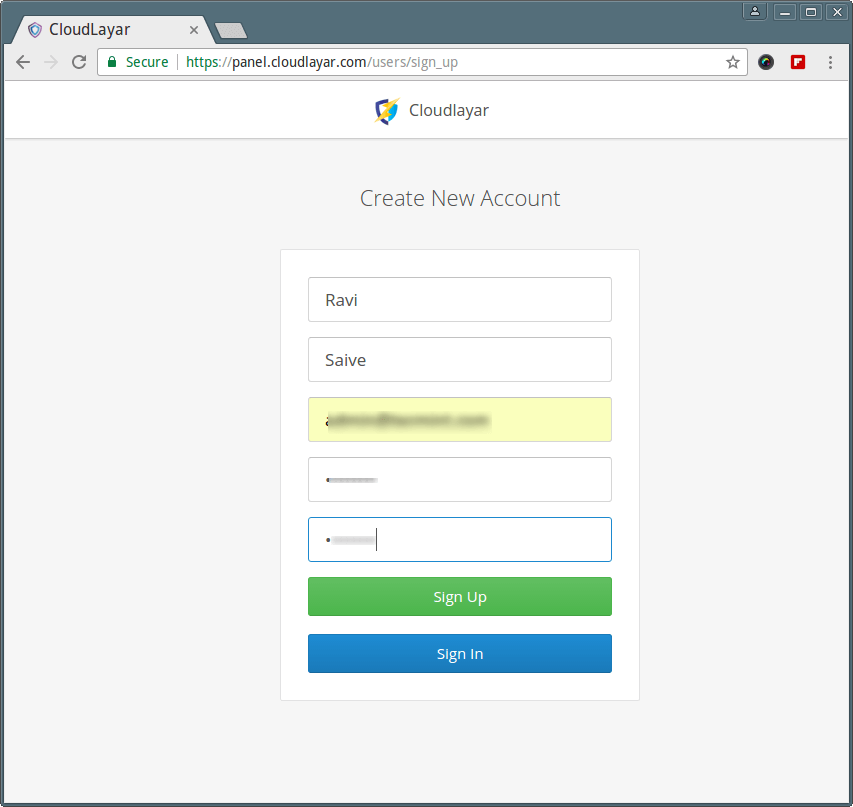
Create CloudLayar New Account

2. Then you will be redirected to the page where you can add your first website.
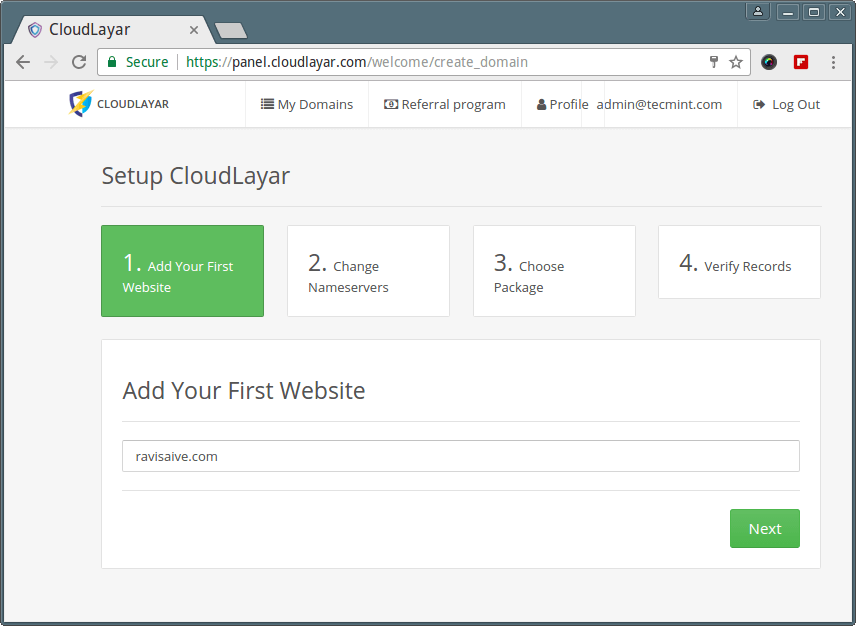
Add Your Website
Add Your Website

3. After that, you need to change Nameservers on your domain provider page to ours, as instructed, in order for protection to start working.
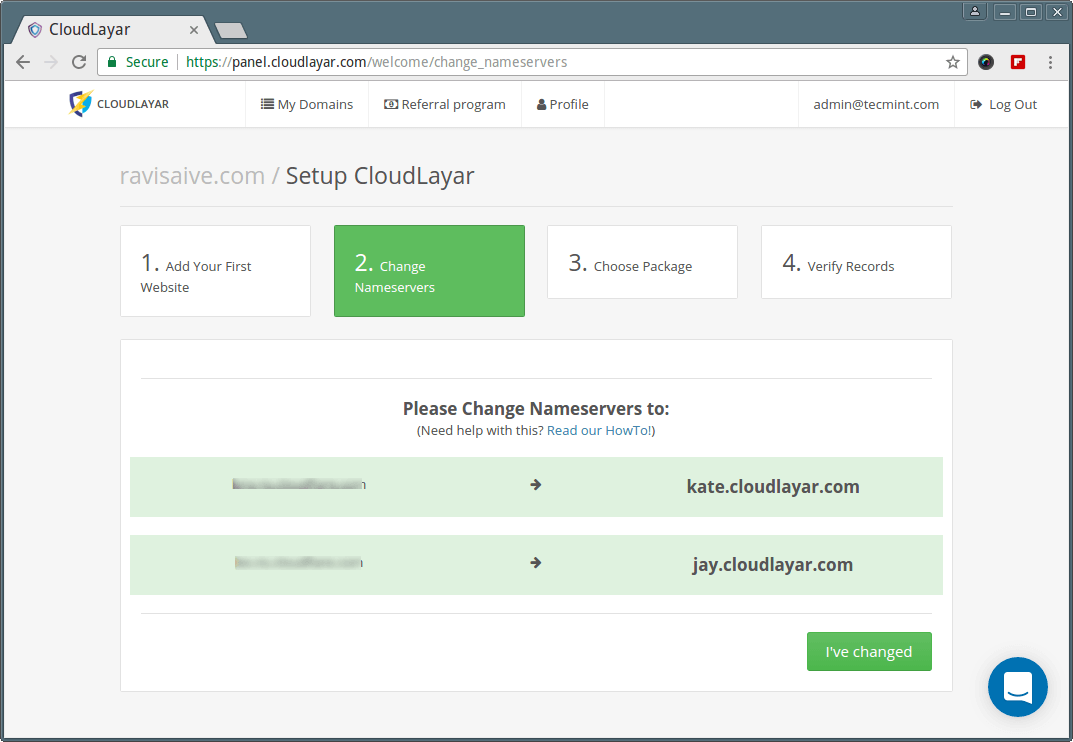
Change Website Nameservers

Depending on your provider the settings and time to change Nameservers may differ. This is an example on how it should look at your domain provider page.
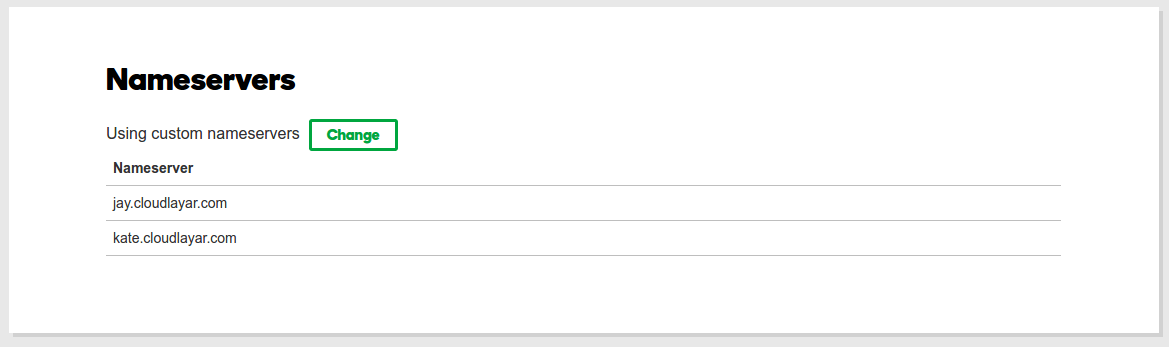
Domain NameServers
Domain NameServers

4. After everything is set, you will be redirected to the DNS management page, where you can setup and manage your websites and get all the information and reports.
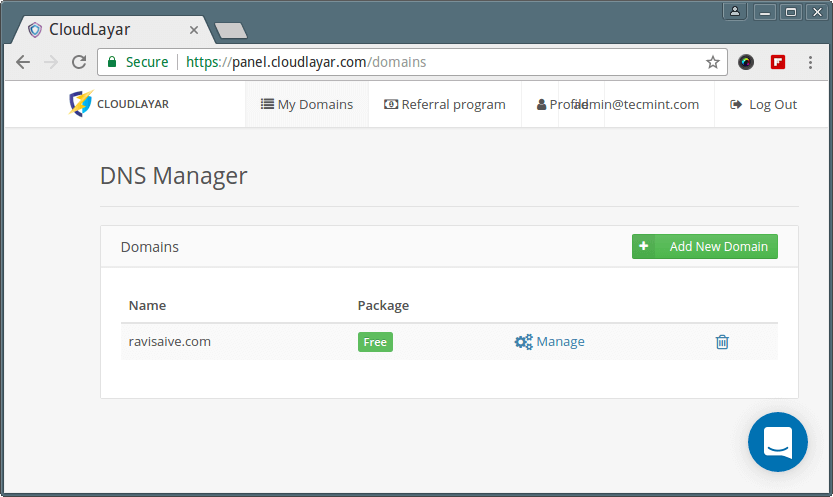
Website DNS Manager
Website DNS Manager

5. You can choose which website you want to manage and then you will see all the settings and logs.
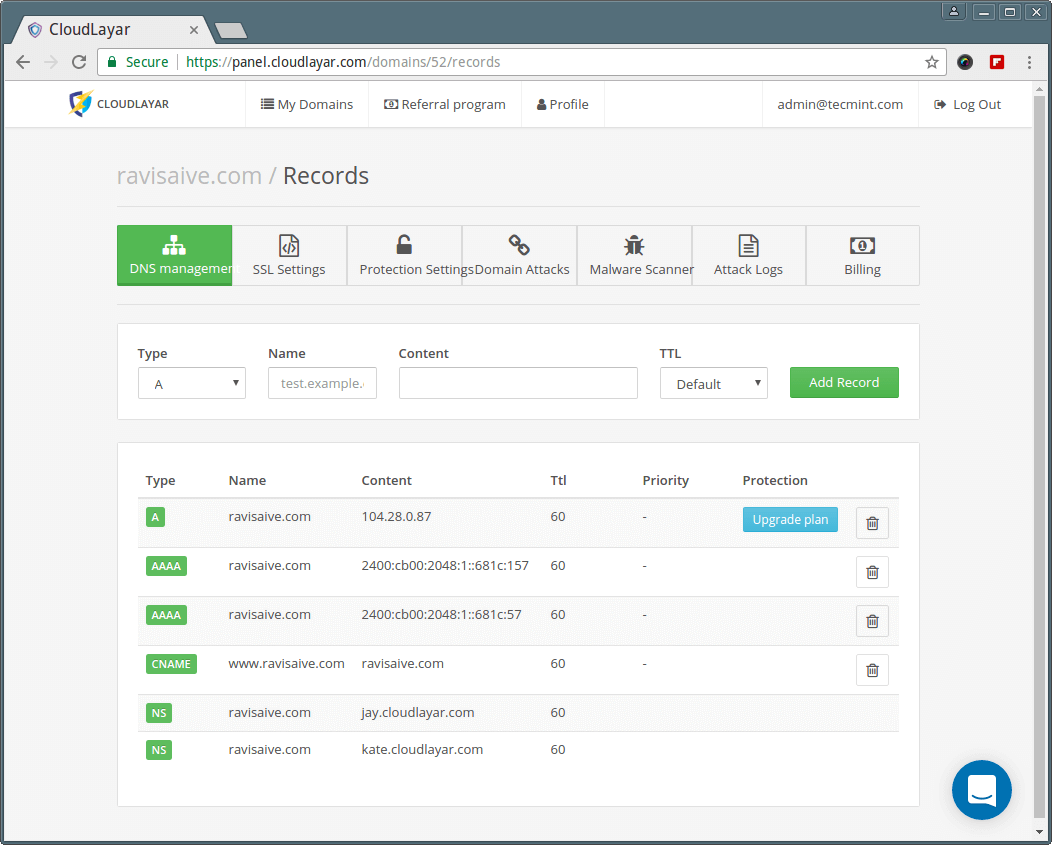
Website CloudLayar Dashboard

6. Cloudlayar has Layer 7 Robot Protection and Image Protection. You can also add IPs you don’t want our system to block to the IP Whitelist. You can customize these settings on “Protection Settings” page.
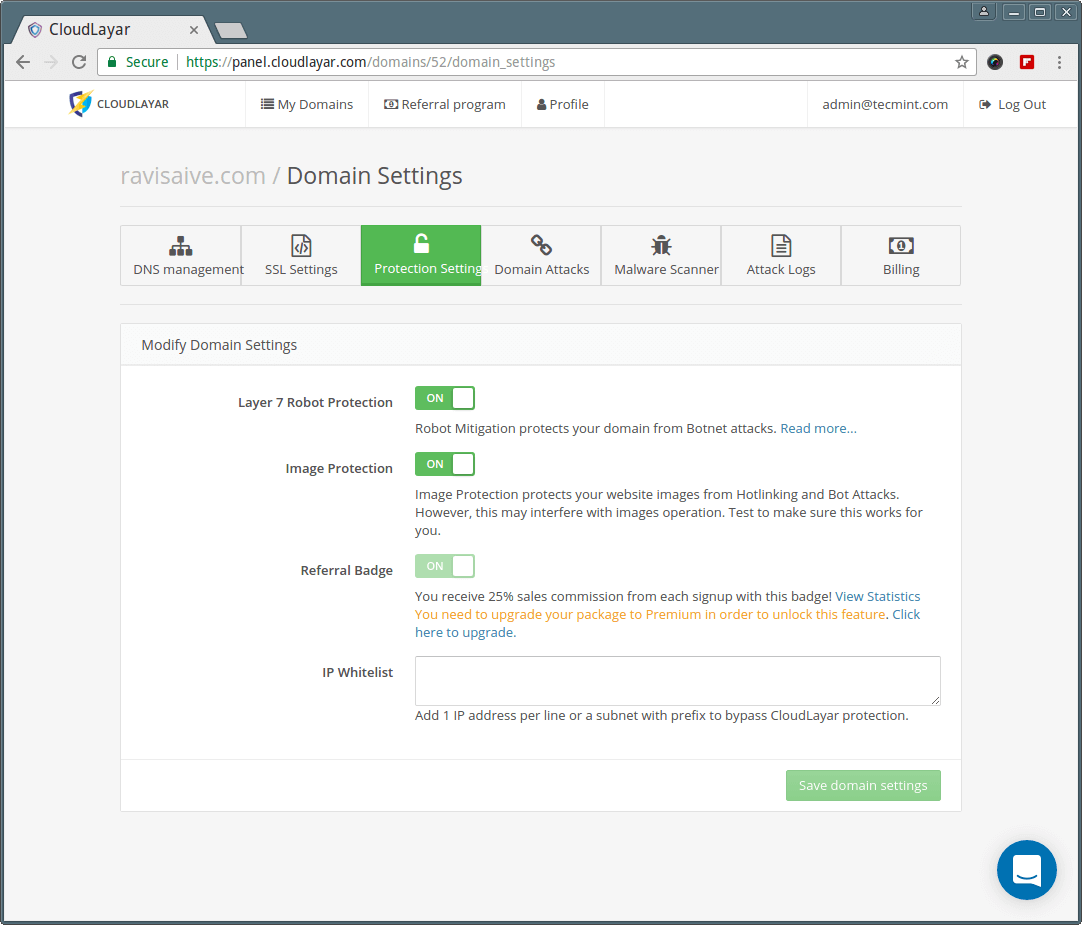
Website Protection Settings

7. On the “Domain Attacks” page you can see daily, weekly or monthly reports and the number of Blocked Attacks.
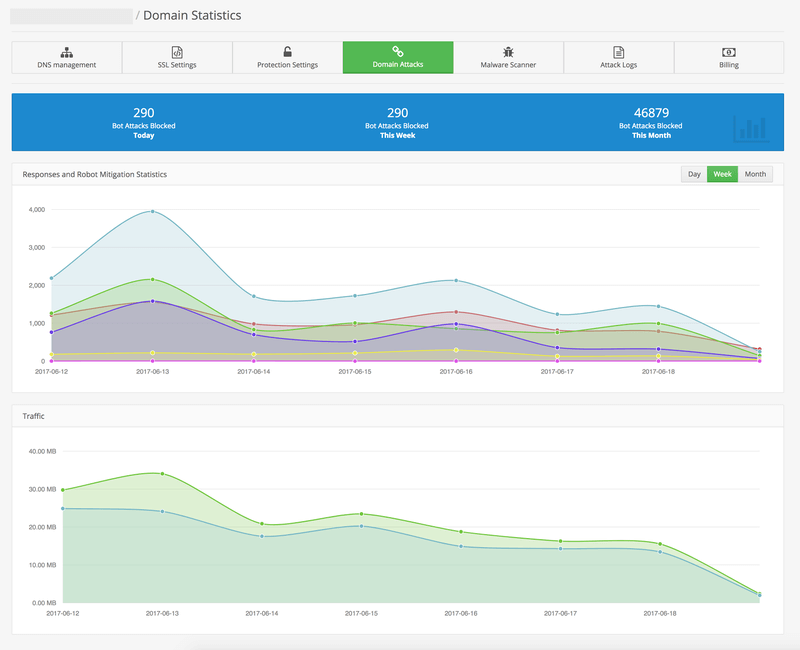
Domain Attack Statistics

CloudLayar supports your favourite website and hosting platform out of the box. We are compatible with WordPress, Joomla, Drupal, WooCommerce and more.

You can use CloudLayar with any web hosting provider and get the best DNS protection! CloudLayar support is available 24/7 to provide you with the help you need.


Root Plan
Premium Linux Education for Serious Learners

Take Your Linux Skills to the Next Level

Root members get full access to every course, certification prep track, and a growing library of hands-on Linux content — with new courses added every month.

What You Get
Ad-free access to all premium articles
Access to all courses: Learn Linux, AI for Linux, Bash Scripting, Ubuntu Handbook, Golang and more.
Access to Linux certifications (RHCSA, RHCE, LFCS and LFCA)
Access new courses on release
Get access to weekly newsletter
Priority help in comments
Private Telegram community
Connect with the Linux community
Ravi Saive
I'm Ravi Saive, an award-winning entrepreneur and founder of several successful 5-figure online businesses, including TecMint.com, GeeksMint.com, UbuntuMint.com, and the premium learning hub Pro.Tecmint.com.

Each tutorial at TecMint is created by a team of experienced Linux system administrators so that it meets our high-quality standards.

Join the TecMint Weekly Newsletter (More Than 156,129 Linux Enthusiasts Have Subscribed)
Was this article helpful? Please add a comment or buy me a coffee to show your appreciation.

Got Something to Say? Join the Discussion...

Thank you for taking the time to share your thoughts with us. We appreciate your decision to leave a comment and value your contribution to the discussion. It's important to note that we moderate all comments in accordance with our comment policy to ensure a respectful and constructive conversation.

Rest assured that your email address will remain private and will not be published or shared with anyone. We prioritize the privacy and security of our users.

Root Plan Premium Linux Education for Serious Learners

Before You Go - Upgrade Your Linux Skills

Root members get everything in one place, with new courses added every month.

What You Get
Ad-free access to all premium articles
Access to all courses: Learn Linux, AI for Linux, Bash Scripting, Ubuntu Handbook, Golang and more.
Linux certifications: RHCSA, RHCE, LFCS and LFCA
Access new courses on release
Weekly newsletter, priority support & Telegram community
Join Root Today and Start Learning Linux the Right Way
Structured courses, certification prep, and a community of Linux professionals - all in one membership.
Join Root Plan →
$8/mo · or $59/yr billed annually