

CloudStats is an easy and powerful tool for server monitoring and network monitoring. With CloudStats you can monitor all metrics of your servers and networks from any place in the world.
The best thing is that you don’t need to have any special technical skills – CloudStats is very easy to install on any server in any datacenter.
CloudStats allows you to perform server monitoring of any server with any operating system. It takes only one command to run on your server to get all your server statistics in one place.
Once the synchronization between your server and CloudStats is done, you’ll get full information about your servers and networks, including CPU, Disk, RAM, Network usage, etc. You can also monitor Apache, MySQL, Mail, FTP, DNS and other services.
Here are few screenshots about CloudStats monitoring..

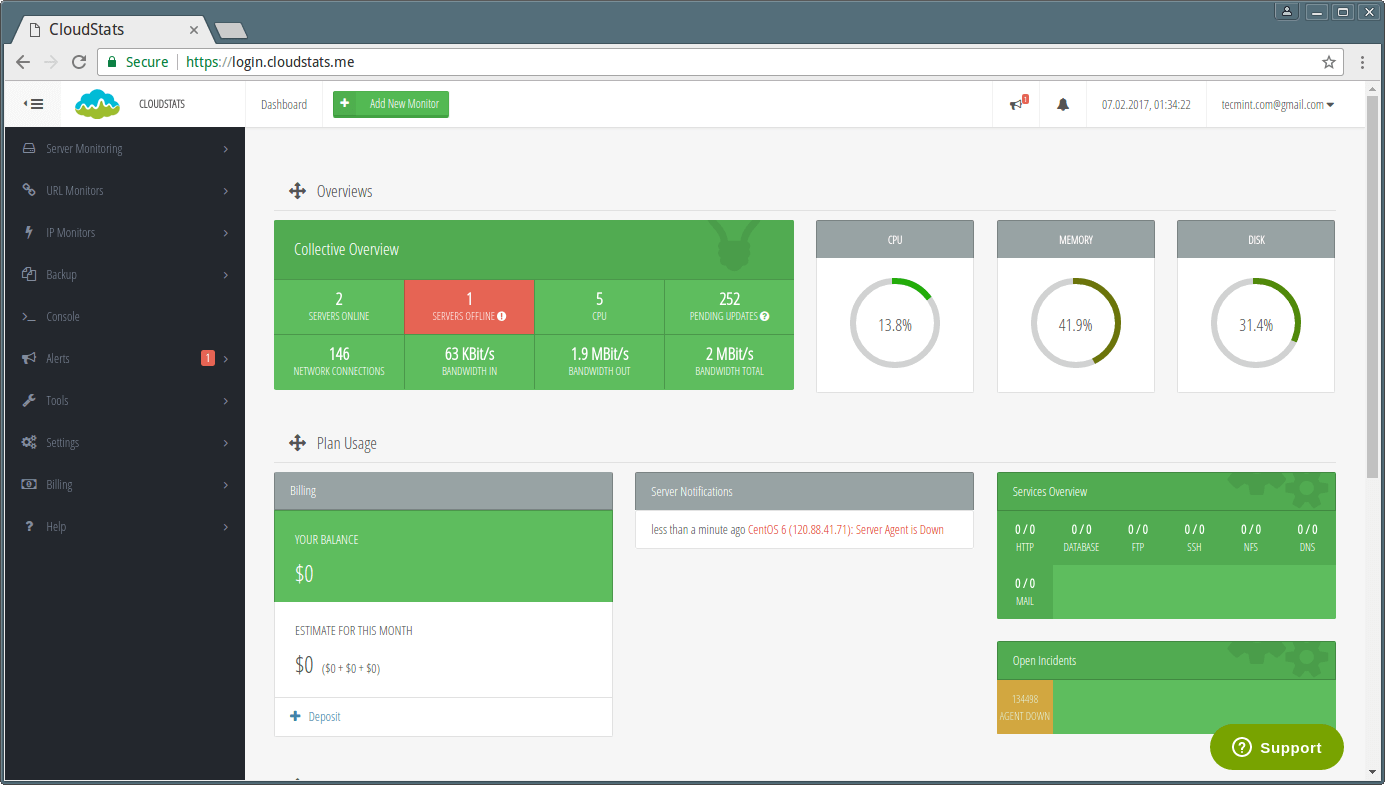
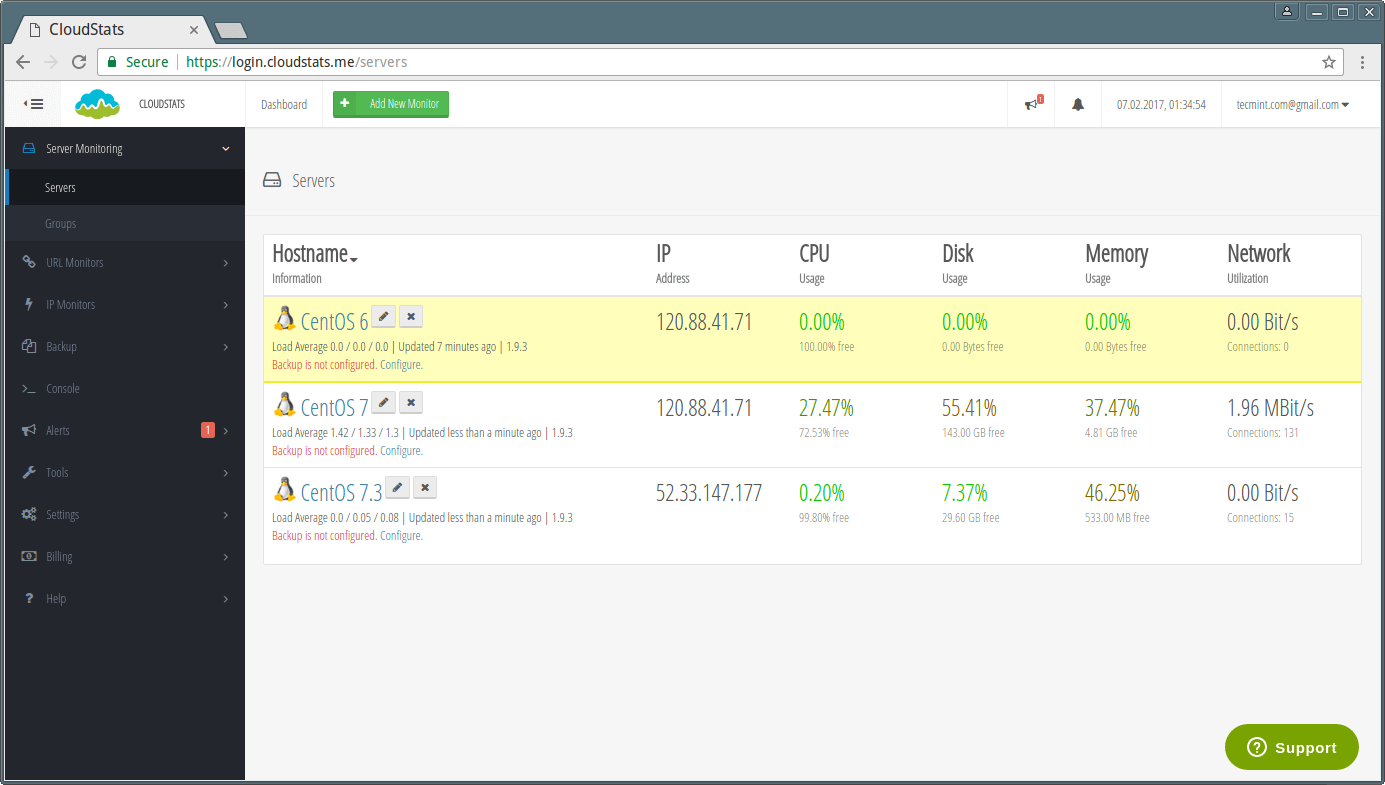
If problems appear in your system, CloudStats will immediately raise the alarm: you will see problem notifications in your account interface and will also receive an Alert via Email, Skype or Slack. This will help you to timely detect and fix any problems in the server functionality and prevent downtime.
Another reason to use CloudStats is that you can log in the CloudStats account to check the status of your IT-infrastructure from anywhere, no matter where you are, using your home or office PC, a smartphone or a tablet.
CloudStats server monitoring service operates from Microsoft Azure cloud technology making sure its monitoring results are always correct and up-to-date.
Here is a list of features of CloudStats:
- Linux and Windows Server Monitoring;
- Data Backup Tool
- Network Monitoring
- Process monitoring;
- Service Status Check;
- External checks;
- URL Monitoring and PingMap
- Email, Skype and Slack Alerts
- Free account available
With CloudStats you will be able to monitor hundreds of servers. This tool is suitable both for business and personal use. Compared with existing server and network monitoring services, CloudStats solution is much cheaper, much easier to install and more useful.
Sign Up for a Free Personal package for up to 10 Servers, Websites and IP addresses today!

Hi, its support docker container monitoring?
Hello Eris,
We are currently working on the Docker version of our agent and it should be available soon.
Thank you,
Andrew
CloudStats.me
Is it free? If not free, how much does it cost?
I read it can run from Azure. Can it run from a normal Red Hat Linux machine hosted in x86 hardware ?
it’s written there somewhere :)
its free for 10 servers max!
yes it can run on any server.