
Your Fedora distribution obtains its software from repositories and each of these repositories comes with number of free and proprietary software applications available for you to install. The official Fedora repositories have thousands of free and open source applications.
In this article, we will show how to configure software repositories in Fedora distribution using the DNF package manager tool from the command line.
View Enabled Repositories in Fedora
To list all enabled repositories on your Fedora system, in the format repository ID, name, and status (number of packages it provides), run the following command.
$ sudo dnf repolist
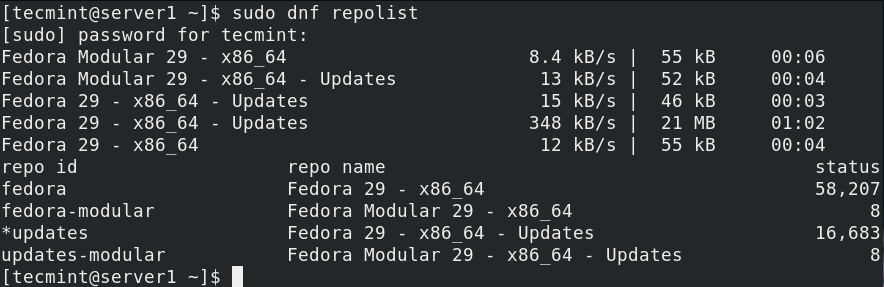
You can list packages from a specified repository, for instance fedora, by running the following command. It will list all packages available and installed from the repository specified.
$ sudo dnf repository-packages fedora list
To display only a list of those packages available or installed from the specified repository, add the available or installed option respectively.
$ sudo dnf repository-packages fedora list available
OR
$ sudo dnf repository-packages fedora list installed
Adding, Enabling, and Disabling a DNF Repository
Before you add a new repository to your Fedora system, you need to define it by either adding a [repository] section to the /etc/dnf/dnf.conf file, or to a .repo file in the /etc/yum.repos.d/ directory. Most developers or package maintainers provide DNF repositories with their own .repo file.
For example to define the repository for Grafana in a .repo file, create it as shown.
$ sudo vim /etc/yum.repos.d/grafana.repo
Then add the [repository] section in the file and save it. If you observe carefully, in the repository configuration shown in the image, it is not enabled as indicated by the parameter (enabled=0); we changed this for demonstration purposes.
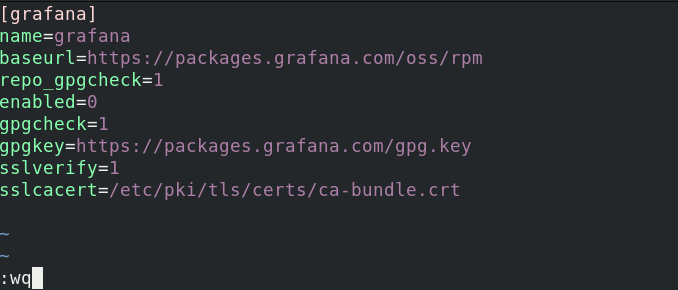
Next, to add and enable new repository, run the following command.
$ sudo dnf config-manager --add-repo /etc/yum.repos.d/grafana.repo

To enable or disable a DNF repository, for instance while trying to install a package from it, use the --enablerepo or --disablerepo option.
$ sudo dnf --enablerepo=grafana install grafana
OR
$ sudo dnf --disablerepo=fedora-extras install grafana
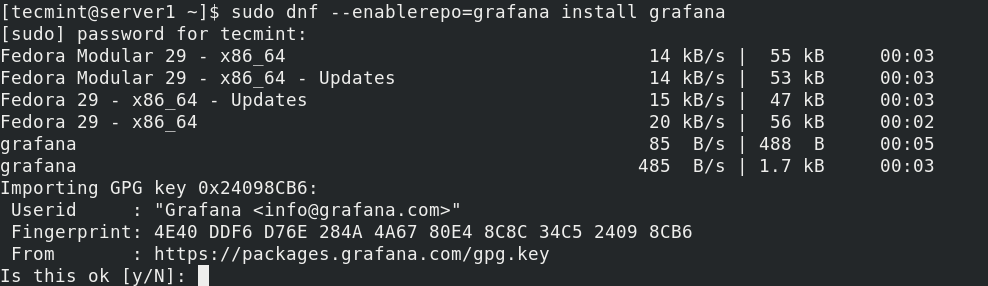
You can also enable or disable more than one repositories with a single command.
$ sudo dnf --enablerepo=grafana, repo2, repo3 install grafana package2 package3
OR
$ sudo dnf --disablerepo=fedora, fedora-extras, remi install grafana
You can also enable and disable repositories at the same time, for example.
$ sudo dnf --enablerepo=grafana --disablerepo=fedora, fedora_extra, remi, elrepo install grafana
To permanently enable a particular repository, use the --set-enabled option.
$ sudo grep enable /etc/yum.repos.d/grafana.repo
$ sudo dnf config-manager --set-enabled grafana
$ sudo grep enable /etc/yum.repos.d/grafana.repo
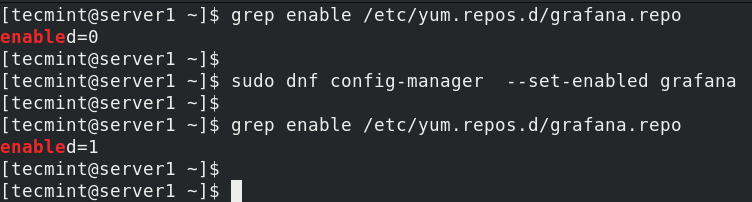
To permanently disable a particular repository, use the --set-disabled switch.
$ sudo dnf config-manager --set-disabled grafana
That’s all for now! In this article, we have explained how to configure software repositories in Fedora. Share your comments or ask questions via the feedback form below.






I am trying to install RStudio on fedora 32. RStudio uses the SHA-256 key, besides in the discussion above for editing yum.repos.d file to add the repository section, where did you get the baseurl, gpgkey and sslcacert links? Is there a way we can find out for the repositories we are adding?
RPM Sphere: Collection of extra packages for Fedora Linux. Feel free to promote them in any form. https://rpmsphere.github.io/
@bluebat
Many thanks for sharing this, we will check it out.