

Composer is the most popular package management program for PHP, that offers a standard form for managing dependencies of PHP applications and needed libraries that your project relies on and it will manage (install/update) them for you easily.
Composer is a command-line program that installs dependencies and libraries for applications that are available on packagist.org, which is its main repository consist of available packages.
Composer is a very helpful tool for developers when they are in need and want to manage and incorporate the packages for their PHP project. It speeds up time and is recommended to solve any crucial issues in most of the web projects.
In this tutorial, we will show you how to install Composer on CentOS 8 Linux.
Requirements
- A root account or sudo privileged account with shell access.
- PHP 5.3.2+ with needed extensions and settings.
Installing Composer on CentOS 8
To install Composer, you must install PHP on the system with required PHP extensions using the following dnf command.
# dnf install php php-cli php-zip php-json
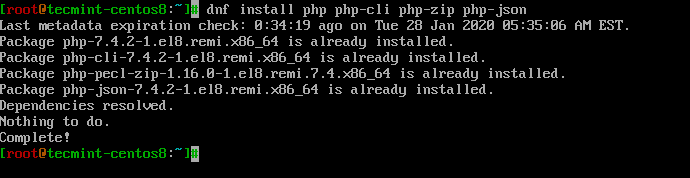
Now install Composer using an installer that you can execute locally as part of your project, or globally as a system-wide executable.
Install Composer Locally
To install Composer locally on your current directory, execute the following script in your terminal.
# php -r "copy('https://getcomposer.org/installer', 'composer-setup.php');"
# php -r "if (hash_file('sha384', 'composer-setup.php') === 'c5b9b6d368201a9db6f74e2611495f369991b72d9c8cbd3ffbc63edff210eb73d46ffbfce88669ad33695ef77dc76976') { echo 'Installer verified'; } else { echo 'Installer corrupt'; unlink('composer-setup.php'); } echo PHP_EOL;"
# php composer-setup.php
# php -r "unlink('composer-setup.php');"
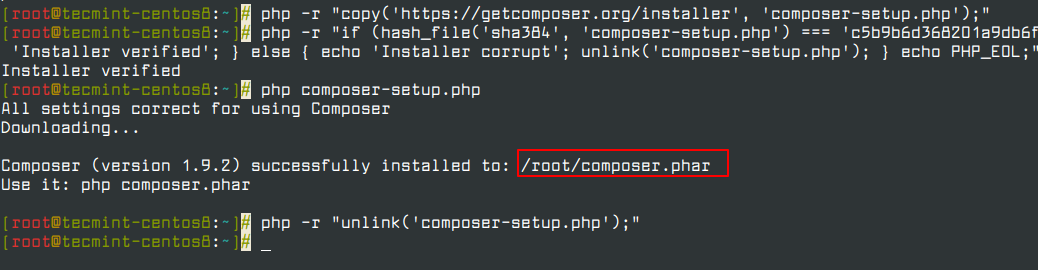
The above installer will check some php.ini settings and alert you if they are set wrongly. Then the installer will download the latest composer.phar in the current working directory.
The 4 lines above will, in order:
- Download the installer to the current directory.
- Verify the installer signature (SHA-384).
- Run the installer.
- Remove the installer.
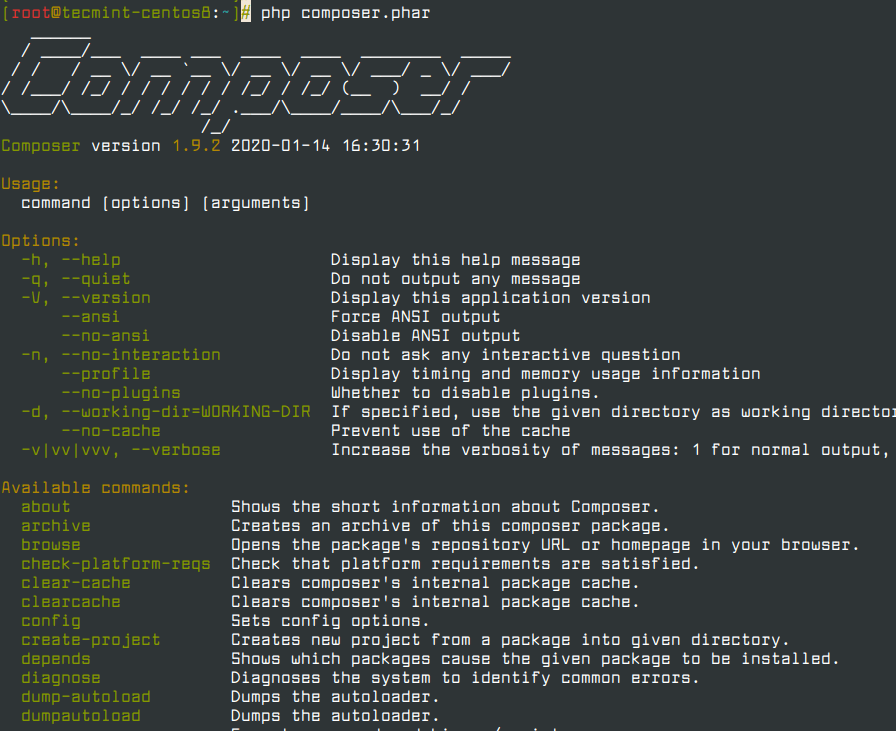
Finally, run php composer.phar in order to run Composer.
# php composer.phar
Install Composer Globally
To install and access Composer globally system-wide, you need to place Composer PHAR in your system PATH, so that you can execute it without using the PHP interpreter.
To install Composer globally for all users, run the installer using the following commands.
# php -r "copy('https://getcomposer.org/installer', 'composer-setup.php');"
# php -r "if (hash_file('sha384', 'composer-setup.php') === 'c5b9b6d368201a9db6f74e2611495f369991b72d9c8cbd3ffbc63edff210eb73d46ffbfce88669ad33695ef77dc76976') { echo 'Installer verified'; } else { echo 'Installer corrupt'; unlink('composer-setup.php'); } echo PHP_EOL;"
# php composer-setup.php
# php -r "unlink('composer-setup.php');"
# mv composer.phar /usr/local/bin/composer
# chmod +x /usr/local/bin/composer
# composer -V
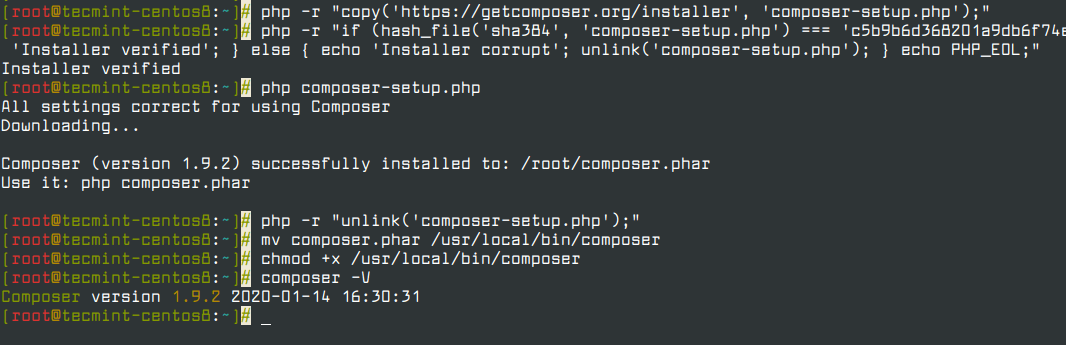
Now that you’ve installed Composer successfully on your CentOS 8 system. To learn more about the PHP Composer and how can you utilize it in your projects visit the official documentation.

Hi,
Thank you for this tutorial, can you help me to solve this issue?
# php -r “copy(‘https://getcomposer.org/installer’, ‘composer-setup.php’);”
PHP Warning: copy(): SSL operation failed with code 1. OpenSSL Error messages:
error:1416F086:SSL routines:tls_process_server_certificate:certificate verify failed in Command line code on line 1
PHP Warning: copy(): Failed to enable crypto in Command line code on line 1
PHP Warning: copy(https://getcomposer.org/installer): failed to open stream: operation failed in Command line code on line 1
@Hachem,
You can use http:// instead of https as shown.
This article is published on Janurary 2020, and it has been more than 8 months now. Please check if the hash code remains the same. Thanks.
@Mengjia,
The instructions remain the same, no changes, you can use these instructions to install Composer in CentOS 8 or RHEL 8 Linux.
I have tried the same hashcode key it is not working, when I took the latest one from here it started working for me https://composer.github.io/pubkeys.html