Celeste is a graphical user interface (GUI) file synchronization client that allows users to connect to various cloud providers and manage their files seamlessly.
It is backed by rclone, providing a reliable and battle-tested way to sync files anywhere. It is written in Rust, which makes it super fast to use and is designed with GTK4 and Libadwaita, so it fits right in with the other apps on your desktop.
Celeste Features
Celeste offers several key features that make it a powerful tool for managing files across different cloud providers:
- Two-Way Sync: Celeste allows for two-way synchronization, ensuring that files are updated on both local and remote systems.
- Conflict Resolution: If both your local file and the cloud one changed since the last sync, Celeste lets you choose how to resolve conflicts.
- Exclusion: Users can choose not to sync certain files or folders, which helps them manage their files more precisely.
- Multi-Provider Support: Celeste can connect to many cloud services at once, like Dropbox, Google Drive, Nextcloud, Owncloud, pCloud, Proton Drive, and WebDAV.
Installing Celeste on Linux
Celeste can be installed via several methods:
Flatpak
Celeste can be found on Flathub, before you begin, make sure you have Flatpak set up on your system, and then, just run the following command.
flatpak install flathub com.hunterwittenborn.Celeste
Snap
Celeste can be found on the Snap Store and can be installed on any system that has Snap installed.
snap install celeste
Prebuilt-MPR (Debian/Ubuntu)
If you’re using Ubuntu 22.10 or Debian 11, or a newer version, you can install Celeste from the Prebuilt-MPR.
However, make sure that you have the Prebuilt-MPR set up on your system. If it’s not set up yet, follow the instructions provided to set it up.
wget -qO - 'https://proget.makedeb.org/debian-feeds/prebuilt-mpr.pub' | gpg --dearmor | sudo tee /usr/share/keyrings/prebuilt-mpr-archive-keyring.gpg 1> /dev/null
echo "deb [arch=all,$(dpkg --print-architecture) signed-by=/usr/share/keyrings/prebuilt-mpr-archive-keyring.gpg] https://proget.makedeb.org prebuilt-mpr $(lsb_release -cs)" | sudo tee /etc/apt/sources.list.d/prebuilt-mpr.list
sudo apt update
Once Prebuilt-MPR is installed, you can run the following command to install Celeste.
sudo apt install celeste
Setting Up Celeste on Linux
Once Celeste is installed, you can launch it by searching for it in your system’s search bar or by navigating to the Applications menu. Alternatively, you can run the following command to start it.
celeste
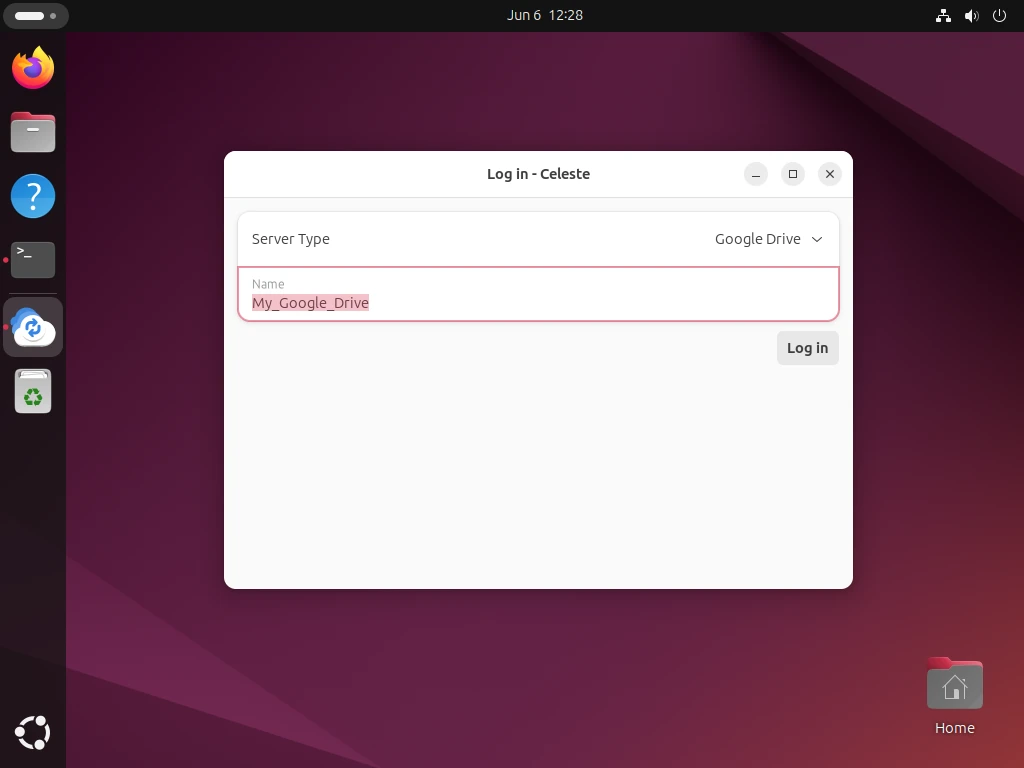
Click on “Log In” or enter your Google Drive account credentials to authorize access to your Google Drive account by clicking on the “Authorize” button.
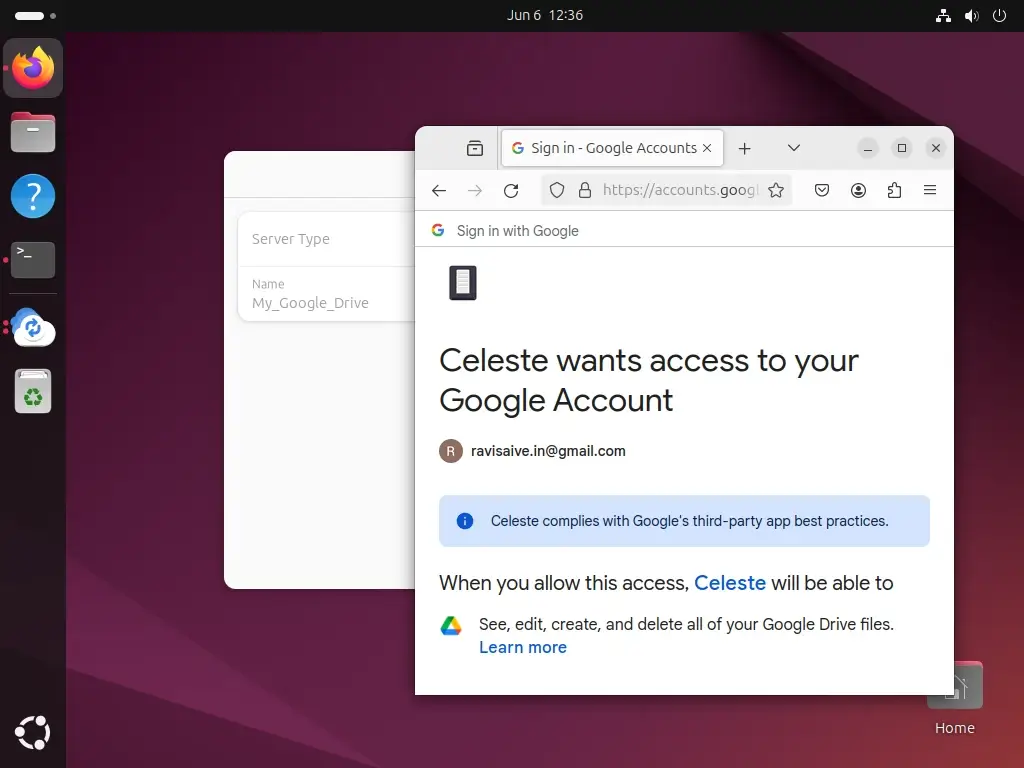
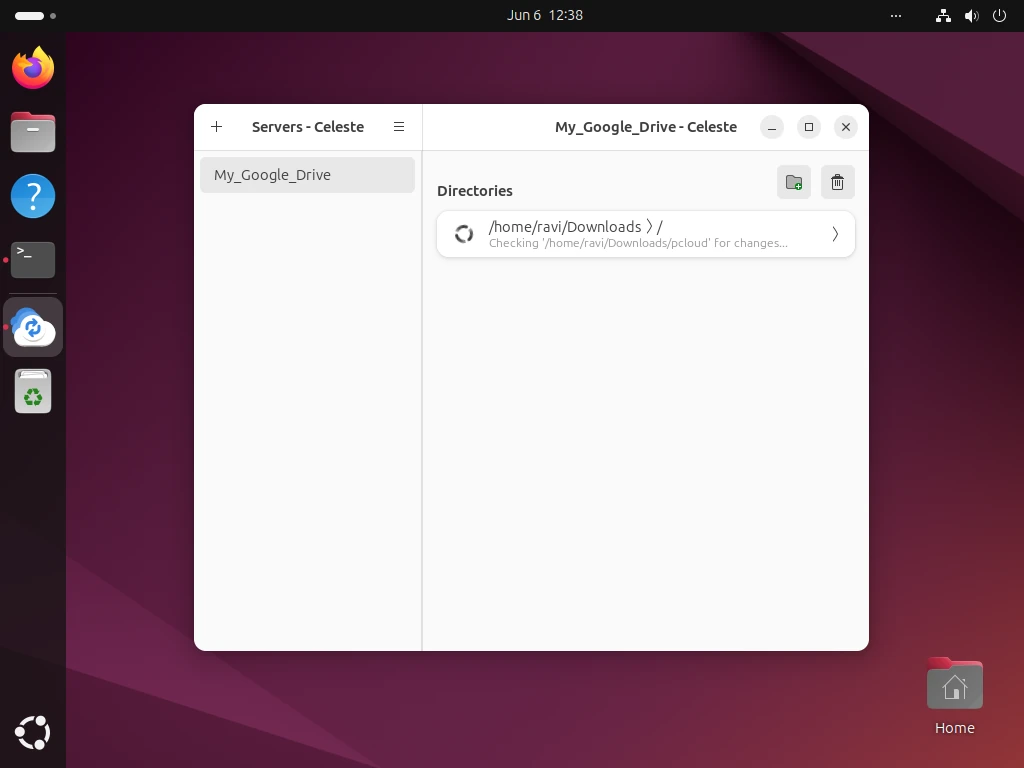
Now that Celeste is set up, you can use it to upload, download, and manage files on your Google Drive account. You can also create new folders and subfolders to organize your files.
Conclusion
Celeste is a powerful and user-friendly tool that provides seamless integration between Google Drive and Linux systems.
By following the steps outlined in this article, you can set up Celeste on your Linux machine and start accessing and managing your Google Drive files using a GUI.