How to Fix ‘semanage command’ Not Found Error in CentOS/RHEL

Take Your Linux Skills to the Next Level All courses, certifications, ad-free articles & community — from $8/mo
Join Root →
Ad-free access to all premium articles
Access to all courses: Learn Linux, AI for Linux, Bash Scripting, Ubuntu Handbook, Golang and more.
Access to Linux certifications (RHCSA, RHCE, LFCS and LFCA)
Access new courses on release
Get access to weekly newsletter
Priority help in comments
Private Telegram community
Connect with the Linux community
From $8/mo · or $59/yr billed annually · Cancel anytime

I am trying to configure a Samba share with correct boolean and security context values using semanage command to make changes in SELinux policy to allow access to Samba share from remote clients on my RHEL 8 server, but I suddenly encountered the following error.

# semanage fcontext --at samba_share_t "/finance(/.*)?"

-bash: semanage: command not found

Semanage Command Not Found Error
semanage Command Not Found Error

semanage is an SELinux (Security-Enhanced Linux) management tool that is used to configure specific elements without making any adjustments to or reassembling from policy sources. Semanage consist of mapping from Linux username to SELinux user identities and it also includes mapping security context for numerous kind of objects like interface, network port, etc.

I was wondering how to fix this error and I am not able to find what package provides semanage command. After a bit of research, I came to know that you need to use yum provides the option to find out the package that provides the queried file called /usr/sbin/semanage.

In this short quick article, we will explain how to install necessary packages for getting semanage command using the yum command.

# yum provides /usr/sbin/semanage

Find Packages that Provide the Queried File

From the above sample output, you can see that we need to install policycoreutils-python-utils-2.8-16.1.el8.noarch package to use the semanage command.

# yum install policycoreutils-python-utils
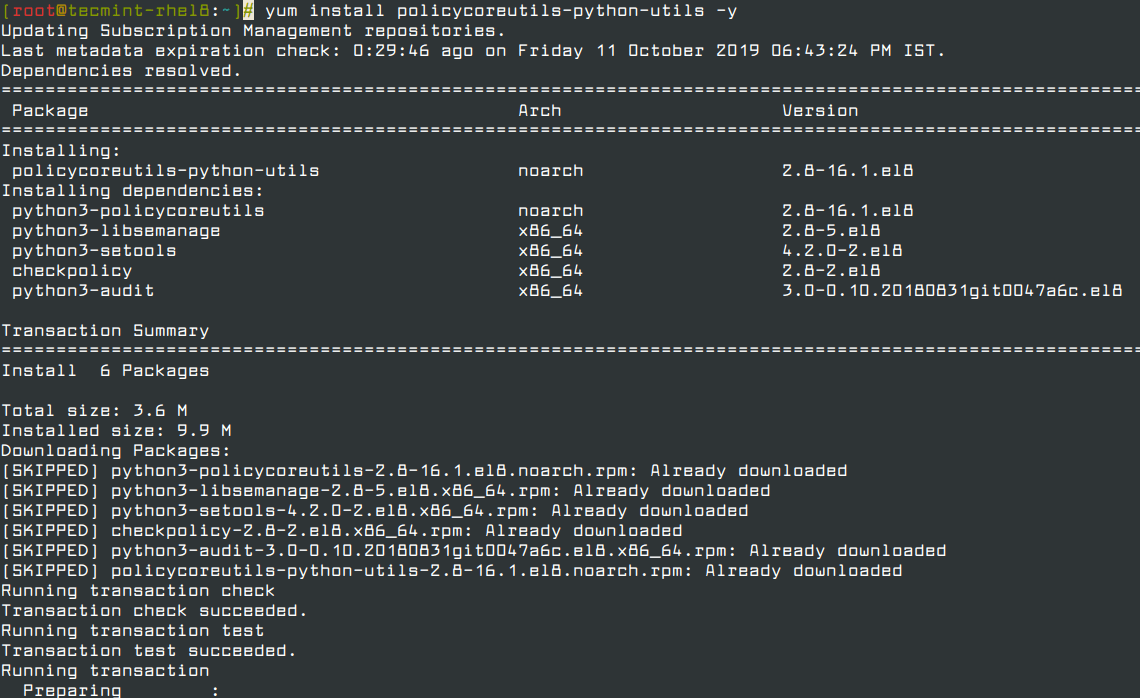
Install Policycoreutils Python Package

Once the installation is complete, try running the semanage command again, it will work like magic.

You can also use the following commands to get the manual page on semanage command options and usage.

# man semanage
OR
# semanage --help
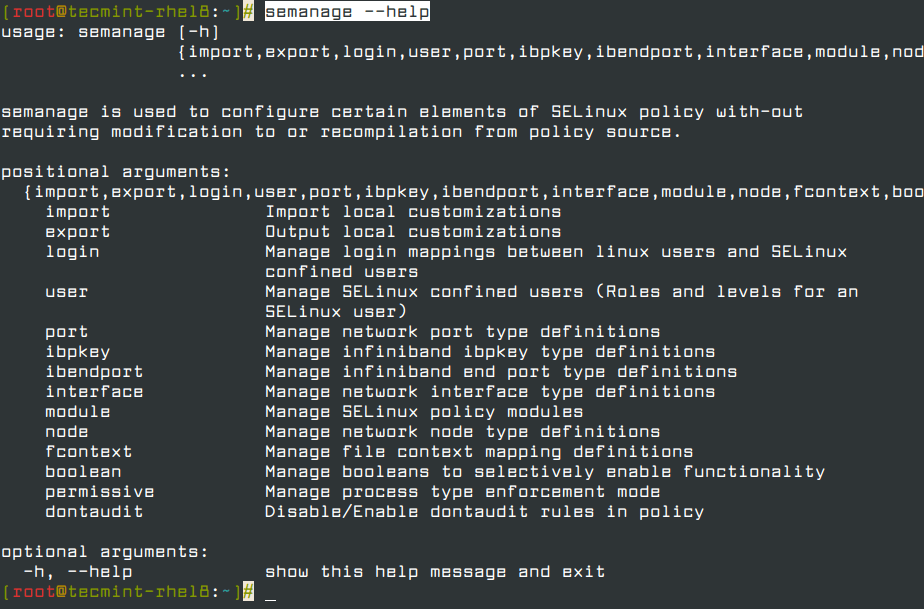
Semanage Command Help
Root Plan
Premium Linux Education for Serious Learners

Take Your Linux Skills to the Next Level

Root members get full access to every course, certification prep track, and a growing library of hands-on Linux content — with new courses added every month.

What You Get
Ad-free access to all premium articles
Access to all courses: Learn Linux, AI for Linux, Bash Scripting, Ubuntu Handbook, Golang and more.
Access to Linux certifications (RHCSA, RHCE, LFCS and LFCA)
Access new courses on release
Get access to weekly newsletter
Priority help in comments
Private Telegram community
Connect with the Linux community
Anusha Saive
Anusha worked for many years in the IT industry as a Project Manager, and also a senior writer and editor at Tecmint. She is a huge fan of Linux and is passionate about writing Linux and technology-related stuff.

Each tutorial at TecMint is created by a team of experienced Linux system administrators so that it meets our high-quality standards.

Join the TecMint Weekly Newsletter (More Than 156,129 Linux Enthusiasts Have Subscribed)
Was this article helpful? Please add a comment or buy me a coffee to show your appreciation.

1 Comment

Leave a Reply

Got Something to Say? Join the Discussion...

Thank you for taking the time to share your thoughts with us. We appreciate your decision to leave a comment and value your contribution to the discussion. It's important to note that we moderate all comments in accordance with our comment policy to ensure a respectful and constructive conversation.

Rest assured that your email address will remain private and will not be published or shared with anyone. We prioritize the privacy and security of our users.

Root Plan Premium Linux Education for Serious Learners

Before You Go - Upgrade Your Linux Skills

Root members get everything in one place, with new courses added every month.

What You Get
Ad-free access to all premium articles
Access to all courses: Learn Linux, AI for Linux, Bash Scripting, Ubuntu Handbook, Golang and more.
Linux certifications: RHCSA, RHCE, LFCS and LFCA
Access new courses on release
Weekly newsletter, priority support & Telegram community
Join Root Today and Start Learning Linux the Right Way
Structured courses, certification prep, and a community of Linux professionals - all in one membership.
Join Root Plan →
$8/mo · or $59/yr billed annually