Skip to content
Learn Linux in 7 structured days, the free course inside Pro TecMint Sudo tier    Enroll Free
Tecmint: Linux Howtos, Tutorials & Guides
  • Latest Tutorials
  • Commands
    • A – Z Linux Commands
    • 100+ Linux Commands
  • Tools
  • Distros
    • Linux Distros for Beginners
    • Linux Distros for Experts
    • New Linux Distros
    • Linux Server Distros
    • Secure Linux Distros
    • CentOS Alternatives
    • RedHat Distributions
    • Debian Distributions
    • Ubuntu Distributions
    • Arch Linux Distros
    • Rolling Linux Distros
    • KDE Linux Distros
    • Linux Distros for Old PC
    • Linux Distros for Kids
    • Linux Distributions for Students
    • Linux Distros for Windows
  • Courses
    • Bash Scripting
    • Learn Linux
    • AI for Linux
    • RHCSA Certification
    • RHCE Certification
    • LFCS Certification
  • eBooks
    • RHCSA Exam
    • RHCE Exam
    • LFCS Exam
    • LFCE Exam
    • LFCA Exam
    • Ansible Exam
  • About
  • Advertise
Tecmint: Linux Howtos, Tutorials & Guides
  • Latest Tutorials
  • Commands
    • A – Z Linux Commands
    • 100+ Linux Commands
  • Tools
  • Distros
    • Linux Distros for Beginners
    • Linux Distros for Experts
    • New Linux Distros
    • Linux Server Distros
    • Secure Linux Distros
    • CentOS Alternatives
    • RedHat Distributions
    • Debian Distributions
    • Ubuntu Distributions
    • Arch Linux Distros
    • Rolling Linux Distros
    • KDE Linux Distros
    • Linux Distros for Old PC
    • Linux Distros for Kids
    • Linux Distributions for Students
    • Linux Distros for Windows
  • Courses
    • Bash Scripting
    • Learn Linux
    • AI for Linux
    • RHCSA Certification
    • RHCE Certification
    • LFCS Certification
  • eBooks
    • RHCSA Exam
    • RHCE Exam
    • LFCS Exam
    • LFCE Exam
    • LFCA Exam
    • Ansible Exam
  • About
  • Advertise

Storage

Install OpenMediaVault NAS Storage

How to Create Your Own NAS Storage with Openmdediavault

In this tutorial we’ll learn how to install and configure OpenMediaVault network attached storage (NAS) solution at your premises. OpenMediaVault

OwnCloud Theme Customization

Hacking Owncloud to Improve Branding of Login Page

It was early 2010 and the concept of cloud computing was still in its relative infancy. It was around that
Setup iSCSI Target and Initiator

Create Centralized Secure Storage using iSCSI Target / Initiator on RHEL/CentOS 7 – Part 12

iSCSI is a block level Protocol for managing storage devices over TCP/IP Networks, specially over long distances. iSCSI target is
LVM Storage Migration

Migrating LVM Partitions to New Logical Volume (Drive) – Part VI

This is the 6th part of our ongoing Logical Volume Management series, in this article we will show you how
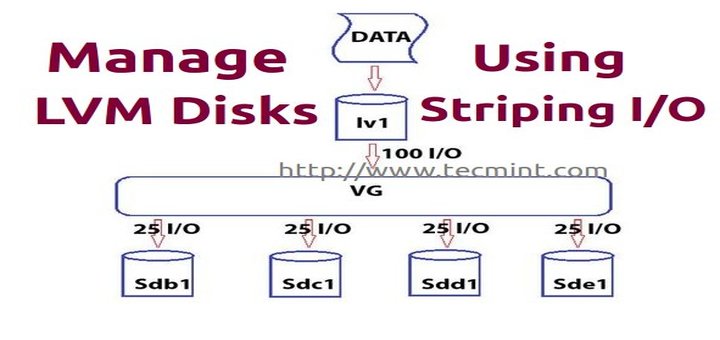
Manage LVM Disks Using Striping I/O

Manage Multiple Logical Volume Management Disks using Striping I/O

In this article, we are going to see how the logical volumes writes the data to disk by striping I/O.

Setup Thin Provisioning in LVM

Setup Thin Provisioning Volumes in Logical Volume Management (LVM) – Part IV

Logical Volume management has great features such as snapshots and Thin Provisioning. Previously in (Part – III) we have seen

Take Snapshot in LVM

How to Take ‘Snapshot of Logical Volume and Restore’ in LVM – Part III

LVM Snapshots are space-efficient point-in-time copies of lvm volumes. It works only with lvm and consumes the space only when

Extend/Reduce LVMs in Linux

How to Extend/Reduce LVM’s (Logical Volume Management) in Linux – Part II

Previously we have seen how to create a flexible disk storage using LVM. Here, we are going to see how

Client Initiator Setup

Centralized Secure Storage (iSCSI) – “Initiator Client” Setup on RHEL/CentOS/Fedora – Part III

iSCSI Initiator are the clients which use to authenticated with iSCSI target servers to access the LUNs shared from target

Create LUNS using LVM in Target Server

How to Create and Setup LUNs using LVM in “iSCSI Target Server” on RHEL/CentOS/Fedora – Part II

LUN is a Logical Unit Number, which shared from the iSCSI Storage Server. The Physical drive of iSCSI target server
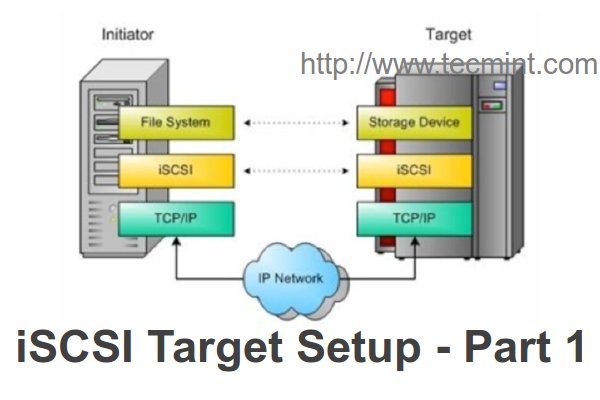
Install iSCSI Target in Linux

Create Centralized Secure Storage using iSCSI Target on RHEL/CentOS/Fedora Part -I

iSCSI is a block level Protocol for sharing RAW Storage Devices over TCP/IP Networks, Sharing and accessing Storage over iSCSI,

Newer posts
← Previous Page1 Page2
TecMint Weekly
Get the Learn Linux 7 Days Crash Course free when you join 34,000+ Linux professionals reading every Thursday.
Check your email for a magic link to get started.
Something went wrong. Please try again.
Free forever. Unsubscribe anytime.
Learn Linux Right Way
15 structured courses, ad-free articles, and the weekly newsletter in one place.
  • ✓SSH, Bash, Ubuntu, Golang, RHCSA, RHCE, LFCS, LFCA and more
  • ✓Ad-free access to all premium articles
  • ✓Priority help and Telegram community
  • ✓Weekly newsletter every Thursday
Join Root from $8/mo
$8/mo or $59/yr. Cancel anytime.

Linux Server Monitoring Tools

Hardinfo2 – Check Hardware Information in Linux

CBM – Shows Network Bandwidth in Ubuntu

How to Install Zabbix on RHEL/CentOS and Debian/Ubuntu – Part 1

Glances – An Advanced Real Time System Monitoring Tool for Linux

Install OpenNMS Network Monitoring in Debian and Ubuntu

How to Install Icinga2 Monitoring Tool on Debian

Learn Linux Tricks & Tips

10 Must-Know sFTP Commands for Linux File Transfers

How to Identify Your Linux System: Desktop or Laptop

Cheat – The Ultimate Linux Commands Cheat Sheet for Beginners and Administrators

PacVim – A Game That Teaches You Vim Commands

How to Install and Use dig and nslookup Commands in Linux

TLDR – Simplifying Linux Commands with User-Friendly Man Pages

Best Linux Tools

8 Best MySQL/MariaDB GUI Tools for Linux in 2024

17 Best KDE Multimedia Applications for Linux

11 Best IP Address Management Tools for Linux Network

Top 4 Google Docs Alternatives for Linux in 2024

8 Best SSH Clients for Linux in 2024

8 Useful Linux Security Features and Tools for Beginners

Tecmint: Linux Howtos, Tutorials & Guides © 2026. All Rights Reserved.

The material in this site cannot be republished either online or offline, without our permission.

Hosting Sponsored by : Linode Cloud Hosting