

Postfix is a popular, easy-to-configure and secure mail system that runs on Unix-like systems such as Linux. Once you have installed postfix in Linux, checking its version is not as simple as other software packages.
Read Also: How to Setup Postfix Mail Server and Dovecot with Database (MariaDB) Securely
In this article, we will show you how to find out the version of postfix mail system running on your Linux system.
Traditionally, especially on the terminal, to view the version of an application or program installed (or running) in Linux, you would use common options such as -v or -V or --version depending on the what the developer defines:
$ php -v
$ curl -V
$ bash --version
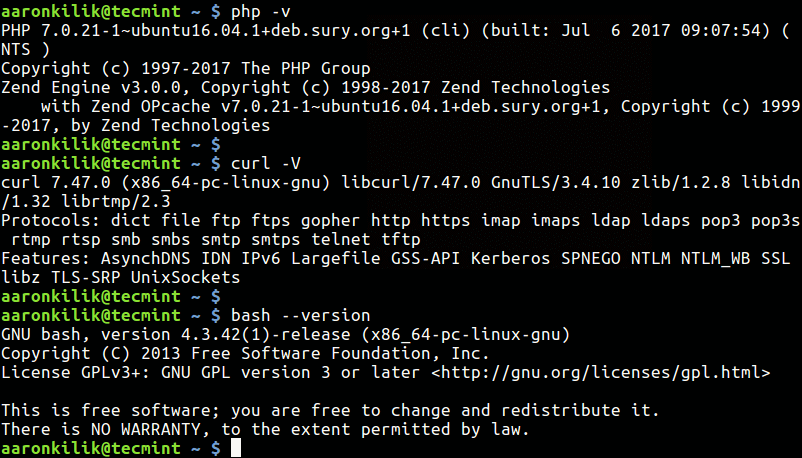
But these well known options do not apply to postfix; making it a challenge for new users who would want to know the version of postfix installed on their system, in case of any bugs or configurations to use and other related information.
To find out the version of postfix mail system running on your system, type the following command on the terminal. The -d flag enables displaying of default parameter settings in /etc/postficmain.cf configuration file instead of actual settings, and mail_version variable stores the package version.
$ postconf -d mail_version

For more information, see the postconf man page.
$ man postconf
You may also find these related articles useful:
- How to Find Out What Version of Linux You Are Running
- 5 Command Line Ways to Find Out Linux Sysin order totem is 32-bit or 64-bit
- How to Find MySQL, PHP and Apache Configuration Files
In this guide, we described how to find out the version of postfix mail system running on your Linux system. Make use of the feedback section below to write back to us, concerning this article.

Note that “postconf -d mail_version” will only return a legitimate result when postfix is running. Bizarrely, you apparently cannot get the version number without the postfix service executing.
Alternatively, you could do: “rpm -qa | grep -i postfix“, to at least have the RPM version number.
Good luck.
Why don’t they just use
--version.