

VLC Media Player is an open source versatile and renowned multimedia player, offering a seamless playback experience for various audio and video formats, which includes mpeg, wmv, mp3, dvds, vcds, podcasts, ogg/vorbis, mov, divx, quicktime and streaming of multimedia files from various online networks like Youtube and other network sources.
VLC, available on Linux, macOS, and Windows, can effortlessly handle a wide array of file types without requiring additional codecs. It combines a user-friendly interface, streaming support, and customizable features, making it a versatile multimedia solution.
VLC is your go-to player for a wide range of media needs, whether you’re a casual user or a tech enthusiast, thanks to its open-source nature, constant updates, and its standing as a top choice in the media player landscape.
Install VLC in Debian, Ubuntu, and Linux Mint
The recommended method for installing the latest VLC version on Debian, Ubuntu, and Linux Mint is by utilizing the default system repository.
$ sudo apt update
$ sudo apt install vlc
If you’re seeking a more up-to-date version, you may want to consider upgrading your distribution to the latest release or utilizing the Snap package of VLC, which offers VLC 3.0.18 in a stable snap packaging system, as demonstrated.
$ sudo apt install snapd
$ sudo snap install vlc
Alternatively, you can also use Flatpak to install the latest version of the VLC Flatpak package from the Flathub repository.
$ sudo apt install flatpak
$ flatpak install flathub org.videolan.VLC
$ flatpak run org.videolan.VLC
Once VLC is installed, you can launch it from the application menu or by running the vlc command in your terminal. VLC’s user-friendly interface allows you to open media files and discs, and even stream content from the internet.
VLC also offers a wide range of features, including customizable skins, subtitle support, audio and video filters, equalizers, and more. Advanced users can take advantage of VLC’s command-line interface (CLI) for precise control and automation.
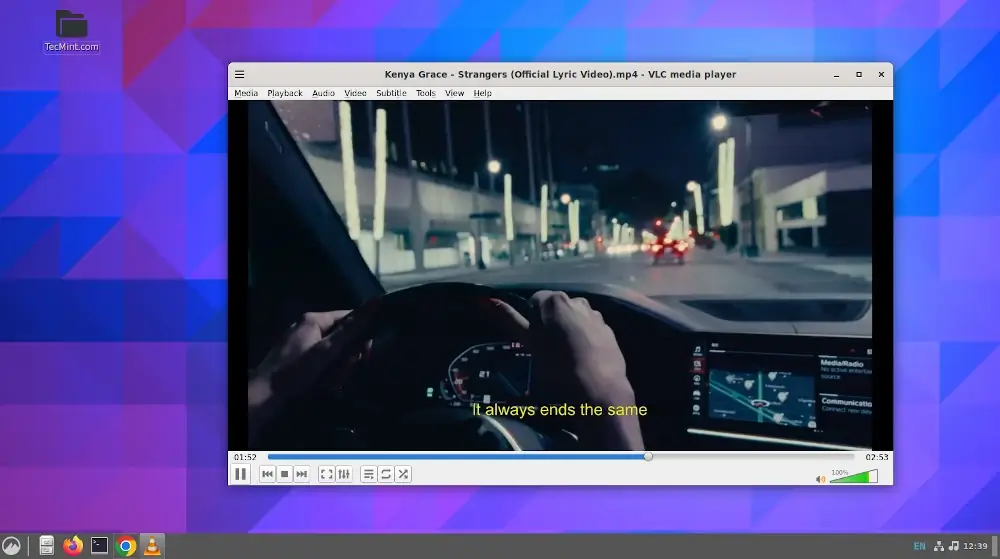
In conclusion, VLC Media Player is the go-to choice for media playback on Linux due to its exceptional format support, open-source nature, and cross-platform availability.
Installing VLC on Linux is a straightforward process, catering to users of all experience levels. Whether you’re watching videos, listening to music, or streaming content, VLC on Linux delivers a reliable and feature-rich multimedia experience.

Linux Mint?
You just have to enter the Software Manager and search for “vlc“. Two options appear: Deb format (outdated) and Flatpak format (always updated). Click on install and that’s it.
@Marco,
Thank you for your message. You are correct that VLC can be installed on Linux Mint using either the DEB or Flatpak format.
errors!
@Richard,
The error message you are seeing indicates that the PPA repository you are trying to access does not have a Release file.
There are two possible reasons for this error:
The PPA repository is no longer maintained.
The PPA repository is not compatible with your version of Ubuntu.
To fix this error, you can remove the PPA repository by running the following command in a terminal:
Once the PPA repository has been removed, you can update your package lists and install VLC using the following commands:
Obviously, the information hasn’t been verified. The latest VLC version offered by this PPA is 2.2.7 (2.2.2+git20170721+r59033+56~ubuntu16.04.1).
@Kneekoo,
Yes, I know that the PPA provides only VLC 2.2.7 version, thats the reason I have a added a notice, that users who using older versions should upgrade or use snap package for VLC.
This doesn’t allow me to play regular DVDs at all, I have tried multiple things to fix this and nothings worked.
Mine shows as 2.2.5 Weatherwax, not 2.2.4
Linux Mint 18 Cinnamon x64
@Ian,
Same here, even My Ubuntu 16.04 shows VLC version 2.2.5, but the official VLC site says the latest stable version is 2.2.4. I think the PPA provides latest daily builds…:)
From what I understand, the only current way to install version 3.0 is via a Snap package
And Flatpak!
I m looking for vlc setup for my ubuntu 12.04 OS but i couldnt get the package. Can anyone suggest me, where & how to download the .deb file.
You can’t download and install .deb VLC package, as it requires lots of dependent packages. The only way you can install it using apt-get method.
i have tried it but not able to do so. i am new user to ubuntu i dont have net in my home i have pc but how to install vlc in offline
Do what it promises, plays most kind of media files without have to install any drivers.