

This article is our ongoing series on Linux Auditing, in our last two articles we have explained how to install and audit Linux systems (CentOS and RHEL) and how to query logs using ausearch utility.
In this third part, we will explain how to generate reports from audit log files using aureport utility in CentOS and RHEL based Linux distributions.
Read Also: How to Produce and Deliver System Activity Reports Using Linux Toolsets
What is aureport?
aureport is a command line utility used for creating useful summary reports from the audit log files stored in /var/log/audit/. Like ausearch, it also accepts raw log data from stdin.
It is an easy-to-use utility; simply pass an option for a specific kind of report that you need, as shown in the examples below.
Create Report Concerning Audit Rule Keys
The aurepot command will produce a report about all keys you specified in audit rules, using the -k flag.
# aureport -k
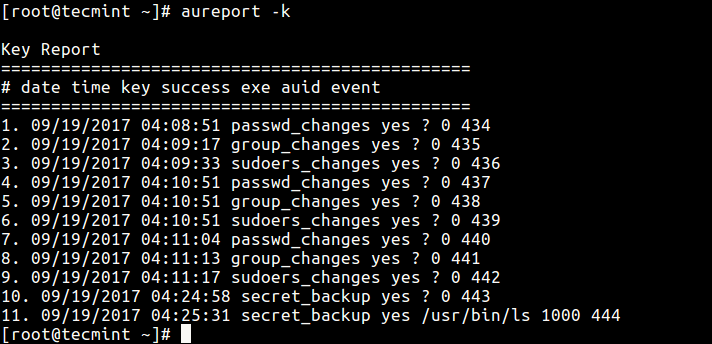
You can enable interpreting of numeric entities into text (for example convert UID to account name) using the -i option.
# aureport -k -i
Create Report About Attempted Authentications
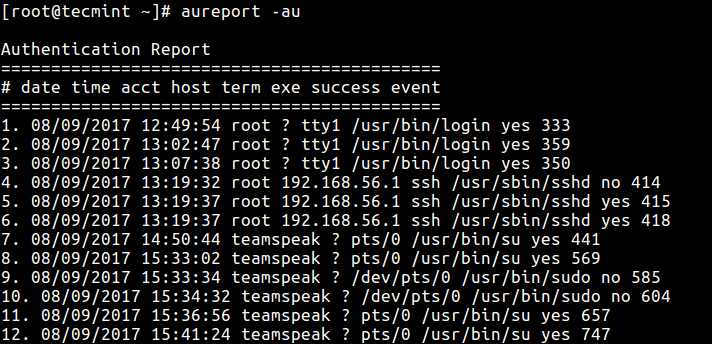
If you need a report about all events relating to attempted authentications for all users, use the -au option.
# aureport -au
OR
# aureport -au -i
Produce Report Concerning Logins
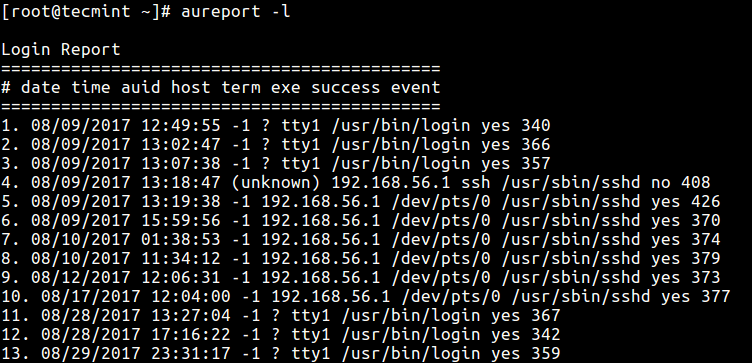
The -l option tells aureport to generate a report of all logins as follows.
Report Failed Events on the System
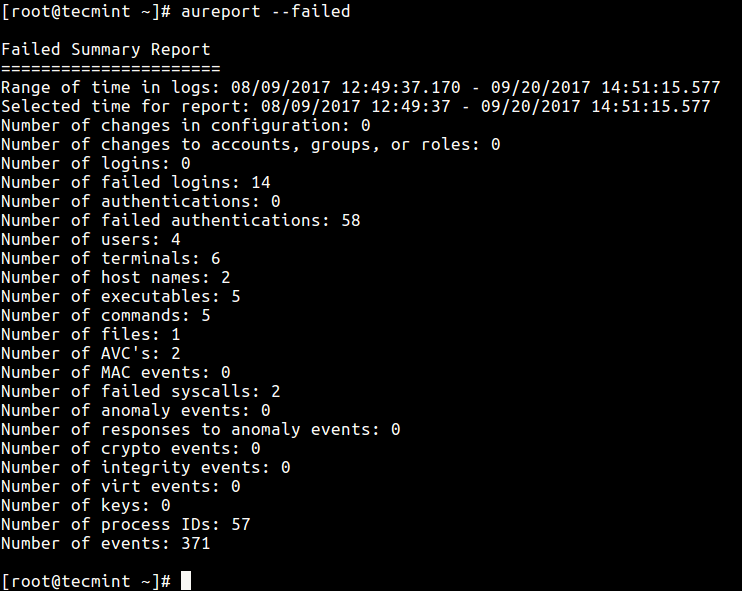
The following command shows how to report all failed events.
# aureport --failed
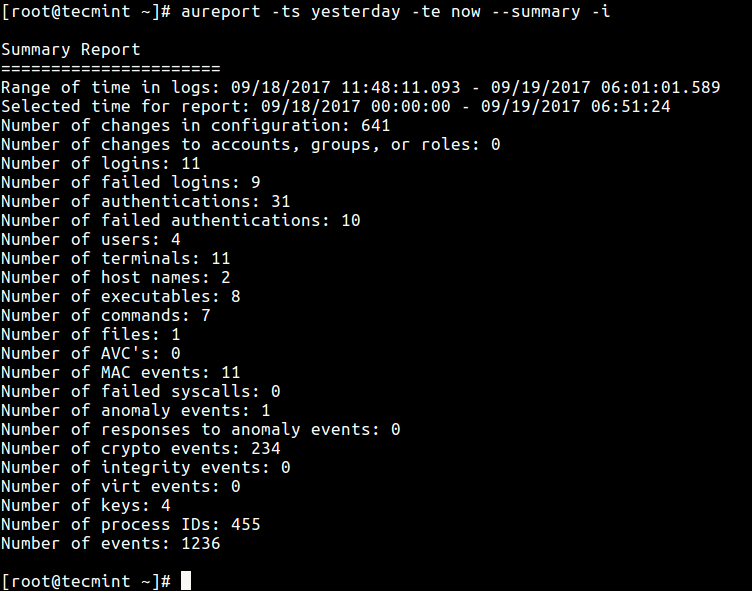
Generate Summary Report for a Given Time Period
It is also possible to generate reports for a specified period of time; the -ts defines the start date/time and -te sets a end date/time. You can also use words like now, recent, today, yesterday, this-week, week-ago, this-month, this-year instead of actual time formats.
# aureport -ts 09/19/2017 15:20:00 -te now --summary -i
OR
# aureport -ts yesterday -te now --summary -i
Produce report From Different Audit Log File
If you want to create a report from a different file other than the default log files in /var/log/audit directory, use the -if flag to specify the file.
This command reports all logins recorded in /var/log/tecmint/hosts/node1.log.
# aureport -l -if /var/log/tecmint/hosts/node1.log
You can find all options and more information in the aureport man page.
# man aureport
Below is a list of articles concerning log management, and report generation tools in Linux:
- 4 Good Open Source Log Monitoring and Management Tools for Linux
- SARG – Squid Analysis Report Generator and Internet Bandwidth Monitoring Tool
- Smem – Reports Memory Consumption Per-Process and Per-User Basis in Linux
- How to Manage System Logs (Configure, Rotate and Import Into Database)
In this tutorial, we showed how to generate summary reports from audit log files in RHEL/CentOS/Fedora. Use the comment section below to ask any questions or share any thoughts concerning this guide.
Next, we’ll show how to audit a specific process using ‘autrace’ utility, until then, keep locked to Tecmint.
