

PIP is the conventional package manager for Python, which is the standard tool for installing and managing Python packages alongside their dependencies which are not included in the standard Python library.
When using pip, you might encounter the error “pip command not found” on the terminal. Below is an excerpt of the error as captured on the Ubuntu system.
$ pip3 install pandas

Command 'pip3' not found, but can be installed with:
sudo apt install python3-pip
From the output, you can infer that there’s a high chance that PIP is not installed.
In this article, we look at ways how you can install PIP in Linux to fix the “pip command not found” error.
Install PIP in Linux
The first course of action is to ensure that Python is installed on the system, which you can confirm by running:
$ python3 --version

Python 3.9.2
From the output, we already have Python 3.9 installed.
To install PIP on Debian-based distributions, run the following command:
$ sudo apt install python3-pip -y
The command installs PIP alongside a bunch of other additional packages and dependencies.
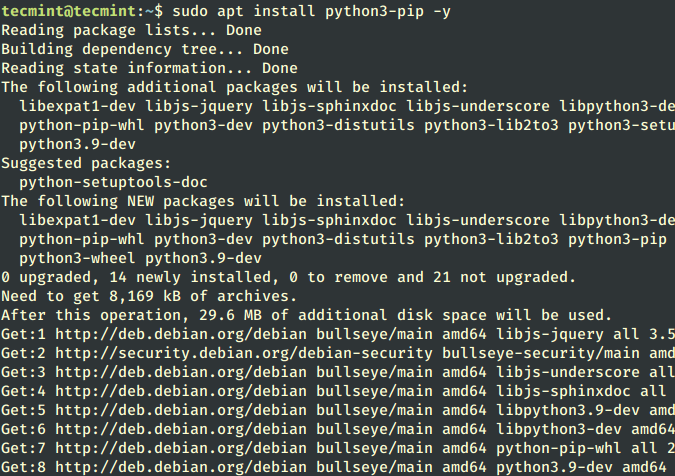
For RHEL-based distributions such as Fedora, Rocky, AlmaLinux, and CentOS run the following yum command.
$ sudo yum install python3-pip -y
For Arch Linux distributions, execute the command:
$ sudo pacman -S python-pip -y
Once installed, verify the version of the pip installed as shown.
$ pip3 --version

pip 20.3.4 from /usr/lib/python3/dist-packages/pip (python 3.9)
Additionally, you can verify the location of pip binaries as shown
$ which pip3

/usr/bin/pip3
From the output, we have installed PIP 20.3.4.
Upgrade PIP in Linux
The other way to fix the “pip command not found” error is to upgrade PIP to the latest version.
$ sudo -H pip3 install --upgrade pip
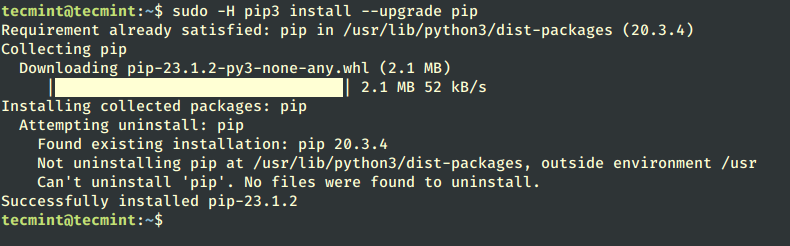
From the output, we have upgraded the pip from version 20.3.4 to 23.1.2.
PIP – Install Python Packages
Now you should be able to install and manage Python packages and libraries using Pip without an issue.
For example, you can install Pandas as shown.
$ pip3 install pandas
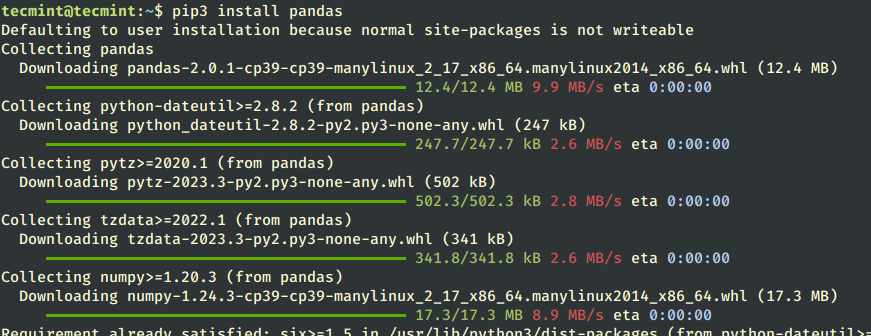
In this article, we have successfully resolved the error “pip command not found”. I hope you found this article informative.

Hi,
At least some time ago it was not advisable to install pip from the distro’s repo because very often it was an outdated version and, most important, it was not advisable to upgrade it using pip because it was using some different paths.
At least that was the case with some Debian and or Ubuntu (older) versions. Maybe things changed with the pip3 and/or newer versions of python-pip packages.