

Screenlets is an application software released under GNU GPL. The same name screenlets refers to the engine as well as widget that runs on it. It was Originally Developed by ‘Rico Pfaus‘, ‘Helder Fraga‘ and ‘Natan Yellin‘ for Unix-like Operating System. Designed specially to run on X11-based compositing windows manager like compiz.
Screenlets are small pieces of application commonly called widget. They serves as eye candy besides improving overall system experience of modern Linux-desktop. Widgets represents virtual things on desktop viz., Clock, Sticky notes, weather, Calculator, Calendar,…
Features of Screenlets
- Easy from End-user point as well as from Developer point of view.
- A wide range of screenlets/widget to choose from.
- Deploy Google gadgets on screenlets engine.
- Full compositing Support.
- Works with any composited X desktop as well as non-composited desktop
- Fully Scalable
- Embedded Drag & Drop
- Highly Customizable
- Automatic options saving.
- Themes feature supported
Screenlets version <= 0.0.14 were written in Python later on the concept of web widgets were introduced which were typically written in HTML, JavaScript and CSS.
Installing Screenlets in Linux
1. You can download and install screenlets from the repository (if available), most of the modern Linux distribution includes screenlets to be downloaded from default repository.
$ sudo apt-get install screenlets screenlets-pack-all
The above command will install screenlets application and complete pack, which includes number of widgets/gadgets in it.
During installation, in my Debian 8.0 Jessie, I’ve got the following depnedency error message….
Gtk-Message: Failed to load module "canberra-gtk-module"
To fix this, you need to install following package.
$ sudo apt-get install libcanberra-gtk-module
2. After installing Screenlets, start the application using user account only and not root.
$ screenlets
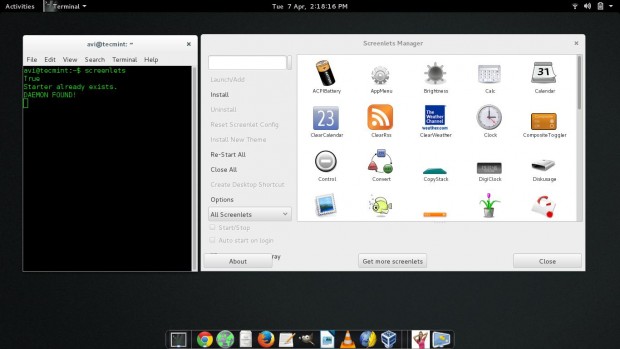
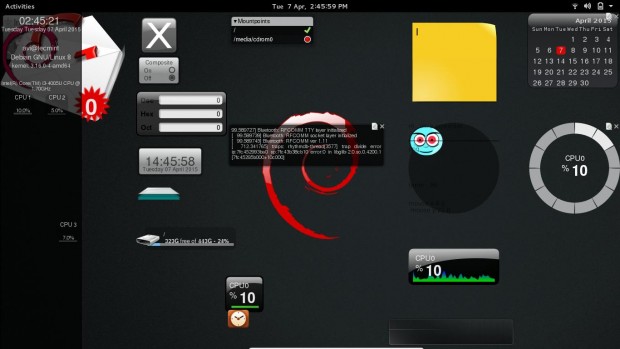
3. To add a widget to your screen double click it. You may add as many screenlets as you want. There is no limitation.
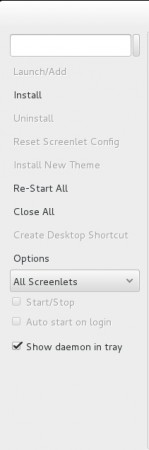
4. You can close all the running widgets at once, reset Screenlets Config, Install new theme, Restart All, Create Desktop Shortcut as well as Auto-Start at login using the options available in the left of Screenlets Manager.
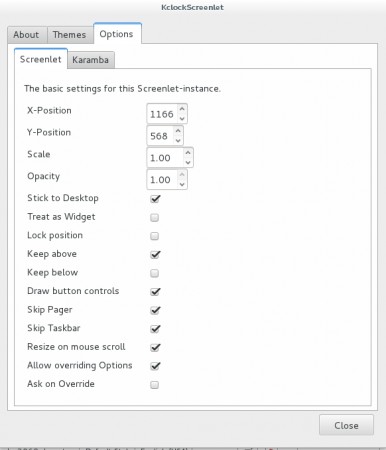
5. You can also configure the options like Setting position of Specific Screenlets, scale it, control opacity as well as options like stick to desktop, Lock Position, Keep above/below and etc..
The screenlets application is quiet stable and mature project. If you are newbie to Linux, several GUI System monitor tool will help you to understand what’s going on. If you are developer you can write your own screenlets for the screenlets engine. As said above, these widgets are small and hence easy to develop.
That’s all for now. I’ll be here again with another interesting article. Till then stay tuned and connected to Tecmint. Don’t forget to provide us with your valuable feed back in the comments below. Like and share us and help us get spread.

What new functionality do Screenlets provide that does not already exist in most distros? They seem to only be extra software to be installed and increase already considerable distro bloat, and clutter up the screen with their icons.
this project had irreversible security issues so it was killed. As far as I can tell… there is nothing similar except in cinnamon… but nothing for a lightweight desktop environment. Am I wrong??
Where I find additional widgets for screenlets ? Default website maybe down , can not access .
How can I make my own plugins for screenlets ?
@Raihan,
Yes the official website seems down or some maintenance going on, just wait for few hours and see..
screenlets.org is dead. The project is over