
How to Install PHP 7.4 on CentOS 8

PHP, a recursive acronym for PHP Hypertext Preprocessor, is a popular server-side scripting language used in web development for creating powerful and dynamic websites.

In this article, you will learn how to install PHP 7.4 on CentOS 8 Linux.

Step 1: Add EPEL and Remi Repositories

To get started, you need to add EPEL & Remi repository from where you will be able to install PHP 7.4 on CentOS 8 Linux.

To install and enable the EPEL repository on CentOS 8, execute the following dnf command.

# dnf install https://dl.fedoraproject.org/pub/epel/epel-release-latest-8.noarch.rpm
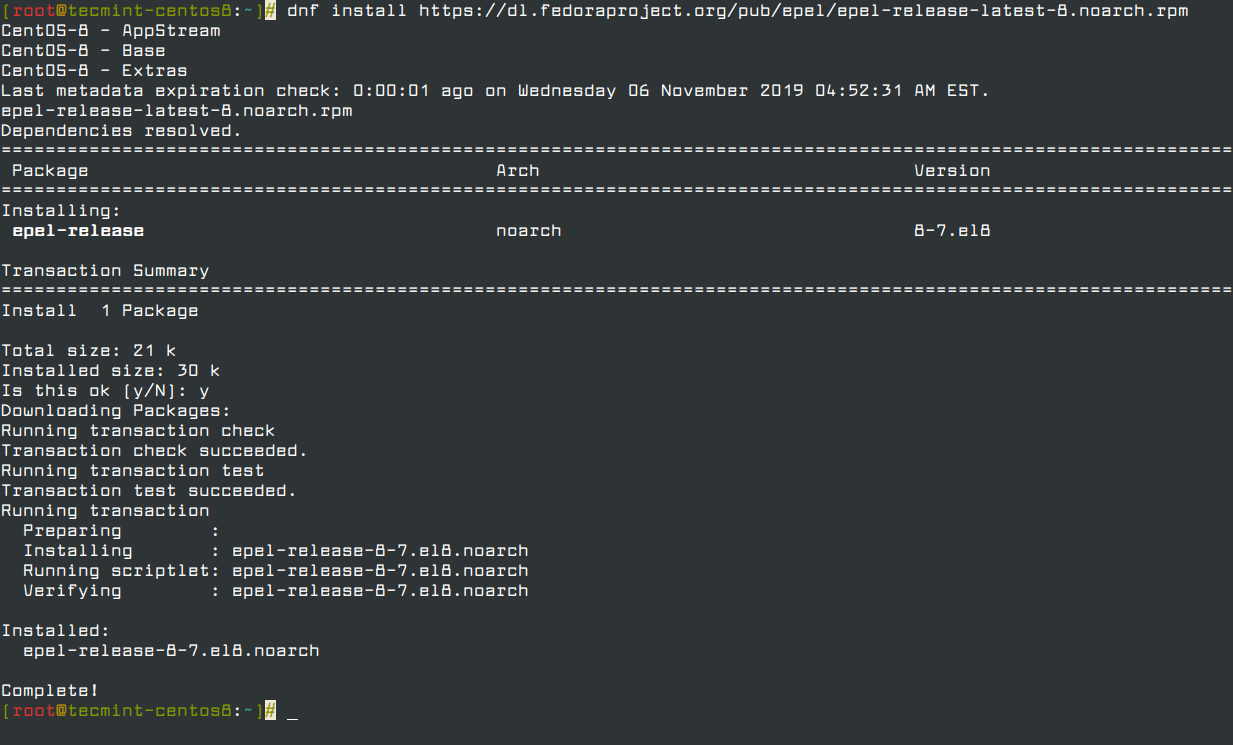
Install EPEL Repo on CentOS 8

To confirm the presence of the EPEL repository, run the following rpm command.

# rpm -qa | grep epel

Confirm EPEL Installation

Next, run the command below to add the Remi repository.

# dnf install https://rpms.remirepo.net/enterprise/remi-release-8.rpm
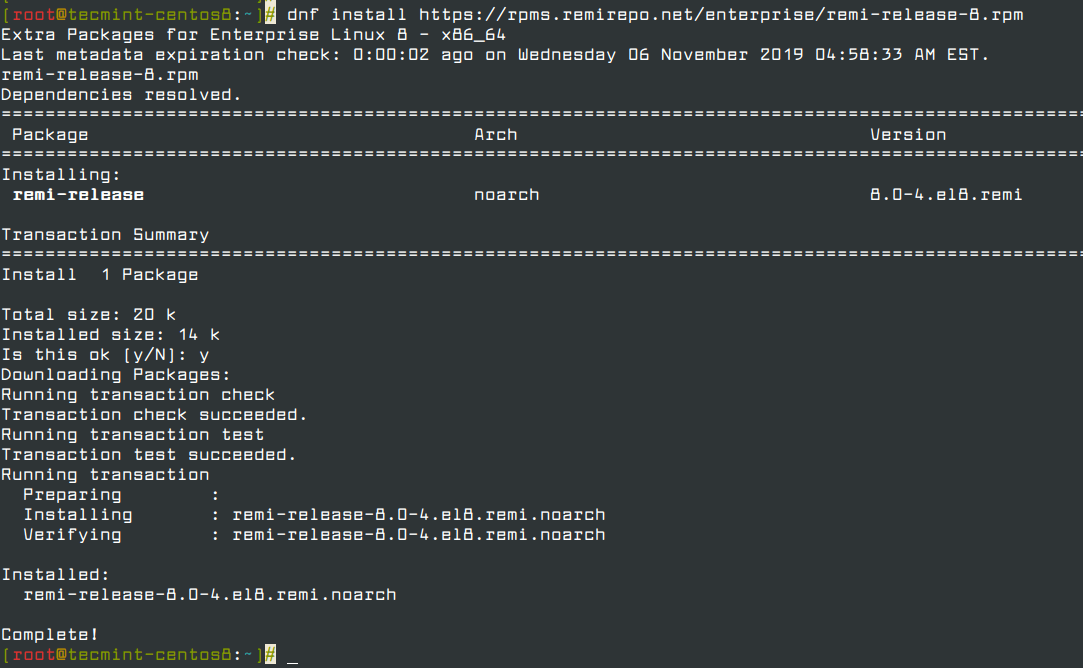
Install Remi Repo on CentOS 8

Once again, to verify the existence of the Remi repository, run the command.

# rpm -qa | grep remi

Confirm Remi Repo Installation

Step 2: Install PHP 7.4 on CentOS 8

Upon successful addition of EPEL and Remi repositories, execute the command below to get a list of available PHP module streams.

# dnf module list php
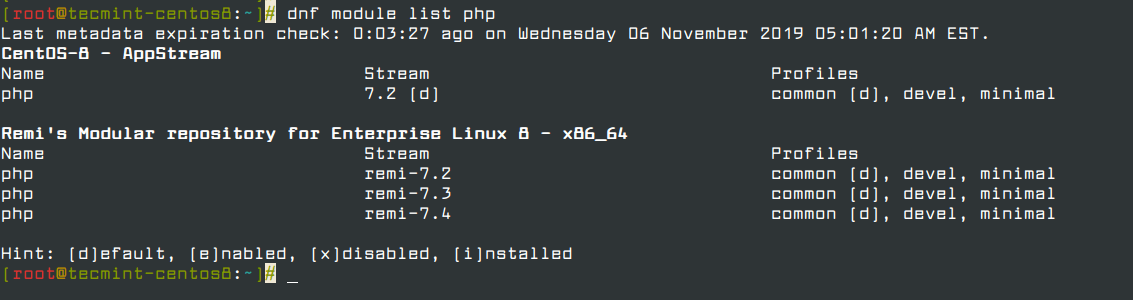
List PHP Modules
List PHP Modules

From the output above, remi-7.4 is the latest PHP stream, and therefore we are going to enable the module stream as shown below.

# dnf module enable php:remi-7.4
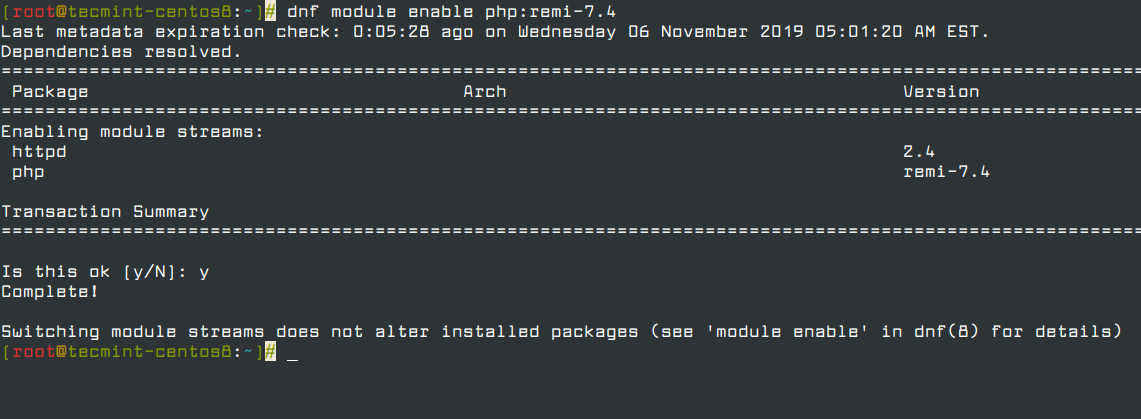
Enable PHP Remi Stream

Once the PHP remi-7.4 module has been enabled, you can then proceed and install PHP using the command below. This will also install a host of other packages such as Apache and Nginx modules.

# dnf install php php-cli php-common
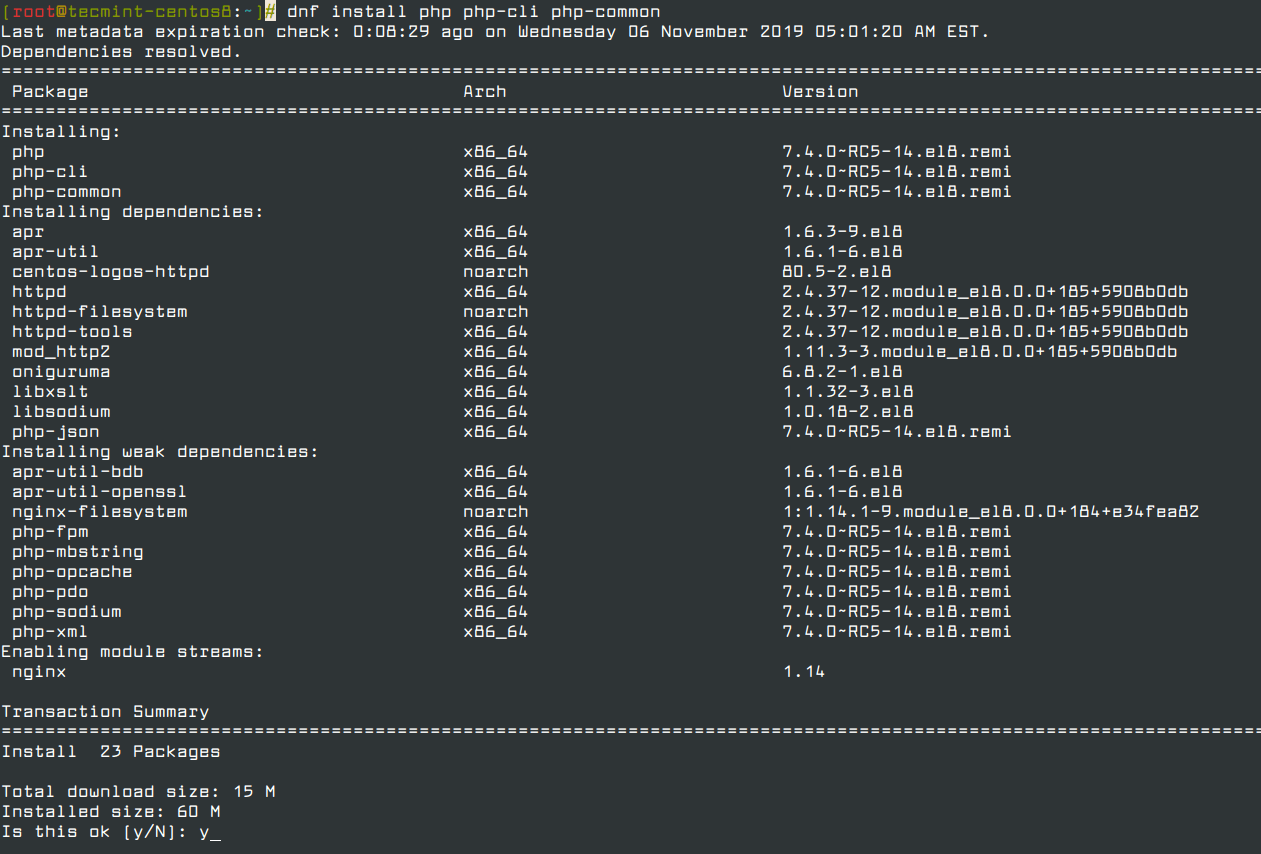
Install PHP on CentOS 8

To check the version of PHP installed, run the command.

# php -v

Verify PHP Installed Version

From the output, we can clearly see that we have installed PHP version 7.4! You can now proceed to test and deploy your applications using PHP. And that’s just about it for now. We do hope you found this guide helpful.

If this article helped, with someone on your team.

TecMint Weekly Newsletter
Get the Learn Linux 7 Days Crash Course free when you join 34,000+ Linux professionals reading every Thursday.
Check your email for a magic link to get started.
Something went wrong. Please try again.
TecMint has been free for 14 years. Help keep it that way.
Google AI Overviews and tools like ChatGPT have cut into search traffic for independent tech sites like TecMint. Running this site costs over $2,000 every month for hosting, infrastructure, and paying authors to keep the content accurate and tested.

If this article helped you solve a problem, consider buying a coffee. It helps keep TecMint free, supports the authors, and keeps the project going.
☕ Buy Me a Coffee
James Kiarie
This is James, a certified Linux administrator and a tech enthusiast who loves keeping in touch with emerging trends in the tech world. When I'm not running commands on the terminal, I'm taking listening to some cool music. taking a casual stroll or watching a nice movie.

Each tutorial at TecMint is created by a team of experienced Linux system administrators so that it meets our high-quality standards.

6 Comments

Leave a Reply
  1. # dnf install php-gd
    Last metadata expiration check: 0:59:58 ago on Fri 11 Dec 2020 03:29:16 PM +06.
    All matches were filtered out by modular filtering for argument: php-gd
    Error: Unable to find a match: php-gd
    

    can’t install the gd module… how to bypass this?

    Reply
  2. Initially got this…

    $ dnf module enable php:remi-7.4
    
    Sample Output
    Last metadata expiration check: 0:00:46 ago on Thu 30 Jul 2020 03:45:19 AM UTC.
    Dependencies resolved.
    The operation would result in switching of module 'php' stream '7.2' to stream 'remi-7.4'
    Error: It is not possible to switch enabled streams of a module.
    

    It is recommended to remove all installed content from the module, and reset the module using ‘dnf module reset‘ command. After you reset the module, you can install the other stream.

    Reply

Got Something to Say? Join the Discussion...

Thank you for taking the time to share your thoughts with us. We appreciate your decision to leave a comment and value your contribution to the discussion. It's important to note that we moderate all comments in accordance with our comment policy to ensure a respectful and constructive conversation.

Rest assured that your email address will remain private and will not be published or shared with anyone. We prioritize the privacy and security of our users.

Free Course
Get a free Linux course before you go.
Subscribe to TecMint Weekly and get the Learn Linux 7 Days Crash Course free. Read by 34,000+ Linux professionals every Thursday.
Something went wrong. Please try again.
Check your email for a magic link to get started.