

The current version of PHP in the CentOS 6 official repositories is PHP 5.3, which has reached its end of life and is no longer maintained (in terms of bug fixes and critical security updates) by the developers. You may be exposed to unpatched security vulnerabilities if you are still using it.
Therefore it is recommended for you to upgrade or install a latest supported stable version of PHP 5.4 or PHP 5.6 on a CentOS 6 Linux distribution as soon as possible.
Install EPEL and Remi Repository
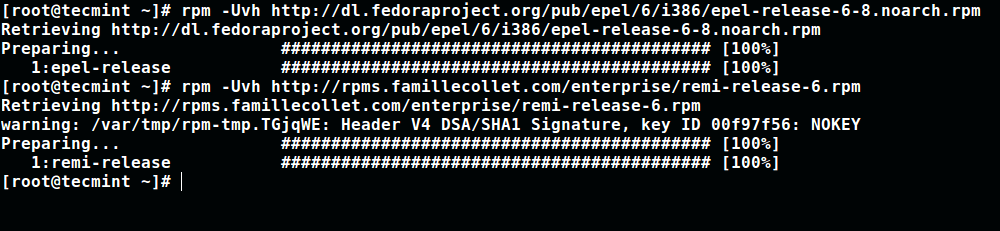
1. To install latest stable version of PHP, you need to add EPEL and Remi repository to your CentOS 6 distribution using the following commands as root user.
# wget http://dl.fedoraproject.org/pub/epel/6/i386/epel-release-6-8.noarch.rpm
# wget http://rpms.famillecollet.com/enterprise/remi-release-6.rpm
# rpm -Uvh epel-release-6-8.noarch.rpm remi-release-6.rpm
Install Yum-Utils to Manage Repository
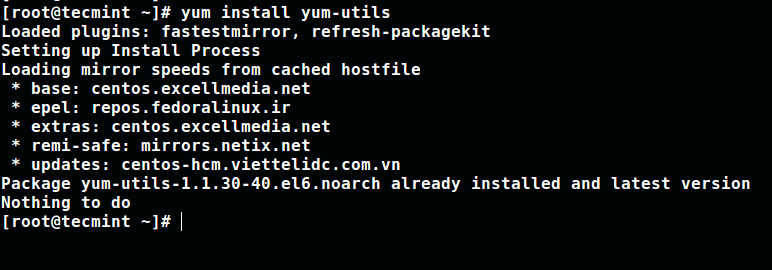
2. Install yum-utils, a collection of utilities that integrate with yum to extend its native features in several ways, thus making it more powerful and easier to use.
The package yum-utils used to enable or disable packages on the fly without any manual configuration.
# yum install yum-utils
Install PHP 5.4, PHP 5.5 or PHP 5.6 on CentOS 6
3. Once EPEL, Remi and yum-utils has been installed, you can now move ahead to install PHP 5.4, PHP 5.5 or PHP 5.6 with all required modules on CentOS 6 distribution by enabling remi repository using yum-config-manager command as shown.
# yum-config-manager --enable remi-php54    [Intall PHP 5.4]
# yum-config-manager --enable remi-php55    [Intall PHP 5.5]
# yum-config-manager --enable remi-php56    [Intall PHP 5.6]
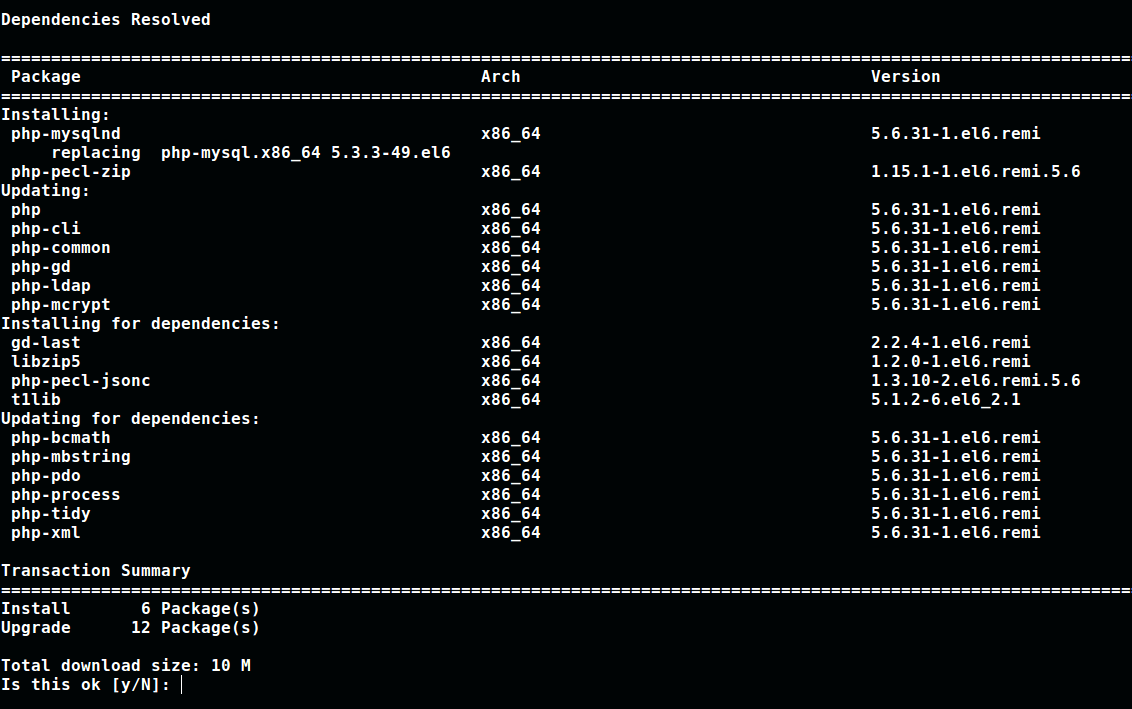
4. Once you’ve enabled selected version of PHP, you can install PHP (in my case I have chosen PHP 5.6) with all needed modules as shown.
# yum-config-manager --enable remi-php56    [Intall PHP 5.6]
# yum install php php-mcrypt php-cli php-gd php-curl php-mysql php-ldap php-zip php-fileinfo
If you want to downgrade PHP version for any reason, you will need to remove existing PHP version and then reinstall the new PHP with modules you want.
Finally, do not forget to check out these useful PHP articles:
- How to Use and Execute PHP Codes in Linux Command Line
- How to Find MySQL, PHP and Apache Configuration Files
- How to Test PHP MySQL Database Connection Using Script
- How to Run PHP Script as Normal User with Cron
That’s all! To share any thought with us, make us of the feedback form below. Lastly, remember to always stay connected to Tecmint.com.

Hi,
What is the html directory?
well as of January 2020 you can FORGET about this.
No package php available.
No package php-mcrypt available.
No package php-cli available.
No package php-gd available.
No package php-curl available.
No package php-mysql available.
No package php-ldap available.
No package php-zip available.
No package php-fileinfo available.
———-
Got any other tips?
@Patrick,
Have you enabled EPEL and Remi Repository on the system?
I’m just dumb! Cpanel was managing my system and was excluding packages with PHP in the title! The nerve! “I wish I knew how to quit you!” -me to Cpanel ( ^∇^)
Thank you very much, it worked correctly for me. Thank you.
Didn’t work at all. Followed the instructions to get to php 5.6, and yum remained stubbornly fixed on insisting that php 5.3.3 is the latest version and already installed.
@Fred
I hope you followed the instructions correctly and used yum-config-manager to set correct PHP version for installation.
That’s exactly what I did.
@Fred
Okay, we’ll crosscheck.
Yeah this also happened to me. Only tried to install 5.3.3 after explicitly following your instructions for 5.6
@Mack,
To install PHP 5.3, you need to enable Remi and install it as shown.
Hi,
I want to upgrade PHP 5.4.45-56.el6.art to PHP 5.6 and my MYSQL is 5.5.55-1659.el6.art.
Is it dangerous to upgrade php 5.4.45 to php 5.6 without upgrading mysql?
Thank you so much for your answer
Yan
@Yan
It is not dangerous, as long as the php-mysql module has the appropriate version for connecting PHP to MySQL.