

Fedy (previously called as Fedora Utils) is a post-installation script written in bash, especially for Fedora. It is released under GNU General Public License.
Fedy aims at providing a standard Fedora installation with additional applications, utilities, and codes. A lot of applications and codecs that are not shipped by Fedora due to one or another reason, Fedy fills that gap.
The latest updated version of Fedy is 5.0 and it also supports Fedora 22 (Released on May 26, 2015), though a few features on Fedora 22 may not work as of now.
Features of Fedy
- Front End User Interface is completely written in GTK3 for the end-user.
- Feature-rich as compared to any other available application.
- List information about installed and not installed packages.
- Support for searching the plugins list.
- Task continues to run in the background even when the front end exits.
- Built-in feature to detect and prohibit malicious codes from running.
- Revert back and undo task.
- Every action lies in the queue so the user does not need to wait, till one action exit.
The installation process of Fedy is quite simple, just use the following commands to install it under your Fedora Linux system.
# RPM Fusion
sudo dnf install https://download1.rpmfusion.org/free/fedora/rpmfusion-free-release-$(rpm -E %fedora).noarch.rpm https://download1.rpmfusion.org/nonfree/fedora/rpmfusion-nonfree-release-$(rpm -E %fedora).noarch.rpm

# Install fedy copr repository
sudo dnf copr enable kwizart/fedy

# Install fedy
sudo dnf install fedy -y
Fedy Usage and Testing
When Successfully installed you may start Fedy either from the menu or from the terminal.
List all the available packages…
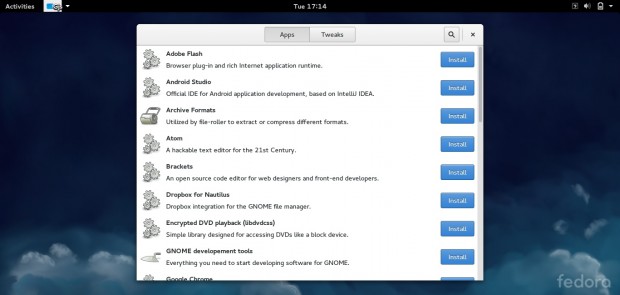
You may install/remove the packages in a single-click using Fedy.
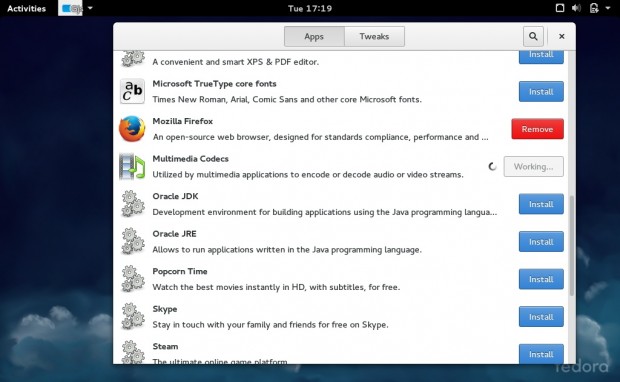
Fedy Update
You don’t need to concern about the updation of Fedy, as while installation, it automatically adds a repo to the list and when the next release will be available, it will automatically be updated from the repo and you will get a notification as well.
Conclusion
This is an awesome tool and hearty congratulations to Fedy project developer for this wonderful piece of software.
Fedy install packages from various repositories so when you fire ‘yum update‘ it will update the packages that way too. This utility is going to provide lots of necessary applications to the Fedora Users and that too on a single click.
A bleeding-edge distro (Fedora) when combines with an out-of-box application like this, you may always expect more than enough. I wish all the success to Satyajit Sahoo for taking this Utility to the next higher level.

Hello,
Fedy is now hosted in a copr.
Please update the links, thanks in advances:
@Kwizart,
Thanks for notifying, updated the links and instructions in the article.
I could not get this to work with 24. Works for 23.
Says could not find fedy.
Any suggestions?