

The concept of virtualization has been around for a while now and has proved quite resourceful and cost-effective technologies. Operation teams and desktop users alike can spin up multiple virtual machines and run a wide selection of operating systems without the need of installing each on a separate physical server. Virtual machines are created using a hypervisor. Two commonly used Hypervisors are VirtualBox and KVM, both of which are free and opensource.
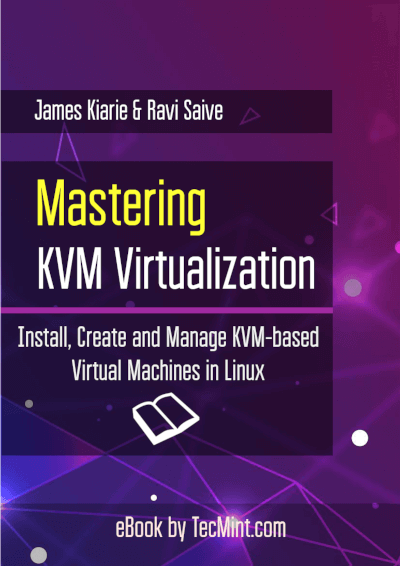
KVM (Kernel-based Virtual Machine) is an open-source and de facto standard virtualization platform that is closely integrated into Linux. It is a run-time kernel module that spins Linux into a type-1 (bare-metal) hypervisor that makes a virtual operating platform, which is used to create and run virtual machines (Vms) in KVM.
Under KVM, each Virtual Machine is a process that is planned and controlled by the kernel and has individual virtualized hardware (i.e CPU, network interface, disk, etc.). It also supports nested virtualization, which enables users to run a VM inside another Virtual Machine.
Some of its key features include support for a wide range of Linux-supported hardware platforms (x86 hardware with virtualization extensions (Intel VT or AMD-V)), it provides enhanced VM security and isolation using both SELinux and secure virtualization (sVirt), it inherits kernel memory management features, and it supports both offline and real-time migration (migration of a running VM between physical hosts).
What’s inside this eBook?
This book contains 7 chapters with a total of 60 pages that provide a deep dive into deploying KVM virtual machines using qemu, libvirt, and cockpit web console to create, manage and run KVM virtual machines in production environments.
- Chapter 1: How to Install KVM on CentOS/RHEL 8
- Chapter 2: How to Install KVM on Ubuntu 20.04
- Chapter 3: Managing KVM Virtual Machines with Cockpit Web Console
- Chapter 4: How to Create Virtual Machines in KVM Using Virt-Manager
- Chapter 5: How to Manage Virtual Machines in KVM Using Virt-Manager
- Chapter 6: How to Create a KVM Virtual Machine Template
- Chapter 7: How to Use Virtualbox VMs on KVM In Linux
We believe learning KVM should not be arduous, and should not cost you an excessive amount of time or money. That is why we offering this KVM ebook for $12.99 for a limited time.
| For International Users | Price in Dollar | Checkout |
|---|---|---|
| eBook: Introducing KVM Virtualization Setup Guide for Linux | $ 12.99 | Order Now |
| For Indian Users | Price in INR | Checkout |
|---|---|---|
| eBook: Introducing KVM Virtualization Setup Guide for Linux | 950 | Order Now |
Note: After making payment, allow us 30-60 minutes of time for delivery.
With your purchase, you will also be supporting Tecmint.com and helping us to continue providing high-quality articles on our website for free, as always.

What format is the e-book, is it pdf or epub?
@Leo,
The ebook is in PDF format…
Hi,
I try to purchase the book, Payment gateway is not working for Mastering KVM Virtualization.
By,
Sriram
@Sriram,
Please get in touch with me at [email protected] for the same…