
It’s time once again to share a list of the best free and open-source software I’ve come across, updated for 2026. Some of these programs are long-standing favorites that continue to improve year after year, while others are newer projects that caught my attention and proved useful in my daily Linux workflow.
As always, this is not meant to be an exhaustive list, but rather a personal collection of tools that I’ve found reliable, practical, and worth recommending.
It’s in the spirit of sharing that I’m writing this article, hoping you’ll discover something here that makes your Linux experience even better.
How to Install These Tools
Before diving into the list, let’s talk about how to actually get these tools installed through your distribution’s package manager. A quick search will tell you if the software is available in your distro’s repositories:
RHEL-based distributions (RHEL, CentOS, Fedora, AlmaLinux, Rocky Linux), users can use the yum or dnf package manager:
yum search package
# or
dnf search package
Debian-based distributions (Debian, Ubuntu, Linux Mint, etc.), users can use the apt package manager:
apt search package
OpenSUSE and derivatives can use the zypper command:
zypper search package
Arch Linux and derivatives (Manjaro, EndeavourOS, etc.):
pacman -Ss package
If the package isn’t available in your default repositories, don’t worry. Most projects maintain an official website or GitHub page with downloadable binaries, source code, or distro-specific instructions.
System & Utility Tools
From terminal multiplexers and disk cleaners to password managers and package tools, these essential programs form the backbone of daily Linux usage, helping you stay productive while keeping your machine in top shape.
1. Tmux
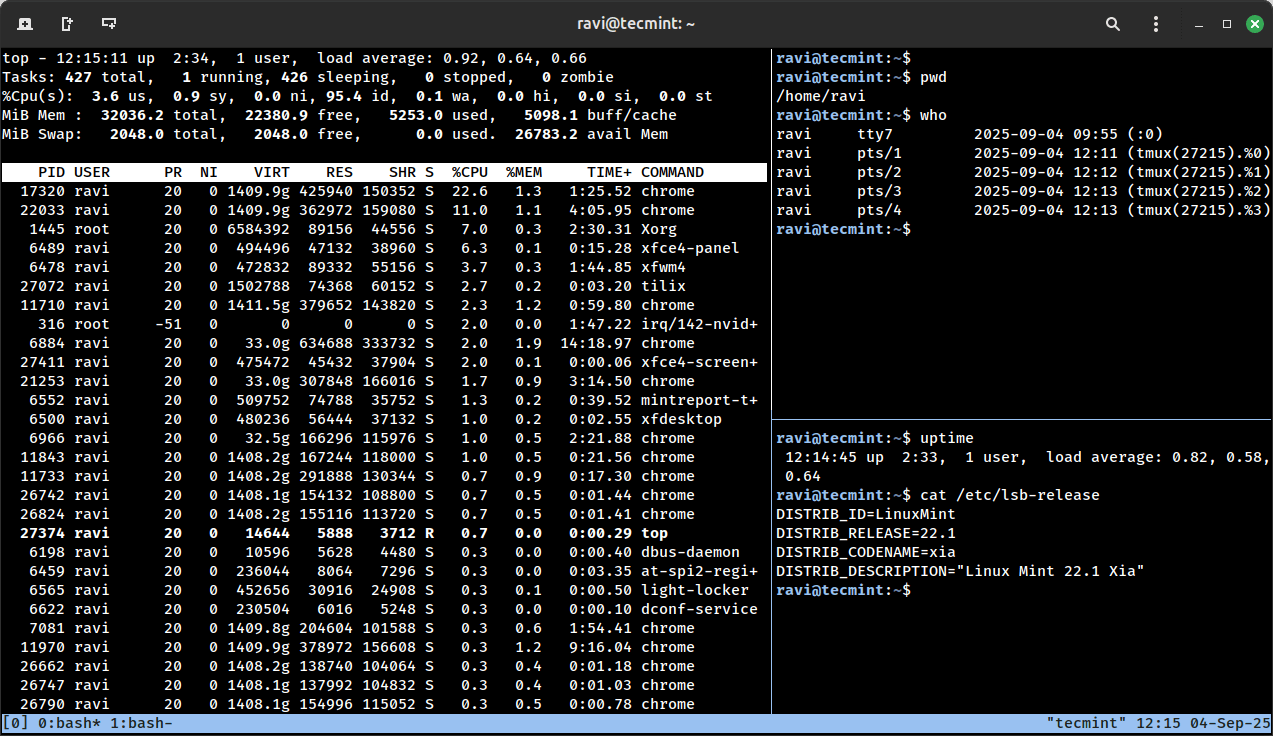
Tmux is an open-source terminal multiplexer that lets you run multiple terminal sessions inside a single window – almost like having tabs or panes inside your terminal.
What makes it truly powerful is the ability to detach a session (leaving your programs running in the background) and then reattach to it later, even from a different terminal or remote login.
This makes tmux especially handy for long-running tasks, managing servers over SSH, or just keeping your workflow neatly organized without cluttering your screen.
2. Bleachbit
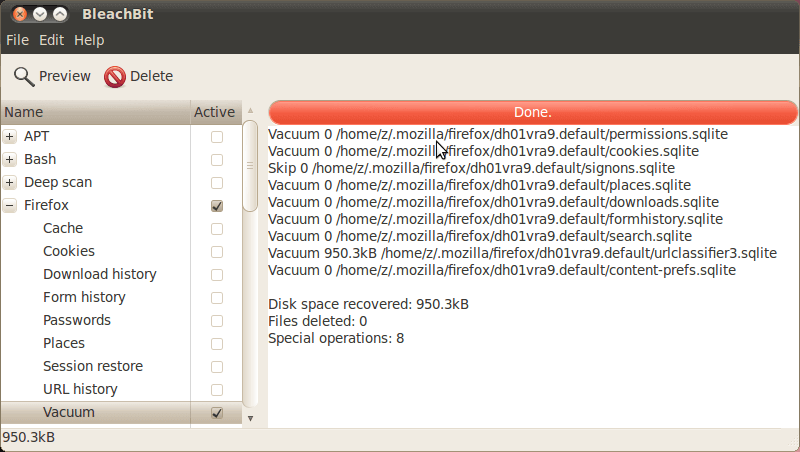
BleachBit is often compared to CCleaner, but in many ways, it goes further and helps you reclaim valuable disk space by removing temporary files, system cache, and other unnecessary clutter that builds up over time.
Beyond just cleaning, BleachBit can also improve the performance of applications like Firefox by clearing stored data, and it includes a secure file-shredding feature to permanently erase sensitive information so it can’t be recovered.
Simple to use yet powerful under the hood, BleachBit is one of those must-have maintenance tools for keeping your Linux system lean and private.
3. KeePass
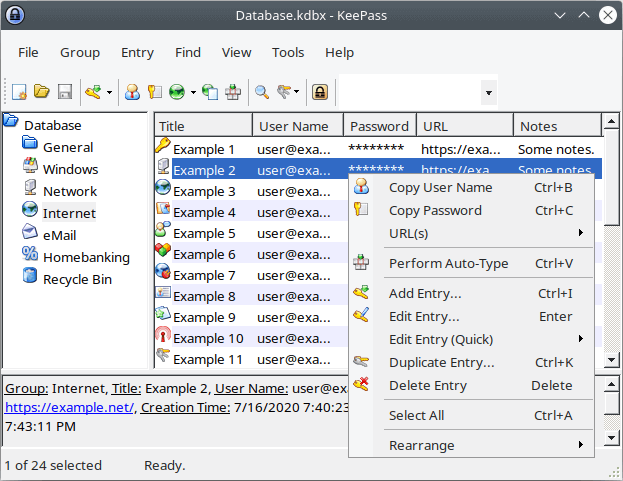
With so many programs, websites, and services demanding logins these days, it’s almost impossible to remember every password without some help, that’s where KeePass comes in, which is a free, open-source password manager that keeps all your credentials safe and organized in one place.
KeePass stores your passwords inside a single encrypted database, which you unlock with one master key, which means you only need to remember one password to access them all. For security, it uses strong encryption algorithms like AES (Rijndael) and Twofish, so your data stays safe from prying eyes.
If you prefer, you can go a step further and secure your database with a key file instead of or in addition to a master key. Just keep the key file on a USB stick or external drive, and you’ll have an extra layer of protection wherever you go.
4. PDF Mix Tool
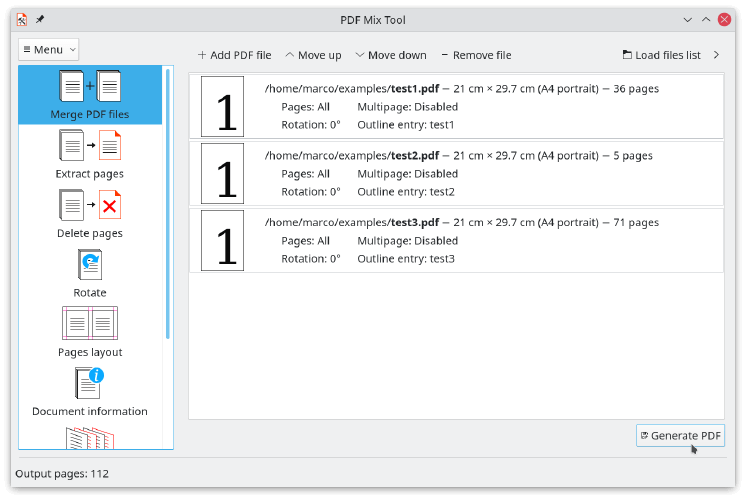
I don’t often edit PDF files, but when I do, I usually use PDF Mix Tool, which is a simple and lightweight open-source program that makes it possible to perform common PDF editing operations, such as file merging and page rotation.
Apart from that, you can also use PDF Mix Tool to generate booklets, delete and add pages to a PDF file, extract pages, and even edit the PDF document information.
This tool is good for basic editing operations. If you need a more complex and powerful program, take a look at the best pdf editors for Linux.
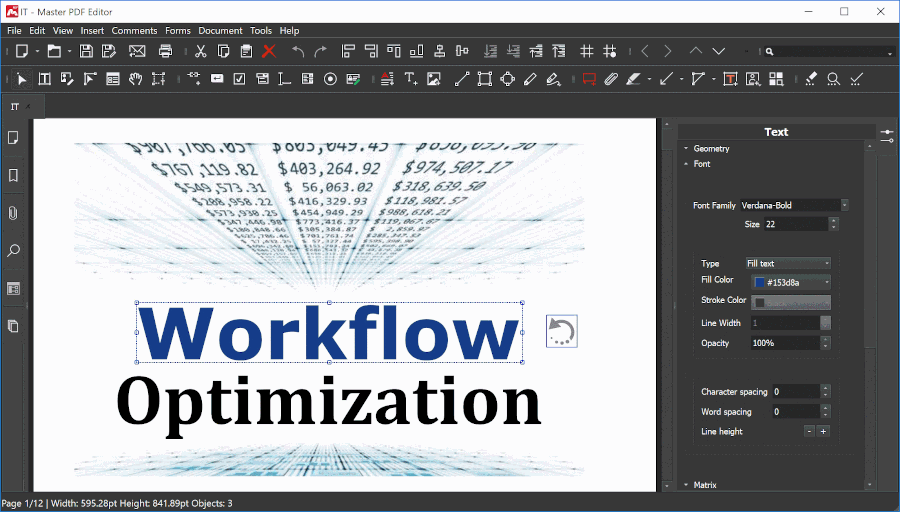
5. Master PDF Editor (Paid)
Master PDF Editor is an easy-to-use PDF editing tool for working with PDF documents that comes with powerful multi-purpose functionality.
It helps you easily add text, create and modify PDFs, insert images, and even encrypt sensitive files for extra security. On top of that, Master PDF lets you merge multiple PDFs into a single document or split one file into several smaller ones, making it handy for both personal and professional use.
While it isn’t fully open-source (the free version has some limitations), many Linux users appreciate it as a practical solution for everyday PDF editing tasks.
6. LibreOffice Draw
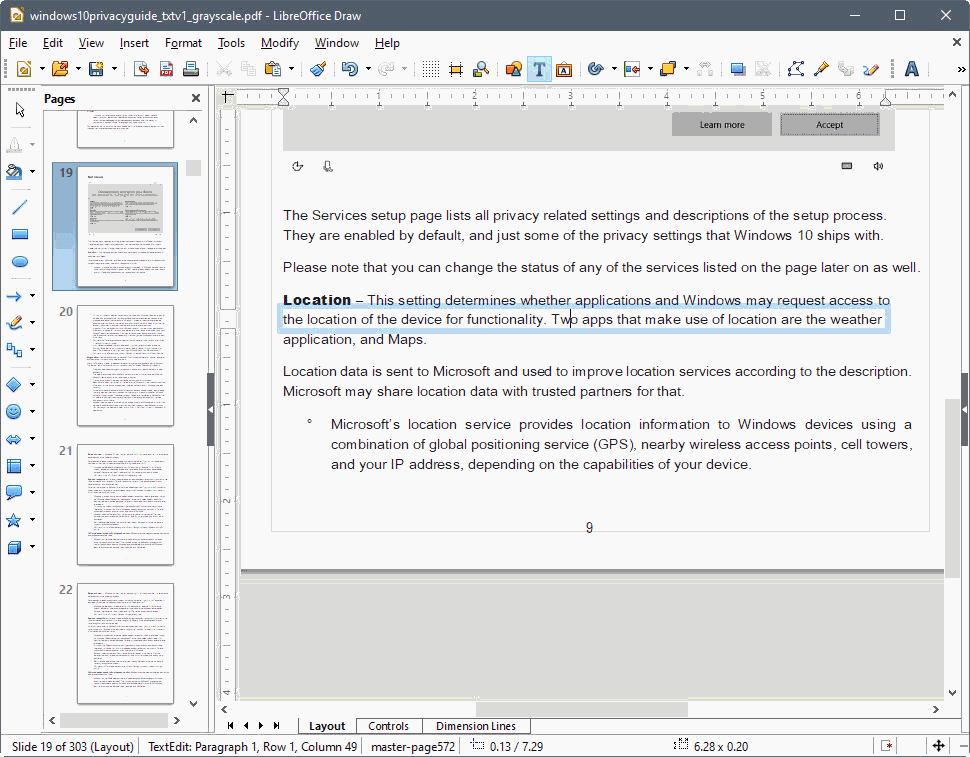
LibreOffice Draw is an application that is inbuilt into the LibreOffice suite that enables you to create anything from an easy sketch to a complex one and provides you the means to communicate with graphics and diagrams. With Draw, you can easily open and edit basic PDF files.
What makes Draw so handy is its flexibility – it’s not just for flowcharts or quick diagrams, but also for creating technical drawings, posters, and even mind maps.
Since it’s part of the LibreOffice suite, it integrates well with Writer, Calc, and Impress, making it a versatile tool for both personal and professional use.
While it doesn’t compete with dedicated graphic design software like Inkscape or GIMP, its ability to handle everyday visual tasks and do light PDF editing makes it a must-have tool that many Linux users overlook.
7. Calamares
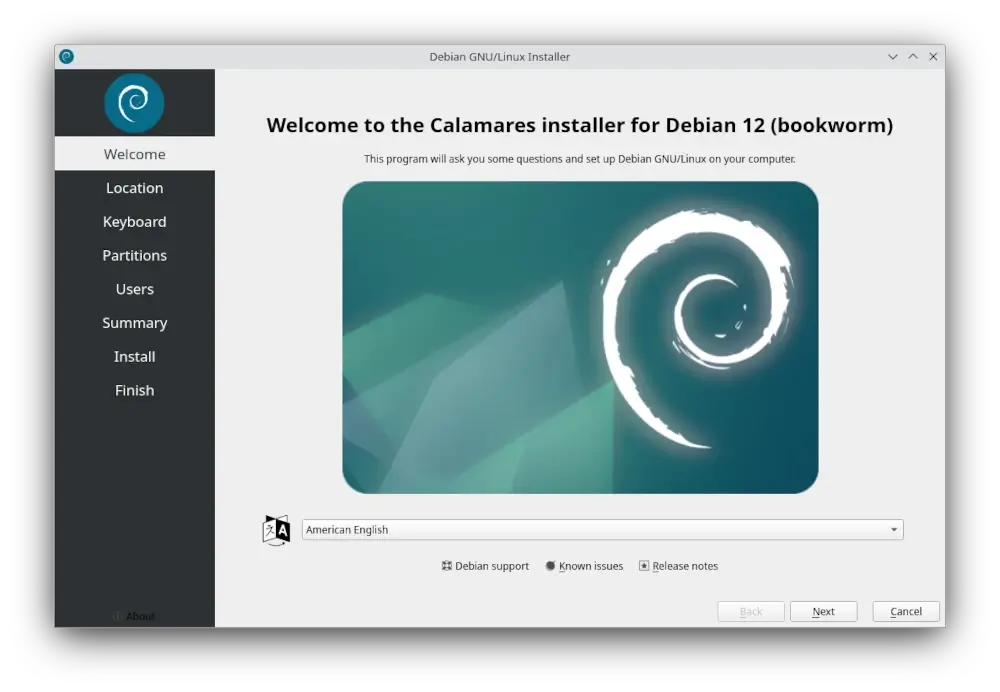
Calamares is a universal, distribution-independent installer that makes installing Linux fast and painless. Instead of every distro maintaining its own installer from scratch, Calamares provides a flexible, easy-to-customize framework that developers can adapt to their needs.
That’s why you’ll find it powering the installation process in many popular Linux distributions today. Whether you’re setting up a fresh system for personal use or testing multiple distros, Calamares keeps things simple, consistent, and reliable.
8. Dracut
Dracut is a modern tool for generating the initramfs (initial RAM filesystem) used during the Linux boot process. Unlike older methods that bundled everything into a single static image, Dracut builds the initramfs in a modular way, including only the components your system actually needs to boot.
This makes startup faster, troubleshooting easier, and the whole process more flexible. It’s widely adopted across major Linux distributions and continues to be actively maintained, making it a reliable choice for both desktop and server environments.
9. OSQuery
As its name suggests, OSQuery provides access to real-time system information in the form of tables and events that can be queried using SQL-like syntax via an interactive query console.
With osquery, you can explore your system to perform intrusion detection, diagnose a problem, or just produce a report of its operation – all at your fingertips using a single tool.
If you have at least a basic understanding of SQL, getting details about the operating system using the built-in tables in OSQuery will be a piece of cake. OSQuery runs flawlessly on Windows, macOS, CentOS, and all other Linux OS released since 2011 and requires no dependencies.

Need yet another reason to convince you to give OSQuery a try? It was developed and maintained by the folks at Facebook.
Multimedia & Creativity
From simple screen recorders and audio editors to full-fledged 3D creation suites and professional-grade video editors, these tools prove that Linux isn’t just for servers and terminals — it’s also a powerful platform for creativity.
10. OBS Studio
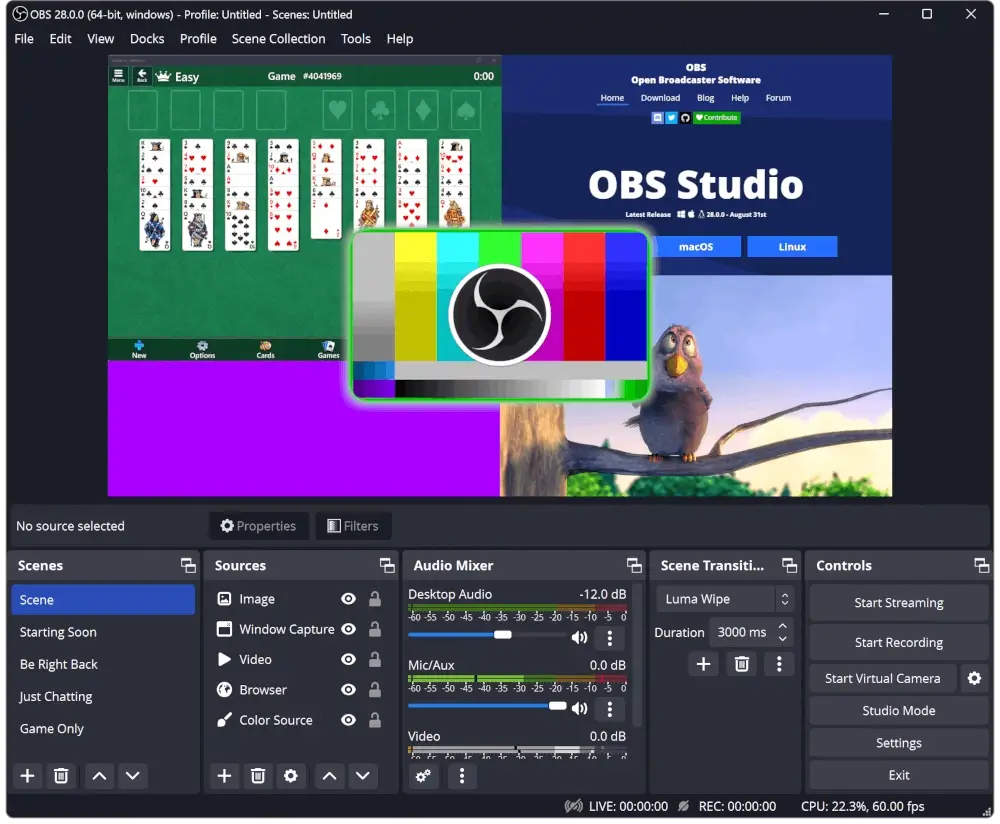
OBS Studio has become the go-to choice for screen recording and live streaming on Linux, as it is powerful, flexible, and trusted by everyone from casual users to professional streamers.
With OBS, you can record your entire desktop or a specific window, capture audio from multiple sources, and even add overlays, webcam feeds, or transitions to your videos.
What makes it stand out is the balance between ease of use and advanced features. Out of the box, it just works for basic recording, but if you want more control, the plugin system lets you extend its functionality almost endlessly.
Whether you’re creating tutorials, streaming on platforms like Twitch and YouTube, or just recording a quick demo for colleagues, OBS Studio is one of those tools that feels indispensable once you start using it.
11. Kazam
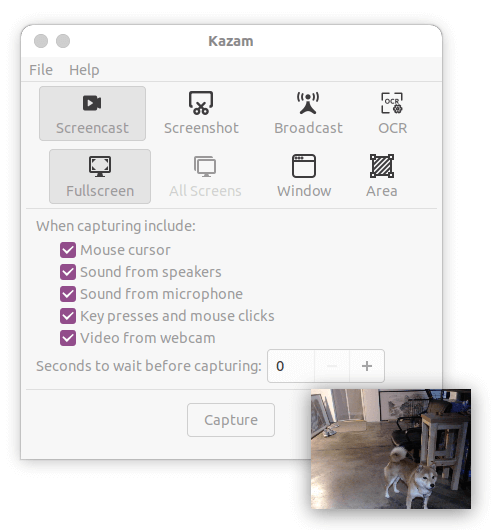
Kazam had a quiet period after development stalled in 2014, but it’s back with a vengeance in the form of Kazam 2.0, which adds some seriously impressive new features while keeping the simplicity that made it popular.
The new version brings OCR (Optical Character Recognition) to extract text from screen recordings, live broadcasting support for platforms like Twitch and YouTube, webcam recording with draggable positioning, and support for both full screen, window, and area recording modes.
What makes Kazam 2.0 particularly useful is its ability to record both screen content and audio simultaneously from any PulseAudio-supported device, giving you everything you need for creating tutorials or capturing demonstrations.
Important Note: Kazam 2.0 works best on Xorg. If you’re running Wayland, you might want to check out OBS Studio or other Wayland-compatible recorders instead.
12. VokoscreenNG
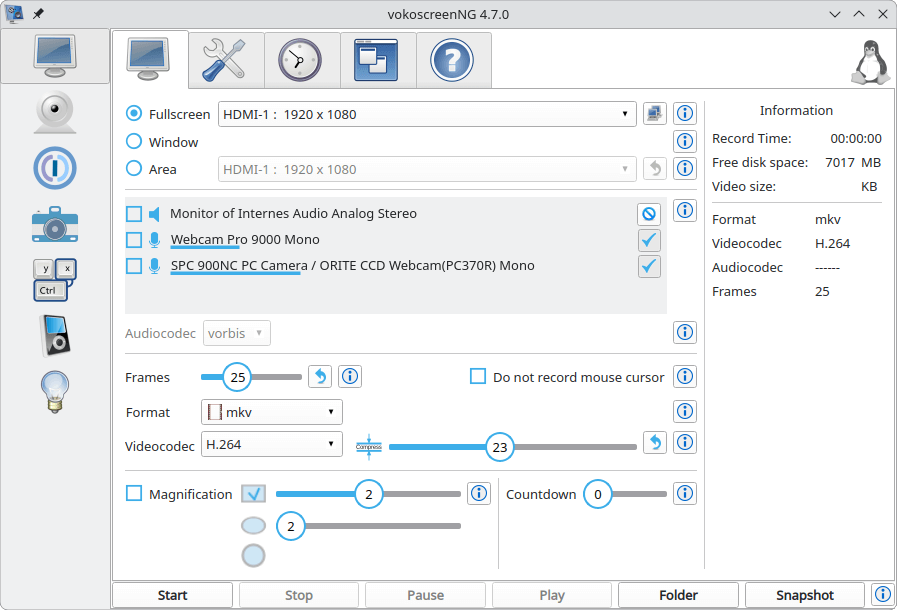
VokoscreenNG offers a few more features than Kazam while still keeping things straightforward, making it a great middle ground for everyday screencasts.
It’s perfect for when you need slightly more control over your recordings without diving into the complexity of OBS Studio, offering options for webcam integration, magnifier effects, and countdown timers.
13. Kooha
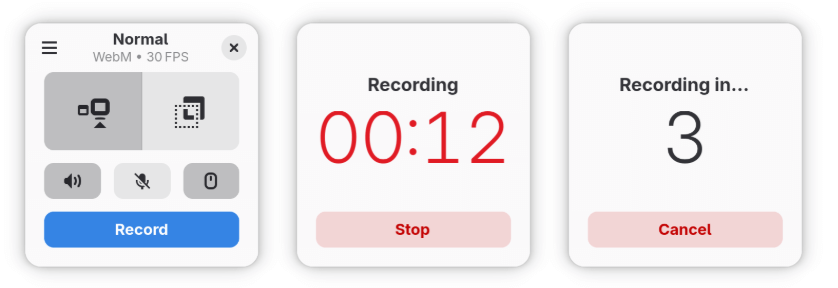
If you’re running Wayland and need something simpler than OBS Studio, Kooha is a lightweight screen recorder designed specifically for modern GNOME desktops.
Built with Wayland support from the ground up, it offers a clean, minimal interface for quick screen recordings without the complexity of OBS.
Just select your area, hit record, and you’re done – perfect for when you need to capture something fast without diving into advanced settings.
14. GIMP
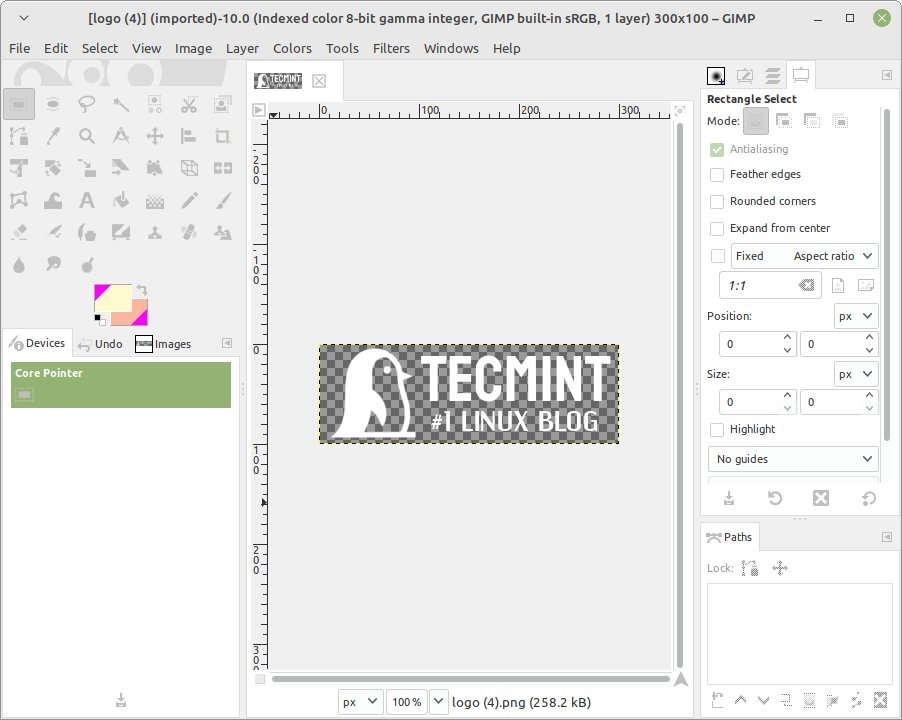
GIMP (GNU Image Manipulation Program) is a multi-platform, free, and open-source photo editing software used for image manipulation and image editing, free-form drawing, transcoding between different image file formats, and more specialized tasks.
In simple terms, GIMP is often seen as the “Photoshop of the Linux world”, which comes packed with powerful tools for retouching photos, creating digital artwork, designing graphics, or even just making quick edits to images.
15. Blender
If you are into game development, video editing, or 3D modeling, I am sure you must have already heard about this tool. If you are considering any of these activities either as a hobby or a career change, and haven’t heard about Blender, it is definitely time to check it out.
As a FOSS solution, it does not come short when compared to commercial tools. On top of it, Blender is cross-platform, which means you can not only run it on Linux but also on macOS and Windows.
Among the standard Blender features, you can find rendering, 3D modeling, digital sculpting, video editing, and simulation tools.

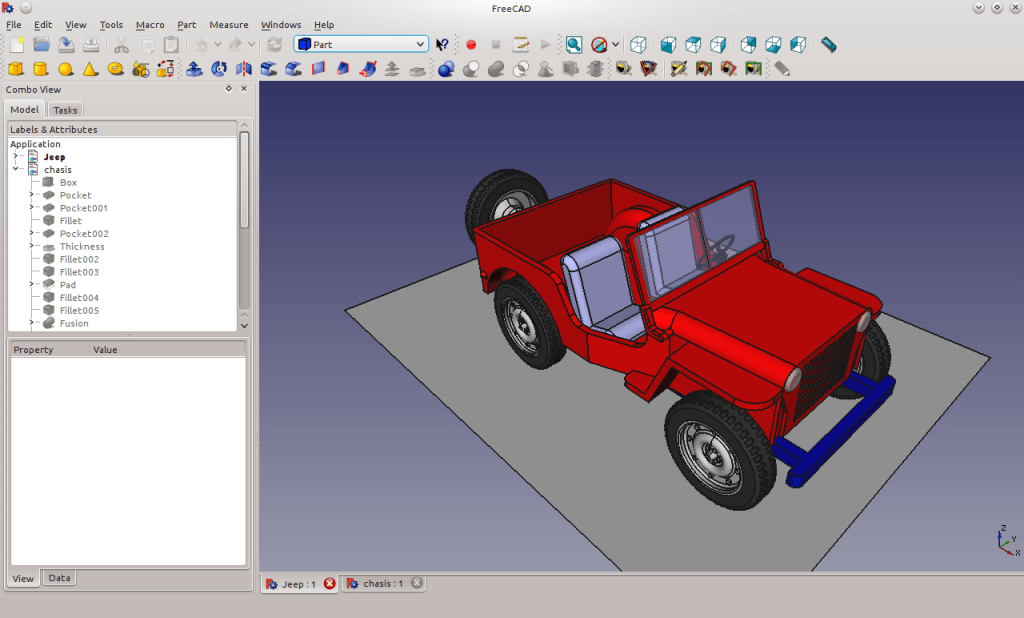
16. FreeCAD
FreeCAD is a general-purpose 3D Computer-Aided Design program fit for use in engineering and architecture. Given the fact that FreeCAD is FOSS, it is easily customizable and extensible through the use of Python scripts.
This means you’re not just limited to what comes out of the box, you can adapt it to your specific workflow, automate repetitive tasks, or even build entirely new features.
Whether you’re sketching mechanical parts, experimenting with product prototypes, or drafting architectural models, FreeCAD gives you professional-grade tools without the hefty licensing costs of commercial CAD software.
Its active community and rich library of plugins make it a powerful choice for both hobbyists and professionals who want complete control over their design environment.
17. Inkscape
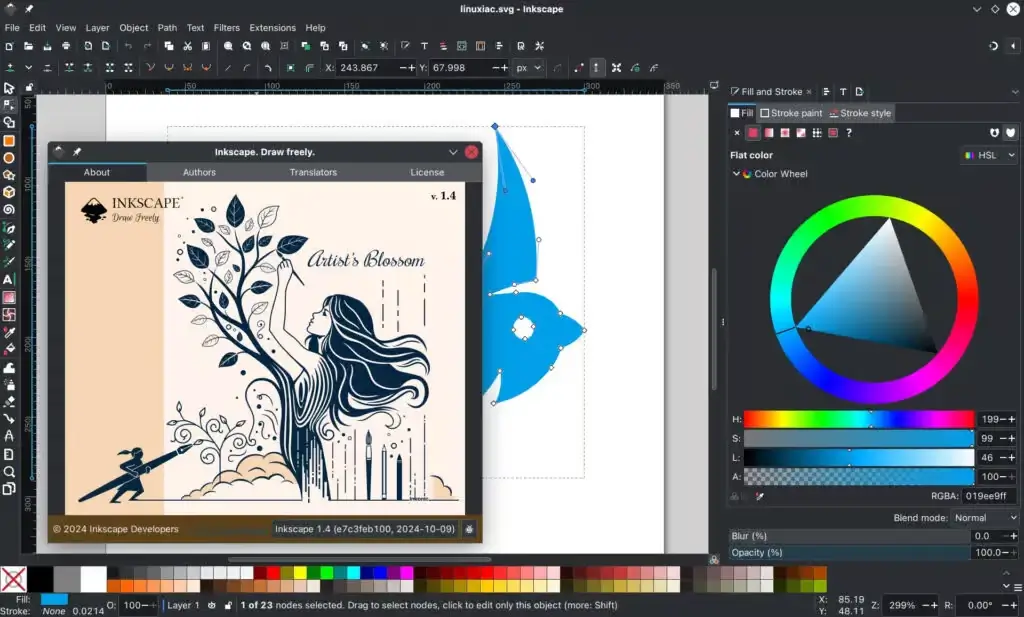
Inkscape is one of the most popular open-source tools for creating and editing vector graphics. If you’ve ever worked with designs that need to scale cleanly without losing quality (like logos, icons, or illustrations), this is the tool you’ll want in your toolkit.
It supports the standard SVG format along with many others, making it highly versatile for both personal and professional design work. Despite being powerful, it remains approachable for beginners and is backed by a strong community that offers tutorials, extensions, and plugins to extend its functionality even further.
18. OpenShot
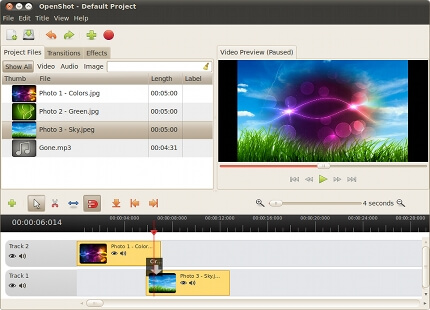
OpenShot is a FOSS video editor for Linux that can help you create “the film you have always dreamed of” (in the words of its developers) with your home videos, pictures, and music files. It also allows you to add subtitles, transition effects, and export the resulting video file to DVD and many other common formats.
On top of that, OpenShot is designed with simplicity in mind, so even beginners can get started quickly without being overwhelmed by advanced features. At the same time, it doesn’t compromise on power — you’ll find support for unlimited tracks, 3D animations, keyframe-based effects, and real-time previews, which makes it flexible enough for more complex projects.
19. Shotcut
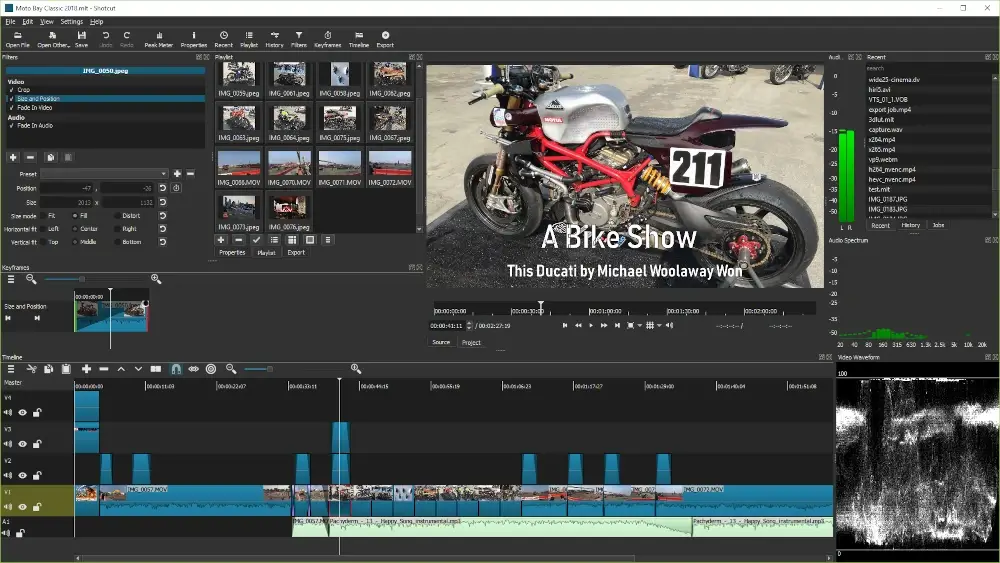
Shotcut is one of the best free and open-source video editors available for Linux today. Unlike some simpler tools, it offers a professional set of features while still being approachable for beginners. You get support for a wide range of video and audio formats, multi-track timeline editing, and advanced tools like color grading, keyframing, transitions, and filters.
What makes Shotcut stand out is that it doesn’t lock you into any proprietary ecosystem — everything is open-source and cross-platform. Whether you’re trimming home videos, editing tutorials, or working on a larger creative project, Shotcut gives you the flexibility to do it all without leaving the Linux world.
20. DVDStyler
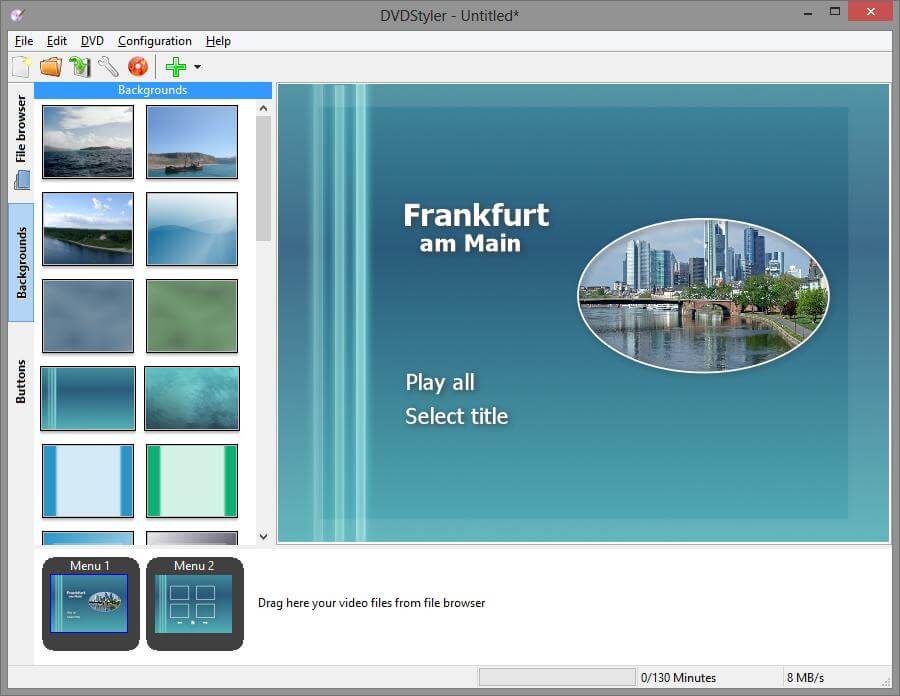
DVDStyler is a cross-platform, FOSS DVD authoring tool that allows you to create nice-looking and professional DVDs with your video and image files.
As such, DVDStyler allows you to create your own interactive menus or choose from the built-in ones, add subtitles and audio files, and use video files in different formats. Additionally, you can create photo slideshows and place graphic objects like buttons, text, images, and so on.
In addition, this awesome tool integrates with your DVD burner to burn the disk from within the same application.
A word about relevance: With optical media like DVDs becoming less common today, DVDStyler serves a niche but still valuable purpose for archival projects, legacy media creation, or situations where physical media is required. While development has slowed (last stable release was 3.2.1 in 2024), the tool remains functional and useful for its intended purpose.
21. VLC Media Player
VLC Media Player is the go-to choice for anyone who wants a reliable, lightweight, and versatile media player that supports virtually every audio and video format out there without needing extra codecs, and it can handle DVDs, network streams, and even 360° videos with ease.
Beyond playback, it also includes features like media conversion, basic editing, and the ability to stream content across your network – all wrapped in a simple interface that “just works”.

22. Audacity
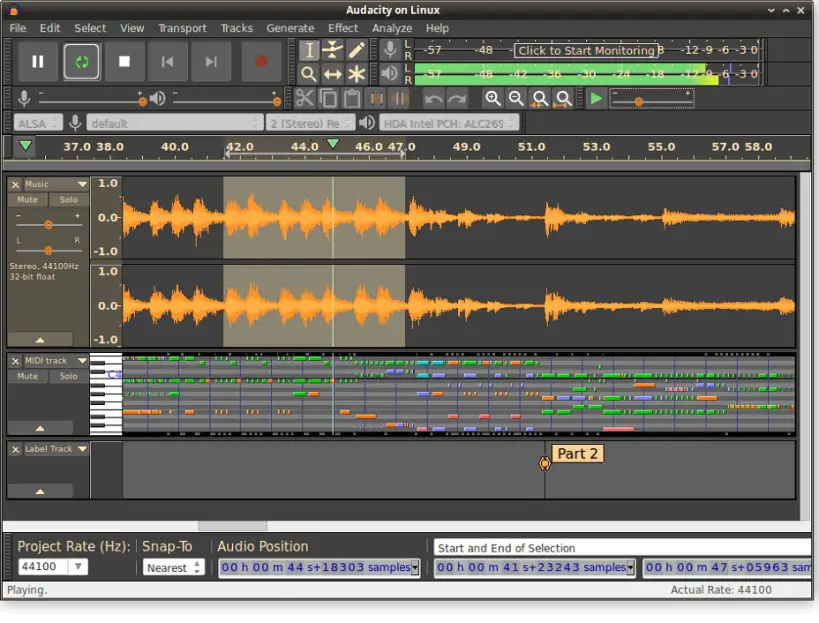
Audacity is an easy-to-use, multi-track audio editor and recorder for podcasters, musicians, and hobbyists who need a reliable tool to record, cut, and mix audio.
With support for plugins, effects, and a wide range of file formats, Audacity makes it simple to clean up recordings, add layers of sound, or produce professional-quality audio projects – all without the need for expensive proprietary software.
23. TuxGuitar
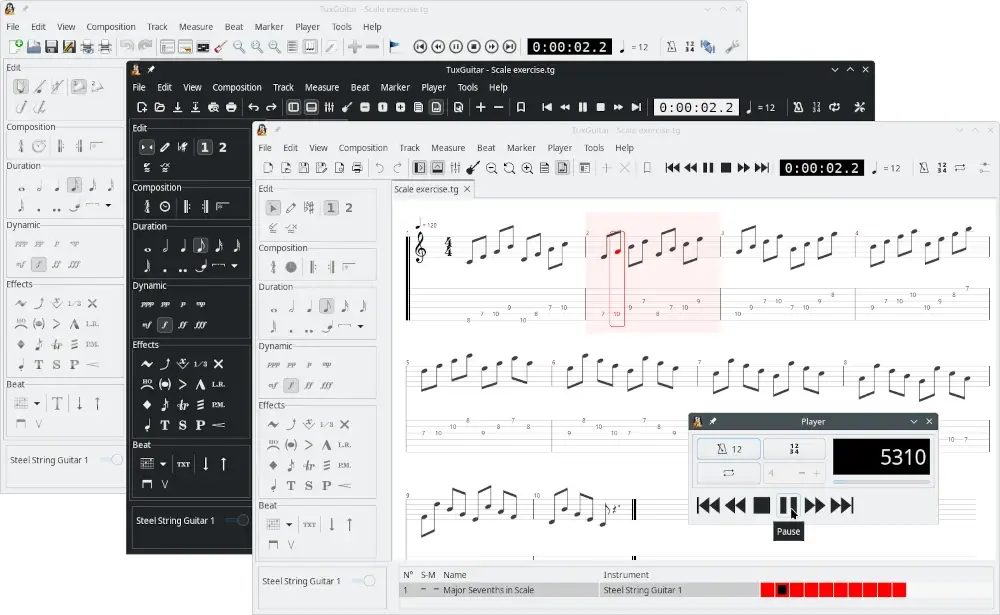
If you’re like me and music (especially the guitar) is one of your passions, you’ll love this TuxGuitar program, which will let you edit and play guitar tablatures like a pro.
With TuxGuitar, you can compose your own songs, practice along with built-in playback, and even import or export Guitar Pro files. It supports multiple tracks, effects, time signatures, and a wide range of instruments, making it more than just a tablature editor.
The project recently got a second wind too – after being rescued by new maintainers in 2023, it’s now actively developed on GitHub with regular updates and improvements, including the recent version 2.0.1 release (December 31, 2025) that modernizes the interface and improves platform compatibility.
24. MuseScore
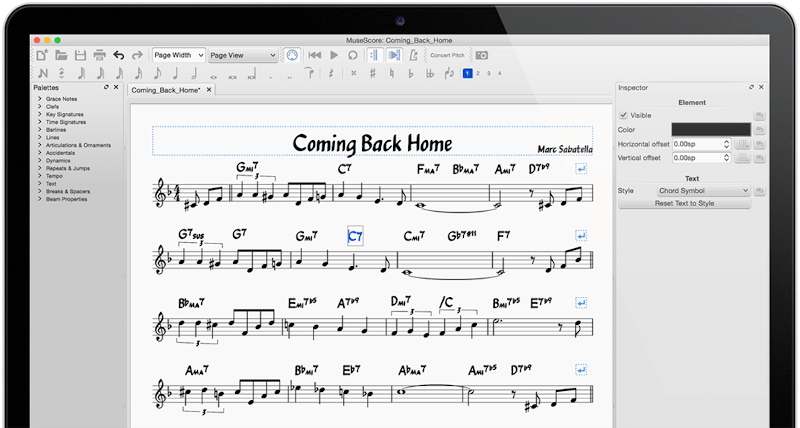
MuseScore is an open-source and free professional music notation application that is used to create, play, and print beautiful sheet music using an easy-to-use, yet powerful interface.
It supports a wide range of instruments, playback features, and export options, making it suitable for both simple practice pieces and full orchestral arrangements. The active community also shares thousands of free scores online, so you can study, play along, or get inspired by the work of others.
25. Celestia
Because even system administrators and developers need a little distraction, you can use Celestia (a free 3D astronomy program) to navigate the universe.
Celestia serves as a 3D planetarium that seamlessly simulates various celestial objects whose position and movement are calculated accurately in real-time. It also comes with a large database of stars, galaxies, planets, asteroids, comets, and other celestial bodies.
As opposed to other planetarium software, Celestia allows you to travel throughout the solar system and the galaxy, not just the surface of the Earth. To infinity and beyond!

26. FlightGear
FlightGear is an awesome open-source flight simulator that goes far beyond just being a game. It provides a fully open and realistic flight simulation environment that can be used for experiments, academic research, pilot training, or industrial engineering projects.
It’s also perfect for DIY enthusiasts who enjoy building and experimenting with their own flight designs. And, of course, it’s incredibly fun and challenging as a desktop flight simulator on Linux, offering hours of practical and exciting aviation experiences.

Developer Tools
From versatile code editors to browser-based IDEs and powerful GUI toolkits, these programs help you write, test, and deploy code more efficiently.
27. Visual Studio Code
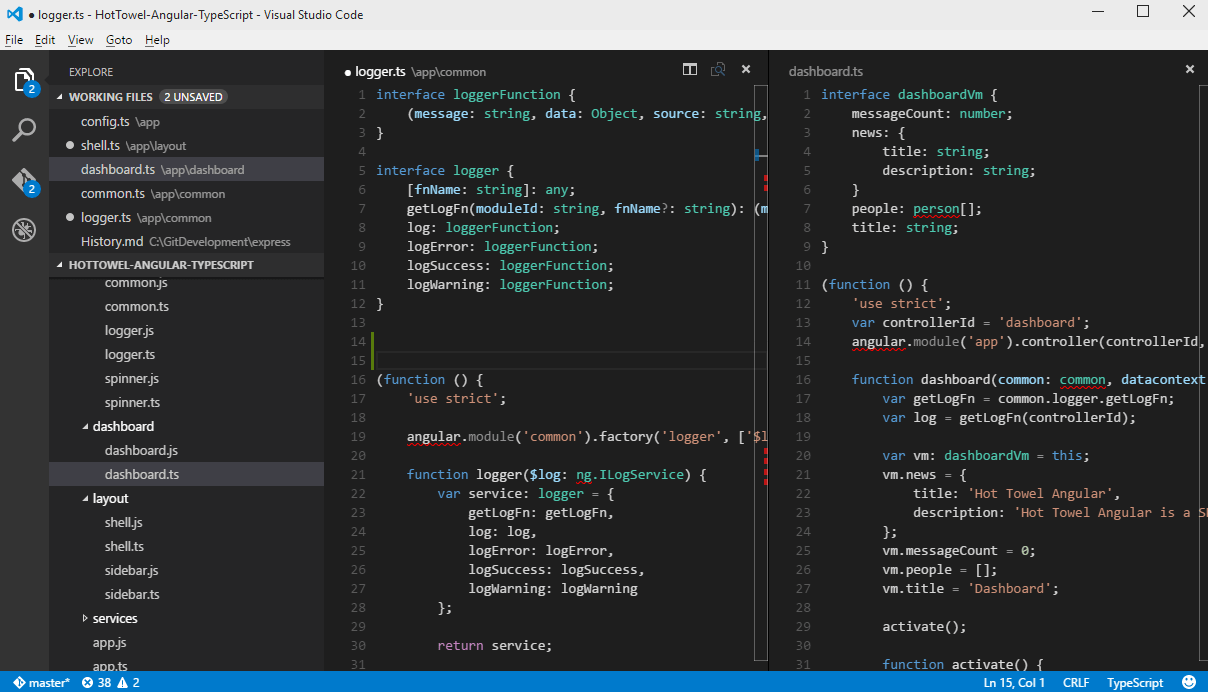
Visual Studio Code is a free source code editor developed by Microsoft that has reached a significant level of popularity among web and cloud developers who are also Linux users since it provides a nice programming environment out of the box that supports extensions to add functionality.
What makes it especially appealing is its flexibility, where you can customize it to fit almost any programming workflow, add themes, integrate with Git, debug code, and even run terminal commands directly inside the editor.
28. CodeMirror
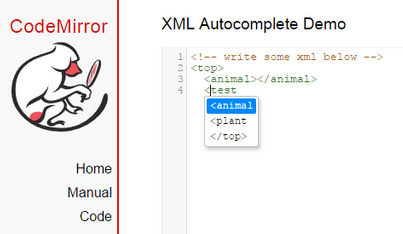
CodeMirror is a highly versatile JavaScript-based text editor that runs directly in your web browser, which comes with syntax highlighting for over 100 programming languages and offers a robust API that makes it easy to customize and extend.
If you manage a website, blog, or online coding platform that provides programming tutorials, CodeMirror can be an invaluable tool, making code examples interactive, readable, and easier for your audience to follow.
29. Fyne
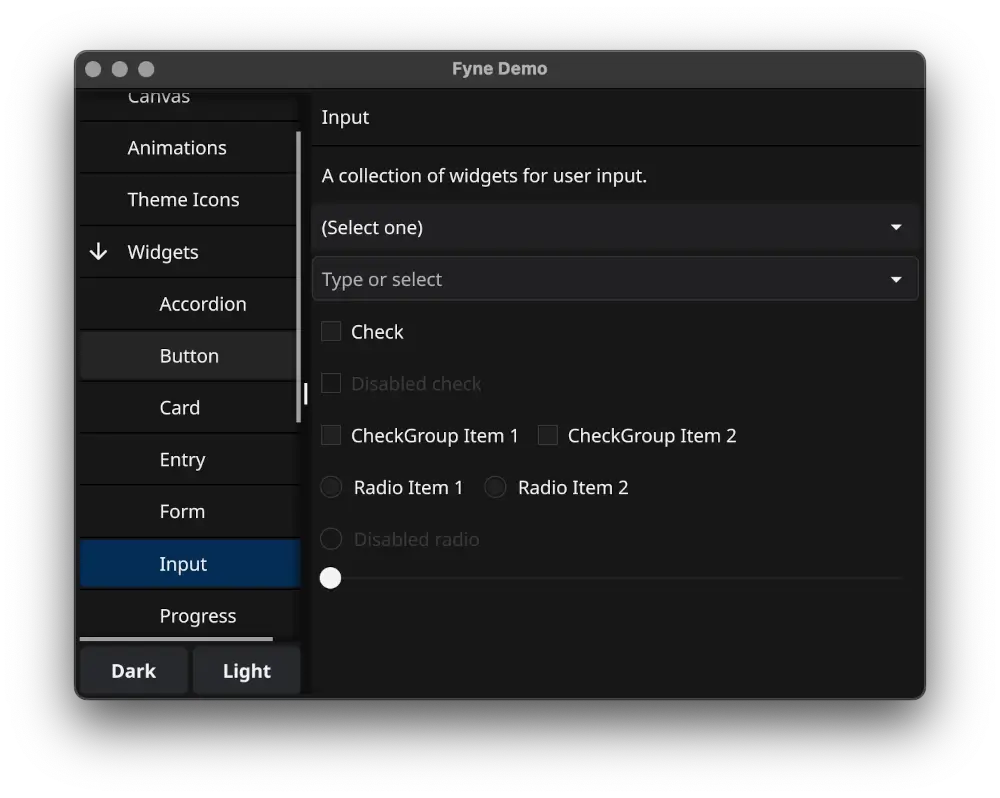
Fyne is a modern, open-source GUI toolkit for the Go programming language that lets you build cross-platform desktop and mobile applications with ease.
Whether you’re creating a simple utility or a full-featured app, Fyne provides a clean and consistent interface, making it easier for developers to focus on functionality without worrying about complex platform-specific quirks.
Its active community and continuous updates ensure that it stays relevant and reliable for Linux users and developers alike.
AI & Machine Learning Tools
30. Gemini CLI
Gemini CLI is a free, open-source command-line tool that brings the power of Google’s Gemini AI directly into your terminal for a wide range of tasks: writing or debugging code, generating documentation, automating repetitive tasks, or even creating content — all without leaving your shell.
What makes it truly exciting is how it integrates seamlessly into your workflow: no heavy GUI, no distractions, just pure productivity right from the terminal.

31. Ollama
If you’ve been curious about running ChatGPT-like models on your own computer, Ollama is where you should start – it is a command-line tool that makes downloading and running large language models (LLMs).
What I love about Ollama is how straightforward it is for running models like Llama, Mistral, Gemma, and Qwen locally without any cloud dependency.
It provides an OpenAI-compatible API, which means you can use it as a drop-in replacement for ChatGPT in your applications while keeping everything private and offline.
The tool handles all the complexity of model management, memory optimization, and GPU acceleration automatically, so you can focus on actually using the AI rather than fighting with configuration files.
32. Jan
Jan is an open-source alternative to ChatGPT that runs entirely on your computer, which gives you a polished desktop application for chatting with AI models without sending your data to the cloud.
What makes Jan stand out is its beautiful, user-friendly interface that feels just like using ChatGPT, but everything runs locally. It supports a wide range of models, integrates with Ollama and other backends, and even works with remote APIs if you need them.
For anyone who wants the convenience of a ChatGPT-like experience but values privacy and offline access, Jan provides exactly that in a well-designed package that works on Linux, Windows, and macOS.
33. GPT4All
GPT4All is specifically designed for privacy-conscious users who want to run AI models completely offline, and it comes with a standout feature called LocalDocs that lets you chat with your own documents privately.
The application includes over 50 compatible models curated for different use cases, from general conversation to coding assistance. What’s particularly impressive is how accessible it is for non-technical users, with a clean interface and minimal setup required.
If you work with sensitive documents or just want an AI assistant that never sends your data anywhere, GPT4All delivers a reliable, fully offline experience that runs on standard consumer hardware.
34. OpenWebUI
For those who prefer web interfaces or want to set up AI for multiple users, OpenWebUI provides a feature-rich web application that works with Ollama and other local LLM backends.
It offers a ChatGPT-like interface accessible through your browser, with support for multiple users, conversation history, document upload, and even RAG (Retrieval-Augmented Generation) capabilities.
Whether you’re setting up AI for a small team or just want a more visual way to interact with your local models, OpenWebUI gives you enterprise-grade features without the enterprise price tag.
Networking, Security & Monitoring
From secure remote access and encrypted communications to network monitoring and intrusion detection, this category covers the software that protects your data, simplifies administration, and gives you peace of mind.
35. Jitsi
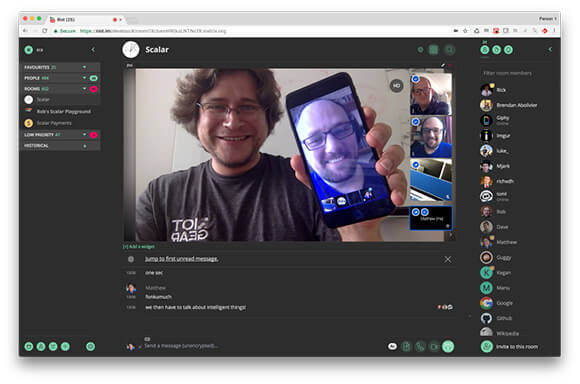
Jitsi is a free and open-source audio/video conferencing and instant messaging platform for Windows, Linux, macOS, iOS, and Android.
It provides complete encryption with support for protocols such as SIP, XMPP/Jabber, AIM/ICQ, IRC, Windows Live Messenger, Yahoo!, Google Hangouts extensions, as well as OTR, ZRTP, etc.
36. qBittorrent
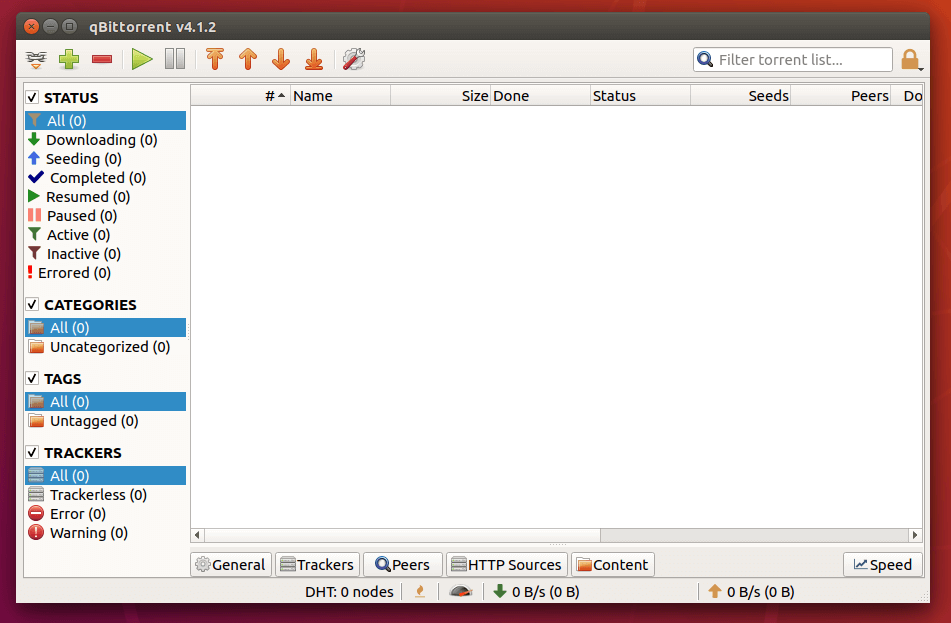
qBittorrent is a free and open-source BitTorrent client that helps users to download and share files over the network in a decentralized manner.
It allows users to connect to peers and seeders to download and upload files efficiently by connecting to a swarm of other users who are sharing the same file. It uses the BitTorrent protocol, which breaks files into smaller parts and allows users to download those parts from multiple sources simultaneously.
37. FreeRDP
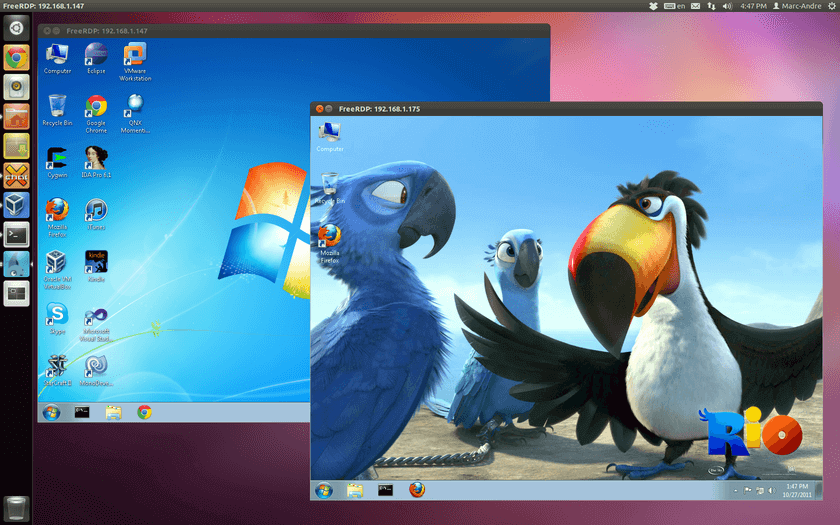
If your system administration tasks include managing Windows servers via Remote Desktop Protocol (RDP), FreeRDP is a tool that you will want to try out.
It is described by its developers as an RDP client for Windows Terminal Services. The project is hosted on GitHub and released under the Apache license, so you are welcome to collaborate with it if you wish.
38. Security Onion
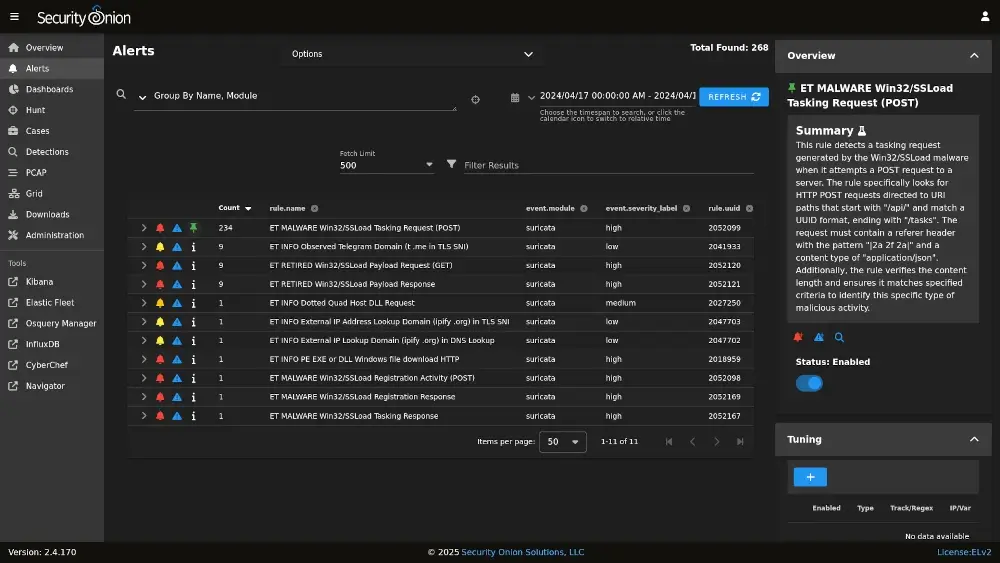
Security Onion is a Linux distribution designed specifically for network security monitoring, intrusion detection, and threat hunting for a small business network, or a large enterprise.
It comes preloaded with powerful open-source tools for capturing network traffic, analyzing logs, and visualizing alerts, all in a single platform.
What makes it particularly useful is that it’s fully open-source and regularly updated, so you can build a professional-grade security setup without relying on expensive commercial solutions.
For anyone interested in security, system monitoring, or learning more about real-world cyber threats, Security Onion is an invaluable addition to your Linux toolbox.
39. OpenNMS
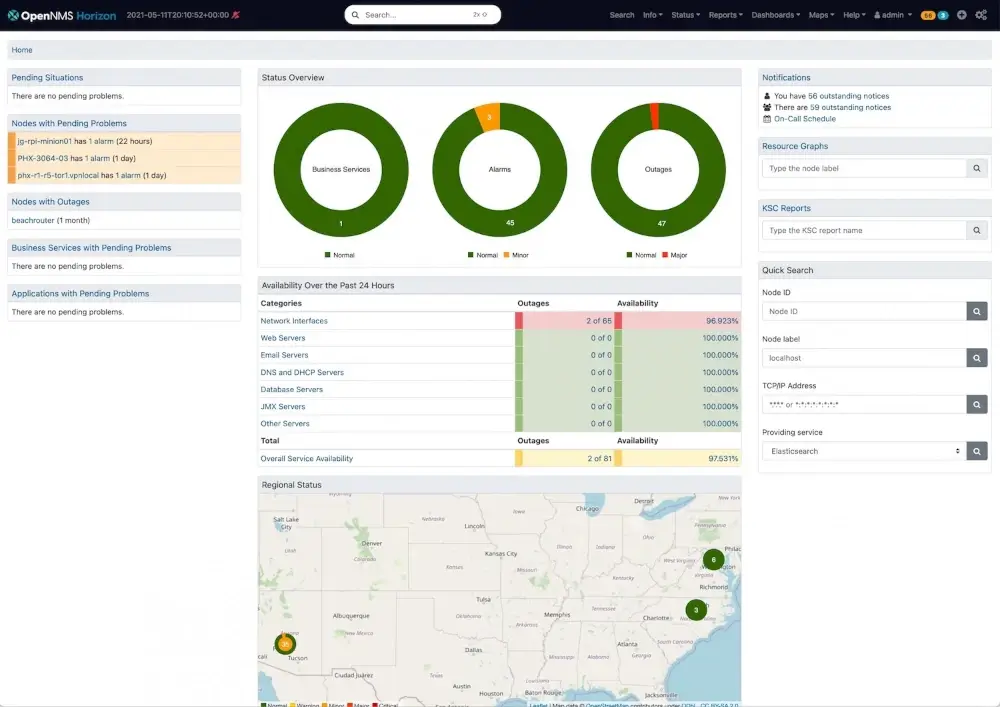
If you manage a network with multiple devices, servers, or services, OpenNMS is a lifesaver, as it is a free and open-source enterprise-grade network monitoring platform that helps you keep track of everything from uptime and performance to network health and alerts.
What I love about it is that it scales beautifully for monitoring a handful of servers or a massive infrastructure. OpenNMS adapts without breaking a sweat. It also supports automated discovery, performance data collection, and customizable alerts, which means you can proactively prevent issues before they impact users.
For anyone running medium to large networks, this tool is like having a full-time network operations team built into your Linux environment.
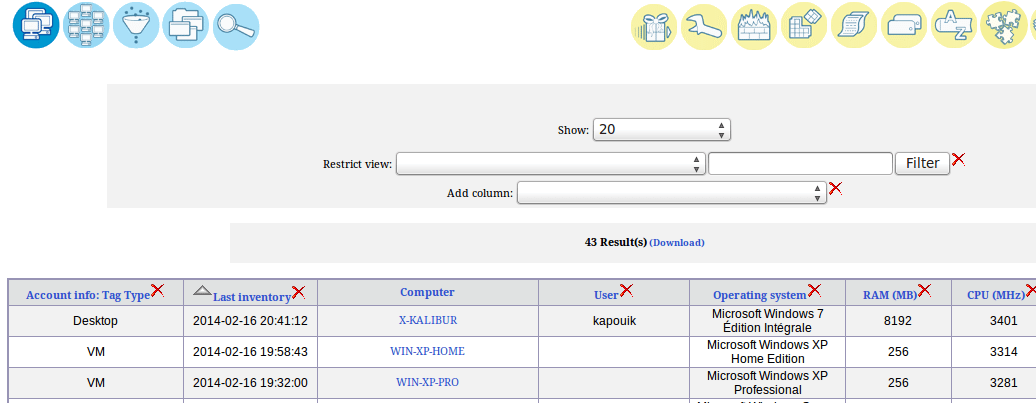
40. OCS Inventory NG
Open Computer and Software Inventory Next Generation, or OCS Inventory NG for short, is a lightweight web application that can help network and system administrators to keep track of 1) all the devices connected to the network, and 2) machine configuration and software installed in them.
The project’s website (listed below) has a fully functional demo in case you want to check it out before attempting to actually install the program. In addition, OCS Inventory NG relies on well-known technologies like Apache and MySQL / MariaDB, making it a robust program.
41. GLPI
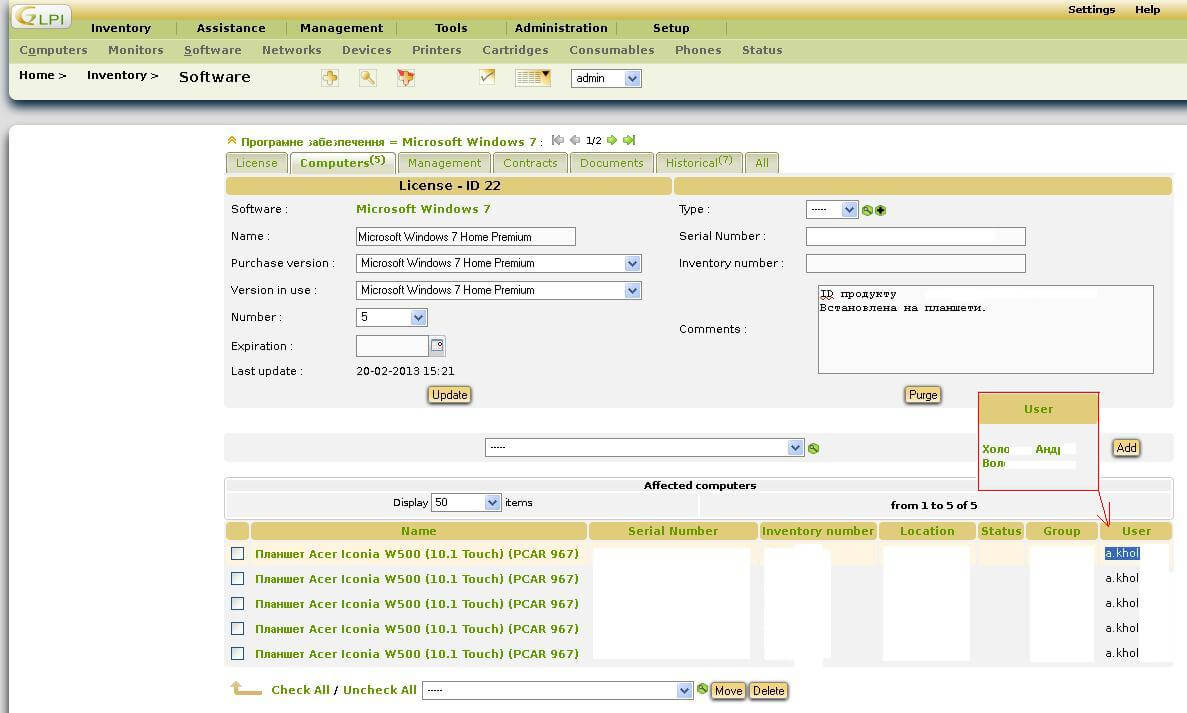
Often used alongside OCS Inventory NG, GLPI is a powerful, multilingual IT asset management tool that helps you keep a complete inventory of your network devices and systems.
Beyond simply cataloging hardware and software, GLPI also comes with a built-in job tracking system, complete with email notifications to keep your team updated on tasks and issues.
Some of its standout features include:
- Track all past maintenance or support actions for any device.
- Manage and validate solutions for IT issues efficiently.
- Gather feedback from users to improve IT services.
- Easily generate reports in PDF, spreadsheet, or image formats for analysis or sharing.
We’ve previously covered the installation process in detail here: Install GLPI IT and Asset Management Tool in Linux, so you can get started quickly without missing a step.
Cloud & Storage
From self-hosted solutions like Nextcloud to encrypted storage services like Internxt, and media streaming with Ampache, this category ensures that your files are always accessible, organized, and under your control.
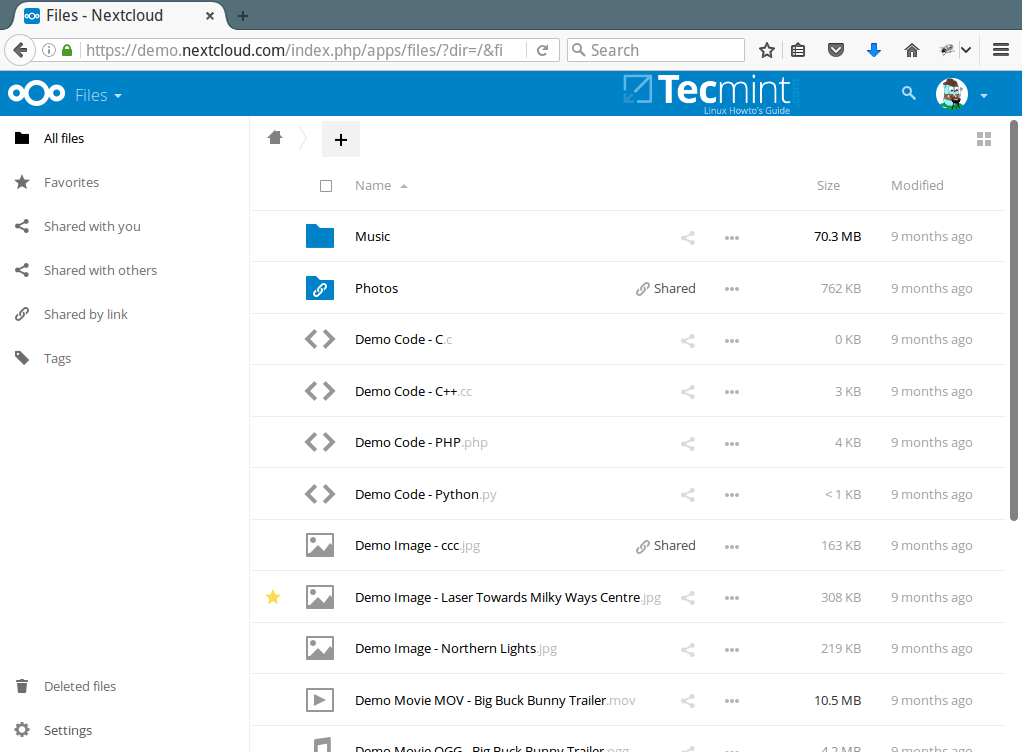
42. NextCloud
Described as “a safe home for all your data”, NextCloud was started as a separate project by one of its ownCloud’s first collaborators.
Although it raised a few sparks between him and the ownCloud community, NextCloud seems to be here to stay and compete with ownCloud as a private cloud solution to access and share your files, calendars, contacts, and office documents.
Using dozens of third-party apps available on the official App Store, you can equip your Nexcloud instance with new features and turn it into a powerful collaborative environment that cares with respect to your personal data.
43. Owncloud
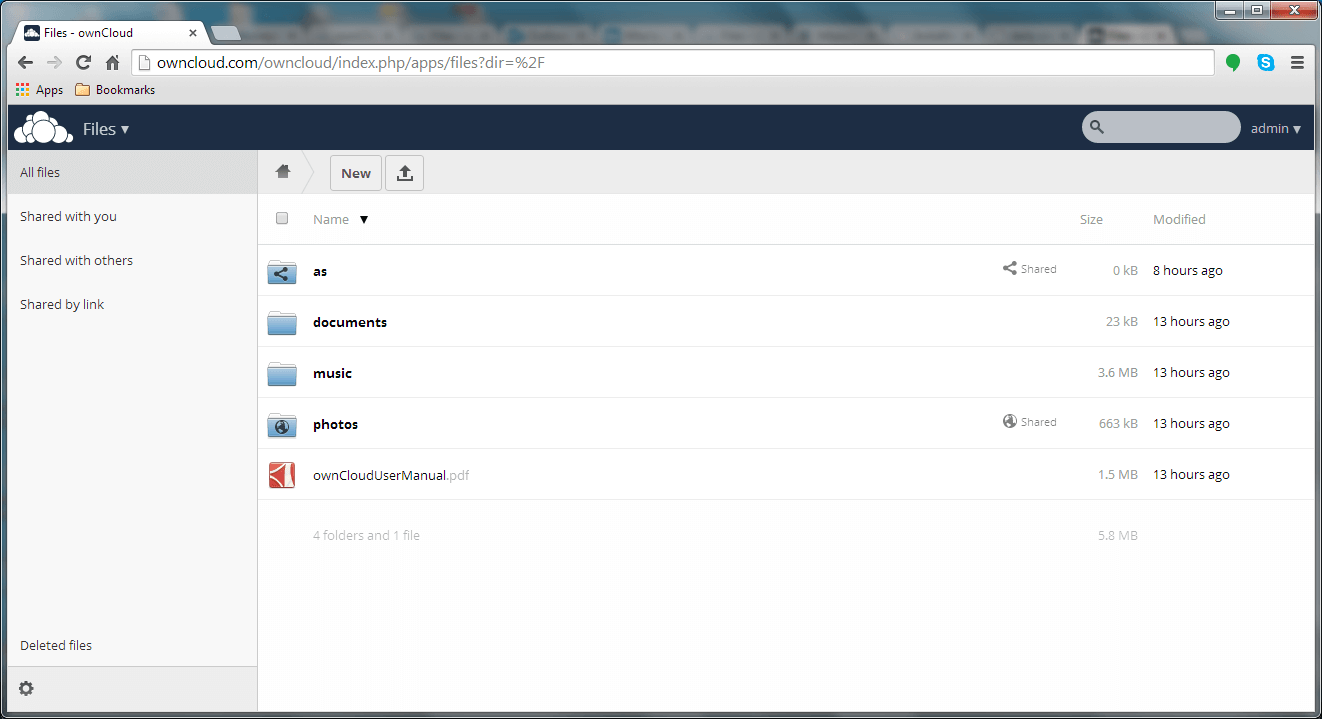
Although not a new kid on the block in any way, I chose to include OwnCloud in this review due to its importance. As an alternative to commercial Dropbox, security and privacy are achieved without much hassle, and allow you to easily set up a customized cloud storage and file-sharing solution.
We already covered the installation of Owncloud in-depth here: Create Personal/Private Cloud Storage Solution in Linux
44. Internxt – Secure Cloud Storage
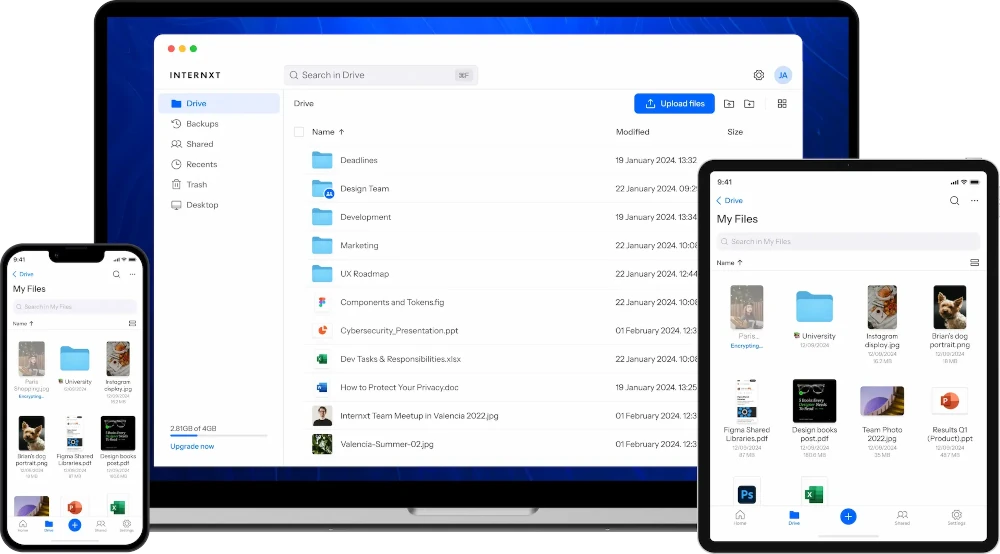
Internxt is a secure cloud storage solution built using open-source software. Internxt Drive is a free and private cloud storage platform that allows users to share and collaborate on files securely.
Internxt guarantees file security with end-to-end encryption. For maximum security, it encrypts your files directly on your device before they are transmitted to the internet, and you can share and collaborate with teams using advanced file-sharing features.
All tecmint readers can get 70% off on all Internxt lifetime plans. However, the company often has higher sales onsite that you can keep an eye on.
45. Ampache
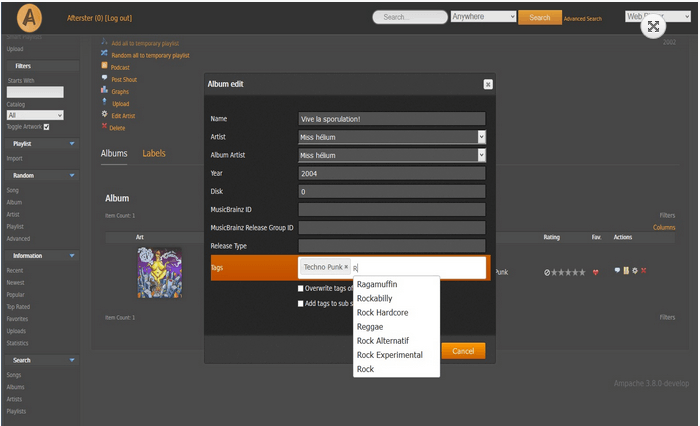
With Ampache, you can set up your own home media center or online audio and video streaming application and access it from anywhere with an Internet connection.
Although it is designed as a personal application, Ampache allows for public registration if an administrator chooses to enable that feature.
Productivity & Office
From full office suites that rival Microsoft Office to lightweight to-do managers and email clients, this collection of software helps you handle professional work, personal projects, and everything in between — all without leaving the open-source ecosystem.
46. ONLYOFFICE
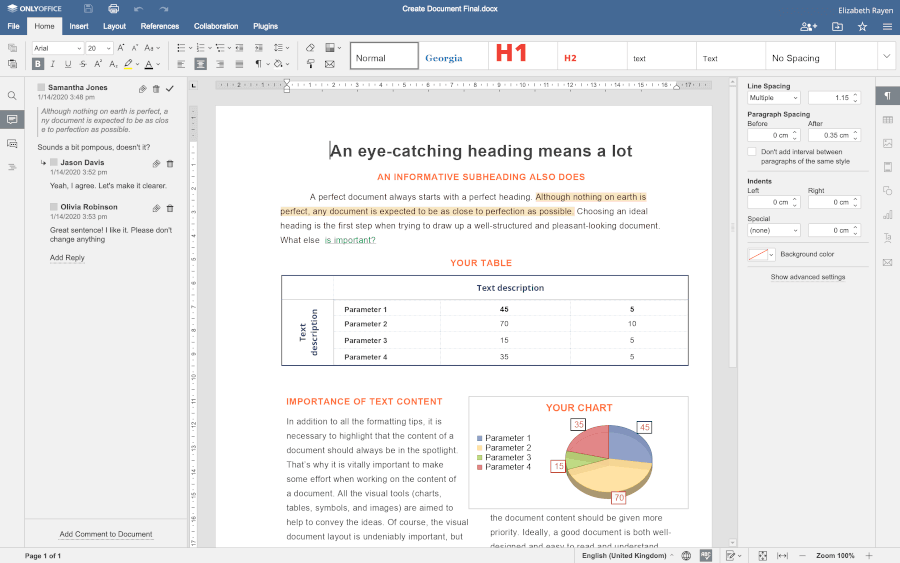
Many Linux users have been lacking a decent Microsoft Office alternative for years. From my point of view, one of the best replacements for the MS Office suite is ONLYOFFICE, an open-source project that revolves around office software and productivity tools.
ONLYOFFICE offers a self-hosted office suite called Docs and a free desktop editor for Linux, Windows, and macOS. Both online and desktop editors are based on the same engine and allow you to create and collaborate on documents, presentations, spreadsheets, and fillable forms in real-time.
The ONLYOFFICE suite is fully compatible with DOCX, XLXS, and PPTX files and also makes it possible to open and view PDF and DjVu files. Conversion to DOCX is available, too.
ONLYOFFICE comes with integration apps for the most popular file-sharing and document management platforms, so you can embed the online editors to enable document editing and real-time co-authoring within Nextcloud, ownCloud, Moodle, WordPress, Seafile, etc.
47. Thunderbird
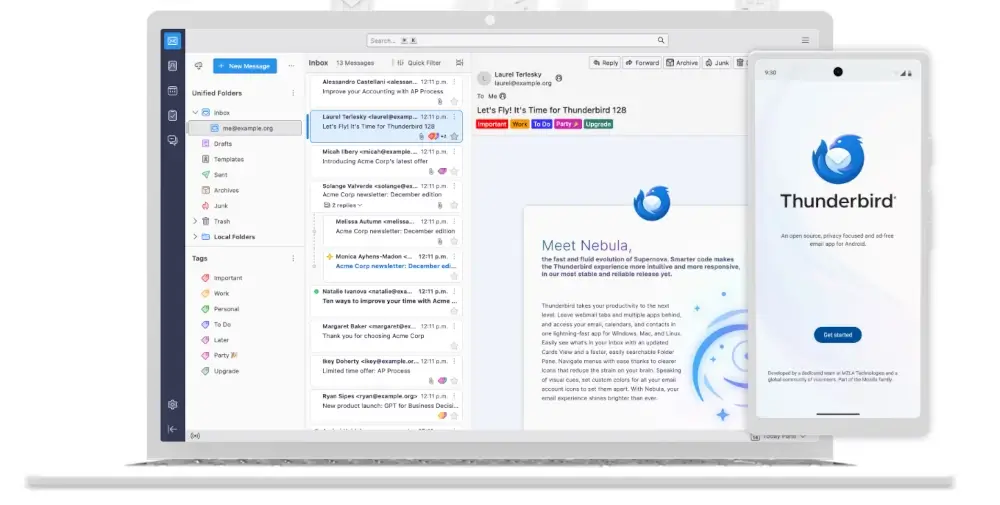
Thunderbird is an open-source email client that brings all your messages, calendars, and contacts into a single, easy-to-use interface.
It supports all the popular email services like Gmail, Outlook, and Yahoo, while giving you powerful features like message filtering, search, and encryption. For Linux users, it’s a reliable, well-maintained alternative to commercial email clients that just works out of the box.
48. Mailspring
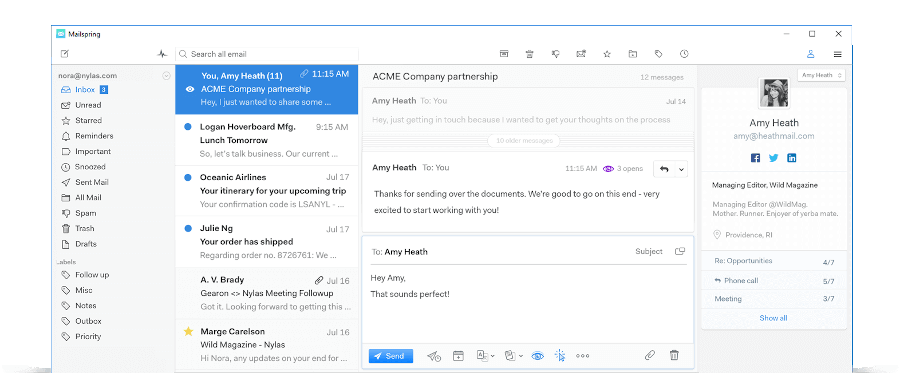
When it comes to email management, one of my favorite tools is Mailspring, which is an open-source and cross-platform email client that allows you to create a single inbox for all your email accounts.
Mailspring is compatible with all popular email providers, including Gmail, Outlook, iCloud, Office 365, Yahoo!, etc., and supports IMAP/SMTP.
The Mailspring user interface is visually pleasing and there are a few beautiful themes. It also comes with a signature editor that allows you to create custom signatures, even with images and links to social media, which looks great.
49. OpenTodoList
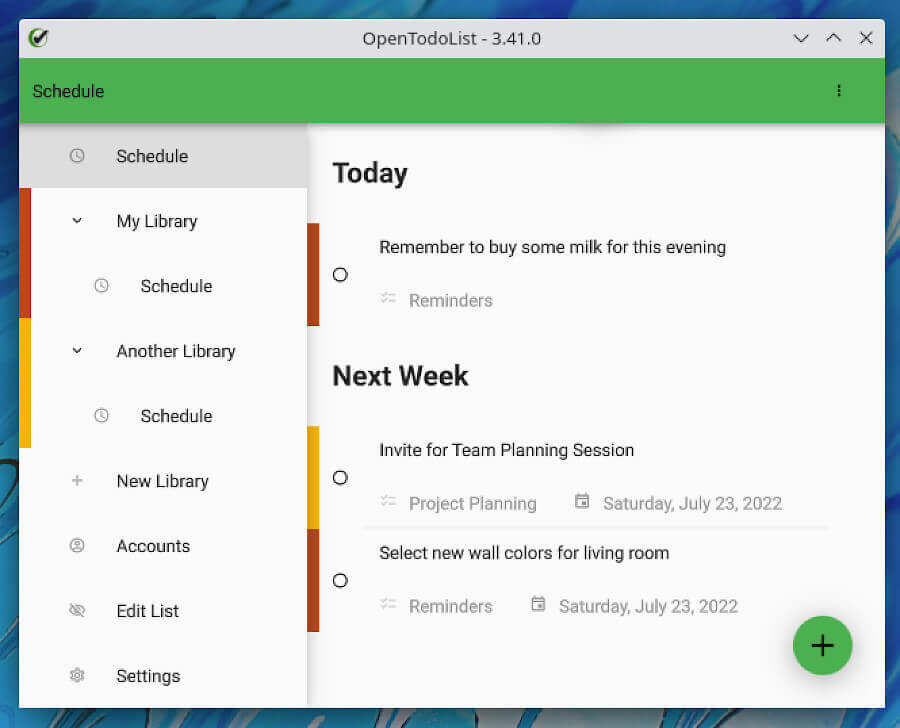
If you work on several projects and have a lot of tasks to do at a time, you definitely need to try OpenTodoList, which is a simple note-taking application that allows you to stay organized.
With this tool, your information is organized in libraries. A library can contain to-do lists, notes, and images that are stored locally.
More importantly, you can synchronize your information with NextCloud, ownCloud, other WebDAV services, or any third-party synchronization tool of your choice. OpenTodoList lets you keep track of your tasks and enhance your productivity in a simple way.
50. GNUCash
If you have been using a spreadsheet to keep track of your personal, family, or business finances, it may be time to try a more suitable solution, such as GNUCash.
This FOSS accounting software allows you to keep an eye on your bank accounts, expenses, and income, and to create custom, complete reports with this data. Its user-friendly interface is a plus to the solid accounting principles GNUCash uses under the hood.
The official website includes an exhaustive FAQ section, the application Manual, and a Tutorial guide. With these materials, learning how to use GNUCash will be a play in the park. On top of that, you can subscribe to the mailing lists in case you need help or run into any problems with GNUCash.
Like many other open-source projects, GnuCash is entirely developed, maintained, and translated by volunteers and enthusiasts.

51. LogicalDOC
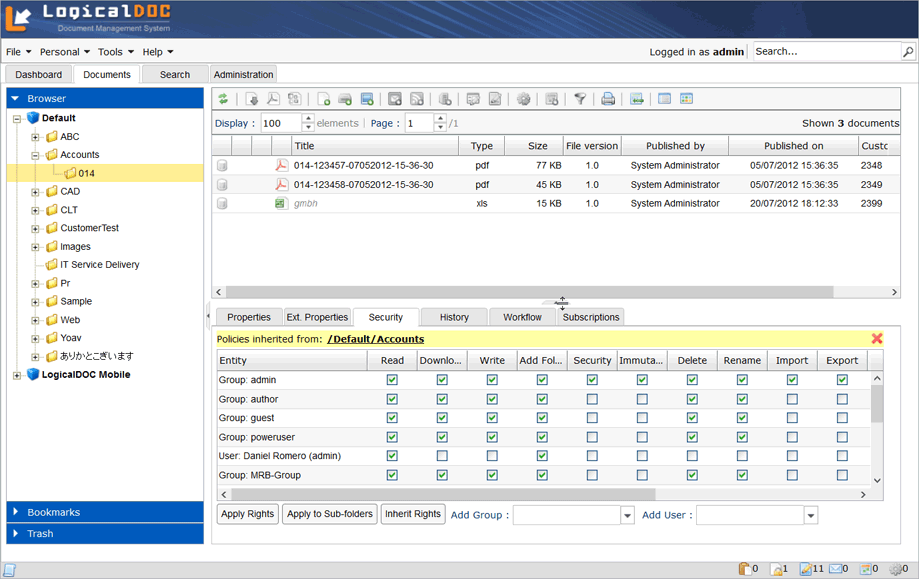
Both available as Enterprise (paid) and Community editions, LogicalDOC is an award-winning, web-based Document Management System (DMS). As such, it aims to provide a high-quality method for sharing business documents and records in a low-cost and secure way.
Additionally, LogicalDOC allows you to control access to these resources via security roles, and to easily track changes through version control. LogicalDOC can be installed both on a single computer in standalone mode, on a dedicated server as a shared service, or as a Software as a Service (SaaS) solution.
LogicalDOC comes with features for content processing and information management that are more suitable for enterprises and businesses, but it’s also great for personal use.
52. Jaspersoft Studio
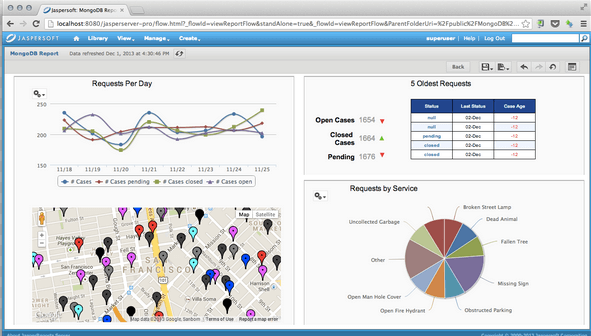
Jaspersoft Studio is a report designer program that allows you to create simple and sophisticated reports, as well as charts, tabs, tables (and everything you can expect to see in a world-class report), and export them to a wide variety of formats (with PDF perhaps being the most common).
With Q&A forums and User groups, plus several samples and examples, the community website is a great resource for help to master this versatile program.
53. GNU Health
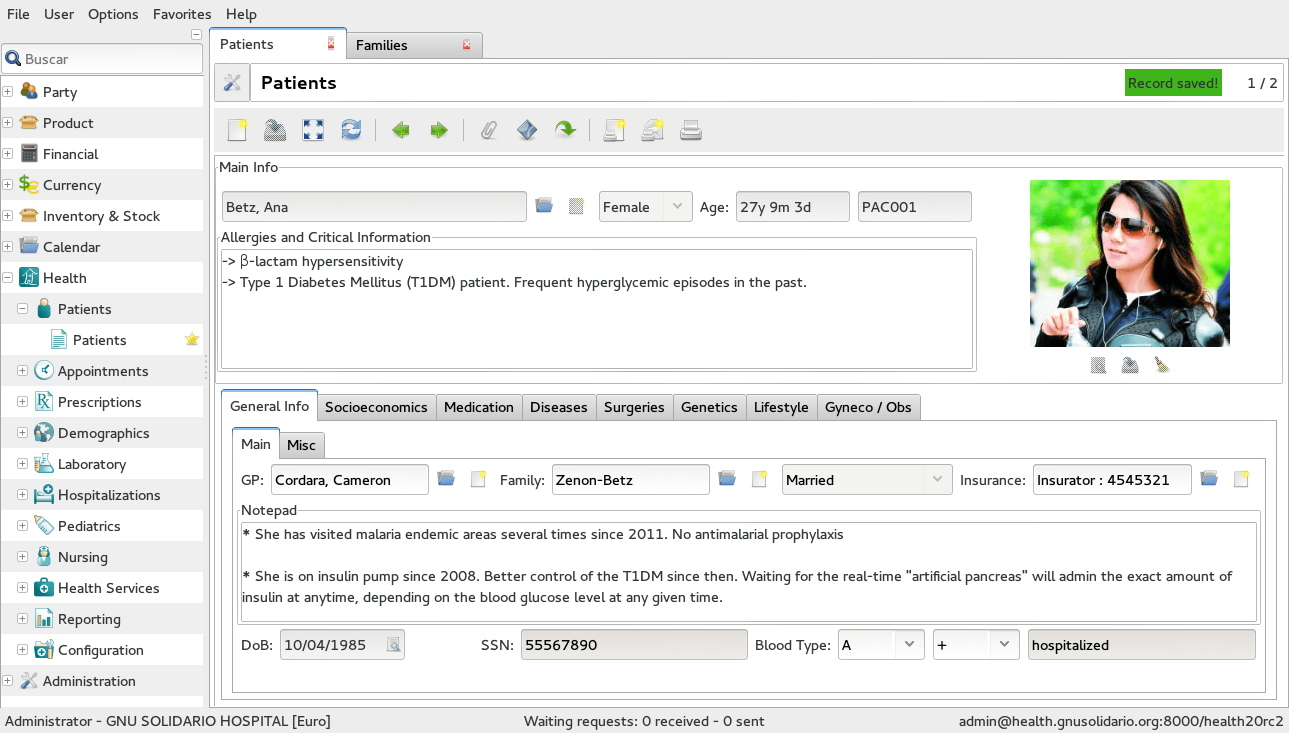
GNU Health is a free, extremely scalable Health and Hospital Information Platform, which is used by health professionals across the world to enhance the lives of the underprivileged, offering a free technique that optimizes health promotion and disease prevention.
54. Cherrytree
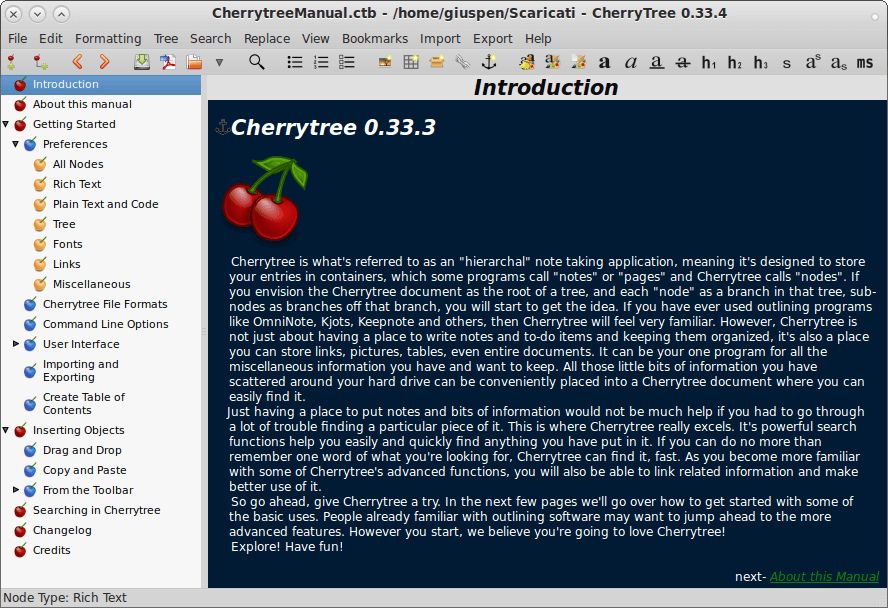
Cherrytree is a free and open-source hierarchical note-taking program that comes with rich text formatting, syntax highlighting, and advanced customization options. Its advanced search feature enables you to search files across the file tree irrespective of their path.
It comes with keyboard shortcuts, importing and exporting notes, syncing with cloud platforms like Dropbox, and password security to keep your notes secure.
55. Timeshift
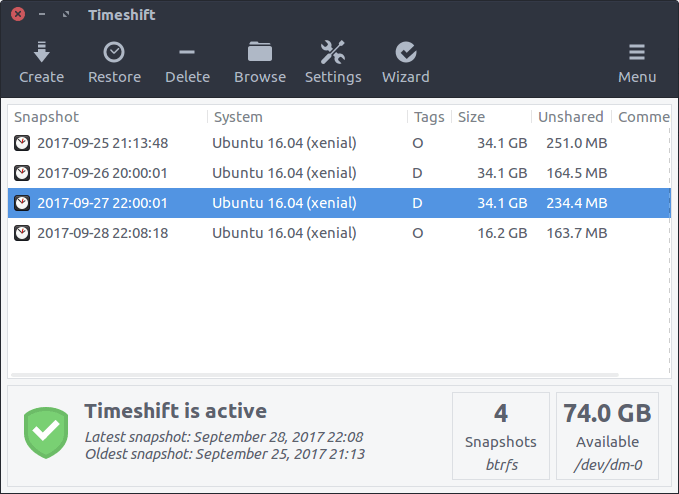
Timeshift is a system backup and restore tool that works like Windows System Restore or macOS Time Machine, protecting your Linux system by taking incremental snapshots that you can restore if something goes wrong.
What makes Timeshift invaluable is its ability to save you from broken updates, misconfigured settings, or failed installations – you can simply restore to a previous working state with a few clicks.
It supports both RSYNC (works on any filesystem) and BTRFS modes, offers scheduled automatic snapshots (hourly, daily, weekly, monthly), and can even restore your system from a live USB if it won’t boot.
Importantly, Timeshift focuses only on system files and settings, excluding your personal documents and files by design, which means when you restore a snapshot, your music, photos, and documents remain untouched.
Databases & Backend
From flexible document-oriented databases to high-performance computing toolkits, these programs give you the building blocks to power applications, handle large datasets, and maintain backend infrastructure without relying on proprietary solutions.
56. DocumentDB
If you’re a developer or someone who manages data regularly, DocumentDB is an open-source database that combines the flexibility of NoSQL with the reliability of PostgreSQL, letting you store and query documents without giving up structure or consistency.
Whether you’re building web applications, handling JSON data, or experimenting with modern database designs, DocumentDB provides a robust, scalable, and fully open-source solution that fits naturally into any Linux environment.
I’ve found it especially handy when I need a database that’s versatile, fast, and doesn’t lock me into proprietary systems.
57. OpenHPC
OpenHPC is a collection of open-source tools and libraries that make it easier to build and manage high-performance computing (HPC) clusters on Linux.
OpenHPC provides pre-packaged software stacks, configuration tools, and best practices so you don’t have to start from scratch. It’s designed to save time, reduce setup headaches, and make HPC more accessible for both organizations and enthusiasts who want to experiment with cluster computing on Linux.
Project Management & Collaboration
From running your own wiki and tracking bugs to managing tasks and point-of-sale systems, these programs help you coordinate work, share information, and collaborate efficiently.
58. MediaWiki
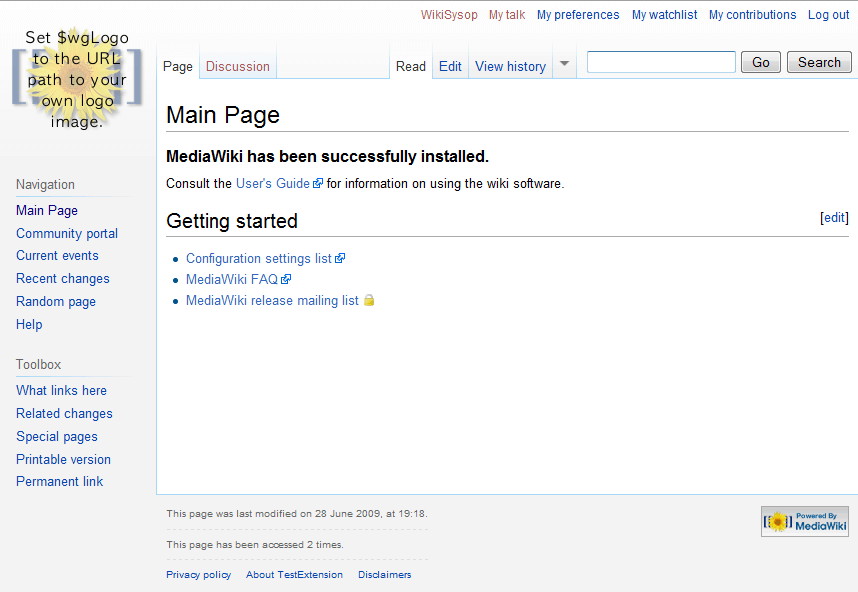
MediaWiki is a program for creating and managing a Wikipedia-like website (in fact, Wikipedia itself is based on MediaWiki) where a community can add, remove, update, and revert entries, and authors are notified of such changes.
What makes it truly powerful is its ability to handle large amounts of content collaboratively, with detailed version control so you can track every edit. It’s highly customizable through extensions and templates, allowing you to create anything from a simple knowledge base to a fully-featured encyclopedia.
59. Flyspray
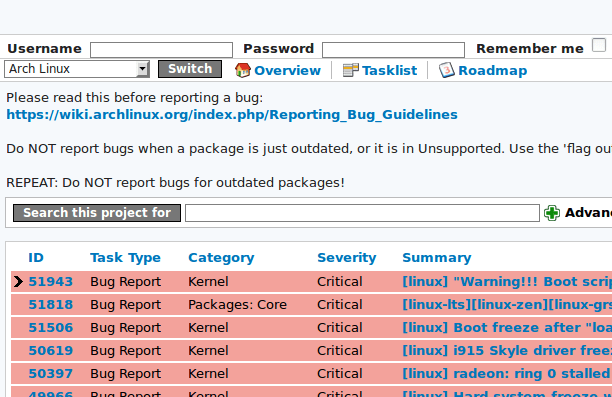
Again, I may be a little biased on this one. If you are searching for a bug-tracking and project management solution, don’t look any further Flyspray, a web-based tool powered by Apache, has exactly what you need.
Flyspray is a lightweight bug-tracking system written in PHP that runs on any OS and focuses on a very intuitive design, allowing you to handle multiple projects at once.
It supports MySQL or PostgreSQL as database servers and provides voting functionality, email notifications (requires a separate mail server to be installed and configured), and optional Single-Sign-On (SSO) using a Facebook or Google account.
60. Odoo POS
Odoo POS is a free and open-source solution that integrates seamlessly with the rest of the Odoo ecosystem, allowing you to manage sales, inventory, and customer data all in one place.
It uses a MySQL or PostgreSQL database, so you can run multiple terminals on the same system without losing track of your data. On top of that, it comes with helpful features like a search panel, price checker, and the ability to generate printed reports, making everyday operations smoother and more efficient.
Summary
In this article, I’ve shared a curated list of free and open-source applications that I’ve discovered and found useful through 2025 and into 2026.
My hope is that it sparks your interest in one or more of these tools and helps you find something new to enhance your Linux experience.
Are there any of these applications you’d like us to cover in greater detail? Or have you discovered another great FOSS tool that the community should know about? Share your thoughts, suggestions, or questions using the comment form below — your feedback is always welcome!




Arch linux’s bug tracker just migrated to gitlab.
@ibws,
Thanks for the heads-up. I’ve updated the article and removed that part.
Sorry about that; I lost my comment spot. Yeah, this is great—thanks for all the info, apps, and your fantastic explanations. It’s wonderful to see open source making a strong comeback.
It’s nostalgic for me, all the way back to before Windows 3.1. Great! It’s kind of like the old saying: once you learn how to ride a bike, you never forget. Well, in my case, not only did I not forget how to ride, but I also forgot the bike, haha.
Thanks to you and others, I’m hoping to get back on that ride and contribute as much as I can. I’m definitely no Wizkid when it comes to programs, just revisiting the past. Keep it going. I’ll be jumping in and out now and then to reflect, if nothing else. Thank you again.
check out Super Productivity tool, if u are using opentodo.
aMule is great too for sourcing files.
Thanks for this.
Just a note: OwnCloud and NextCloud are more or less the same thing (with the latter being a more advanced fork of the former).
Also, Microsoft VS Code is not open source. VS Codium is an open-source project (just as Google Chrome is the proprietary version of Chromium).
That is not correct.
Nextcloud diverged quite a lot from the same base code in recent years.
Owncloud focussed more on a B2B approach which you can see in their fully rewritten backend in Go.
Unfortunately, Owncloud was recently bought by Kiteworks, which is another confirmation that they want to focus on making the most money out of their customers.
https://owncloud.com/news/owncloud-becomes-part-of-kiteworks/
In the long run, owncloud for sure will change their licensing and in a few years will be dying a slow death.
Kiteworks won’t put so much money/effort into developing it even further.
They just want to milk the cow as much as possible.
NextCloud is not that new. OpenCloud is.
Amazing I don’t use even one of those must-have applications, and my computer still works for me!
I have added some of the above applications according to my requirement thank you.
Need yet another reason to convince you to give OSQuery a try? It was developed and is maintained by the folks at Facebook.” AFAIC, that is hardly a recommendation. In fact, it is a very strong reason NOT to use it.
Hi again,
Just a few comments. Nextcloud can do all the same as the LogicalDoc, plus a lot more.
OSQuery was a new app for me. I looked for more information about it and found Lynis at that point (<- available from a standard repo in several distros). That app (or script) doesn't have a fancy UI, but it might be useful for somebody else.
Nice article, but what you would think about replacing the Visual Studio Code link with a real open-source version of it that doesn’t track the users? -> (https://vscodium.com/)
Otherways I could suggest GIMP (https://www.gimp.org/) for your list.
If only you could turn the telemetry off (even though it’s just telemetry and nothing more)
Oh wait, you can :)
Really very helpful, Thank you for sharing this information.
Can Linux run on a 2 GB ram computer?
Yes, it’s perfectly possible. You just have to use a lightweight distro.
I recommend MX Linux because it’s not only friendly to low-spec computers but also developed to be easy to use, even for beginners.
I have a small laptop/tablet with 2GB of ram and an atom cpu running mx linux fine. Just keep in mind that some tasks may be limited with low ram, like opening multiple apps at once, or having several browser tabs.
P.S: If you’re more tech savvy, I recommend using the 32-bit versions of all apps you can, especially the browser, because it eats much less ram. To give you a real example, on the above-mentioned computer, I can only work with about 3 to 5 tabs in 64-bit Firefox without the system becoming sluggish, but in 32-bit Firefox, I can work with more than 10 tabs!
Hello, I’ve tried to install and run the Celestia app but I can’t seem to get it running. What should I do? I’m on Ubuntu 18.04
Thank you for this valuable list! Much needed!
Decent list, although some of these look like they are from 1990. It might be cool to have a list of some newer programs.
Curious. The title says “Best software I found in 2020” but the last comment is from May of 2018.
Great Work!
Hello,
If you’re searching packages with dnf, remember to put
-Coperator there.Searching by via cache files saves amount of time. More information about the program:
If I look my install history it seems that I were stuck to the basics in 2019, same as before:
Well I did find a webkitGTK web browsers such as Nyxt, Scheme programming language and GNU Guile.
Which I like: Integration with other tools (plumbing), scalability, Server/daemon type software.
@Flavio Veronese:
It depends on what you want to use Master PDF Editor for. If you want it for professional work, then you do have to pay. But then you might as well get Acrobat. The Master PDF Editor free version is quite satisfactory for home use.
What about PDFEdit?
This software was abandoned in 2012.
@Flavio,
Any alternative to PDFEdit?
LibreOffice Draw is a powerful tool for editing multipage pdf files. Inkscape also works well but only manages single page pdfs.
@Flavio,
LibreOffice Draw added to the list as suggested.
Thanks
Master PDF Editor.
While it does not have all the bells and whistles of an Adobe product, it does the job of allowing users to manipulate PDFs. I’ve been using it for 3-4 years now and it has done everything I needed with PDFs.
@Dragonmouth,
Master PDF Editor added to the list as suggested…
Thanks
Please note that Master PDF Editor is neither open source nor free.
Great article!
You forget tmux I think…
https://github.com/tmux/tmux/wikisorry for my bad English…
I like most of the list even though some of the apps are somewhat outdated. Visual Studio Code looks decent but I can guarantee you that absolutely nothing beats JetBrains. It’s used by Valve, Google, NASA and pretty much all of the huge companies you can name.
I’m using only their PyCharm personally but they have pretty much all the tools you’ll ever need and quite a lot of Git open-source projects that are really useful. Strongly suggest if not switching – at least giving it a try, this is one of the best things you can do to yourself.
I can’t advise anything else though because this is the one I use exclusively. Here’s a link if you want to check ’em out
https://www.jetbrains.com/.This must be a list of somebody’s favorite programs. It has remained pretty much the same since it was first published in 2015. While it is possible for 20+ programs to remain the “best” for that long, it is highly improbable.
I am sure that in the past 4 years more than a few of these programs have been replaced by better ones. Maybe it is time for new “xx best Applications I have found for 2020” article rather than just re-publishing the same one every year.
@Dragnmouth,
I totally agree with you, but we have replaced and added a few new applications in the article. If you feel that this article to be updated with new applications, please suggest few so that we will update the article.
Replaced and added new applications? I don’t see anything new, I suggested MuseScore in 2016 because it’s better than TuxGuitar, yet 4 years later TG is still on the list!
@Michale,
Added FlightGear and GNU Health. Also included MuseScore as suggested by you.
Cool article – thanks for the list and I’ll be sure to check out some of these apps in 2020 ;-)
Lemon POS sounds like something you would call a lazy coworker.
“Get back to work, you Lemon POS!”
Really helpful article.
Thank you for sharing..
Looking for open source system with customer, admin, supplier login portal..
Thank you
One program missing here is Cherrytree – is one of those programs that replaces a whole mess of other apps/programs due to its versatility. I use it for all my writing/word processing needs – logbook, inventory, poetry, story/article/letter writing, address book/contacts list, recipe book, to do/task lists, project management, notebook, and much, much more. It’s cross platform so I can use it on Windows or Linux without skipping a beat. I have yet to find a more useful, versatile program.
@Friar,
Thanks for notifying about Cherrytree note taking application, we will include in the list..
Flightgear is also pretty awesome. Check out the space shuttle. There’s lots of craft for anyone curious to dip their toes (gliders, paragliders, parachutists, pterosaur/dragon, balloons, learning planes like ercoupe, c172p/c182, j3 cub, helicopters like Aloutte-lll have AI copilot. c172p has a full tutorial, wiki has info and guides.). A lot of craft have autostart anyway, ctrl+u to add altitude. Stuff like the awesome weather system, possible physics are way better than commercial sims.
Ggraphics appear to be turned off for compatibility at the start. Try ALS renderer, detailed weather, turn up visuals and tweak environment menu.
Not interested into things you have found, it all looks like Windows after all….
Why even comment then retard, you are such a dumb, there was no need for you to even comment if you had nothing productive to say!!!
Hi,
Thanks a lot..
We work on OWNCLOUD and Visual Studio Code is the best Code editor.
So many applications I had no idea about, yet they all seem being worth the try. I’d usually use Try Direct for new stacks. It helps to quickly try demo versions of new marketing tools which appear on the market everyday.
Thanks for the list, some interesting applications. Will give CodeMirror a try. Thanks!
We used LAN messenger, but unfortunately this is an abandoned project. The office migrated to Realpopup.
Thanks for this list. I would like to mention OpenKm and Otrs as two great software too.
I really appreciate this post. I’ve been looking all over for this!
Nice list!!! will be checking some of these out! Thanks for the info! (and did you start this off with “as 2020 comes to a close”?….we still have quite a bit left of ’20 dude!!!….(Sept/Oct/Nov & Dec!!)
@Dragonmouth,
We update the old articles with new stuff regularly…
I love it when articles are updated, people should do it more often.
Came to say the same thing.
I’m using Ampache and seriously it’s amazing. Love that software specially when you’re a FOSS lover
We need Open Source Tools For Helpdesk Ticket of IT and Asset Management Tool.
Does CodeMirror have any WordPress plugin? I am using Crayon Syntax Highlighter on my site and thinking CodeMirror can be the perfect replacement for it. Thanks for sharing the information.
This a great lists of free software ! Will give freeRDP a try for sure. Thanks. If you want to add IDEs to the list, My personal favorite is PyCharm ! Lovely UI, excellent usability.
Instead of OwnCloud I would use NextCloud.
To manipulate PDF files, I use Master PDF Editor. It is part of the default install of the distro I am currently using, PCLinuxOS.
It may run on Linux and be very useful, but Visual Studio Code isn’t free software. Its licence prohibits access to source code, with few exceptions.
Thanks for this list. I would like to mention OpenKm and Otrs as two great software too.
Regards from Argentina!
Very nice list. The Simple Screen Recorder is an awesome application, that I use often to record video tutorials. Some of the other applications I did not know, and I will try some of them surely.
Thank you!
Thanks
Good Post. Learnt about some software that can be of great use.
Thank you.
What about lazarus-ide.org?
Awsome article and well explained. I haven’t used most of the softwares but will try them now.
This word does not exist. Say software packages or applications or programs.
Don’t be a pedant, Julian. You obviously understood what Suleman meant. You can’t expect everyone to be fluent in American English. Are you as fluent in any foreign language as Suleman is in English? The article is about open source applications, not about the literary merits of Hemingway’s or Faulkner’s writings. You and Brendan Horne should stick to the subject and not be nit-picking.
Can you please tell me more about this FOSS.
My lecturer asked as to look into because people are now making millions of dollars out of FOSS.
Tell me more about it, how i can join in FOSS.
Thank you.
Great info about the open source. Thank you.
Though I am not expert in game designing. But I use Microsoft version of blender to play and make animations. It does not need 64-bit OS like unity and Unreal. That’s why blender is my favorite.
Except this, nice post. Thanks for sharing. Few are new to me and I am going to try them.
great information about the open source tools for open source web development
Thanks for the Atom tip. Will give it a try. Seems very useful.
Hello Mr. Canepa, and to all. It will be interesting to tell to others WHY, all of this foss programs are the best … With out any arguments about this topic … your list has no credibility .
Hi – long time no talk! It’s good to hear from you again, now on this site.
IMHO, I DID explain WHY I included this program on this list. If you don’t agree, please elaborate. Other readers don’t seem to agree with you.
Hi, yes, long time ago…..
You start with this “…it is time to bring you the best 10 Free and Open Source Software (FOSS) “. Ok now, for example, you say:
“OSQuery provides access to real-time system information in the form of tables and events that can be queried using SQL-like syntax via an interactive query console”.
So, OSQuery is the best FOSS (in this area) because of SQL-like and so on! There FOSS tools can not do the same ? The same observation about FreeRDP.
“ownCloud as a private cloud solution to access and share your files, calendars and contacts”. Because of that is the best ? I think is not a valid argument, to be “the best”!
“Other readers don’t seem to agree with you.” – this is not important if some of the readers are agree or not to me! Maybe they do not have time to wrote about my post, maybe they do not see what I can see, and so on. I see in many occasions, when a lot of people was wrong, and a few of them was on the right path … ;)
Maybe, a title like “10 Useful/Interesting Free and Open Source Software (FOSS) Programs I Found in 2016” was better!
Anyway, despite remarks, I do realize, that your FOSS list is at least interesting!
You’re a troll, Iulian.
You make comments just to cause trouble.
Yes it is. And improves itself every day by extensions auto-updates
I like this pretty article, it grows my knowledge significantly, keep posting like this.
I also discover Dolibarr a really complete ERP and CRM to manage your company. A very active project with a lot of add-ons.
@Eldy,
That’s great to hear! Dolibarr is indeed a comprehensive ERP and CRM software solution that is worth considering for inclusion in this relevant lists.
Thanks for the update.
Just to inform you that Celestia is in the Ubuntu repository (for those who care).
Thanks.
I know that this is a minor point, but software is a collective and continuous noun, as opposed to a discrete noun (which would have a plural.
Apple is an example of a discrete noun). Hence there is no plural form of it, so “softwares” isn’t even a word. When I write blog posts I say, “pieces of software” if I need to make software plural.
Likewise, the program is a word similar (almost synonymous with software) that has a plural form, programs.
In my defense, the word “softwares” was not part of the original title of this article :).
@Ravi,
Please correct it as per Brenton’s suggestion.
Thanks!
If you consider it such a minor point, Brenton Horne, why even bring it up? You, Sir, are a Grammar Nazi. :-)
This is a techie site run and maintained by non-English speakers, not a grammar site run and maintained by Oxford English professors. If you read their articles, there are more grievous transgressions than ending a word with an unnecessary letter. The technical information provided by the articles loses no value because of the occasional grammar or spelling errors.
What do you mean by “ If you read their articles, there are more grievous transgressions than ending a word with an unnecessary letter“? Can you point out a few examples of such grievous transgressions?
“Can you point out a few examples of such grievous transgressions?”
I’d rather not but since you asked…. As I said, Tecmint is a technology site, not a literary site. So to focus on grammar, spelling and/or syntax (other than in sample commands) would be distracting. However, it would make the articles easier to read/understand if they were posted in idiomatic English. It is obvious by the phraseology and syntax that most of the articles are written by non-native-English speakers. It has been suggested by a few readers in the past that Tecmint should use a native-English speaker to edit the articles. The response to these suggestions has been a deafening silence. The users were not told that “We are working on it” or “We will not not do it because………………”, they were just ignored.
Again I wish to reiterate that the value of the technological information overrides and shortcomings in the language.
Thank you for pointing this out. If you find grammar or any other type of errors under articles written by me, I will be more than glad to be corrected. I don’t have much of a choice as to the title since that’s the prerogative of the owner of this blog. But I am open to corrections and suggestions to improve.
I was thinking that by grievous transgressions you mean serious errors in the content itself. Thanks again for your well-thought comment.
@dragonmouth. This sounds Greek to me. Since when incorrect English is called “idiomatic” English?
@Julian:
Are you so knowledgeable in all the variants of the English language spoken natively in various countries around the world that you can state unequivocally which expression is idiomatic and which one incorrect? What may be correct in American English, may not be correct in Australian English or South African English or English spoken in India. George Bernard Shaw said that “America and England are two countries separated by the same language”. The scope of that statement can be extended to include all other English-speaking countries.
Before you go Grammar Nazi on posters, you should realize that when people speak/write a foreign language, they tend to think in their native one and then translate into the foreign language. While in English a word like “softwares” may be incorrect, it may be perfectly correct in other languages.
Yes I am a grammar Nazi, only mentioned it because I run a blog too and if I made a mistake like this I’d like to think someone would correct me. Besides if it is not corrected odds are the same mistake will be made again, learning can only happen if people are corrected when they make mistakes.
I don’t think you’re a grammar Nazi. I appreciate you taking the time to point out that typo. Besides, you were very polite when you did so. So thank you! And feel free to continue doing so.
@Brenton,
Thank you for pointing that out. You are correct. “Software” is indeed a collective and non-count noun, which means it doesn’t typically have a plural form. It is more appropriate to use phrases like “pieces of software” or “types of software” when referring to multiple software applications or programs.
Jaspersoft Studio is the reporting tool integrated by Red Hat into RHEV-Manager for creating awesome reports. Helped us lot lot…
@Babin,
Thank you for pointing that out. Your expert voice is most appreciated :).
@Babin,
That’s great to hear! Jaspersoft Studio is indeed a powerful reporting tool.
You may want to take a look at MuseScore, it’s similar, albeit more advanced than TuxGuitar.
@Michael,
Thank you for the suggestion! We will keep it in mind.
Never got a notification that you responded to my post on Tuesday, May 3, 2016; yet I got a notification about a comment that was just posted today [Tuesday, April 3, 2018]…very weird!
@Michael,
Thank you for the suggestion! MuseScore is indeed a fantastic music notation software that offers more advanced features compared to TuxGuitar. I have added both of them to the list as suggested…
I loved the article, as I revealed new software or re-made software discovered that years ago he saw as LAN -Messenger.
I think it’s not the classic list published each year with the same names forever. I congratulate you, Gabriel. Very well “cured ” list!
Thank you.
@Celia,
Thank you for your kind words. Please help us spread the word by sharing this article in your social network profiles!
Thank you for the links, Gabriel!
Great article, with some excellent software to use on Linux desktop.
@Balvinder,
Thank you for taking the time to comment on this post. Feel free to share!
Awesome post I found some new software that haven’t seen before…
Some of this new software is awesome definitely amazing. I also use Gimp and Libreo Office (I used Microsoft Word, Excel, etc alternative).
Thanks for sharing.
Very good software recommendations, but I did not even know some of them…
Thank you
Allan
@Jason,
Thanks for informing us, we already sent a legal notice to the admin of the website and the article has been taken down…
Hi,
This a very nice article. A pleasure to read. Thank you.
Bests
Do you understand what Open Source means? Cause this…
3. Visual Studio Code
Tells me that you don’t. VSC is distributed by Microsoft. First of all, that’s an immediate red flag and a no-go for it being free as in freedom.
But is it at least Open Source, in the sense that you can see the source code? No. Even the Javascript is minified and obfuscated to hell with a big fat “ALL RIGHTS RESERVED” notice slapped on top of it.
It’s literally the opposite of Open Source and everything the FSF stands for.
Visual Studio Code from Microsoft is included?
I don’t think you understand what Open Source means, let alone the difference between Open Source and the FSF’s definition of ‘free’ (Free as in freedom).
Microsoft does not make free software. They don’t even make Open Source software. They are a company with the singular goal of profit, so why would they ever release their proprietary code?
Even the javascript found in the distribution is crushed down into a single line with the comment “Copyright Microsoft Corporation, all rights reserved.” above it.
VSC is the exact opposite of open-source.
@Braden,
A clarification is worthy and well.
vscode is released under an MIT License (recognized as compatible with the GPL, see http://www.gnu.org/licenses/license-list.html) and the source code is available on GitHub: https://github.com/Microsoft/vscode.
Visual Studio Code has a different license, and we will update this article to reflect the differences as explained here: https://github.com/Microsoft/vscode/issues/60#issuecomment-161792005
Thanks for pointing that out.
Thank you very much for this article, I have found some wonderful software to use.
Great article, lots of useful open-source software to use…
A very nice article. A pleasure to read. Thank you.
There are three other applications which I think are excellent, I use them daily; Libreoffice, Gimp, and Bluefish.
Thanks for the article, I have found some wonderful software to use.
Thanks for these tips – a good selection and I shall look forward to trying them out. We already use Libreoffice and Gimp on Linux Mint. I can’t remember the last time I had to fire up my Windows 10 laptop!
@Jane,
You’re welcome! I’m glad the tips were helpful to you. If you have any more software recommendations, feel free to mention them here. I would love to add them to the article.