

HTTP Prompt (or HTTP-prompt) is an interactive command-line HTTP client built on HTTPie and prompt_toolkit, featuring autocomplete and syntax highlighting. It also supports auto cookies, OpenAPI/Swagger integration as well as Unix-like pipelines and output redirection. In addition, it comes with more than 20 themes that you can use.
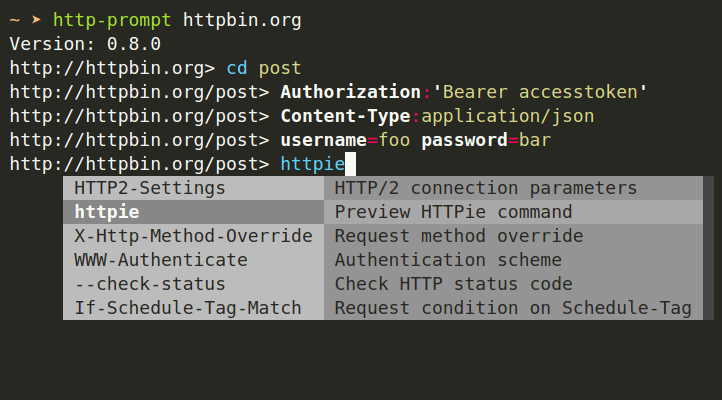
In this article, we will explain how to install and briefly use HTTP-prompt in Linux.
How to Install HTTP Prompt in Linux
You can install HTTP-prompt just like a regular Python package using PIP command as shown.
$ pip install http-prompt
You will likely get some permission errors if you are trying to install HTTP-prompt on the system-wide Python. It isn’t advised, but if this is what you want to do, just use sudo command to gain root privileges as shown.
$ sudo pip install http-prompt
Alternatively, you can use the --user option to install the package into user home directory as follows:
$ pip install --user http-prompt
To upgrade HTTP Prompt, do:
$ pip install -U http-prompt
How to Use HTTP Prompt in Linux
To start a session, simply run the http-prompt command as shown.
Start with the last session or http://localhost:8000
$ http-prompt

Start with the given URL
$ http-prompt http://localhost:3000

Start with some initial options
$ http-prompt localhost:3000/api --auth user:pass username=somebody

After starting a session, you can type commands interactively as shown in the following screenshot.
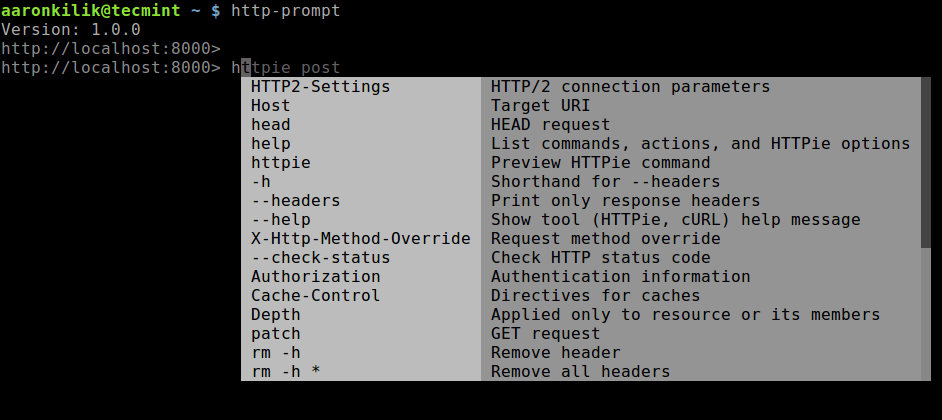
To preview how HTTP Prompt is going to call HTTPie, run the following command.
> httpie post

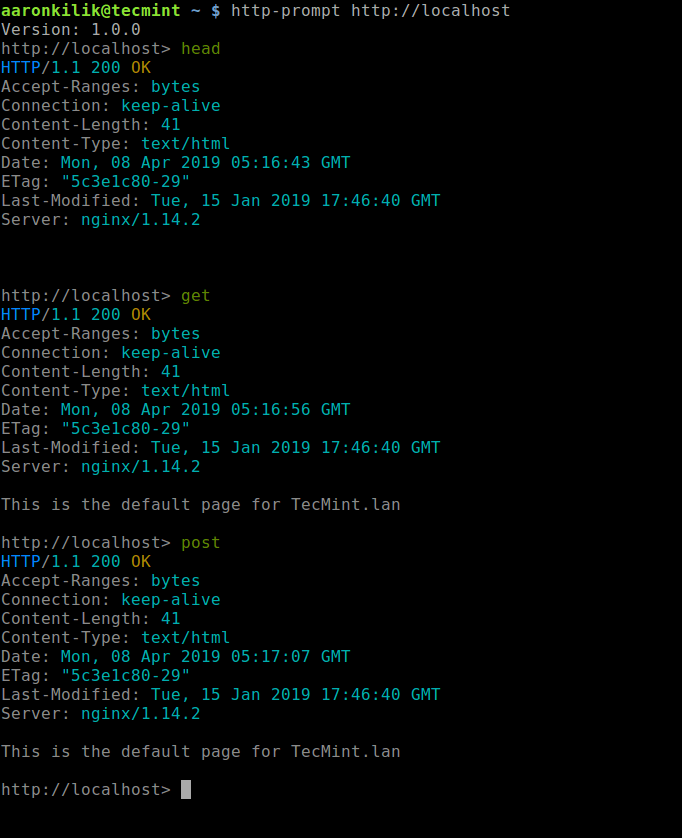
You can send an HTTP request, enter one of the HTTP methods as shown.
> head
> get
> post
> put
> patch
> delete
It is possible to add headers, query-string, or body parameters, use the syntax as in HTTPie. Here are some examples:
# set header
> Content-Type:application/json

# querystring parameter
> page==5

# body parameters
> username=tecmint
> full_name='Tecmint HowTos'

# body parameters in raw JSON
> number:=45239
> is_ok:=true
> names:=["tecmint","howtos"]
> user:='{"username": "tecmint", "password": "followus"}'

# write everything in a single line
> Content-Type:application/json page==5 username=tecmint
You can also add HTTPie options as shown.
> --form --auth user:pass
> --verify=no
OR
> --form --auth user:pass  username=tecmint  Content-Type:application/json
To reset the session (clear all parameters and options) or exit a session, run:
> rm *		#reset session
> exit		#exit session
For more information and usage examples, see the HTTP-prompt documentation at: http://http-prompt.com/.
That’s all! HTTP Prompt makes a perfect companion for HTTPie. We would love to hear from you. Share your thoughts or ask questions about HTTP-prompt via the feedback form below.
