

WordPress is a free and open-source, highly customizable content management system (CMS) that is being used by millions around the world to run blogs and fully functional websites. Because it is the most used CMS out there, there are so many potential WordPress security issues/vulnerabilities to be concerned about.
However, these security issues can be dealt with, if we follow common WordPress security best practices. In this article, we will show you how to use WPSeku, a WordPress vulnerability scanner in Linux, that can be used to find security holes in your WordPress installation and block potential threats.
WPSeku is a simple WordPress vulnerability scanner written using Python, it can be used to scan local and remote WordPress installations to find security issues.
How to Install WPSeku – WordPress Vulnerability Scanner in Linux
To install WPSeku in Linux, you need to clone the most recent version of WPSeku from its Github repository as shown.
$ cd ~
$ git clone https://github.com/m4ll0k/WPSeku
Once you have obtained it, move into the WPSeku directory and run it as follows.
$ cd WPSeku
Now run the WPSeku using the -u option to specify your WordPress installation URL like this.
$ ./wpseku.py -u http://yourdomain.com
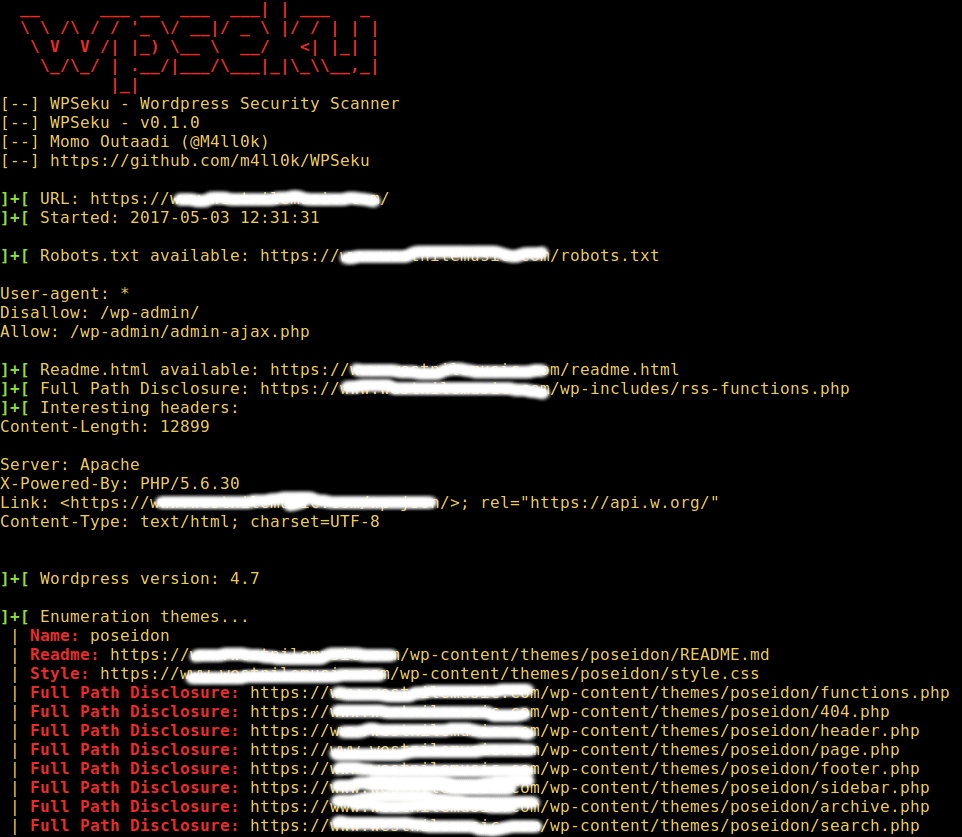
The command below will search for cross site scripting, local file inclusion, and SQL injection vulnerabilities in your WordPress plugins using the -p option, you need to specify the location of plugins in the URL:
$ ./wpseku.py -u http://yourdomain.com/wp-content/plugins/wp/wp.php?id= -p [x,l,s]
The following command will execute a brute force password login and password login via XML-RPC using the option -b. Also, you can set a username and wordlist using the --user and --wordlist options respectively as shown below.
$ ./wpseku.py -u http://yourdomian.com --user username --wordlist wordlist.txt -b [l,x]
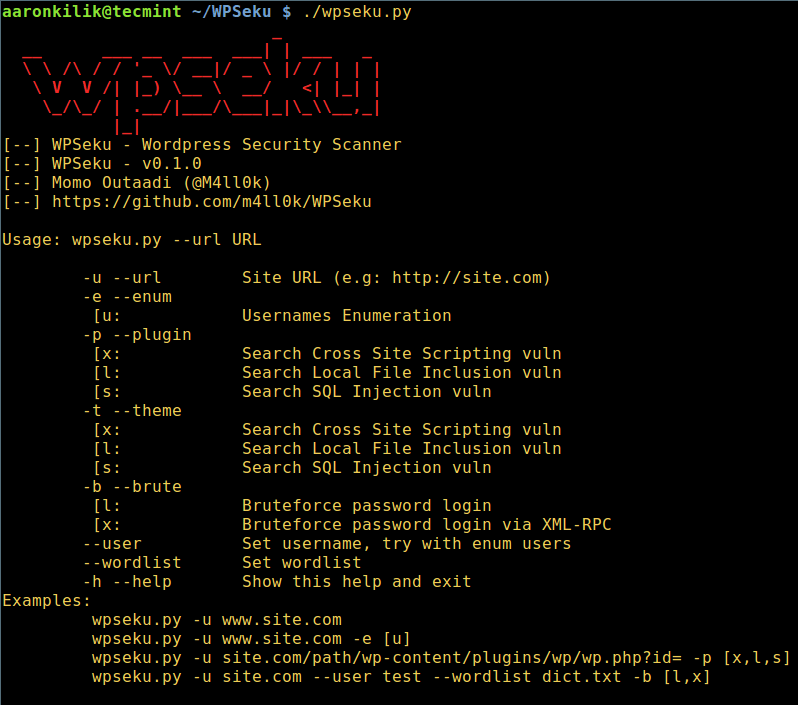
To view all WPSeku usage options, type.
$ ./wpseku.py --help
WPSeku Github repository: https://github.com/m4ll0k/WPSeku
That’s it! In this article, we showed you how to get and use WPSeku for WordPress vulnerability scanning in Linux. WordPress is secure but only if we follow WordPress security best practices. Do you have any thoughts to share? If yes, then use the comment section below.

thanks for this wonderful article, very helpful.
@Malid
Welcome, we are glad that your found it useful. Thanks for the feedback.
]+[ Searching sql vulns…
Traceback (most recent call last):
File “./wpseku.py”, line 805, in
main.WPSekuMain()
File “./wpseku.py”, line 776, in WPSekuMain
WPAttack(self.url,self.path,self.query,self.headers).sqlattack()
File “./wpseku.py”, line 553, in sqlattack
params = dict([part.split(‘=’) for part in u.query.split(‘&’)])
ValueError: dictionary update sequence element #0 has length 1; 2 is required
@Bruce
Did you specify a valid URL? For example:
./wpseku -u https://bruceferrel.com
And for the -p option, you need to specify the location of plugins in the URL as shown in the article.
I think you should have blurred few more lines…
@jsda
Sure, but for demonstration purposes, we only blurred the domain name(for security reasons).